
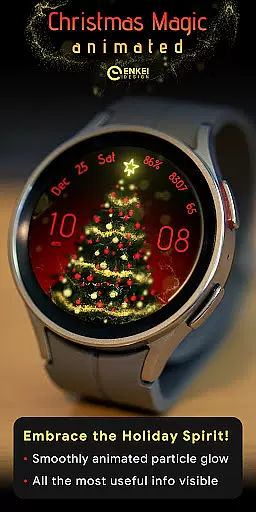
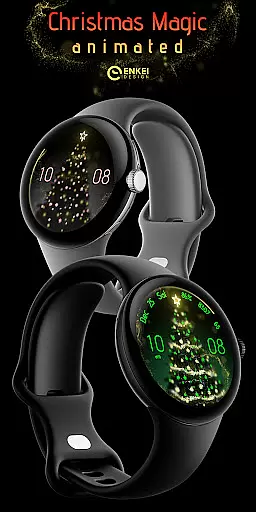
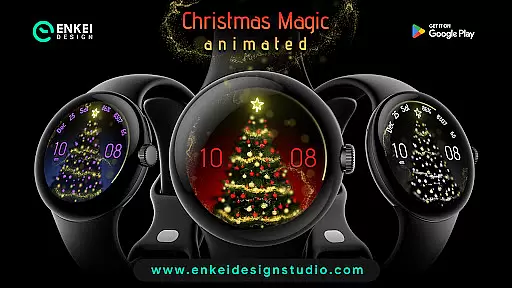
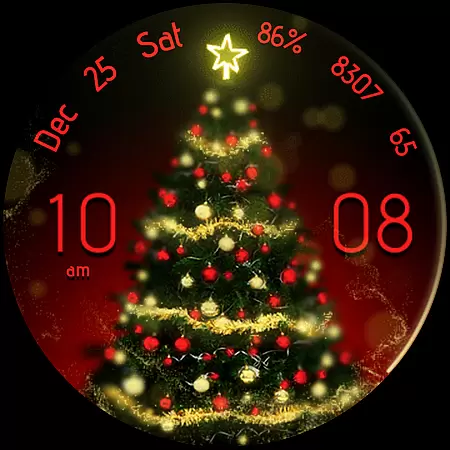
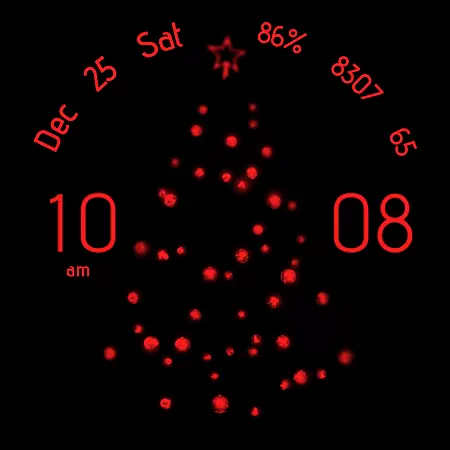
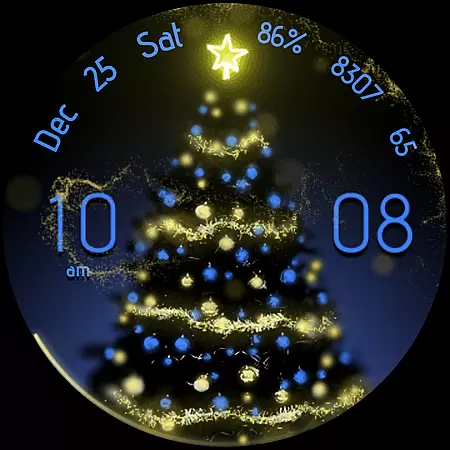
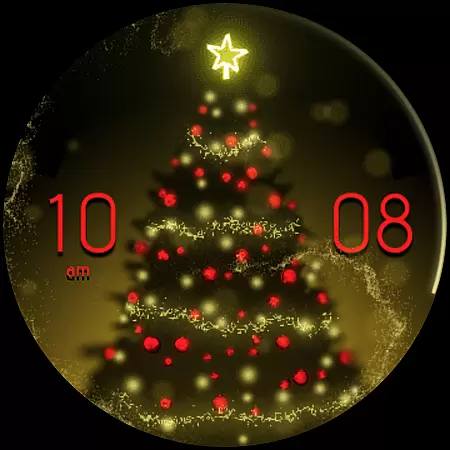
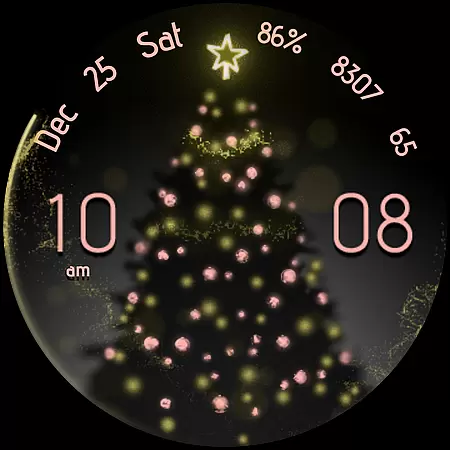
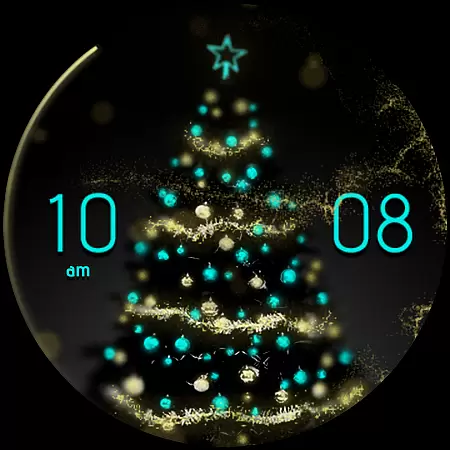
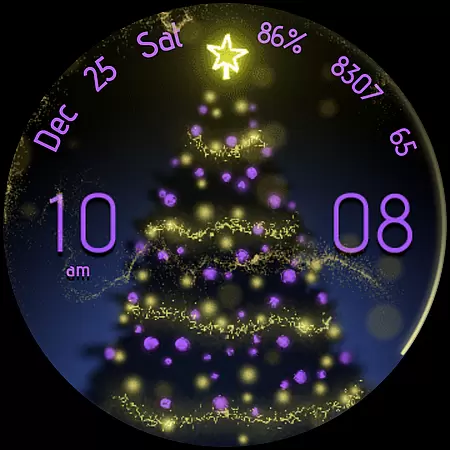
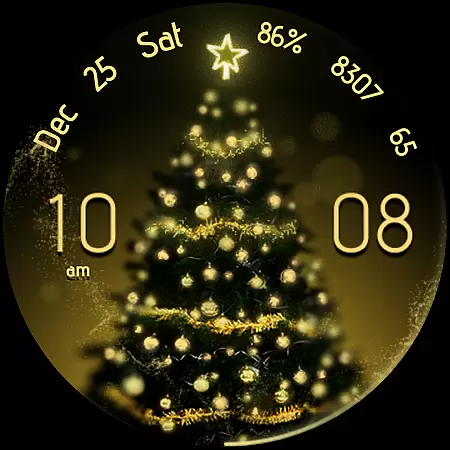
Christmas Magic is a premium watch face designed exclusively for Wear OS devices running version 5.0 and above. This magical watch face features stunning golden 'fairy dust' animations that create an enchanting visual effect on your smartwatch display. Beyond its captivating appearance, Christmas Magic offers practical functionality with useful indicators like digital clock, date, battery percentage, step counter, and BPM monitor.
The watch face stands out with its extensive customization options powered by Watch Face Format technology. Users can personalize accent colors, background, tree styles, and toggle various display elements through the intuitive Customize menu. The interactive tap shortcuts provide quick access to essential apps, while the battery-efficient Always-On Display ensures minimal power consumption. Whether you want a festive look or need a functional smartwatch interface, Christmas Magic delivers both style and substance for Wear OS users.
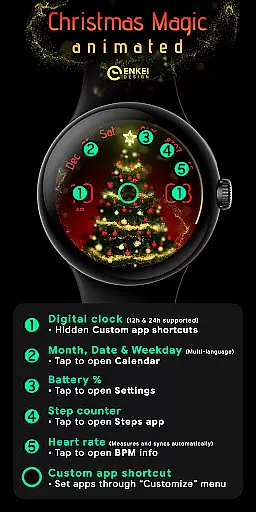
Christmas Magic watch face distinguishes itself through innovative features and user-friendly design elements. The digital clock supports both 12h and 24h formats, with hidden custom app shortcuts accessible by tapping the hour, minute, or center areas. The watch face displays comprehensive time information including month, date, and weekday in multiple languages, plus it shows essential health and device metrics such as steps count, heart rate, and battery level.
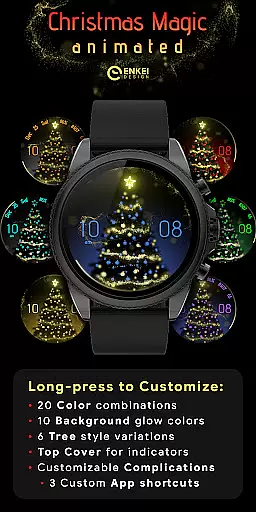
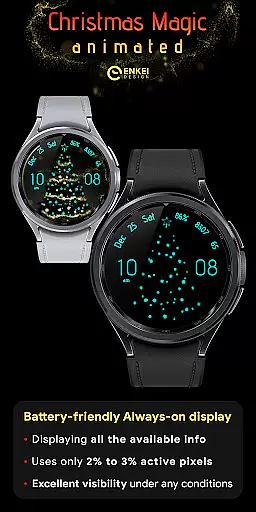
One of the standout features is the advanced customization capability. Through the long-press Customize menu, users can select from 20 accent colors, 10 background colors, and 6 different tree styles. The watch face also includes practical options to show or hide top indicators and configure complications. Notably, the Battery Efficient Always-On Display (AOD) uses less than 3% of active pixels, striking a perfect balance between visibility and power conservation.
The implementation of these features demonstrates careful consideration for both aesthetics and functionality. Each interactive element serves a purpose, whether it's opening settings, calendar, or fitness tracking apps. The thoughtful design extends to installation support and customer service, with comprehensive guides and responsive email support promising replies within 24 hours, ensuring users have a smooth experience with their Christmas Magic watch face.
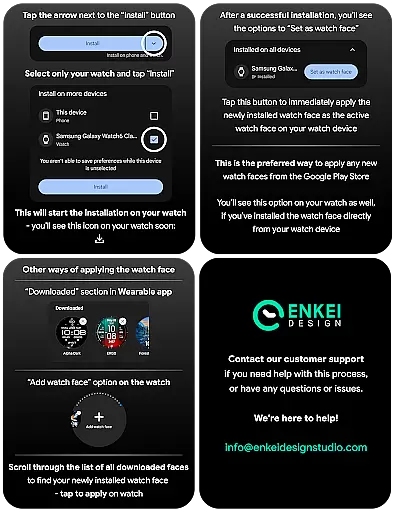
Companion app integration is crucial for Android Wear applications as it ensures seamless synchronization between the watch and paired smartphone. Christmas Magic - watch face demonstrates excellent implementation of this feature by providing a dedicated phone companion app that facilitates direct installation to the watch device.
The companion app serves as an installation bridge, ensuring users can easily set up the watch face without complications. This streamlined process enhances user experience by reducing setup time and potential errors during installation.
Moreover, the separation of functionalities between the watch face and companion app allows for optimal resource allocation. While the watch handles display and interaction, the companion app manages installation logistics, creating a more efficient system overall.
This thoughtful integration approach not only simplifies initial setup but also establishes a foundation for future updates and feature expansions, making it a valuable asset for users seeking reliable smartwatch functionality.
Device compatibility is a fundamental aspect of any Android Wear application, determining its ability to function across different Wear OS devices and versions. Christmas Magic - watch face has been specifically optimized for devices running Wear OS 5.0 and newer versions (API 34+), ensuring maximum performance and stability.
By targeting modern operating systems, the application leverages the latest technological advancements in smartwatch capabilities. This includes improved processing power, enhanced graphics rendering for the golden 'fairy dust' animation, and better integration with device-specific features.
The developers have made a conscious decision to focus on newer Wear OS versions, which allows them to utilize the expanded customization options provided by Watch Face Format. This results in superior customization capabilities while maintaining optimal performance levels.
This strategic compatibility choice ensures users receive the most advanced features while maintaining system stability, making Christmas Magic an excellent choice for those with updated Wear OS devices seeking both functionality and visual appeal.
Stunning visual effects
Extensive customization
Battery efficient AOD
Interactive shortcuts
Comprehensive support
Limited device compatibility
Complex setup process
Premium price point
Resource intensive
Learning curve

Contemporary digital watch face with five complications
 4.1
4.1
Let's celebrate Thanksgiving - Wear Os watch face
4.20
Period, ovulation & pregnancy tracker. Fertility insights & menstrual calendar.
4.90
Stylish, Energizing and Modern Watch Face crafted by Dominus Mathias.
4.50
Hyper-Realistic Airplane Dashboard Watch Face With 10 Skins and Custom AOD
4.00
Retro digital watch face with customizable colors and a unique lighting effect
4.60
Hybrid watch face for Wear OS with customizable complications by Matteo Dini MD
4.70
Simple, helpful messaging by Google
4.60
Fitbit is dedicated to helping people lead healthier, more active lives.
4.10
Real-time weather radar with temperatures, warnings, hurricanes, and widgets
4.80
Monitor health with the stress test and pulse checker in the heart rate app.
4.60
Real-time results, stats, schedules and player profiles for all leagues
4.60
Bold, Modern Hybrid Watch Face for Wear OS. 10 Colors, Rich Info Display.
4.30
Calming & relaxing sounds for sleeping and stress relief. Stay focused all day!
4.20
Embrace the festive spirit with our Christmas Countdown watchface for Wear OS
4.10
A digital watch face that celebrates Christmas.
4.00
Stay in touch with your friends and family using LINE!
3.40
A watch face that fuses motorsport precision with contemporary smartwatch design
4.5
Funny animated watch face for Thanksgiving
4.4


User Reviews