
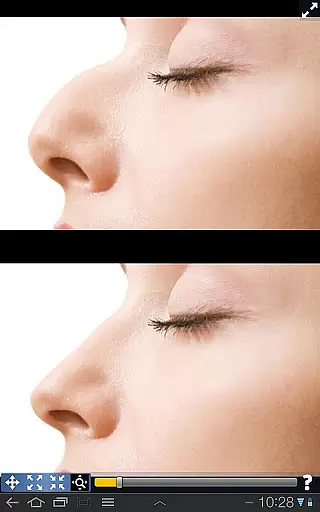
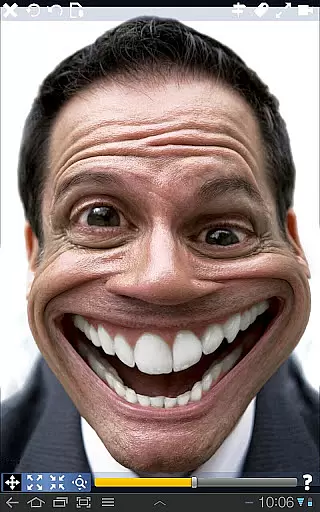
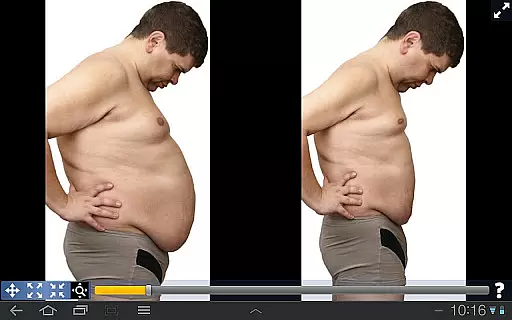
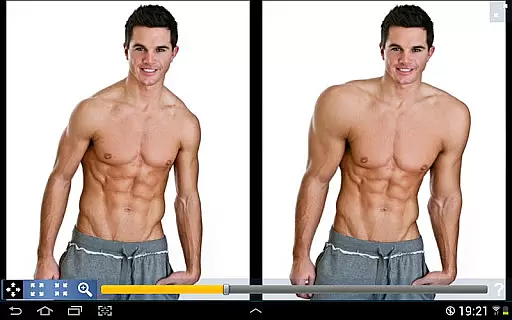
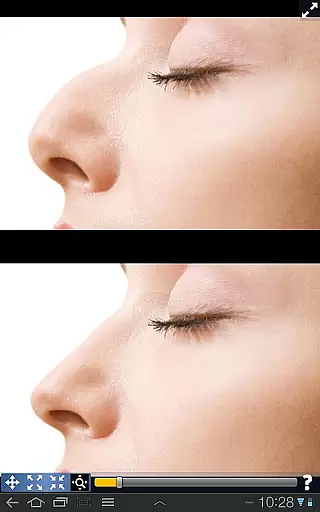
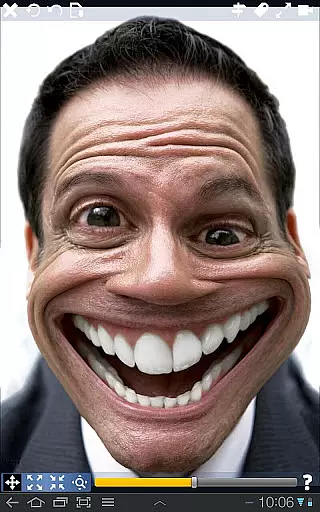
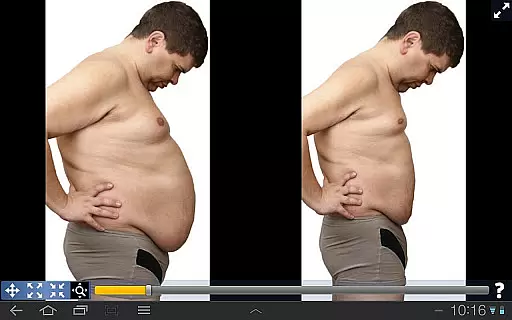
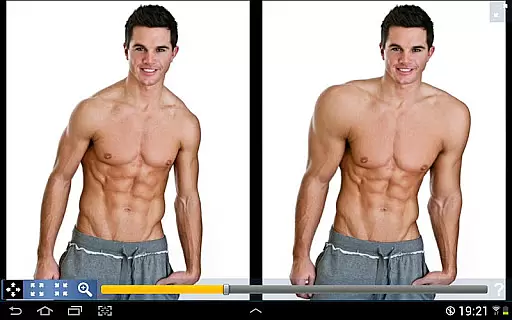
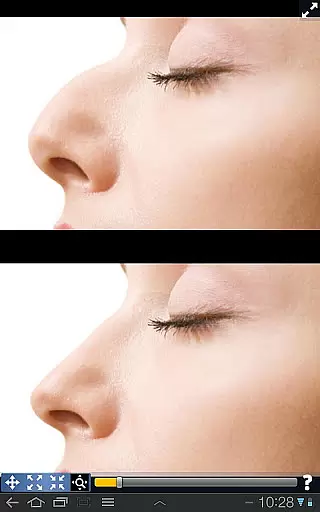
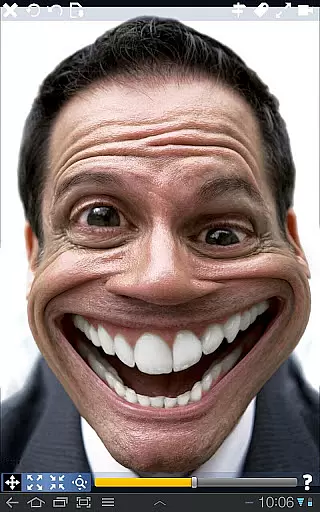
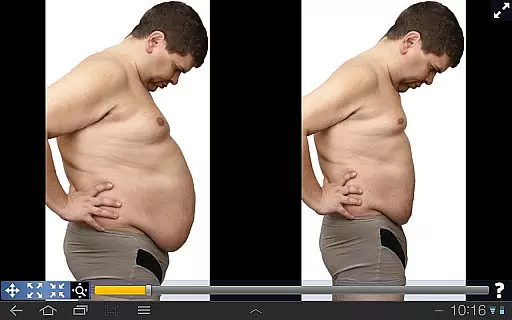
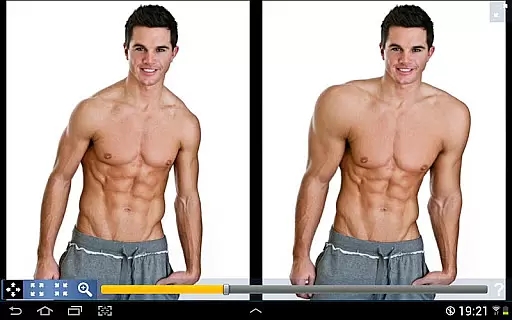
Plastic Surgery Simulator is a creative photo editing application designed for users who want to experiment with body transformations and facial modifications. The app allows you to simulate changes in physical appearance by reshaping or resizing specific features such as the nose, chin, or muscles.
With its intuitive drag-and-drop interface, users can easily distort images to visualize potential cosmetic changes. Whether it's for fun, social media enhancement, or exploring hypothetical scenarios, this app provides a seamless experience. Its standout feature is the dual display mode, which enhances usability on smaller devices by cloning the image across the screen while editing.
Plastic Surgery Simulator offers a range of innovative features that set it apart from other photo distortion apps. At its core is a powerful algorithm that ensures smooth and realistic transformations, avoiding pixelation or unnatural effects.
The dual display mode is another key highlight, allowing users to edit images without their fingers obstructing the view. This functionality is particularly useful for mobile devices where screen real estate is limited. Additionally, the app supports various customization options, enabling users to fine-tune their edits according to personal preferences.
Whether you're looking to reshape facial features or experiment with body modifications, the app provides an engaging and user-friendly platform to bring your ideas to life.
Real-time capture and preview functionality is essential for photography apps as it allows users to see the effects of their edits instantly.
Plastic Surgery Simulator excels in this area by providing a dual display mode that clones the image when the device is rotated, enabling users to modify their images without obstruction. This feature ensures that users can see the changes they make in real time, enhancing the editing experience.
The app's powerful photo distortion algorithm further complements this feature by delivering smooth transformations as users manipulate different parts of the image. This immediate visual feedback empowers users to experiment with confidence, knowing exactly how each change will look.
For those interested in simulating body transformations or altering appearances for social networks, the ability to preview edits in real time significantly streamlines the creative process and makes photo editing more intuitive and engaging.
AI beauty and enhancement features are increasingly important in photography apps, offering users the ability to improve or alter their appearance naturally.
Plastic Surgery Simulator stands out with its advanced photo distortion capabilities, allowing users to simulate various physical changes such as adjusting the nose, chin, or lips, or enhancing muscle definition. The underlying algorithm ensures that these modifications appear smooth and realistic, avoiding the artificial look that can occur with less sophisticated tools.
This focus on natural-looking enhancements means users can experiment with different aesthetics while maintaining authenticity in their photos. Whether for fun or to visualize potential cosmetic changes, the app provides a balanced approach to beauty enhancement.
By prioritizing natural results, Plastic Surgery Simulator caters to users who seek subtle yet effective improvements, making it a valuable tool for anyone looking to enhance their digital presence thoughtfully and attractively.
Intuitive interface
Realistic transformations
Dual display mode
Fun and engaging
Ideal for social media
Limited advanced tools
No undo option
Occasional glitches
Ads can be intrusive
Basic free version

A collection of tools and reference tables for DPs, ACs, DITs and Operators.
 4.70
4.70
How old age camera Gender Swap App Face Shape Hairstyle App Hair Styler App fun!
4.00
Create AI Photos, Improve and restore quality of blurry, old or damaged pics.
4.20
Movie camera, supports pro recording settings for filming. Try it and be amazed!
4.50
Photo editor & gallery. Crop pictures & edit photos offline, no wifi!
4.50
Smart, light, and fast photo and video gallery
4.30
Pro version: AR sun/moon tracker for any date. Tool for photographers & planners
4.90
Discover How to Plan any Sun, Moon and Milky Way Photo You Imagine in Seconds
4.70
Edit photos with the picture generator: PS2 & AI Clay filters, cartoon effects.
4.50
Gallery show photo, video, slideshow, is perfect 3D effect private photo albums.
4.80
Perfect body tune & face app - photo retouch, makeup, slim body & beautify face.
4.80
Photo editor: AI filters, photo enhancer, pic collage maker, AI art generator.
4.80
Create Business Headshots, Polaroid Filter, Retake Photos,Profile Pics,AI Photos
4.50
HD Camera Pro with HD Video shooting, Panorama, Photo editor , Beauty Camera.
4.50
Create AI photos & videos with Enhancer; restore, fix, beautify, enhance photos
4.50
Future baby face generator: AI kids generator, kid face! What my baby look like?
4.40
[3DSteroid Pro] is a stereoscopic application for Android.
4.30
Create & Edit with AI: AI Remove, Enhance, Retouch, Filter
4.10
Remote control the phone camera shutter from your smartwatch and take a picture
1.60


User Reviews