
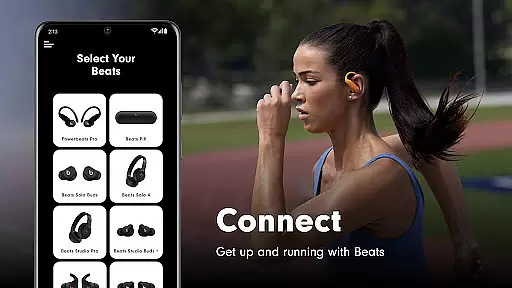
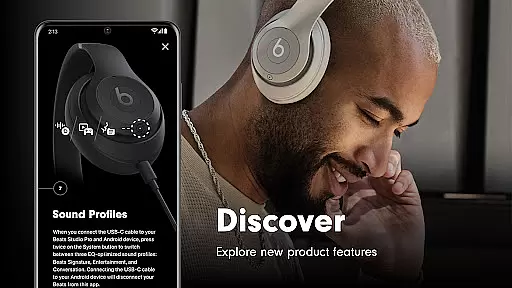
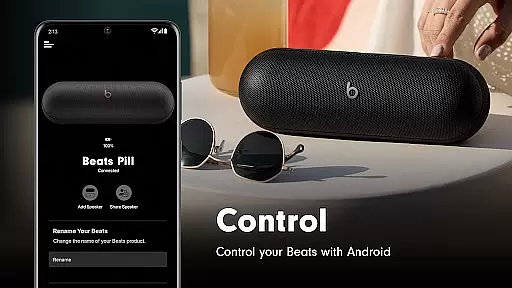
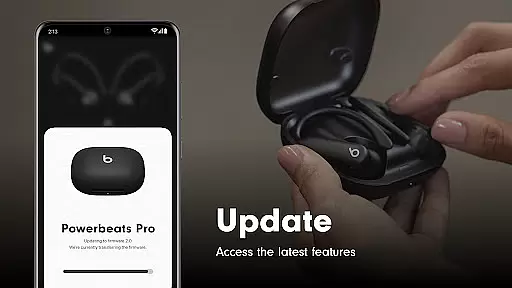
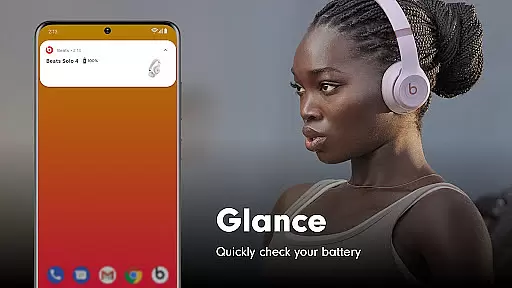
Beats is a comprehensive management tool designed specifically for Beats product users. The app offers seamless one-touch pairing functionality, allowing users to quickly connect their devices and access essential information such as battery status and settings. Additionally, it provides firmware updates to ensure optimal performance of supported products like Powerbeats Fit, Beats Solo Buds, and more.
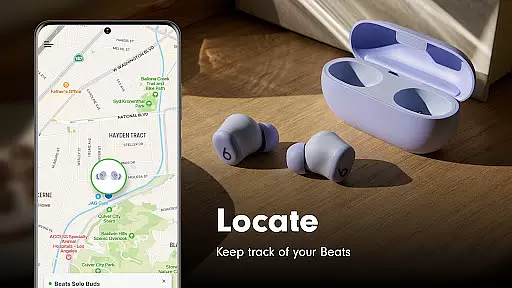
One standout feature is the ability to create custom Android widgets for easy access to frequently used controls. Users can also locate misplaced devices on a map, provided location access is enabled. With support for a wide range of Beats products, this app ensures you get the best experience from your audio devices while keeping them up-to-date with the latest features and improvements.
The Beats app stands out with its robust feature set tailored for audio device management. It supports an extensive lineup of Beats products, including the new Powerbeats Fit and classic models like Beats Studio3 Wireless. Through the app, users can perform crucial tasks such as checking battery levels, adjusting settings, and receiving firmware updates that enhance device functionality.
Advanced capabilities include creating personalized Android widgets for quick access to key controls and using mapping services to find lost devices. Optional permissions for location and notifications further enrich the user experience by providing timely alerts about battery status, firmware updates, and app upgrades. These features collectively ensure that users maintain full control over their Beats products while enjoying a seamless and enhanced audio experience.
When it comes to tools applications, core function accuracy and effectiveness are paramount. The Beats app excels in this area by offering precise one-touch pairing that simplifies the connection process with your Beats devices. This feature ensures that you can swiftly pair your device without the complications often associated with Bluetooth connections.
Beyond connectivity, the app provides reliable access to battery status and settings, empowering users to manage their devices efficiently. With dedicated Android widgets, users gain a customizable experience tailored to their preferences, enhancing daily interactions with their Beats products.
The effectiveness of the Beats app is further demonstrated through its capability to maintain up-to-date firmware for both headphones and speakers. This guarantees an optimal performance level, delivering the latest enhancements and fixes directly to the user's device. Such diligence in maintaining product excellence showcases the app's commitment to quality and user satisfaction.
A hallmark of any superior tool app is an interface that combines simplicity with intuitiveness, ensuring users can navigate effortlessly. The Beats app achieves this by presenting a clean layout where essential features like battery status and settings are readily accessible without overwhelming the user with unnecessary complexity.
Moreover, the optional creation of unique Android widgets reflects an understanding of personalization and ease-of-use. These widgets serve as shortcuts to frequently used functions, streamlining the user experience while maintaining a minimalist aesthetic that aligns with modern design principles.
Even when it comes to more complex tasks such as firmware updates or locating misplaced devices on a map, the app maintains clarity and ease of use. By providing straightforward solutions to potentially intricate problems, the Beats app ensures that all users, regardless of technical expertise, can utilize its full range of features without confusion or frustration.
User-friendly interface
Comprehensive device support
Regular firmware updates
Customizable widgets
Device locator functionality
Location permission required
Limited without optional permissions
Analytics opt-in needed
Bluetooth dependency
Firmware update limitations

 4.50
4.50
Change your GPS location instantly. Simulate routes anywhere in the world.
4.90
pdf merge, word to pdf, jpg to pdf, edit pdf, convert to pdf and much more!
4.20
Carry a FTP server in your pocket and avoid USB cables for file transfer
4.20
Bedrock Together: Join any bedrock server on Xbox/PS
4.80
Create your own custom widget with endless possibilities
3.90
Pro Emulator is an easy to use game console emulator for a range of consoles.
4.40
Fun lie-detection pranks for friends and parties.
3.80
Screen recorder with audio to record high-quality videos and take screenshots.
4.40
Powerful collection of electronics tools and reference.A must for any enthusiast
4.90
Unit and currency converter with easy and simple UI.
4.80
Keep track of your Palia friendships, tasks, and inventory with Palia Notebook
4.60
App to pay for FUTO Keyboard
4.60
Detect hidden spy camera with advanced scanning {{ Premium version }}
4.00
Family Locator, Share location, StayConnect with your family in real time
3.90
A powerful, easy-to-use flight computer on your phone or tablet!
3.80
Smart and comfortable browsing experience.
3.80
This app unlocks the Pro features of the Central for DayZ app
3.60
A recovery soft,it features photo recovery, video recovery, file recovery.
3.40


User Reviews