
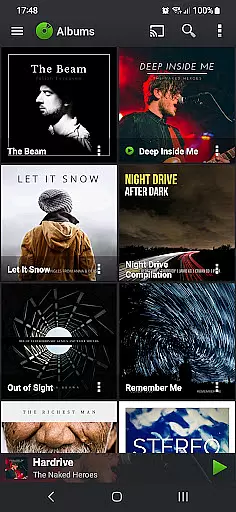
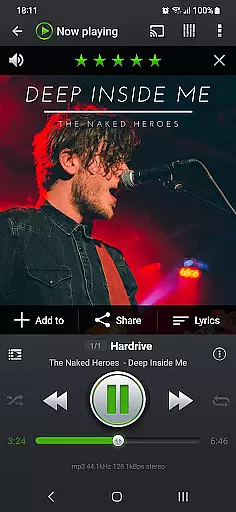
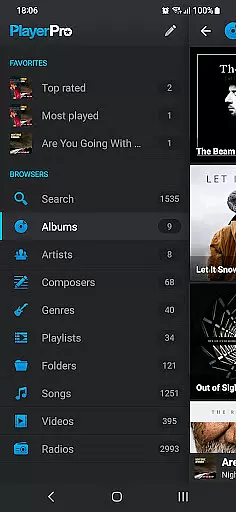
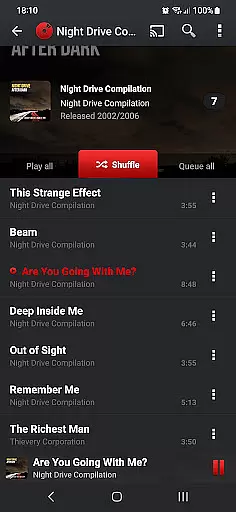
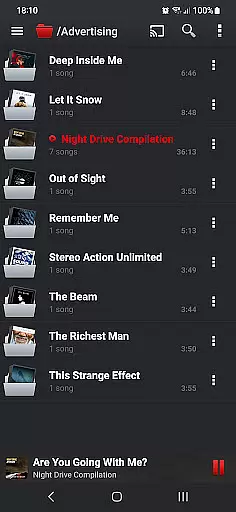
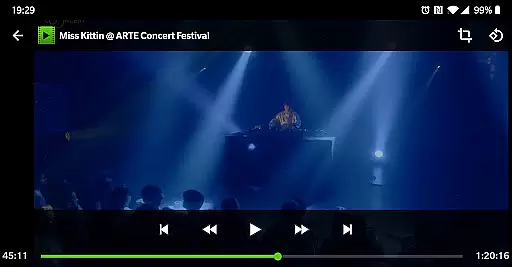
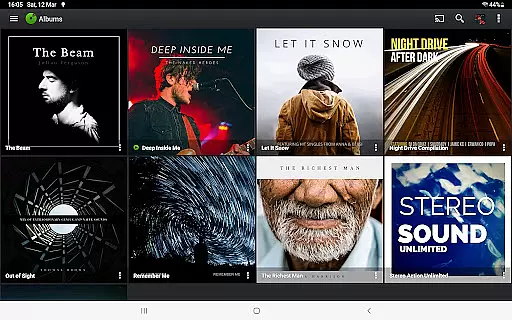
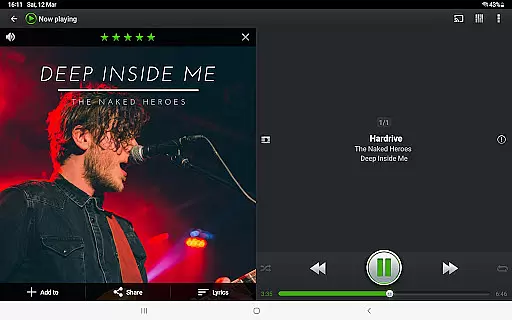
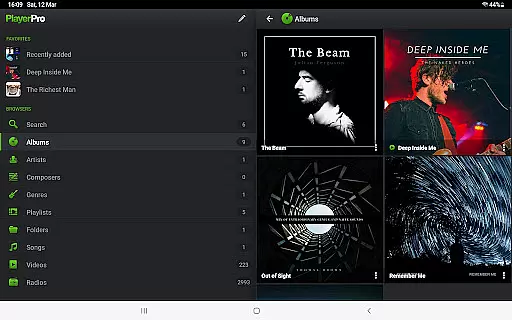
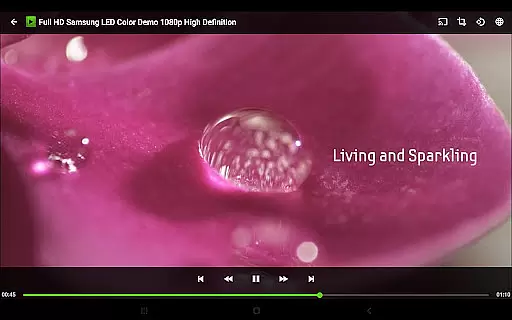

PlayerPro Music Player (Pro) is an advanced music and video player for Android devices, offering a beautiful, fast, and intuitive interface alongside powerful audio configuration options. This app allows users to browse and play their music in various ways such as by albums, artists, genres, playlists, folders, or songs, while also supporting video playback and streaming to Chromecast Audio compatible devices.
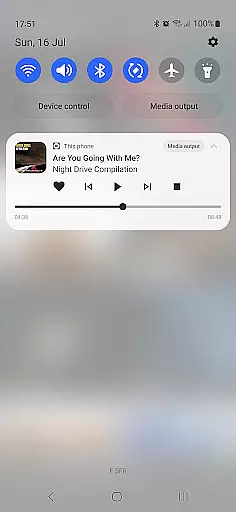
One of the standout features of PlayerPro is its customization capabilities. Users can enhance their music library with album artwork, artist pictures, and genre illustrations. The app supports ID3 tags editing, offers default mixable audio effects like a 5-band graphic equalizer, and includes a free professional DSP plugin for high-res audio playback. With smart playlists, lock screen widgets, and home screen widgets, it provides a personalized and convenient user experience.
This app is ideal for audiophiles and everyday listeners who want more control and personalization from their music player. Its comprehensive feature set makes it suitable for organizing large music libraries, editing metadata, and enjoying high-quality audio playback. PlayerPro's ability to integrate with Google Drive for backup and restore adds extra convenience, making it a complete solution for managing and enjoying digital media on Android devices.
PlayerPro Music Player (Pro) stands out with its extensive features tailored for music enthusiasts. The app supports browsing music through multiple categories including albums, artists, genres, playlists, and folders. It also enables video playback and streaming to Chromecast devices, providing versatility in media consumption.
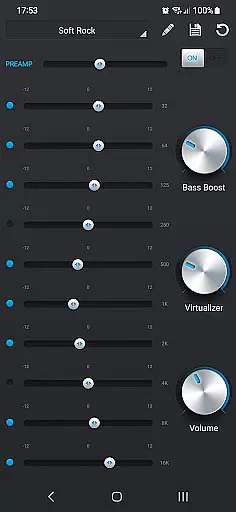
Customization is at the heart of PlayerPro's offerings. Users can personalize their experience with different skins, grid or list views, and customizable lock screen and home screen widgets. Advanced functionalities include ID3 tag editing in single or batch mode, supporting all known audio formats, and up to 15 different tag fields. The app also offers default audio effects like a 5-band graphic equalizer and additional professional DSP plugins for enhanced sound quality.
Smart playlists, music folder selection, and integration with Google Drive for backup and restore make PlayerPro a robust tool for managing extensive music libraries. Additional features like sleep timer with fade out, voice search, Google Assistant support, and social network sharing provide added convenience and usability. These comprehensive features ensure that users have a rich and tailored music listening experience.
PlayerPro Music Player (Pro) offers an extensive music library that supports all major audio formats including Mp3, Mp4, Ogg Vorbis, Flac, Wav, Aif, Dsf, Wma, Opus, and Speex. This ensures users can access a vast range of music files without compatibility concerns.
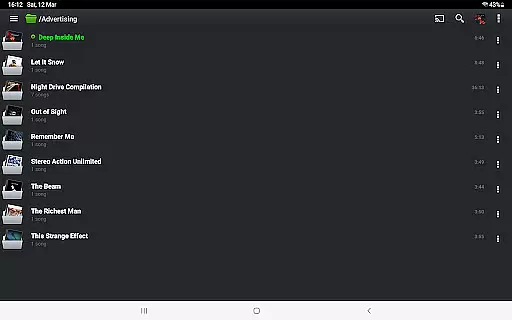
The app allows browsing and playing music in multiple ways such as by albums, artists, genres, playlists, folders, or songs, enhancing the user's ability to manage large libraries efficiently.
In terms of copyright authenticity, PlayerPro respects ID3 tags and embedded artwork, ensuring that metadata from original music files is preserved and displayed correctly. This feature reassures users about the legitimacy and origin of their music collection.
Additionally, the app provides options to edit ID3 tags in single or batch mode, supporting up to 15 different tag fields. This functionality not only helps maintain accurate music metadata but also aids in organizing and categorizing the music library effectively.
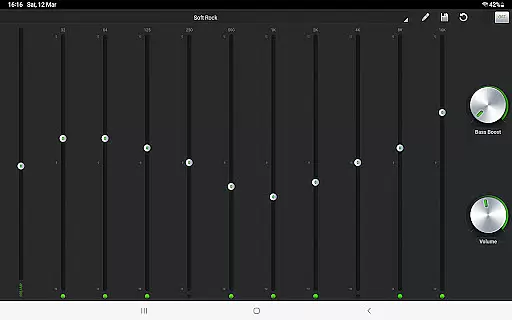
One of PlayerPro's standout features is its robust audio configuration options, which cater to audiophiles seeking high-quality sound. The app includes a default 5-band graphic equalizer with 15 presets, allowing users to customize audio output according to their preferences.
For those requiring more advanced audio settings, PlayerPro offers a free DSP plugin that supports High-Res audio playback of up to 32-bit, 384kHz. This plugin includes a 10-band graphic equalizer, Pre-Amp control, bass boost, and stereo widening effects.
The app also supports gapless playback and ReplayGain, ensuring a seamless listening experience without volume fluctuations between tracks. These features are crucial for maintaining audio fidelity, especially when playing live albums or classical music.
Furthermore, PlayerPro provides various audio effects like reverb and stereo widening, enhancing the overall soundstage. With these comprehensive audio quality options, users can enjoy a rich and immersive music experience tailored to their specific audio equipment and preferences.
User-friendly interface
Extensive customization options
Powerful audio configuration tools
Supports high-res audio playback
Comprehensive smart playlist capabilities
Paid version only
May be overwhelming for casual users
Occasional compatibility issues
Heavy on system resources
Limited customer support

Make music anywhere. Turn your device into an instrument.
 4.4
4.4
Control your MIDI USB or Bluetooth devices in app and avoid some trampling
3.30
Taal player that lets you sing any Indian & Western song with Tabla & Tanpura
4.60
A synth that really lets you shape your sounds!
4.50
VB-AUDIO Software / VBAN-Receptor allows listening to any VBAN Streams
4.10
Listen to live FM radio stations, sports, music and news on global radios online
4.70
Walkout Song DJ is the most intuitive app to manage your sports music.
4.70
Manage your Sonos system directly from your home-screen!
4.40
Play your music offline without limits
4.80
Tune in to the greatest hits on UK Radio | The home of Capital, Smooth & Heart.
4.90
24,000 free audio books and no ads!
4.90
More downloads than any other metronome. Includes drum machine & tempo trainer.
4.80
The best music and audio player, with beautiful UI, music search and equalizer.
4.60
Play KORG’s revolutionary touch-based instrument on a variety of devices.
4.40
Slow music down without changing pitch.
3.70
The iconic iOS metronome app is now on Android.
3.70
Simple mp3 and mp4 player with advanced features.
3.40
Simply convert wav to mp3. Clear. Reliable. Safe.
4.1
Remove ads permanently from Music Visualizer
4.3


User Reviews