
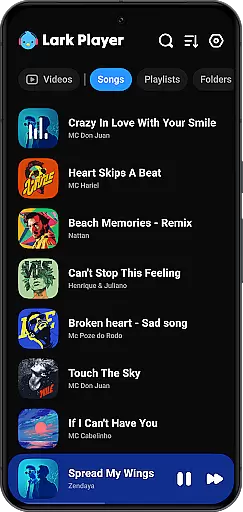
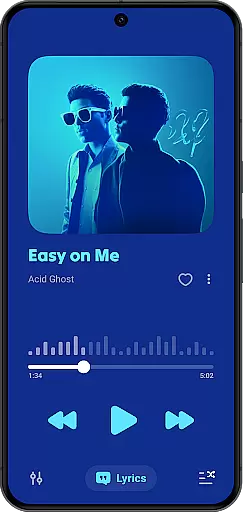
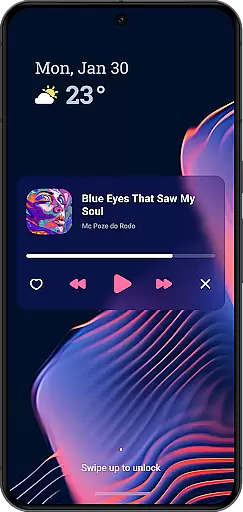
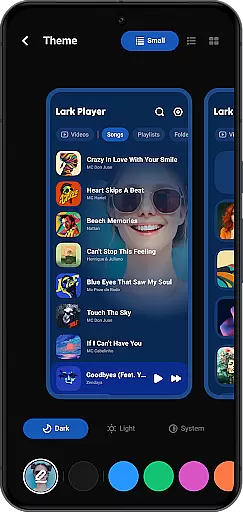
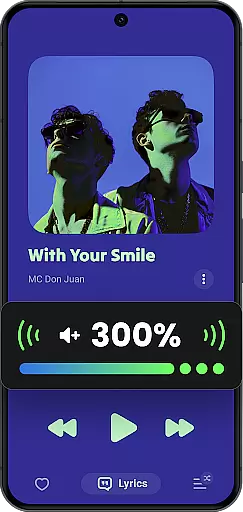
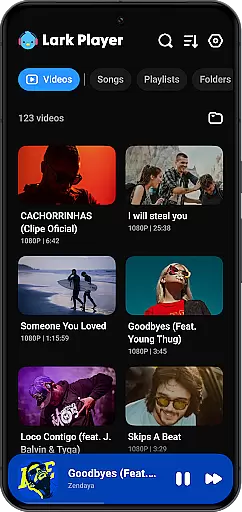
Lark Player is a versatile offline music and video player for Android, supporting all major audio and video formats. This free app features a powerful equalizer, customizable sound effects, and an intuitive user interface that makes managing your media library effortless.
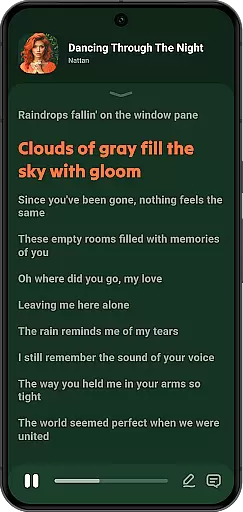
With dedicated preset modes for various music genres and support for lyrics display, Lark Player offers an immersive listening experience. The floating window feature allows multi-tasking by adjusting the player's size and position on-screen, enabling users to enjoy media while performing other tasks.
Designed for convenience, this media player lets you browse music by song, artist, album, or genre. You can create playlists, set sleep timers, and even use it as a ringtone maker. Its comprehensive feature set makes Lark Player an ideal choice for those seeking a high-quality offline media experience.
Lark Player stands out with its extensive format support, accommodating both audio files like MP3, WAV, FLAC, and video formats such as MP4 and MKV. The inclusion of a robust equalizer with bass enhancement, reverb settings, and sound field adjustments ensures users can tailor their audio experience precisely.
A key highlight is the app's file management capabilities. Users can delete files, organize music into playlists, and browse their collections through multiple sorting options. The day/night theme switch adds visual comfort, while background play and notification controls enhance accessibility.
The floating video feature demonstrates Lark Player's commitment to user convenience. By allowing adjustable playback windows, the app enables true multitasking. Additional features like Bluetooth sharing, sleep timer functionality, and lyric synchronization further enrich the overall media consumption experience.
Lark Player offers an extensive music library that supports all major audio formats including MP3, MIDI, WAV, FLAC, AC3, AAC, M4A, and ACC. This ensures users have the flexibility to play any offline music file on their Android devices without compatibility issues.
The application guarantees copyright authenticity by allowing users to play only their legally owned files. By not offering a built-in music downloader, Lark Player respects intellectual property rights while providing tools for an enhanced music experience.
With over 100 million users worldwide, Lark Player has proven its reliability as a platform for enjoying a diverse range of music legally and safely. The app's dedication to copyright compliance provides peace of mind for users who want to enjoy their personal music collection.
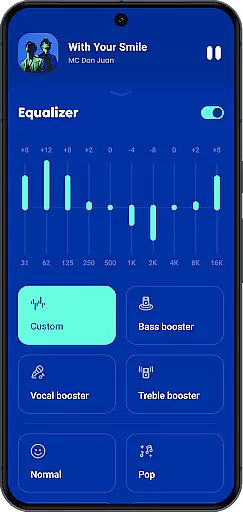
Audio quality is paramount in Lark Player, which boasts a powerful equalizer with preset modes for various music genres such as Classical, Pop, Rock, and more. This feature allows users to customize their sound experience precisely to their liking when playing music offline.
In addition to the equalizer, Lark Player enhances audio playback with bass boost, reverb settings, and sound field adjustments. These options ensure that every track sounds clear and dynamic, elevating the listening experience to professional levels.
Users can enjoy high-quality music experiences whether they're listening through headphones or external speakers. The attention to audio detail positions Lark Player as a top choice for audiophiles seeking both functionality and quality in their media player.
User-friendly interface
Extensive format support
Powerful equalizer
Floating window feature
Comprehensive file management
No built-in downloader
Occasional ads in free version
Interface may feel cluttered
Limited cloud integration
Advanced features need exploring

Permanently backup Now Playing. Maps, filters & listening stats.
 4.00
4.00
Network/Cloud Streaming, Visualization, Graphic Equalizer and Sound Effects.
4.20
24,000 free audio books and no ads!
4.90
Voice recorder - Audio recorder. Best recorder for recording
4.90
Smart piano keyboard, Classical to Pop, Real-time multiplayer connection!
4.20
Simple mp3 and mp4 player with advanced features.
3.40
Turn your Android phone into a professional audio analyser with up to 120 bands.
4.00
The iconic iOS metronome app is now on Android.
3.70
Turn Every Moment into Music
3.60
Most Advanced AI Song Generator and Music Creator. Rap, Pop, Rock, Gospel & more
4.70
Ultimate Sonos Controller
4.70
Reverse your voice & songs instantly! Fun singing challenge with cool effects.
4.60
Let your Android device with the sound effects you want
4.50
Ringtone Maker is free app create ringtone from music files or your recording.
4.40
Your HD audio recorder on the go for music, meetings, ambience, animal sounds…
4.30
Learn and play 2M+ music tabs & chords on guitar, ukulele, bass, and more
4.30
Master Salsa Rhythm quickly and with a lot of fun!
4.30
The official Sonos app
4.10
Simply convert wav to mp3. Clear. Reliable. Safe.
4.2


User Reviews