
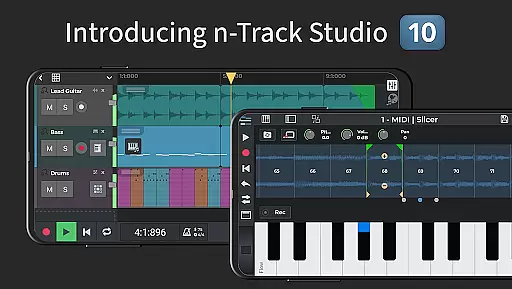
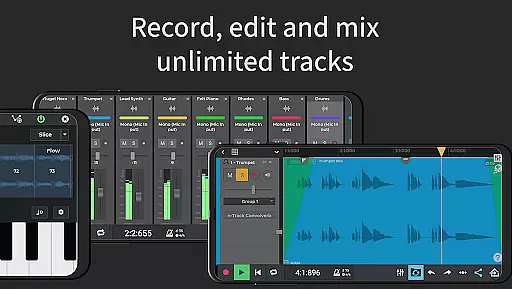
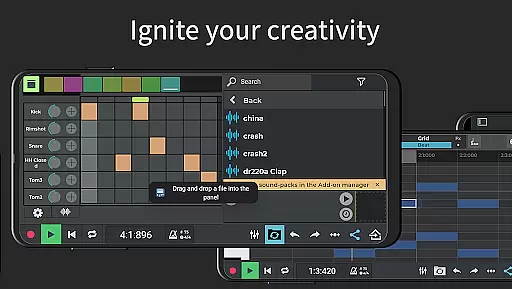
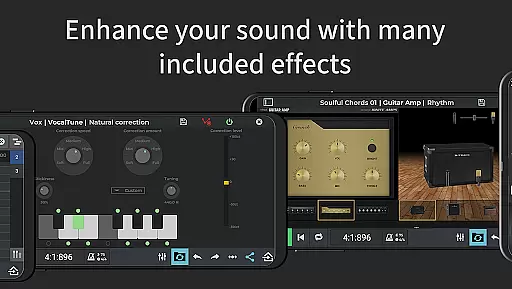
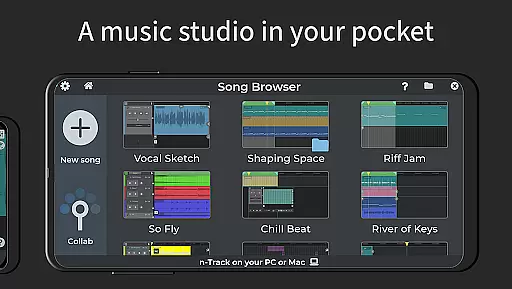
n-Track Studio Pro is a comprehensive music production application that transforms your Android device into a fully functional recording studio. The app allows users to record an unlimited number of audio, MIDI, and drum tracks, making it ideal for both amateur musicians and professional producers. With features like built-in effects such as Guitar Amps, VocalTune, and Reverb, n-Track Studio Pro offers a complete toolkit for music creation and editing.
One of the standout capabilities of this app is its powerful mixing and editing functionalities. Users can adjust levels, pan, EQ, and add various effects during playback. Additionally, the app supports exporting in multiple formats including WAV and MP3, with advanced options like 64-bit audio engine support and multichannel USB audio interfaces. Whether you're creating simple beats or complex musical compositions, n-Track Studio Pro provides the tools necessary to bring your creative vision to life.
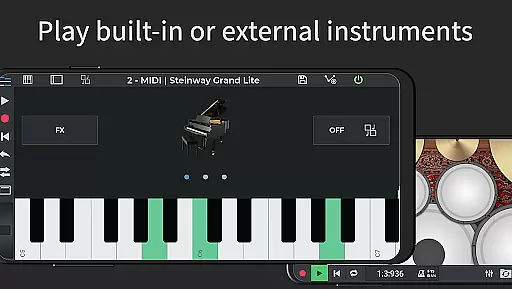
n-Track Studio Pro stands out due to its extensive feature set tailored for music production enthusiasts. The app includes a Step Sequencer Beat Maker, MIDI tracks with built-in synths, and a Loop Browser with royalty-free sample packs. These features enable users to create intricate beats and melodies using either the on-screen MIDI keyboard or external MIDI controllers.
Advanced functionalities such as automation of track volumes and pan using envelopes, pitch correction via VocalTune, and a variety of effects like Reverb, Echo, and Chorus make this app highly versatile. Moreover, n-Track Studio Pro supports high-resolution audio up to 192 kHz and offers internal audio routing along with MIDI clock sync capabilities. This ensures professional-grade output and seamless integration with other audio devices and software, enhancing the overall music production experience.
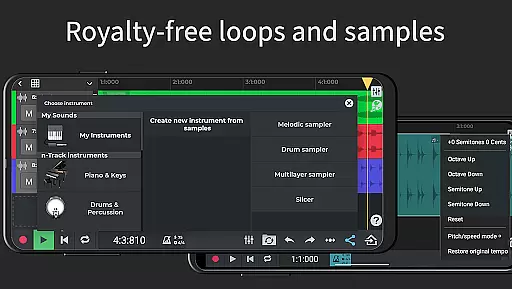
When it comes to music production, having access to a vast library of sounds is crucial. n-Track Studio Pro offers an extensive collection of royalty-free samples and loops that users can incorporate into their projects. This ensures that musicians have a diverse range of audio resources at their disposal.
The app provides more than 10GB of premium WAV loops and one-shots, alongside hundreds of sample instruments. These are not only plentiful but also fully licensed, meaning creators can use them without worrying about copyright infringement. Such a comprehensive library empowers artists to experiment with different genres and styles.
In addition to the built-in content, n-Track Studio allows for importing existing tracks and third-party plugins. This flexibility means that the music library is essentially limitless, catering to both amateur beatmakers and professional composers alike.
Audio quality is paramount in music production, and n-Track Studio Pro excels in this area. The app supports high-resolution audio formats, enabling producers to work with files up to 32-bit depth and sampling frequencies as high as 192 kHz when using compatible external devices.
This level of precision ensures that every nuance of sound is captured accurately, from the subtlest vocal inflections to the richest bass tones. Users can export their final mixes in uncompressed WAV format or compressed MP3, depending on their distribution needs.
Furthermore, advanced features like VocalTune pitch correction and various effects such as reverb, echo, and chorus enhance the overall sonic palette. With these tools, musicians can refine their recordings to meet industry standards while maintaining creative control over their work.
User-friendly interface
Extensive effect library
Unlimited track support
High-quality audio export
Versatile MIDI capabilities
Steep learning curve
High system requirements
Additional in-app purchases
Limited free features
Occasional bugs

The Skullcandy App Experience
 3.20
3.20
Offline and always ad-free - stream in the highest quality available.
4.10
Taal player that lets you sing any Indian & Western song with Tabla & Tanpura
4.60
Time Trainer: accurate metronome w tools to help you develop your internal time!
4.20
DJ Music Mixer - DJ Remix: remix songs, make beat music & record mix of DJ.
4.40
Brian Eno and Peter Chilvers’ acclaimed music app Bloom, radically reinvented.
4.80
Learn and play 2M+ music tabs & chords on guitar, ukulele, bass, and more
4.30
Play KORG’s revolutionary touch-based instrument on a variety of devices.
4.40
Responsive piano with great sounds, graphics, and songs
4.80
Most Advanced AI Song Generator and Music Creator. Rap, Pop, Rock, Gospel & more
4.70
Listen to live FM radio stations, sports, music and news on global radios online
4.70
Listen radio AM / FM Stations. Live AM / FM Radio App Station. Radio Com.
4.70
Save hundreds of dollars for a physical strobe tuner and instead use this app.
4.50
Guzheng Master supports many playing techniques as an acoustic Guzheng
4.50
Network/Cloud Streaming, Visualization, Graphic Equalizer and Sound Effects.
4.20
The alternative folder based music player.
4.20
Permanently backup Now Playing. Maps, filters & listening stats.
4.00
The ultimate media player for Android devices
3.90
Remove ads permanently from Music Visualizer
4.5


User Reviews