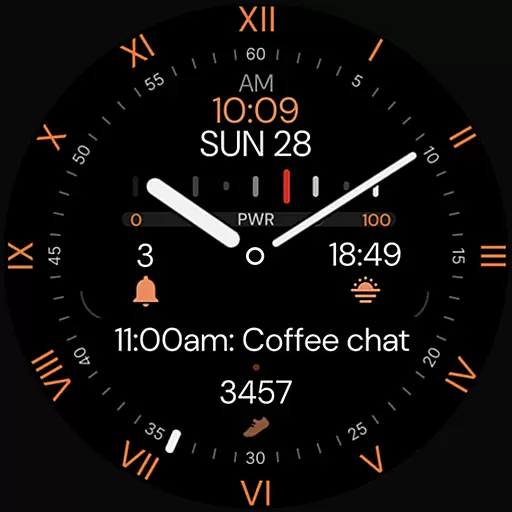
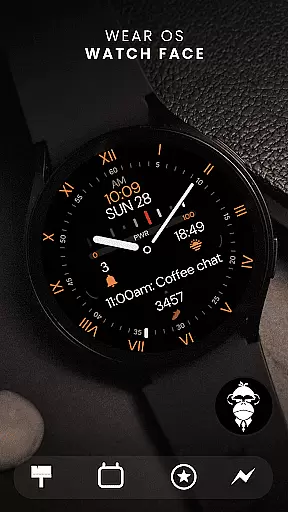
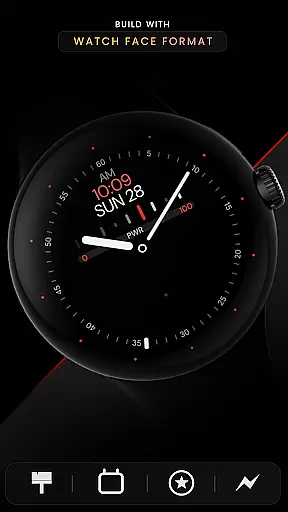
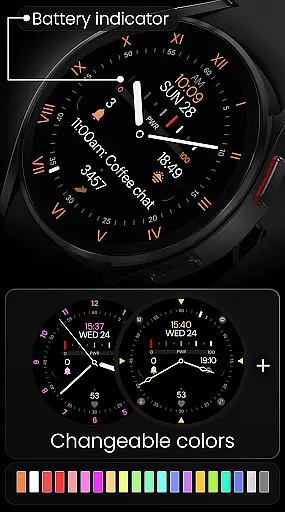
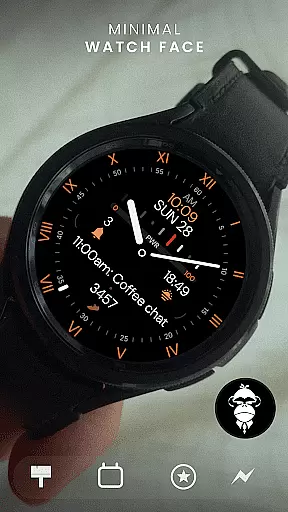
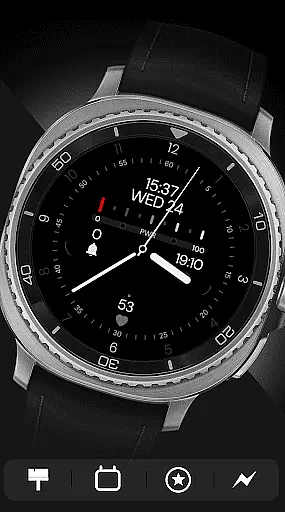
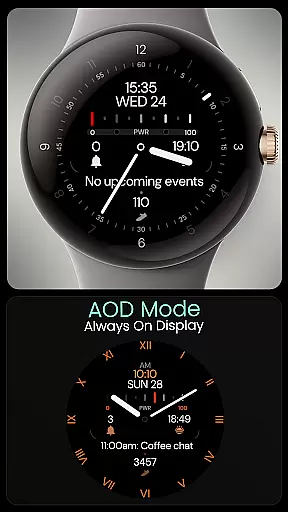
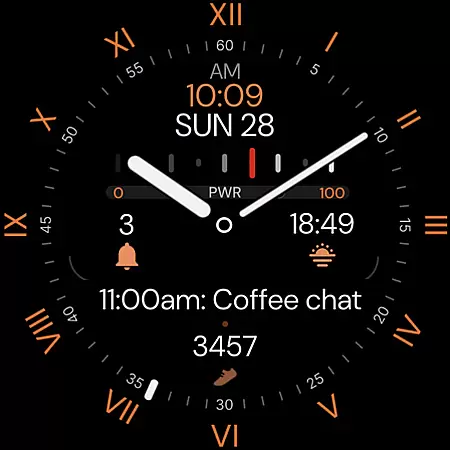
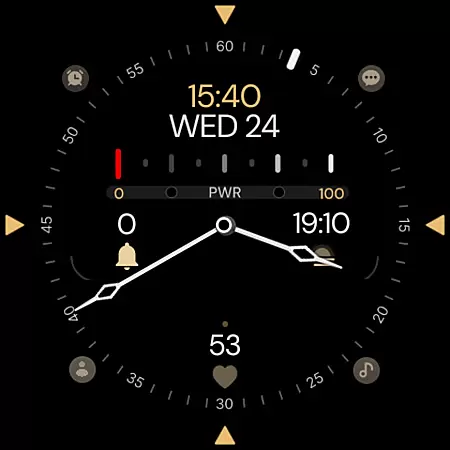
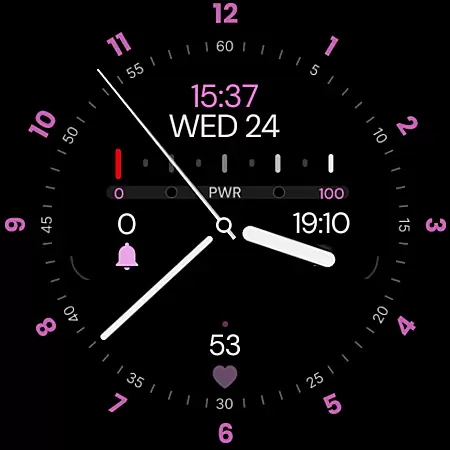
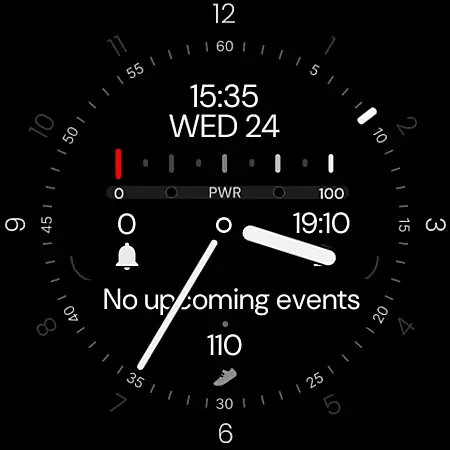
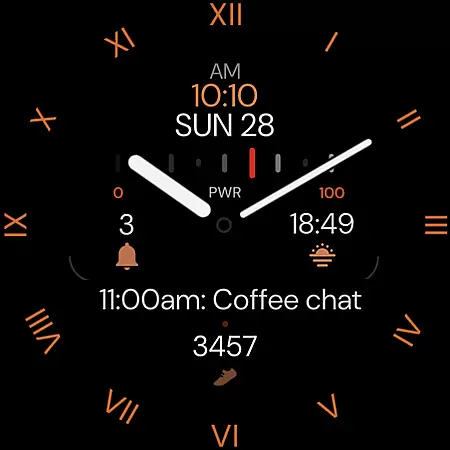
Minimal Black v32 Watch Face offers a sleek, modern design for Wear OS users seeking simplicity and elegance. This hybrid watch face combines classic aesthetics with essential digital features.
Key functionalities include 12/24h time format synchronization, customizable colors, battery indicator, and multiple display options. With support for app shortcuts and complications, users can access important information at a glance.
Ideal for professionals who value minimalist design, this watch face works seamlessly across all Wear OS devices running API 33+, including popular models from Google Pixel and Samsung Galaxy series.
The watch face stands out with its comprehensive customization options. Users can choose from multiple index styles (x6), watch hands (x8), and second hands (x6) to create a personalized look that matches their individual style.
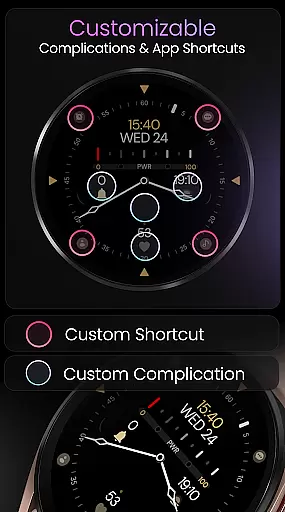
Practical features include Always-On Display (AOD) mode for constant time visibility, four app shortcuts for quick access to essential functions, and four complication slots for displaying health metrics like steps and heart rate.
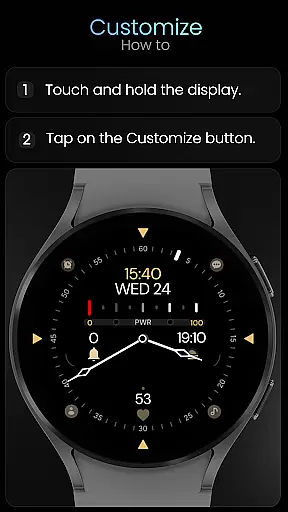
The intuitive customization process makes it easy to adjust settings - simply tap and hold the display, then select 'Customize'. The watch face also offers extensive support resources, including installation guides and direct support channels.
For a smartwatch experience to be seamless, the integration between the wearable and its companion app is crucial. Minimal Black v32 Watch Face excels in this aspect by ensuring that all features are perfectly synced with your smartphone. The digital time format automatically adjusts according to your phone's 12 or 24-hour settings, providing a hassle-free setup.
The watch face also supports extensive customization options directly from the companion app. Users can choose from different colors, complications, and watch hands to match their personal style or outfit. With x4 app shortcuts and x4 complication slots available, essential features and information such as steps and heart rate are just a tap away.
Furthermore, the Always-On Display (AOD) mode ensures that users have access to vital information at a glance without needing to wake the watch. This cohesive companion app integration empowers users to tailor their watch faces while maintaining functionality and ease of use.
Compatibility is key when selecting a watch face, and Minimal Black v32 Watch Face is designed to work seamlessly with a wide range of Wear OS devices. It is compatible with all Wear OS devices running API 33 and above, including popular models like the Google Pixel Watch and Samsung Galaxy Watch series from versions 4 through 8, as well as the Ultra model.
This broad compatibility ensures that regardless of your device, you can enjoy an elegant minimal black hybrid look that suits modern, simple, and classic aesthetics. However, it's important to note that this watch face is not suitable for rectangular watches, so users with those models should consider other options.
With comprehensive support across various devices, Minimal Black v32 guarantees a consistent and high-quality experience. Whether you're using a Google Pixel Watch or a Samsung Galaxy Watch, you'll appreciate the attention to detail and performance optimization tailored specifically for your device.
Modern Minimalist Design
Extensive Customization Options
Cross-Device Compatibility
Always-On Display Functionality
Comprehensive Support Resources
Not Suitable for Rectangular Watches
Limited Advanced Features
No Automatic Color Adjustment
Requires Manual Customization
Basic Complication Support Only

Walking app for weight loss: walk & step tracker, pedometer, indoor treadmill
 4.60
4.60
Wear Os Watch Face - Animated Snow - Sesonal for Christmas & Winter
4.4
A Wintery Snow Globe on Your Wrist; now celebrating Christmas!
4.4
Beautiful artistic animated digital watch face, with a customizable layout!
4.40
Ideal for surviving in the wasteland left after nuclear fallout
4.50
Structured watch face with seven complications and modular UI elements
3.90
The #1 source of faces for your smartwatch!
4.00
Real-time results, stats, schedules and player profiles for all leagues
4.60
Your music, your playlists, and more—offline and unlimited.
4.20
WTW M17 is a premium and luxurious hybrid watch face
4.70
Simple, helpful messaging by Google
4.60
Christmas watch face. For Wear OS devices.
4.30
Bold, Modern Hybrid Watch Face for Wear OS. 10 Colors, Rich Info Display.
4.30
Embrace the festive spirit with our Christmas Countdown watchface for Wear OS
4.10
sleep, alarm, snoring, stress, healing, focus, sound therapy, circadian rhythm
4.10
Analog watch face with 8 complications and expedition styling
4.4
Contemporary digital watch face with five complications
4.4
Artistic Digital Watchface
4.1
Hybrid Vibrant Health Watch Face for Wear OS
4.3


User Reviews