
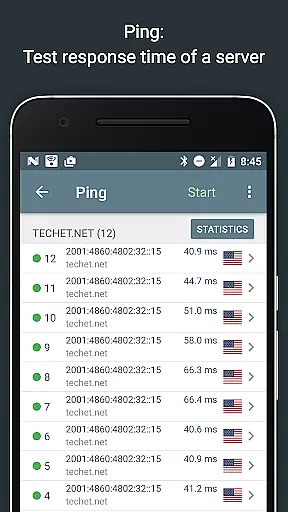
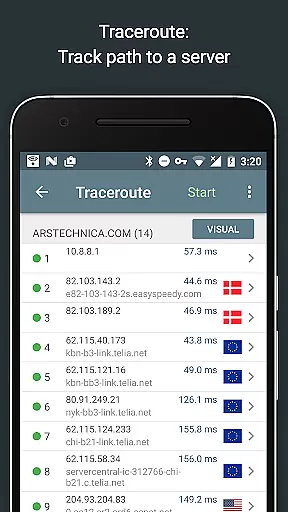
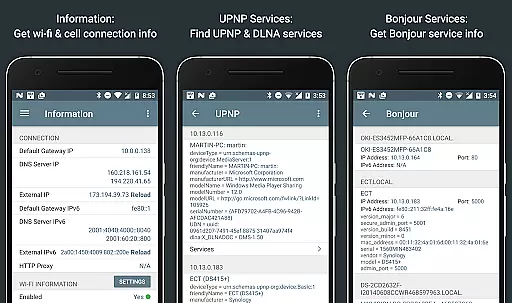
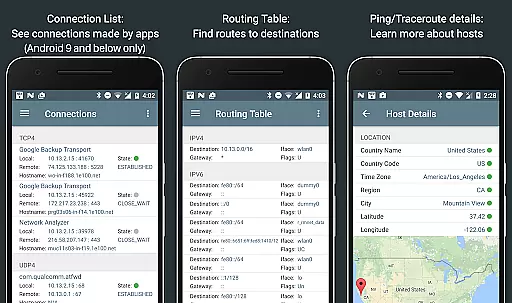
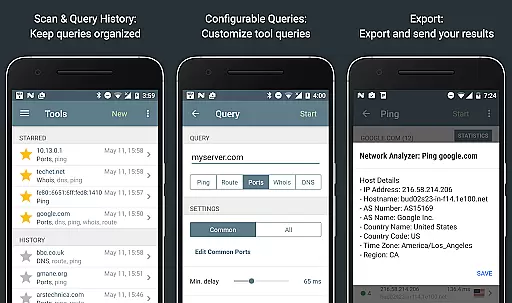
Network Analyzer Pro is a comprehensive network diagnostic tool designed to help users identify and resolve issues related to Wi-Fi networks, Internet connectivity, and remote server problems. The app offers an extensive suite of tools including a fast Wi-Fi device discovery feature that lists all LAN devices with their addresses and names, along with the Bonjour/DLNA services they provide. It also includes standard network diagnostic tools such as ping, traceroute, port scanner, DNS lookup, whois, and network speed test. Additionally, it provides detailed information about neighboring Wi-Fi networks, aiding in the selection of the optimal channel for wireless routers.
The app supports both IPv4 and IPv6 protocols, ensuring compatibility across different network environments. Whether you need to troubleshoot network issues, monitor signal strength, or analyze network security, Network Analyzer Pro equips you with the necessary tools to maintain a robust and secure network infrastructure.
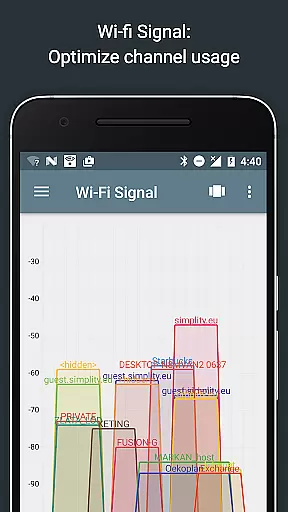
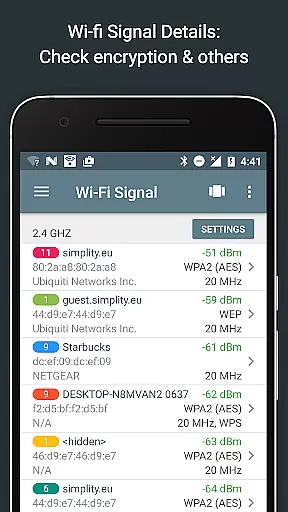
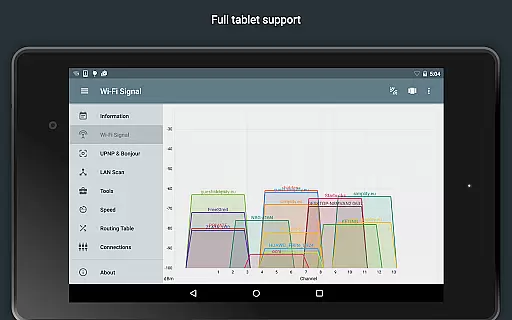
Network Analyzer Pro stands out with its wide array of advanced features tailored for network professionals and enthusiasts alike. One of its key functionalities is the Wi-Fi signal meter, which offers both graphical and textual representations of network channels and signal strengths. This feature helps users understand channel usage and identify the best channel for their wireless router based on encryption type, signal strength, and router manufacturer.
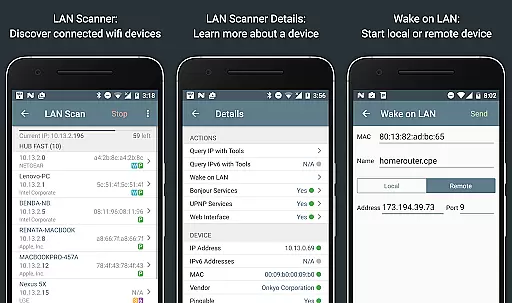
Another notable feature is the LAN scanner, which quickly detects all network devices, providing IP addresses, NetBIOS, mDNS (Bonjour), LLMNR, and DNS names where available. The app also supports Wake on LAN (WOL) and allows scanning of custom IP ranges, making it versatile for various network configurations. With its comprehensive routing table, ping and traceroute capabilities, port scanner, whois, DNS lookup, and internet speed test, Network Analyzer Pro delivers a complete package for diagnosing and optimizing network performance.
Network Analyzer Pro stands out for its precision and effectiveness in diagnosing network issues. The application provides a comprehensive suite of tools that include ping, traceroute, port scanning, DNS lookup, and whois queries, all essential for accurate network diagnostics.
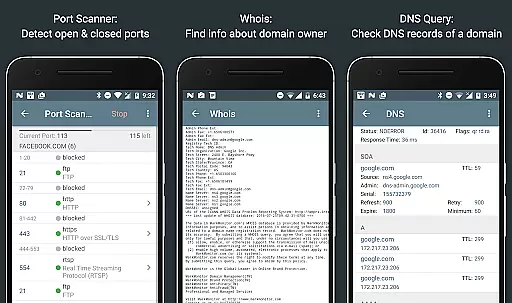
The app's functionality extends to detecting closed, firewalled, and open ports with descriptions of known services running on those ports. It supports both IPv4 and IPv6 protocols, ensuring that users can work within any network environment with reliable results.
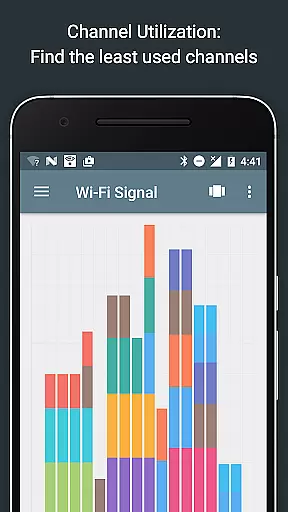
For wireless networks, Network Analyzer Pro offers a detailed wifi signal meter and channel usage graph. This feature helps users optimize their wifi setup by identifying the least congested channels and providing insights into signal strength, encryption types, and router details.
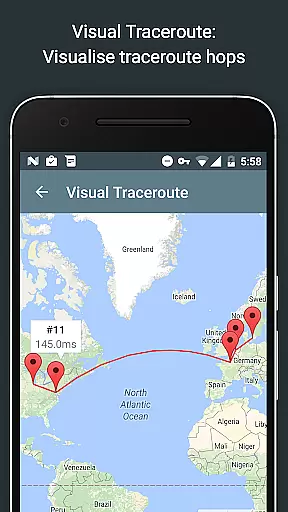
Ultimately, the true value of this tool lies in empowering IT professionals and tech-savvy users to troubleshoot and optimize their networks efficiently. With real-time updates and geolocation data, it ensures that network problems are diagnosed swiftly and accurately, saving time and resources.
A user-friendly interface is crucial for a diagnostic tool, and Network Analyzer Pro excels in providing an intuitive experience. The layout is thoughtfully designed, presenting complex network data through clear visualizations and straightforward menus that make navigation seamless even for less experienced users.
Each tool within the app is easily accessible, with features like the LAN scanner offering quick detection of network devices alongside their IP addresses and names. Users can perform tasks such as Wake on LAN or custom IP range scans without hassle thanks to the well-organized options.
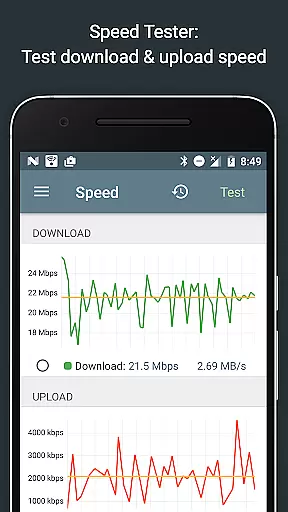
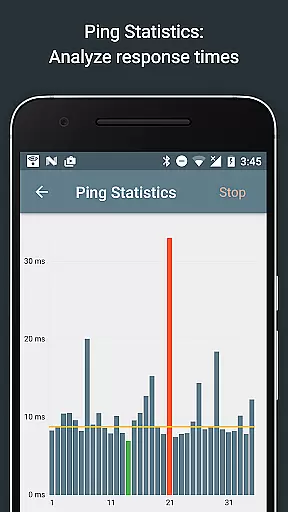
Moreover, Network Analyzer Pro includes graphical representations for ping statistics and internet speed tests. These visuals update in real time, allowing users to monitor network performance dynamically and make informed decisions based on current data trends.
By combining powerful diagnostic capabilities with an accessible interface, Network Analyzer Pro ensures that users can focus on resolving network issues rather than struggling with complicated software. Its design philosophy centers around making advanced network analysis approachable for everyone.
Comprehensive toolset
Fast device discovery
Detailed network insights
IPv4 and IPv6 support
User-friendly interface
Paid version only
Advanced features may overwhelm beginners
Limited offline functionality
Requires technical knowledge
Occasional bugs reported

HD Video player and downloader for all formats, fast & smooth 4K video playback.
 4.60
4.60
eXtended Permission Manager - a small app to manage permissions and AppOps
4.50
Keep track of your Palia friendships, tasks, and inventory with Palia Notebook
4.60
Amateur Radio app for APRS: Track friends, exchange messages, get tactical info.
3.90
View detailed information about your Nissan Leaf the dealer never shows you.
4.10
Powerful collection of electronics tools and reference.A must for any enthusiast
4.90
NFC Tools can read and write NFC tags.
4.70
Button mapper, mouse toggle, sleep timer and a lot of another features
4.50
Protect your device with antivirus, storage cleanup, and system monitoring
4.70
Best leveling tool for your Android device. Hang paintings like a pro.
4.90
Learn the vast amount of system information about device and monitor it's state
4.70 4.50
4.50
With videos, electrical calculators, and built-in ebook, Ugly’s has your answer.
4.50
Forza Tuning Calculator App for Forza Horizon 5, Motorsport and Earlier Titles
4.40
An easy-to-use calculator designed to save time calculating and bending conduit
4.30
MS-DOS in your pocket. Play old DOS games anywhere you are ;)
4.10
Create your own custom widget with endless possibilities
3.90
Clean the junk files on your device
3.40
card-reader app
2.20


User Reviews