
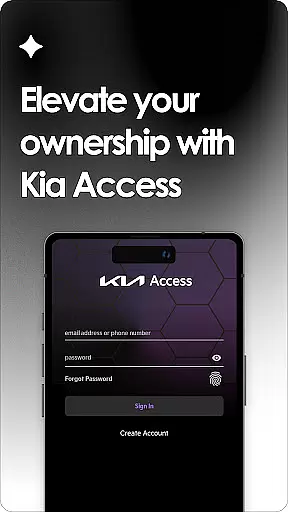
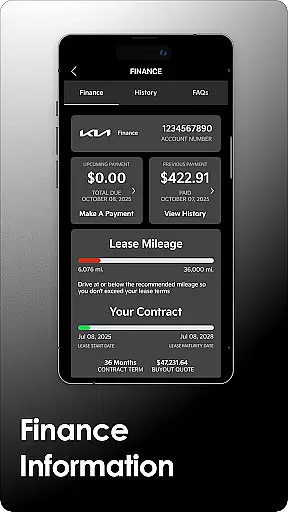
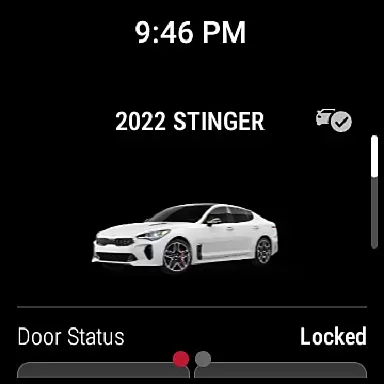
Kia Access is the official owner's application developed by Kia America, Inc., designed to provide users with seamless access to vehicle information and services. The app consolidates features from the Kia Owner’s Portal and Kia Connect (formerly UVO link), offering functionalities such as remote vehicle control, maintenance tracking, and navigation support directly from a mobile device.
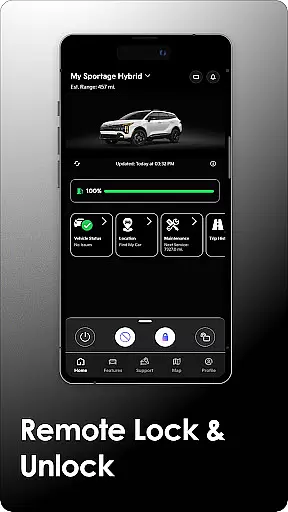
For vehicles equipped with Kia Connect, users can remotely lock/unlock doors, check vehicle health reports, and even set cabin temperatures. Plug-in hybrid and electric vehicles gain additional capabilities like battery status monitoring and charging station location services. This comprehensive suite of tools ensures that Kia owners have all essential vehicle management features at their fingertips, enhancing convenience and vehicle maintenance.
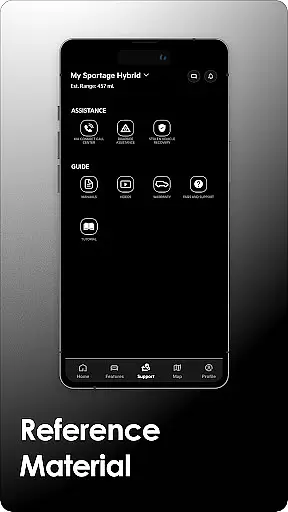
The app also supports Wear OS, making it accessible on smartwatches, and provides important documentation such as the Owner’s Manual and warranty details. With Kia Access, users can streamline both everyday vehicle interactions and long-term maintenance planning, delivering practical value for modern car owners.
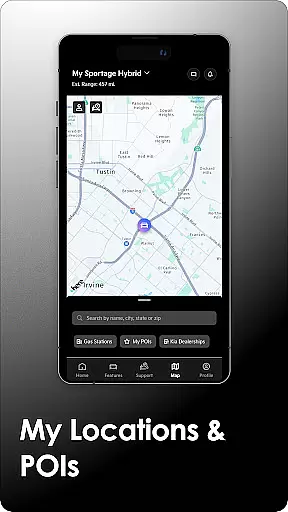
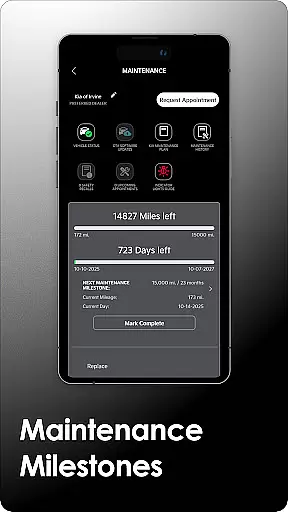
Kia Access offers an extensive range of features tailored to enhance vehicle ownership. One of its core functionalities is providing instant access to critical vehicle information, including the Owner’s Manual, maintenance milestones, and warranty details. For vehicles equipped with Kia Connect, users can remotely interact with their cars—locking/unlocking doors, initiating horn and light commands, and locating their vehicle using GPS.
Another standout feature is the ability to manage and monitor vehicle health through detailed diagnostic reports. These reports cover powertrain, chassis, and airbag systems, ensuring timely maintenance alerts. Additionally, plug-in hybrid and electric vehicle owners benefit from specialized tools such as battery status checks, driving range estimates, and charging station locators. These features are particularly valuable for optimizing energy usage and planning efficient travel routes.
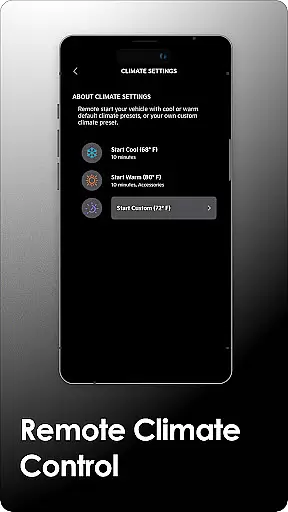
Furthermore, Kia Access integrates with navigation systems, allowing users to send destinations directly to their vehicle's GPS. Remote climate control adds comfort by enabling users to pre-condition the car’s interior temperature before use. By combining these advanced features with intuitive usability, Kia Access delivers a superior ownership experience while maintaining focus on safety and convenience.
Companion app integration is essential for users who want seamless connectivity between their smart devices and vehicles. Kia Access excels in this area by offering a comprehensive suite of features that sync with your vehicle's systems.
The app provides real-time access to crucial vehicle information, including health reports, navigation, and remote control functions such as locking/unlocking doors and climate control. This ensures that you are always informed about your vehicle's status and can manage it conveniently from your Wear OS device.
For plug-in hybrid and electric vehicles, the app goes a step further by allowing users to check battery status, locate charging stations, and schedule charging times remotely. These features enhance the overall ownership experience by providing practical tools that cater to specific needs.
By integrating with Kia Connect, Kia Access ensures that all functionalities are easily accessible, making daily commutes and long journeys more manageable and enjoyable. The synchronization between devices offers peace of mind and enhances convenience, ensuring you stay connected no matter where you are.
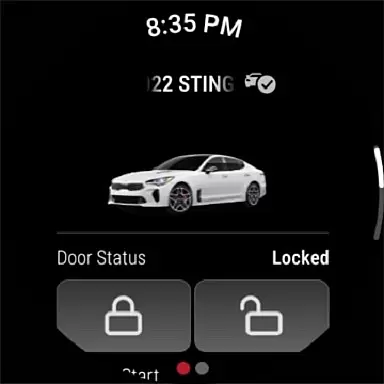
Wear OS/device compatibility is a critical feature for modern apps, ensuring they work seamlessly across various devices. Kia Access supports this by being optimized for Wear OS, allowing users to interact with their vehicle directly from their smartwatches.
This compatibility means you can receive important notifications and alerts on your wrist, such as maintenance reminders and vehicle health updates. It also enables quick actions like remotely locking or unlocking your car doors without needing to pull out your phone.
Moreover, the app's design takes full advantage of Wear OS capabilities, providing an intuitive interface that makes navigation effortless. Users benefit from having key vehicle controls at their fingertips, enhancing both safety and convenience while driving.
With Kia Access, you can enjoy a truly integrated experience that keeps you connected to your vehicle, whether you're using a smartphone or a smartwatch. This flexibility ensures that you have access to vital information and controls whenever and wherever you need them.
User-friendly interface
Comprehensive vehicle controls
Remote climate management
Detailed health diagnostics
Supports Wear OS devices
Limited to Kia Connect models
Subscription fees apply
Dependent on cellular coverage
No offline functionality
Regional restrictions exist

Gym Log & Workout Tracker | Fitness Journal, Training & Weight Lifting Planner
 4.90
4.90
A customizable Christmas watch face for Wear OS with a countdown.
4.20
Wear Os Watch Face - Animated Snow Effect & Christmas Lights
4.2
Rose gold watch face with festive lights & customizable features.
4.60
Sleek, highly customizable watch face inspired by Galaxy Watch Circle Dashboard.
4.3
Bold, Modern Hybrid Watch Face for Wear OS. 10 Colors, Rich Info Display.
4.30
Structured watch face with seven complications and modular UI elements
3.90
Hybrid watch face for Wear OS with customizable complications by Matteo Dini MD
4.70
Start and succeed with PAP
4.10
Digital, flexibly customizable watch face. For Wear OS 5.0, API 34+ and later.
5.00
A modern premium sporty hybrid watch face for Wear OS by Ballozi
4.70
Highly customizable hybrid watch face for Wear OS, perfect for everyday use.
4.60
Deck out your Wear OS Watch face with a beautifully decorated pine wreath!
4.50
Find EV charging stations
4.30
The ultimate destination for kids ages 3-8 to explore the Marvel Universe!
4.30
Calming & relaxing sounds for sleeping and stress relief. Stay focused all day!
4.20
Embrace the festive spirit with our Christmas Countdown watchface for Wear OS
4.10
Watch the sharpness of the sky on your wrist..
3.70
Stay in touch with your friends and family using LINE!
3.40


User Reviews