
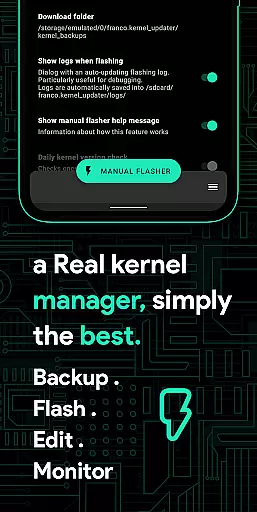
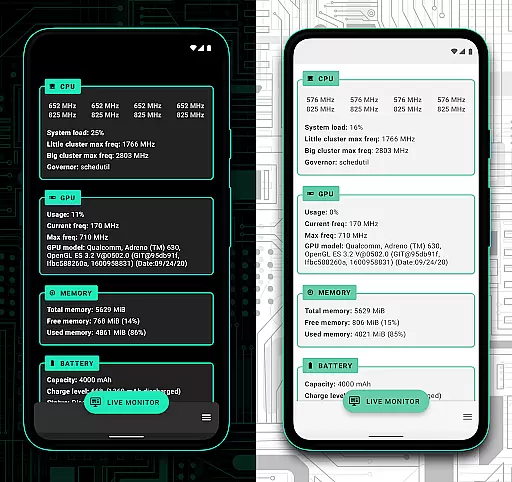
Franco Kernel Manager is a comprehensive toolbox designed for rooted Android devices, offering an extensive range of features to optimize and manage your device's kernel. With its user-friendly interface, it caters to both beginners and advanced users, providing tools for performance enhancement, battery optimization, and system customization.
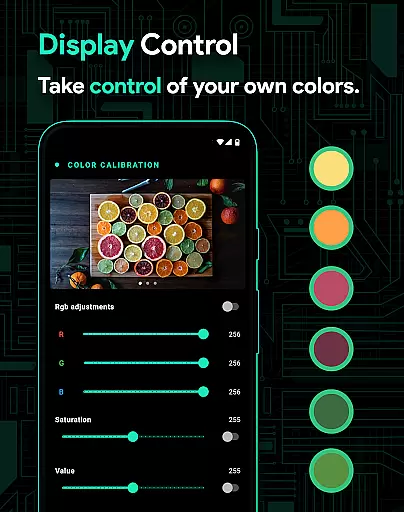
Key functionalities include detailed battery monitoring, CPU and GPU management, custom kernel settings, and per-app profiles that allow tailored configurations for different applications. The app also supports flashing mods without a custom recovery and offers specialized features like High Brightness Mode (HBM) and KLapse support for display adjustments.
Whether you're looking to boost your device's performance or extend battery life, Franco Kernel Manager provides the necessary tools to supercharge your kernel with ease. It works on all devices and kernels, provided the user has root access, although some features like Battery Monitor are available without root.
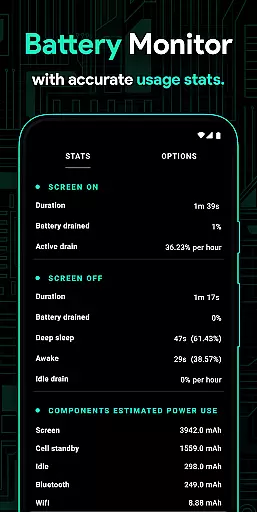
Franco Kernel Manager stands out with its rich feature set tailored for comprehensive device management. One of its core strengths is the detailed battery monitoring system, which provides insights into power consumption patterns and estimates charging times. This allows users to make informed decisions about their usage habits to maximize battery longevity.
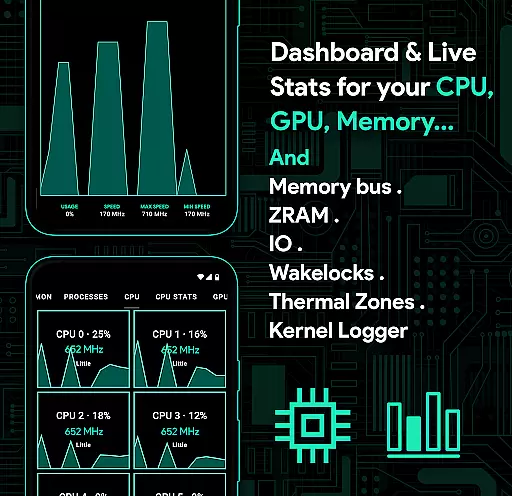
The app excels in performance tuning with capabilities such as CPU frequency adjustments, governor profiles, and GPU optimizations. These features enable users to fine-tune their device's processing power according to their specific needs. Additionally, the per-app profile system is a standout innovation, allowing distinct settings for different apps, thus balancing performance and efficiency seamlessly.
Another significant advantage is the ability to flash various mods directly through the app without needing a custom recovery. This simplifies the process of modifying and enhancing the device’s functionality. Furthermore, the inclusion of accessibility services for detecting active applications ensures that profiles are applied accurately and efficiently, making Franco Kernel Manager an indispensable tool for advanced Android users.
Franco Kernel Manager is designed to provide users with a comprehensive set of tools for managing and optimizing their device's kernel. The app's core functions are meticulously crafted to ensure both accuracy and effectiveness, catering to a wide range of users from novices to experts.
One of the standout features is its ability to manage CPU frequencies, GPU settings, and system tweaks with precision. Users can adjust governor profiles, tune CPU input-boost settings, and even modify stune parameters. These adjustments are applied accurately, ensuring that performance improvements are tangible and reliable.
The app also excels in providing detailed battery statistics and monitoring. It offers insights into power consumption across various components like WiFi, screen, and signal usage. This data empowers users to make informed decisions about their device's power management, ultimately leading to enhanced battery life.
Furthermore, Franco Kernel Manager supports advanced functionalities such as flashing kernels and mods without needing a custom recovery. This seamless integration simplifies complex processes, making them accessible to all users while maintaining high standards of operational accuracy.
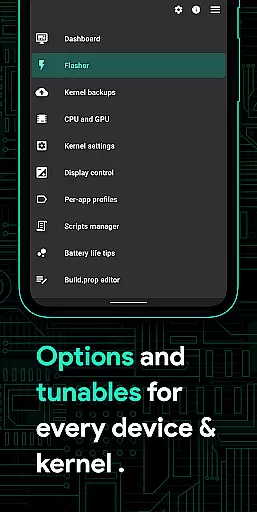
A key aspect of Franco Kernel Manager is its commitment to delivering an interface that balances simplicity with intuitiveness. Despite offering a plethora of advanced features, the app ensures that navigation remains straightforward and user-friendly.
The design philosophy centers around ease of use, presenting users with clear options and logical pathways through the appu2019s extensive feature set. Whether you're adjusting display color temperatures or managing per-app profiles, each action is streamlined to minimize complexity.
Additionally, the inclusion of light and dark themes enhances the visual experience, adapting seamlessly to user preferences and environmental conditions. This attention to aesthetic detail complements the functional aspects, creating a cohesive and pleasant user interface.
Overall, Franco Kernel Manager achieves a remarkable balance between powerful functionality and an intuitive layout, ensuring that users of all technical backgrounds can harness the full potential of their devices without feeling overwhelmed.
Comprehensive feature set
User-friendly interface
Advanced customization options
Efficient battery monitoring
Supports all devices and kernels
Requires root access
Complex for beginners
Some features need technical knowledge
Limited use without rooting
Potential stability issues on some devices

Extremely fast, secure, and protects your privacy
 4.80
4.80
FV File Manager Pro, Fast and powerful file manager for Android
4.60
Remote for Roku, Fire TV, Samsung TV, LG TV, Android TV, Chromecast and VIZIO TV
4.20
Family Locator, Share location, StayConnect with your family in real time
3.90
Quickly & easily calculate the spacing of handrail balusters
4.20
VESC Tool can monitor and configure VESC-compatible devices over BLE and Wifi
4.20
Small and simple app to Verify Root Access and BusyBox Install!
4.70
Screen Mirroring with sound for Samsung TV, LG TV, Sony TV, Smart TV and Browser
4.20
A simple app to back up and restore SMS & MMS messages and call logs.
4.10
Support Fossify apps with a warm thank you!
5.00
ADB support Android 4.X-Android 13(Support wireless pair mode).No root required!
4.70
Learn the vast amount of system information about device and monitor it's state
4.70
HD Camera captures every special moment.
4.60
App to pay for FUTO Keyboard
4.60
Universal TV remote control all TVs, Roku, LG, Samsung, Fire, Vizio, Sony, TCL.
4.40
Making emulation easy for everyone!
4.30
Automate everything from settings to photos, SMS to speech. ADC2 prize winner.
4.10
Safely recover deleted photos, videos, and files with a single easy tap.
3.70
PDF Reader - Document Viewer: Read, Manage & Organize Your Documents
3.10


User Reviews