
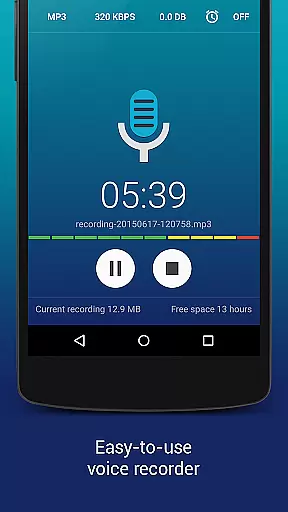
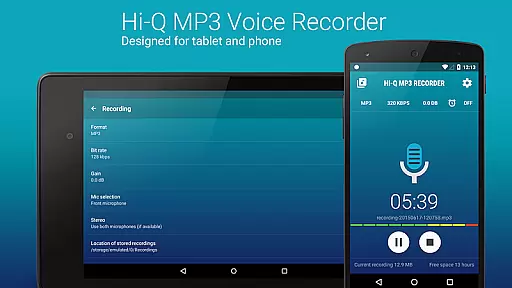
Hi-Q MP3 Voice Recorder (Pro) is a feature-packed mobile application designed for high-quality audio recording. This app supports 44 kHz audio sampling, ensuring professional-grade recordings for various use cases. Whether you need to capture personal voice notes, lectures, musical performances, or brainstorming sessions, this app delivers exceptional clarity and precision.
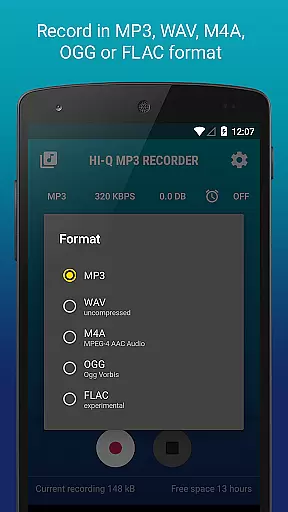
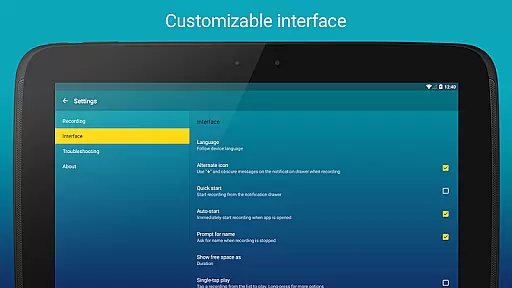
The application offers advanced customization options, including multiple audio formats (MP3, WAV, OGG, M4A, FLAC), adjustable bit rates up to 320 kbps, and real-time gain control. With its user-friendly interface and powerful functionality, Hi-Q MP3 Voice Recorder (Pro) caters to both casual users and professionals who demand the best in audio fidelity.
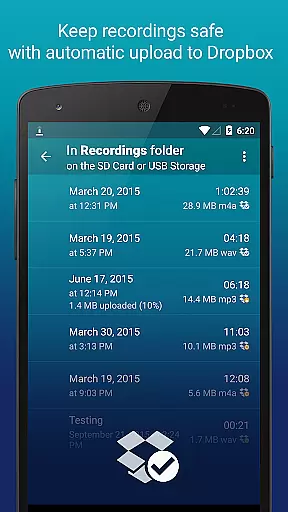
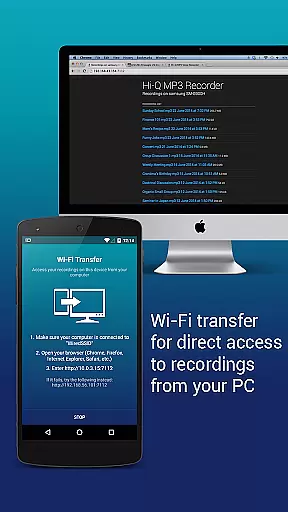
A key advantage of this app is its seamless integration with cloud services like Google Drive and Dropbox, allowing automatic backups and easy access to recordings across devices. Its intuitive home screen widgets and Wi-Fi transfer capabilities further enhance accessibility and convenience, making it an indispensable tool for anyone needing reliable and high-quality audio recording.
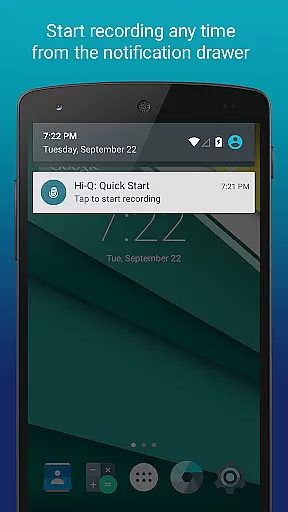
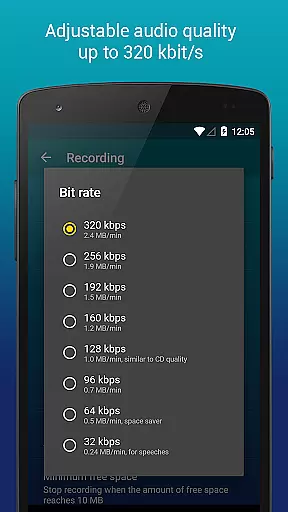
Hi-Q MP3 Voice Recorder (Pro) stands out with its comprehensive set of features tailored for optimal recording experiences. One of its notable capabilities is the Discretion Mode, which allows users to discreetly start recordings without drawing attention—a valuable feature for sensitive situations. Additionally, the app provides high-bitrate recording options (up to 320 kbps), ensuring maximum audio quality for professional needs.
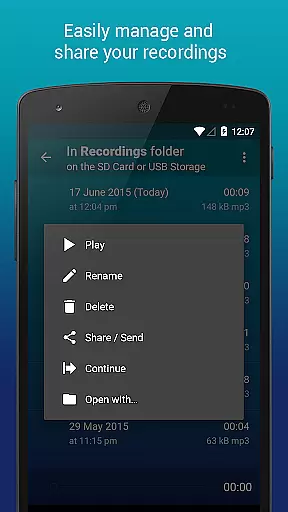
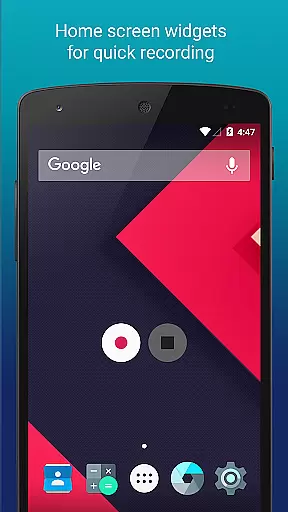
The app includes practical tools such as Home Screen Widgets for quick access, automatic cloud uploads to Google Drive or Dropbox, and advanced clip management for organizing recordings efficiently. Users can also take advantage of the Wi-Fi Transfer feature to wirelessly share files with other devices, eliminating the need for cumbersome cables or manual transfers.
Another standout feature is the ability to control input gain levels in real time, enabling users to adapt to different noise environments effortlessly. With support for multiple audio formats and customizable quality settings, Hi-Q MP3 Voice Recorder (Pro) empowers users to tailor their recording experience precisely to their requirements, whether they are capturing simple voice memos or studio-quality audio.
Hi-Q MP3 Voice Recorder (Pro) offers an extensive music library through its recording capabilities, allowing users to create and store high-quality audio files in multiple formats including MP3, WAV, OGG, M4A, and FLAC. This versatility ensures that users can record anything from personal voice notes to band practice sessions with ease.
The app's support for 320 kbps recordings guarantees superior audio quality, making it ideal for both casual and professional use. The ability to customize audio quality settings provides flexibility for different recording needs, ensuring optimal results regardless of the scenario.
Regarding copyright authenticity, Hi-Q MP3 Voice Recorder (Pro) respects user-generated content by providing tools to manage clips effectively. Users can share, sort, rename, and delete recordings as needed, maintaining full control over their creations while adhering to legal standards.
One of the standout features of Hi-Q MP3 Voice Recorder (Pro) is its robust audio quality options. With support for high-fidelity 44 kHz audio sampling and customizable bit rates up to 320 kbps, the app delivers exceptional sound clarity that surpasses standard recording apps.
Users can choose between various input sources such as the front or back microphone, depending on their device, to capture the most sensitive or clearest audio possible. Additionally, the app supports experimental formats like FLAC, catering to audiophiles who demand the highest quality recordings.
For those concerned about storage space, the app automatically converts recordings into compact MP3 files without compromising quality. This efficient compression allows users to store more recordings on their devices while still enjoying excellent playback fidelity.
High-fidelity audio
Cloud integration
User-friendly widgets
Multiple formats
Real-time gain
No call recording
SD card issues
Premium cost
Complex settings
Limited FAQ

Time Guru will strengthen your internal sense of musical time via random muting.
 4.30
4.30
The Music Journey in Your Hands
4.30
Enhance the sound quality of your devices, listen to what you want
4.50
Visualize the guitar fretboard, master scales & play through changes like a pro!
4.50
Super Sound Editor, Song Maker & Mixer, Vocal Remover, Voice Recorder & Changer!
4.60
Offline Music Player&MP3 Player with themes, equalizer, lyrics, music play mode
4.60
Play KORG’s revolutionary touch-based instrument on a variety of devices.
4.40
Ringtone Maker is free app create ringtone from music files or your recording.
4.40
Be a true music maker: create beats, mix and make music like a real DJ!
4.30
Responsive piano with great sounds, graphics, and songs
4.80
Walkout Song DJ is the most intuitive app to manage your sports music.
4.70
Record, Mix & Master with all n-Track effects, 64-bit audio and Stem Separation.
4.70
Advanced 10-Band Audio Graphic Equalizer Sound Booster Pro
4.30
A sleek, no-frills player designed for true music lovers.
4.20
Turn your Android phone into a professional audio analyser with up to 120 bands.
4.00
The only true audiophile music player with Hi-Fi audio rendering and DSP engine
3.90
The iconic iOS metronome app is now on Android.
3.70
The Cubase remote control app
3.60
The Minimalistic Premium Music Player. Handmade with passion for music
2.20


User Reviews