
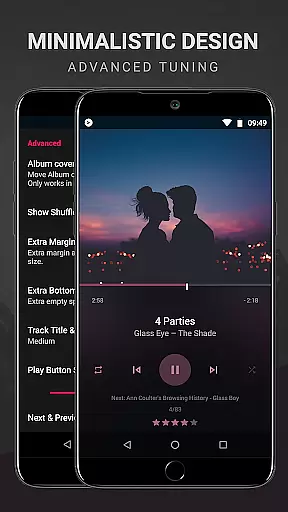
BlackPlayer EX is a premium music player tailored for audiophiles who appreciate both quality and customization. This advanced version removes ads while offering exclusive features such as Chromecast support, customizable crossfading, and an enhanced user interface with light themes and accent colors.
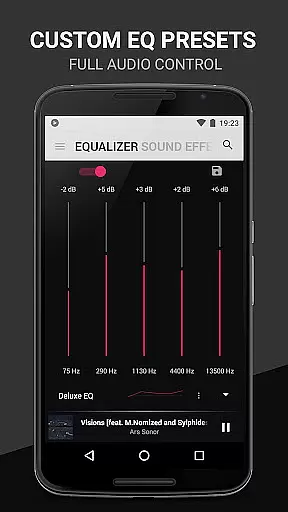
The app supports standard audio formats like MP3, FLAC, and WAV, and includes a built-in equalizer, gapless playback, and tag editor. With additional options like screen rotation lock, artist image customization, and a smart 'Zap' function for discovering music, BlackPlayer EX delivers a comprehensive and personalized listening experience.
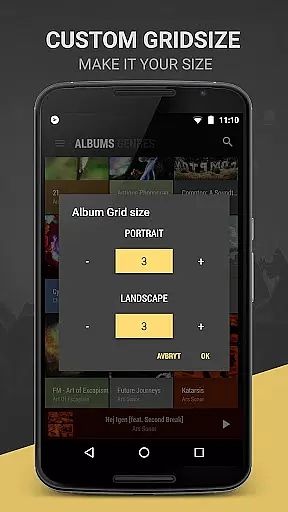
Ideal for users seeking control over their music library, the app allows complete customization of library pages, grid sizes, and even notification aesthetics. Its powerful functionality makes it perfect for organizing large music collections while enjoying high-quality playback.
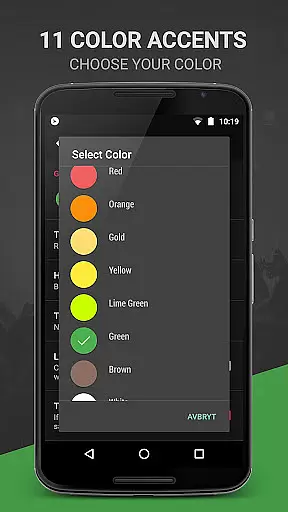
BlackPlayer EX stands out with its extensive customization capabilities. Users can personalize everything from fonts and themes to library layouts and color schemes. The app offers 11 color accents, 8 extra Now Playing themes, and custom grid sizes for artists and albums, ensuring a unique interface tailored to individual preferences.
Premium features include Chromecast integration, a visualizer (beta), and advanced playback controls such as customizable crossfading and weekly or monthly tracking of played tracks. The 'Zap' function enables quick music discovery by playing random tracks for 5 seconds each, while the floating window widget provides convenient playback control.
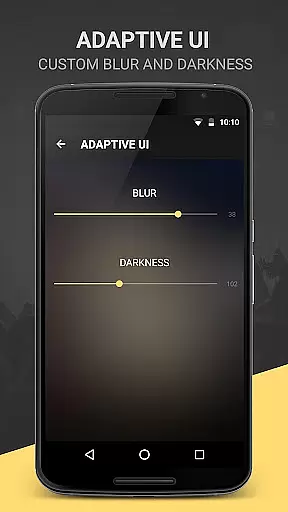
Additional highlights are the lockscreen blur effect, genre viewing modes, and detailed widget settings. With developer support and early access to new features, BlackPlayer EX ensures continuous improvement and innovation for an unmatched audio experience.
BlackPlayer EX offers an extensive music library that supports various formats including MP3, FLAC, and WAV. This ensures users have the freedom to play their locally stored music files without limitations.
The application focuses on copyright authenticity by allowing users to manage their legally acquired music collections. It provides tools for editing tags and manually setting artist images, ensuring proper music file organization.
With features like Blacklist Folders and Tracks, users can control which music files are included in their library, enhancing the authenticity and personalization of their collection.
Delivering high-quality audio is a core feature of BlackPlayer EX. The built-in Equalizer, BassBoost, and Virtualizer allow users to customize their listening experience with precision.
For audiophiles, the app supports gapless playback, maintaining the integrity of the audio experience across tracks. This feature is crucial for live albums or music composed as continuous pieces.
Users can further enhance audio quality through customizable settings such as Left/Right sound balance and various widget transparency options, providing both aesthetic and functional benefits.
Highly customizable
No ads
Chromecast support
Gapless playback
Smart Zap feature
Paid version only
Beta visualizer
Complex UI
Limited FAQ
Weekly updates unstable

Equalizer, Bass Booster and Volume Booster (Eq & Bass) improve sound quality
 4.30
4.30
The Skullcandy App Experience
3.20
Over 100 million tracks available for high quality streaming and download
4.60
Time Trainer: accurate metronome w tools to help you develop your internal time!
4.20
Remove ads permanently from Music Visualizer
4.5
Walkout Song DJ is the most intuitive app to manage your sports music.
4.70
Network/Cloud Streaming, Visualization, Graphic Equalizer and Sound Effects.
4.20
The iconic iOS metronome app is now on Android.
3.70
Offline Tunes, Unlimited Vibes
3.90
More downloads than any other metronome. Includes drum machine & tempo trainer.
4.80
AI Music Maker: Generate And Compose AI Tunes & AI Songs & AI Music & AI Melody!
4.60
A complete sound package for the sound engineer or enthusiast
4.60
Reverse your voice & songs instantly! Fun singing challenge with cool effects.
4.60
Enhance the sound quality of your devices, listen to what you want
4.50
Full featured mp3 and audio player with Chromecast and Android Auto support.
4.40
Powerful 10-Band equalizer pro with sound booster improves Android audio quality
4.30
Smart piano keyboard, Classical to Pop, Real-time multiplayer connection!
4.20
Control your MIDI USB or Bluetooth devices in app and avoid some trampling
3.30
Make music anywhere. Turn your device into an instrument.
4.0


User Reviews