
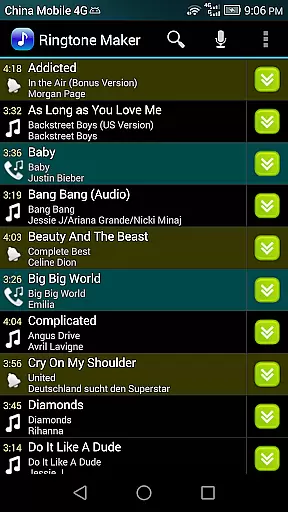
Ringtone Maker Pro is a versatile audio editing application designed for creating personalized ringtones, alarms, and notifications. The app supports multiple audio formats including MP3, WAV, AAC/MP4, and 3GPP/AMR files, making it compatible with various music libraries.
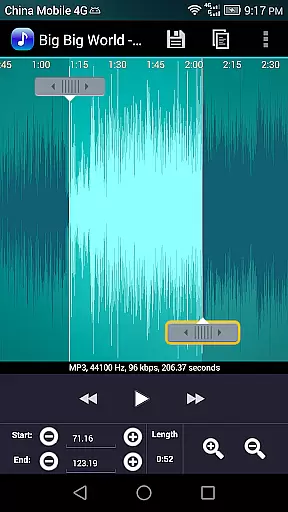
One of the standout features is its intuitive timeline interface that allows users to precisely set start and end points for their audio clips. This can be done either by sliding markers along the timeline, pressing dedicated Start and End buttons, or manually entering timestamps. Whether you want to extract a favorite song segment or create a unique notification sound, this app provides all necessary tools.
The application's value extends beyond simple ringtone creation. It offers advanced functionalities such as volume adjustment, fade-in/out effects for MP3 files, and waveform visualization at five different zoom levels. These features make it an essential tool for both casual users looking to customize their device sounds and audio enthusiasts who need precise control over their edits.
Ringtone Maker Pro stands out with its comprehensive feature set tailored for detailed audio editing. The app includes standard editing functions like copy, cut, and paste, alongside more advanced capabilities such as volume adjustment and fade effects specifically for MP3 files.
A key innovation is its multi-touch interface that lets users interact directly with the audio waveform. You can zoom in up to five levels to fine-tune your selections, while the auto-scrolling feature helps maintain context during playback. The preview function allows you to test your creations before saving, ensuring the final output meets your expectations.
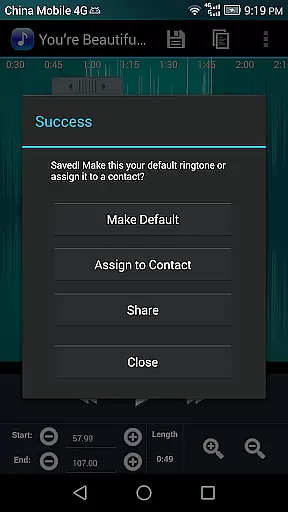
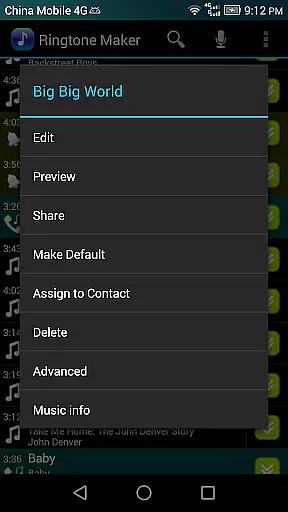
What sets this app apart from similar tools is its integrated contact management system. After creating a ringtone, you can immediately assign it to specific contacts or manage existing assignments. This seamless integration saves time and enhances the user experience by combining creation and application in one platform.
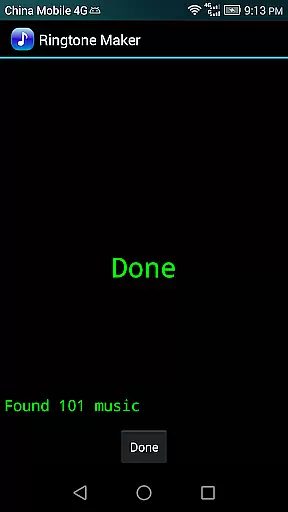
Ringtone Maker Pro offers an extensive music library that supports multiple formats including MP3, WAV, AAC/MP4, and 3GPP/AMR files. This diversity ensures users have the freedom to create ringtones from a wide range of audio sources.
The app's commitment to copyright authenticity is evident in its encouragement of using personal audio files for ringtone creation. By focusing on user-provided content, it avoids copyright infringement issues associated with preloaded music libraries.
Users benefit from the ability to manage their audio files effectively, sorting them by tracks, albums, or artists. This organizational feature enhances the accessibility and usability of their music collection within the app.
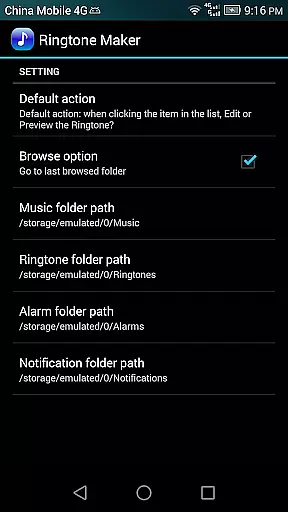
Furthermore, Ringtone Maker Pro provides clear guidelines on where ringtones are saved on the device, promoting transparency and allowing users to easily locate and manage their creations.
One of Ringtone Maker Pro's standout features is its advanced audio quality options. Users can adjust volume levels specifically for MP3 files and apply fade-in/out effects, ensuring their ringtones sound polished and professional.
The app allows precise editing through time stamps and a touch interface for setting clip boundaries. This level of control enables users to capture the exact portion of audio they desire with accuracy.
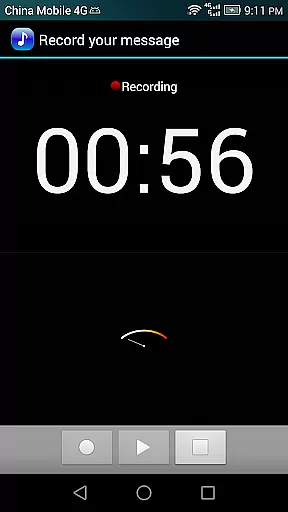
Preview functionality lets users test their ringtones before saving, complete with a visual cursor and auto-scrolling waveform. This feature ensures satisfaction with the final product before it's finalized.
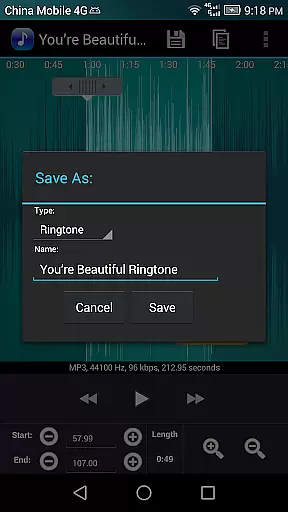
Additionally, the app supports saving edited audio in various categories such as music, alarm, or notification, each maintaining high-quality standards regardless of the original file format.
User-friendly interface
Multi-format support
Precise editing tools
Advanced audio effects
Integrated contact management
Limited free version
Occasional stability issues
Ads in basic version
Complex for beginners
Storage permission required

Pay Once, no monthly payment
 4.60
4.60
The Cubase remote control app
3.60
DJ Music Mixer Pro is a real DJ controllers and DJ Music Studio to remix DJ.
4.40
DJ Music Mixer - DJ Remix: remix songs, make beat music & record mix of DJ.
4.40
Powerful beat maker & DJ mixer to remix tracks, make music, & perform DJ mix
3.70
Brian Eno and Peter Chilvers’ acclaimed music app Bloom, radically reinvented.
4.80
Bass Booster Pro takes auto-equalizing to the next level!
4.30
The best music and audio player, with beautiful UI, music search and equalizer.
4.60
Turn your Android phone into a professional audio analyser with up to 120 bands.
4.00
Make songs with AI! Any genre, custom lyric, song generator for music creation!
4.80
More downloads than any other metronome. Includes drum machine & tempo trainer.
4.80
10-Band Audio Equalizer, Sound / Bass Booster for Spotify Users & Music Players
4.40
Time Guru will strengthen your internal sense of musical time via random muting.
4.30
Enjoy singing any song, no matter how high or low it is
4.30
Powerful 10-Band equalizer pro with sound booster improves Android audio quality
4.30
The alternative folder based music player.
4.20
No wifi music app. Mp3 offline. Tuner radio, young radio music. Music downloader
4.20
Background pads for your band
3.80
Simply convert wav to mp3. Clear. Reliable. Safe.
4.4


User Reviews