
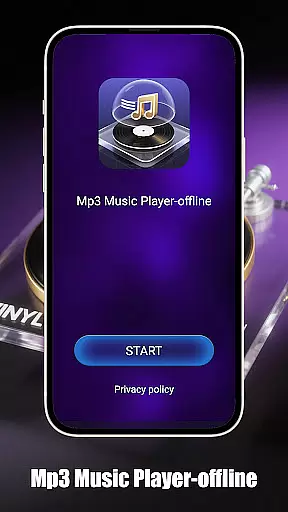
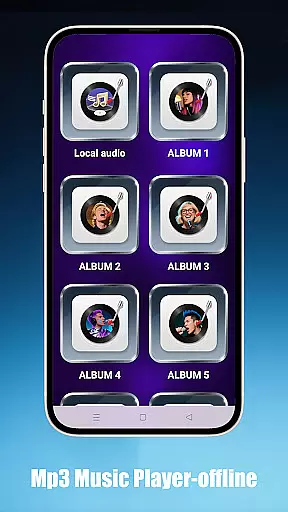
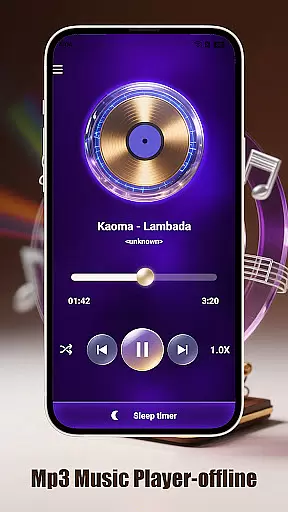
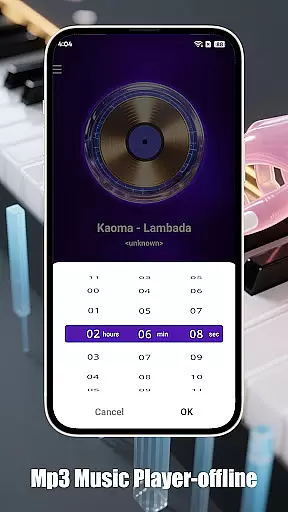
Mp3 Music Player - Offline is a dedicated music player for audiophiles who prefer local MP3 playback. With its sleek design and no-frills approach, this app offers powerful playback controls without requiring an internet connection. Users can enjoy features like adjustable speed for podcasts or learning, sleep timer functionality to conserve battery, and multiple playback modes including loop, shuffle, and single-track.
The app's intuitive interface allows effortless navigation through folders, artists, or albums while providing fast search capabilities. Its minimalist design ensures an immersive experience with landscape-optimized UI, making it perfect for focused listening sessions. Lightweight and free from ads, Mp3 Music Player - Offline delivers uninterrupted music enjoyment.
This music player stands out with its comprehensive feature set tailored for both casual listeners and serious audiophiles. It supports various playback modes such as loop, shuffle, and single-track, catering to different listening preferences. The adjustable speed function (0.5x–2.0x) is particularly useful for those who use the app for educational purposes or podcast listening.
Designed with practicality in mind, the app includes a sleep timer that automatically stops music playback to save battery—a thoughtful addition for bedtime listening. The local music access is streamlined, allowing users to browse by folder, artist, or album effortlessly. Its ultra-fast search ensures you find your favorite tracks instantly. The app's lightweight nature and ad-free environment make it a pleasure to use daily.
When it comes to music players, the size and authenticity of the music library are crucial factors. Mp3 Music Player - Offline focuses on allowing users to play their local MP3 files without requiring an internet connection. This ensures that users have complete control over their music collection while maintaining copyright compliance.
The app supports a wide range of local music files, enabling users to organize and access their entire library effortlessly. By categorizing tracks by folder, artist, or album, the app makes it easy to browse extensive collections. The ultra-fast search functionality further enhances the user experience by allowing instant track discovery.
While the app doesn't provide streaming services, its offline nature respects copyright laws and ensures that users only play music they legally own. This approach not only protects users from potential legal issues but also guarantees that the music they enjoy is authentic and high-quality.
Audio quality is a key consideration for any music enthusiast, and Mp3 Music Player - Offline excels in delivering pristine sound. The app offers adjustable playback speeds ranging from 0.5x to 2.0x, catering to various listening preferences, whether you're enjoying music or learning through podcasts.
In addition to speed adjustments, the player provides multiple smart playback modes such as loop, shuffle, and single-track playback. These options ensure that users can customize their listening experience according to their mood or activity, enhancing overall satisfaction.
The minimalist interface of the app is designed to reduce distractions, allowing users to focus solely on their music. With a landscape-optimized UI for immersive full-screen viewing and a lightweight design that conserves battery life, Mp3 Music Player - Offline delivers both superior audio quality and an enjoyable user experience.
User-friendly interface
Offline playback capability
Adjustable playback speed
Sleep timer functionality
Lightweight and ad-free
Limited to MP3 format
No cloud integration
Basic equalizer settings
No social sharing options
Restricted to local files

Tune in to the greatest hits on UK Radio | The home of Capital, Smooth & Heart.
 4.90
4.90
A High-Precision Audio Spectrum Analysis App
4.20
Listen radio AM / FM Stations. Live AM / FM Radio App Station. Radio Com.
4.70
Enjoy singing any song, no matter how high or low it is
4.30
Make songs with AI! Any genre, custom lyric, song generator for music creation!
4.80
Simple mp3 and mp4 player with advanced features.
3.40
Powerful 10-Band equalizer pro with sound booster improves Android audio quality
4.30
Manage your Sonos system directly from your home-screen!
4.40
One-tap booster for max volume - enjoy powerful sound with this audio booster
4.50
Performance-Synthesizer & Multi-Track-Sequencer, polyphonic + multi timbral!
4.70
Walkout Song DJ is the most intuitive app to manage your sports music.
4.70
Super Sound Editor, Song Maker & Mixer, Vocal Remover, Voice Recorder & Changer!
4.60
A complete sound package for the sound engineer or enthusiast
4.60
Enhance the sound quality of your devices, listen to what you want
4.50
DJ Music Mixer - DJ Remix: remix songs, make beat music & record mix of DJ.
4.40
Your HD audio recorder on the go for music, meetings, ambience, animal sounds…
4.30
Learn and play 2M+ music tabs & chords on guitar, ukulele, bass, and more
4.30
The official Sonos app
4.10
The only true audiophile music player with Hi-Fi audio rendering and DSP engine
3.90


User Reviews