
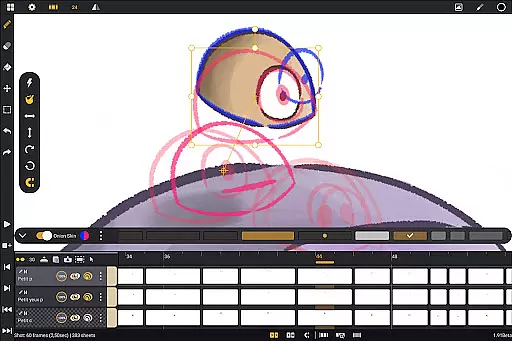
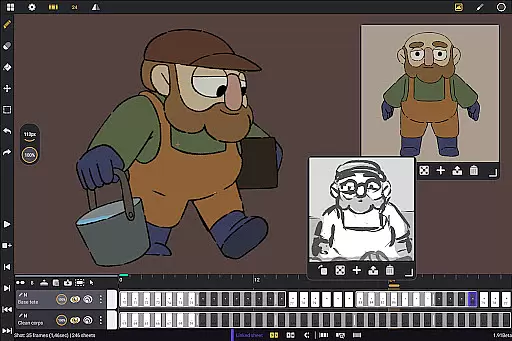
Callipeg is a professional-grade 2D hand-drawn animation application tailored for Android devices, offering an all-in-one solution for animators of all skill levels. With its comprehensive suite of tools, the app supports both frame-by-frame and keyframe animation styles, making it suitable for creating storyboards, complete shots, or simple sketches.
The application stands out with its studio-like organizational capabilities, adjustable frame rates up to 60fps, and canvas sizes reaching 4K resolution. It provides unlimited layer support, versatile drawing tools, and advanced features like onion skinning. The customizable workspace and flexible import-export options further enhance its appeal to professionals and beginners alike.
Designed specifically for Android tablets with stylus support, Callipeg eliminates subscription models, bundling all updates into a one-time purchase. This makes it an ideal choice for artists seeking a portable yet powerful animation studio that facilitates creativity on the go.
Callipeg boasts an impressive array of features designed to streamline the animation process. Its studio-like organization allows users to manage shots through drag-and-drop functionality, scene and folder structuring, and color tagging. Animators can work efficiently with adjustable frame rates and large canvas sizes, ensuring their projects meet professional standards.
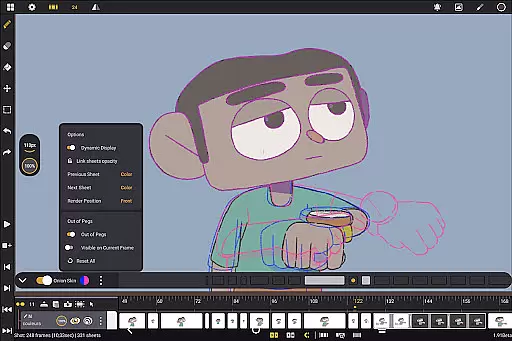
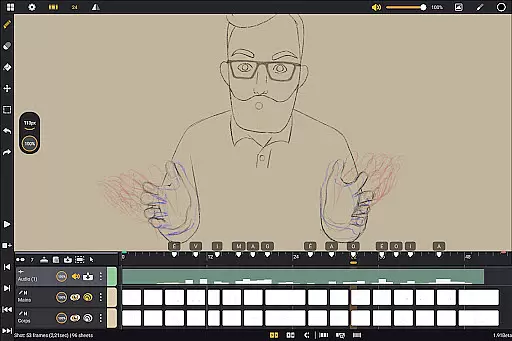
The app's unlimited layer support accommodates various media types including drawing, video, transformation, audio, and group layers. This versatility is complemented by comprehensive drawing tools featuring customizable brushes, a detailed color management system, and specialized animation-focused utilities such as onion skinning with adjustable opacity settings.
Additional notable features include a customizable workspace that caters to both right- and left-handed users, flexible sidebar positioning, and canvas inversion for proportion checks. The app also offers extensive import and export options in multiple formats, maintaining compatibility with industry-standard software while providing supportive learning resources through tutorials and community engagement via Discord.
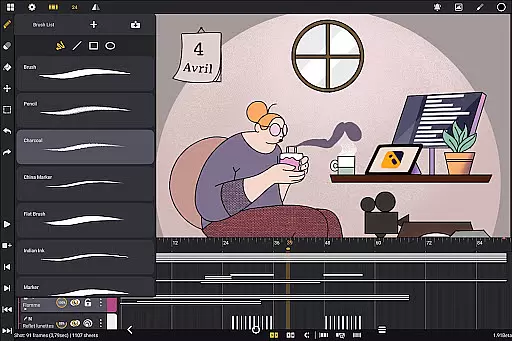
In the realm of digital art and animation, having a comprehensive set of creative tools is paramount. Callipeg rises to the occasion by offering an extensive suite designed to cater to both professional animators and beginners alike. The application includes a versatile brush set that simulates traditional media such as pencil, charcoal, and ink, allowing artists to replicate hand-drawn techniques with precision.
Customization is at the heart of Callipeg's drawing tools. Users can adjust brush smoothing, tip shape, and texture to tailor each stroke to their specific needs. This flexibility ensures that whether you're sketching rough outlines or adding intricate details, the app can adapt to your workflow seamlessly.
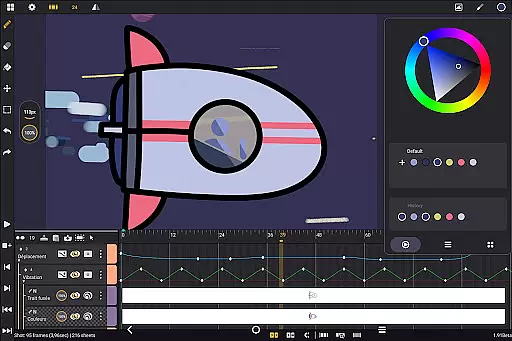
Color management in Callipeg further enhances its creative capabilities. With access to a color wheel, sliders, and customizable palettes, artists can manage colors effectively and optimize their coloring process. These features collectively ensure that creators have all they need to bring their visions to life without compromise.
Flexibility in canvas size and format support is crucial for accommodating diverse project requirements and ensuring high-quality output. Callipeg addresses this need by providing a large canvas option that supports resolutions up to 4K. This feature allows animators to work on detailed frames while maintaining professional standards, making it suitable for everything from simple sketches to feature-quality shots.
The app also excels in format compatibility, enabling users to import and export files in multiple formats. Whether you're working with images, video clips, or audio files, Callipeg facilitates seamless integration into various workflows. Supported export formats include .mp4, .gif, .png, .tga, .psd, and .peg, ensuring that final animations can be shared across different platforms and software ecosystems.
Moreover, Callipegu2019s ability to handle unlimited layers adds another layer of flexibility. Artists can add as many layers as needed, regardless of typeu2014be it drawing, video, transformation, audio, or group layers. This capability not only enhances organizational efficiency but also empowers creators to experiment freely without worrying about technical limitations.
User-friendly interface
Professional-grade tools
No subscription model
Active community support
Regular feature updates
Limited to Android
Stylus-dependent
Advanced features may overwhelm beginners
Large file sizes
Occasional performance issues

Customizable Outlined Fonts. Watch Face Format. Battery friendly Digital Clock.
 4.20
4.20
Create trending AI photos & videos with powerful effects and 3D styles.
3.20
Design your dream room with AI. Get decor ideas & plan home interiors
3.90
Easy 3D drawing design maker & creator. Model designing, Sculpting. Create&paint
4.00
Art of Combination Wear OS Watch faces
4.4
The perfect place to start sketching! Use Sketchbook to draw and paint sketches.
4.50
800+ Drawing, Painting Lessons App to Practice, Sketch & Paint Art.
4.30
Turn your drawings into flipbook-style animations with simple creative tools
4.60
Retouch photos. Create or edit images. Endless capabilities.
2.70
Passport size photo maker, create ID photo and visa photo in seconds
4.80
Castle is social media for creating and playing games!
4.60
Get creative and make art with your Sesame Friends!
4.00
AI Art Generator transforms your words into AI generated art & paintings.
3.70
Create cute cat emojis & PFPs! Fun, custom avatars for cat lovers.
3.70
Experience next-gen icons with a modern liquid glass look.
3.60
AI Assistant, powered by ChatGPT GPT-4 & GPT-4o. Your intelligent companion.
3.50
Meet the magic aı 3d photo generator and smart AI video generator app.
3.20
Download now for a stylish and functional timepiece
4.3
Art of Combination Wear OS Watch Faces
4.2


User Reviews