
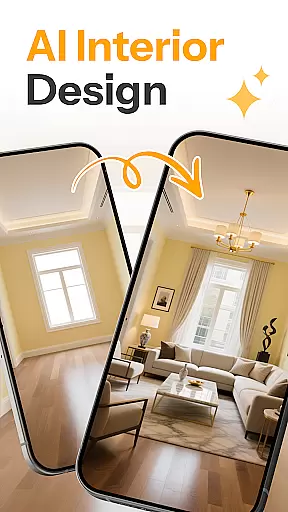
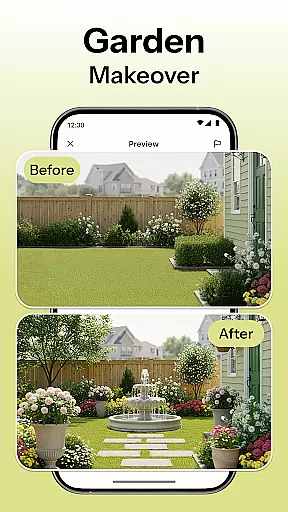
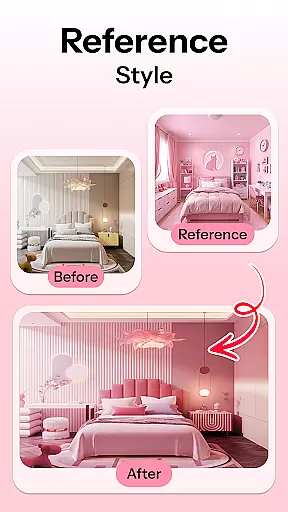
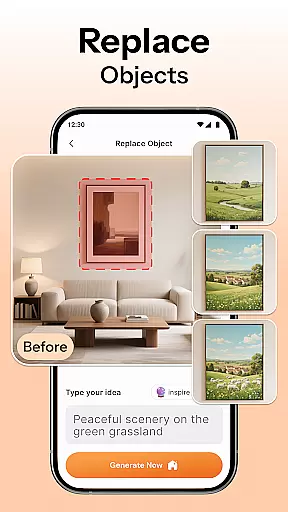
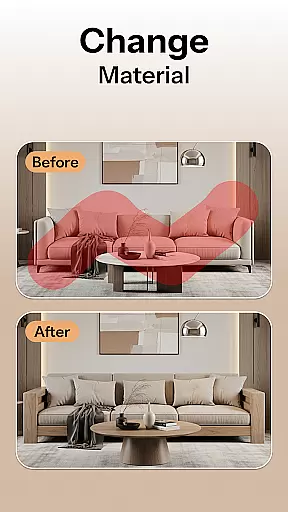
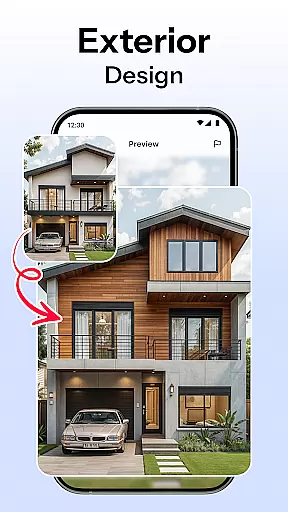

HomeMagic is an innovative AI-powered interior design application that transforms the way users approach home decoration. The app's core functionality lies in its ability to instantly generate professional-grade interior designs based on user-provided photos and selected styles. Whether you're redesigning a single room or planning a complete home makeover, HomeMagic provides realistic visualizations across various design aesthetics including Modern, Retro, and Bohemian.
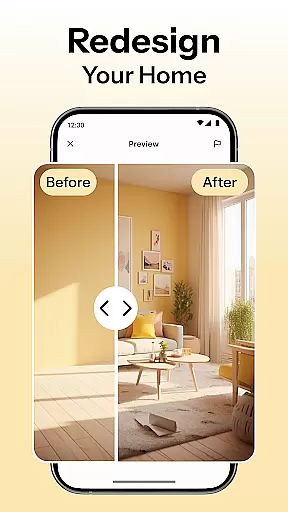
Beyond basic design generation, the application offers advanced features such as smart furniture layout planning, wall color experimentation, and flooring texture visualization. These tools enable users to optimize their space while maintaining creative control over every design aspect. The app particularly shines in its before-and-after comparison feature, allowing users to make informed decisions about their renovation projects.
The application proves especially valuable for homeowners undertaking renovations, renters seeking to refresh their living spaces, and professional interior designers looking for quick concept visualizations. By providing high-quality renderings and the ability to save and organize design ideas, HomeMagic streamlines the entire design process while maintaining professional standards.
HomeMagic distinguishes itself through its comprehensive suite of AI-driven design tools. The application's most notable feature is its instant room transformation capability, which utilizes advanced artificial intelligence to generate photorealistic room designs within seconds. Users can experiment with multiple design styles, from Tropical to Cyberpunk, ensuring suitability for diverse aesthetic preferences.
The smart furniture layout planner represents another significant innovation, offering optimized arrangements for furniture, lighting, and decorative elements. This feature works in tandem with the app's extensive style filters, which allow users to modify wall colors, flooring materials, and furniture combinations with remarkable precision. The inclusion of professional-grade rendering technology ensures that all visualizations maintain industry-standard quality.
Additional noteworthy features include the ability to create and manage personal design galleries, export high-resolution images for sharing with professionals, and utilize precise before-and-after comparison tools. These capabilities collectively provide users with a complete design solution that serves both casual decorators and professional designers alike.
HomeMagic offers a comprehensive suite of creative tools that cater to all your interior design needs. The app's AI Interior Design Generator allows users to upload photos and transform spaces with various design styles such as Modern, Retro, Tropical, Bohemian, Vintage, and Cyberpunk.
In addition to style transformations, the app provides a Smart Furniture Layout Planner. This feature utilizes artificial intelligence to suggest optimal layouts for furniture, lighting, and wall art, ensuring that every inch of your space is used efficiently.
Users can also experiment with different home decor ideas through the Style Filters option. With the ability to change wall colors, flooring textures, and trendy furniture sets, HomeMagic empowers you to find the perfect combination that matches your personal taste.
The true value of these creative tools lies in their ability to work together seamlessly, providing an all-in-one platform for designing and planning your dream home with professional-grade tools at your fingertips.
Flexibility in design is crucial, and HomeMagic excels in offering canvas and format options that adapt to your unique requirements. Whether you're redesigning a compact bedroom or an expansive living room, the app accommodates various room sizes and shapes, delivering realistic previews tailored to your specific dimensions.
Moreover, HomeMagic supports high-quality image exports, allowing you to save and organize your designs in a personal gallery. These images are not only shareable but also suitable for professional presentations to friends or interior designers.
The Before & After Comparison feature further enhances this flexibility by enabling users to juxtapose their current space with the AI-designed version. This comparison tool is invaluable for visualizing potential changes and making informed decisions about your interior design projects.
With its adaptable canvas options and versatile format support, HomeMagic ensures that whether you're a homeowner, renter, or professional designer, you have the necessary tools to visualize and execute your design plans effectively.
User-friendly interface
AI-powered design
Multiple style options
Professional rendering
Smart layout suggestions
Premium feature costs
Internet connection required
Device compatibility issues
Learning curve present
Export resolution limits

AI generated images & photos, turn your words into drawing, painting & pictures.
 4.30
4.30
Apply cartoon, caricature, and portrait effects to make your photos stand out!
3.60
Draw beautiful mandala's very easily
4.60
Castle is social media for creating and playing games!
4.60
Create stunning art with AI.
4.80
Design unique, funny and adorable cat stickers that reflect your own style!
3.80
Everything you need to create hand drawn animation, anywhere you go!
4.40
AI-powered photo & video creation—fast, fun, and effortless with Quick Actions
4.60
All-in-One art, logo & collage maker. Design photos and edit video backgrounds
4.80
Learn how to draw with step-by-step tutorials, fun lessons & multiplayer drawing
4.70
Logo Generator powered by AI: Create stunning logos effortlessly!
4.70
Digital illustration drawing & painting pad app to paint Anime and Manga art
4.50
Stylish letters, Stylish Keyboard, Symbols, Emojis, Cool nickname
4.40
Bring One UI 8.5 Icons to life -elegant dark icons with a modern, premium touch.
4.30
OneUI 8.5 icons ✨ Smooth, modern & based on the latest Play Store design ??
4.10
Art of Combination Wear OS Watch faces (for Wear OS 5+ devices)
3.90
Experience next-gen icons with a modern liquid glass look.
3.60
Create trending AI photos & videos with powerful effects and 3D styles.
3.20
Art of Combination Wear OS Watch faces
4.5


User Reviews