
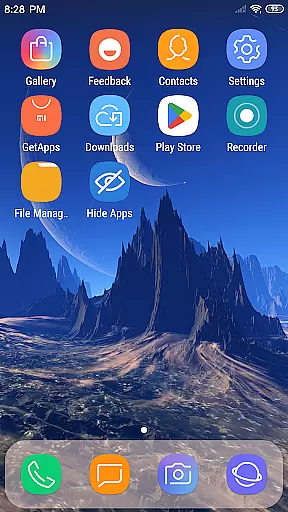
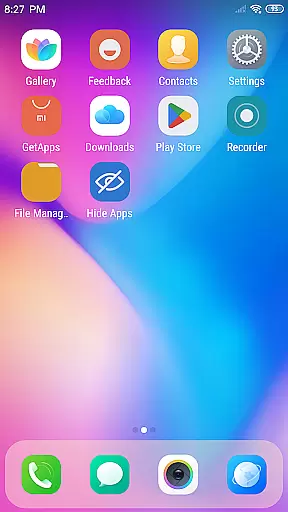
X Launcher Pro is a premium launcher app designed for Android users who appreciate minimalist flat design and customization freedom. This application transforms the entire appearance and functionality of your smartphone, offering an immersive experience without any ads.
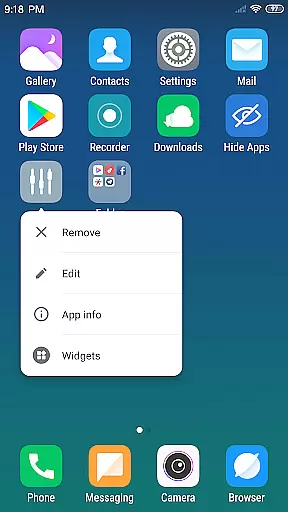
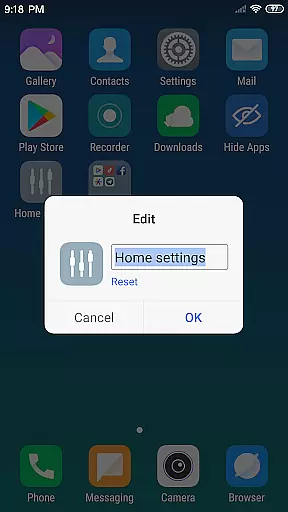
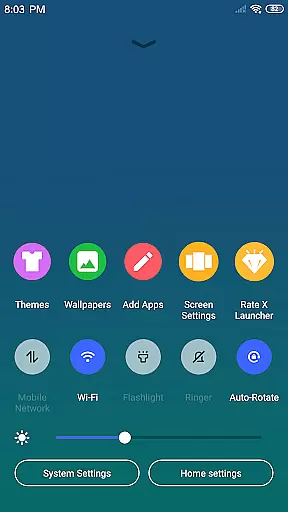
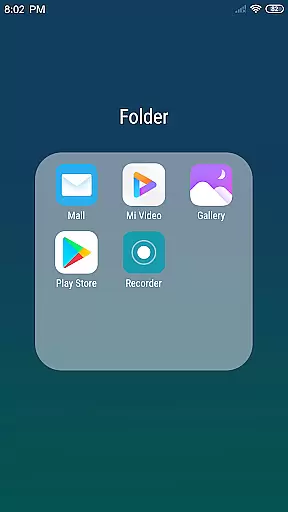
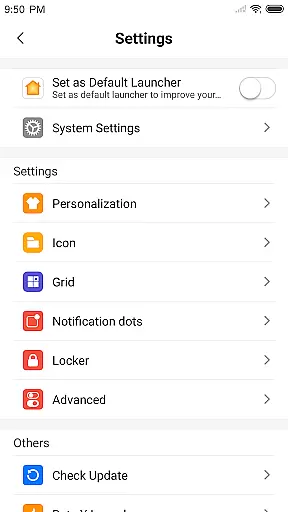
The launcher provides essential features like App Manager for organizing local apps, Control Center for quick settings adjustment, and customizable themes with adaptive wallpapers. Users can personalize their home screens by modifying app icons, names, and layout grids. The app also supports advanced functionalities such as creating flat-style folders and hiding unwanted apps.
Perfect for those seeking a clutter-free and highly customizable mobile interface, X Launcher Pro delivers both aesthetic appeal and practical usability in one complete package.
X Launcher Pro stands out with its comprehensive feature set tailored for customization enthusiasts. The app's hallmark is its ad-free environment, ensuring uninterrupted user experience while managing apps or personalizing the interface.
One of the key highlights is the App Manager that allows users to quickly organize and access local applications by simply swiping up. The Control Center offers convenient shortcuts to frequently used settings like WiFi, brightness, and volume controls. With support for various themes and latest wallpapers, users can create a visually cohesive home screen setup.
The launcher also enables deep customization through features like icon modification, grid adjustments, and folder creation. Additionally, privacy-conscious users will appreciate the ability to hide specific apps from the main interface, making it a versatile tool for both aesthetics and functionality.
In the realm of digital creativity, having a comprehensive suite of tools is paramount. X Launcher Pro rises to the occasion by offering an extensive array of features that cater to your creative needs. With functionalities such as App Manager and Control Center, users can efficiently manage their applications and device settings.
Moreover, the launcher provides a Theme Store brimming with various themes, ensuring that your device's appearance is as unique as your artistic vision. The ability to modify app icons and names adds another layer of personalization, allowing for a tailored experience that resonates with your individuality.
The inclusion of rich icon libraries and the latest wallpapers further enhances the creative process, providing users with resources to inspire and complement their design choices. These elements work in concert to offer a seamless and enriching user experience.
Flexibility in design is crucial for artists who wish to express their creativity without constraints. X Launcher Pro understands this need and offers canvas and format flexibility through its customizable interface. Users can alter the number of rows and columns on their launcher, effectively changing the canvas upon which their apps are displayed.
This adaptability extends to the ability to hide apps, giving users control over what is visible on their device, akin to choosing which elements to include on a canvas. Additionally, the Flat Style Folder feature allows for efficient organization, akin to grouping elements within a composition.
With these versatile formatting options, X Launcher Pro ensures that each user's device layout is as unique as their fingerprint, reflecting personal preferences while maintaining functionality and aesthetic appeal.
Ad-free experience
Highly customizable
Intuitive app management
Variety of themes
User-friendly interface
Storage permission required
Premium only features
May overwhelm new users
Limited default options
Occasional compatibility issues

Download now for a stylish and functional timepiece
 4.4
4.4
Learn how to draw with step-by-step tutorials, fun lessons & multiplayer drawing
4.70
AI Assistant, powered by ChatGPT GPT-4 & GPT-4o. Your intelligent companion.
3.50
Remove Background, Magic Eraser, Photo Enhancer, Story Templates, Collage Maker
4.30
Paint with oils and sketch with natural tools on a realistic virtual canvas.
3.80
Draw beautiful mandala's very easily
4.60
Mobile pixel art editor. Simple. Fast. Portable.
4.80
OneUI 8.5 icons ✨ Smooth, modern & based on the latest Play Store design ??
4.10
Create and Design Custom Logos in Seconds with AI-Powered Tools!
4.40
Digital, Abstract, Classic - all types of color wheels in one app!
4.60
Image/ Text to Video Generator
4.40
Just trace a projected picture on paper and color! Draw & Paint with AR drawing
4.40
Bring One UI 8.5 Icons to life -elegant dark icons with a modern, premium touch.
4.30
Custom Character Creator & PFP Maker!
4.20
Unleash Your Creativity with Draw Cartoon - AR Drawing App
4.10
Art of Combination Wear OS Watch faces (for Wear OS 5+ devices)
3.90
Create trending AI photos & videos with powerful effects and 3D styles.
3.20
Pose and morph realistic male and female models! 3D poser app
3.00
Your Essential Color Theory Guide: Red, Yellow, Blue (RYB)
4.2


User Reviews