
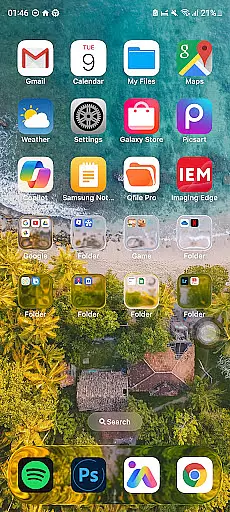
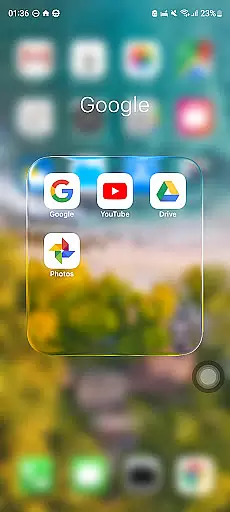
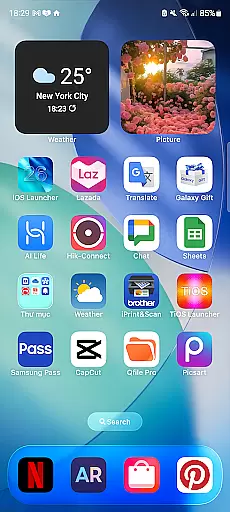
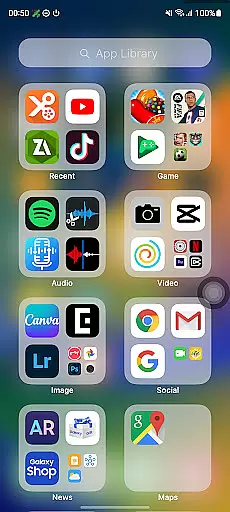
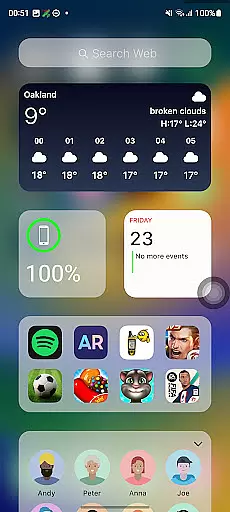
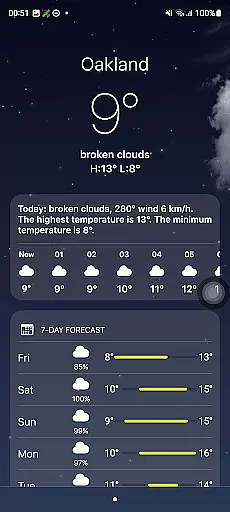
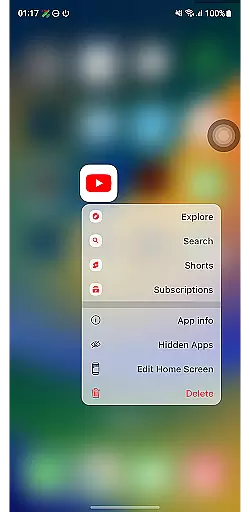
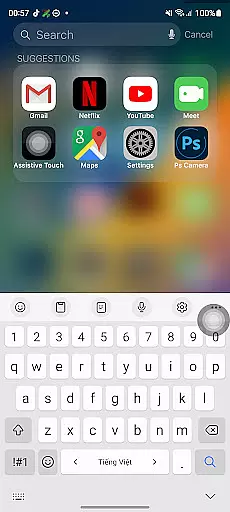
Launcher iOS 26 is a personalization app designed to bring the familiar iPhone experience to Android devices. This launcher transforms your phone's interface with a sleek and intuitive design inspired by iOS, offering users an authentic iPhone look and feel. Beyond aesthetics, it provides enhanced functionality through features like a convenient Control Center and quick access to favorite apps.
The app allows for a personalized experience by letting users customize wallpapers and enjoy simplified navigation. Launcher iOS 26 is ideal for those who appreciate the polished design of iOS but want to use it on their Android devices. By combining visual appeal with practical features, this app elevates the overall Android experience while maintaining the flexibility that Android users love.
Launcher iOS 26 offers a range of features designed to enhance the Android user experience. One of its standout capabilities is replicating the authentic iOS look and feel, immersing users in a polished and familiar interface. The app includes a Control Center that allows users to access essential functions with a simple swipe, mimicking the functionality found on iPhones.
In addition to its aesthetic appeal, Launcher iOS 26 provides practical tools such as Quick Access, which lets users reach their favorite apps and actions easily. Users can also personalize their home screens by setting custom wallpapers, just like on an actual iPhone. These features collectively create a unique blend of style and usability, making Launcher iOS 26 a powerful tool for Android users seeking an iOS-like experience.
Launcher iOS 26 offers a rich array of customization options that allow users to tailor their Android devices to closely mimic the familiar iPhone experience. This includes not only aesthetic elements but also functional features inspired by the iPhone's intuitive design.
The launcher provides an authentic iOS look and feel, immersing users in a polished interface that they can personalize with custom wallpapers, just like on an actual iPhone. Users have the freedom to choose from various wallpaper options, ensuring their device reflects their personal style while maintaining the sleek design associated with iOS.
Beyond visual customization, Launcher iOS 26 enhances functionality through features such as the Control Center, which is accessible with a simple swipe, mirroring the convenience found on iPhones. This allows for quick adjustments to essential phone functions without navigating through menus.
Quick Access further exemplifies the app's commitment to personalization by giving users easy access to their favorite apps and actions, akin to iPhoneu2019s AssistiveTouch feature. These comprehensive customization capabilities ensure that each user enjoys a unique and streamlined experience tailored specifically to their preferences.
Theme compatibility is at the heart of Launcher iOS 26's appeal, enabling users to enjoy a seamless integration of themes that align perfectly with the iPhone-inspired design. The application ensures that all visual elements are harmoniously blended, providing a cohesive and visually pleasing interface.
With support for customizable wallpapers, Launcher iOS 26 guarantees that every theme applied will maintain its integrity and intended appearance. Whether opting for default themes or personalized images, users can be confident that their chosen aesthetic will remain consistent across their device.
This attention to detail extends beyond mere visuals; it encompasses how different components interact within the system. For instance, when using the Control Center or Quick Access features, users find these elements naturally integrated into their selected theme, preserving both form and function.
Ultimately, Launcher iOS 26 delivers an unmatched level of theme compatibility, allowing users to fully immerse themselves in an environment reminiscent of an iPhone while enjoying the flexibility and power of Android. This dual benefit makes it an ideal choice for those seeking familiarity coupled with extensive customization possibilities.
User-friendly interface
Authentic iOS design
Customizable wallpaper
Convenient Control Center
Quick Access functionality
Limited to iOS aesthetics
May lack native Android features
Potential performance issues
Not all iOS features included
Requires device compatibility

Capture moments that pass like a storm, second by second.
 4.1
4.1
Bring adorable pets to life on your screen. Playful, interactive and full of fun
4.60
Romantic Kiss Stickers App. Start romantic messaging now!
4.30
Aesthetic Widgets, HD Wallpapers, Themes in Mico Widget for Home and Lock Screen
4.50
Turn text & photos into stunning AI videos, art, and creative visual stories.
4.50 4.50
4.50
Your go to Weather App & Home Screen. Get your weather at a swipe of a finger!
3.80
One 8 icons glass color version
4.80
350+ widgets with a premium glass-style finish, perfect for home & lock screens.
4.70
300+ Stunning and well-designed widgets inspired by NOTHING.
4.70
Choose your keyboard with RGB colors effect, themes, fonts, emojis.
4.60
Color phone with cool effects for call screen, flash alert & ringtones music
4.50
Yandex Browser — stylish and secure, with voice search and data compression
4.40
Adult video chat, dating, making friends, random matching
4.20
Create unique, fun emojis with Funny Emoji Maker! Unlimited creativity!
4.00
Ultimate widget creator. Design custom widgets for a truly unique home screen!
3.90 3.50
3.50
Prank your friends with realistic broken screen and cracked HD effects!
4.0
Custom edge gestures for volume control, brightness, apps, and shortcuts.
4.2


User Reviews