
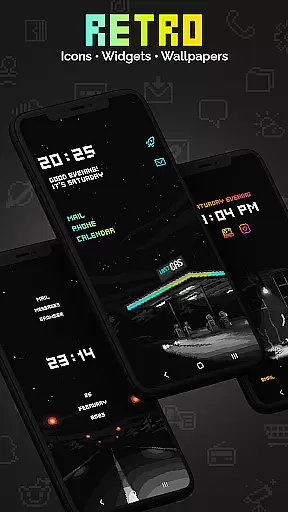
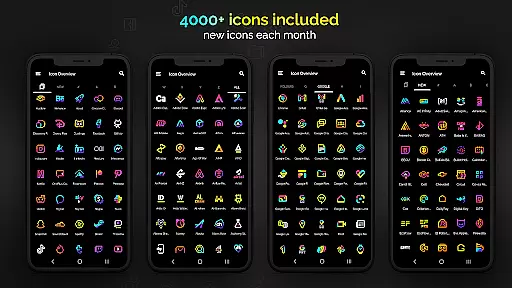
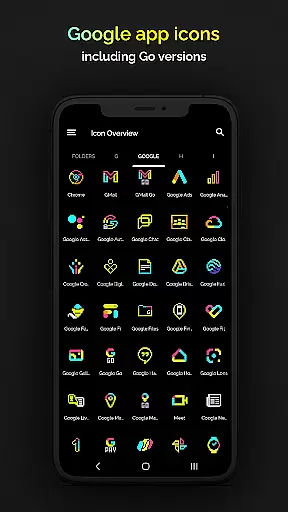
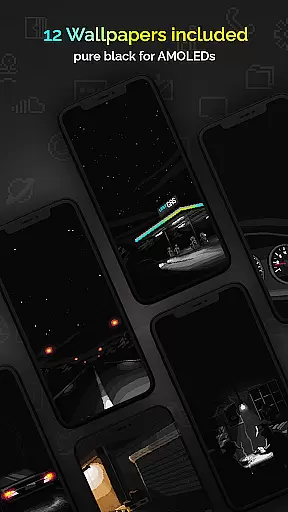
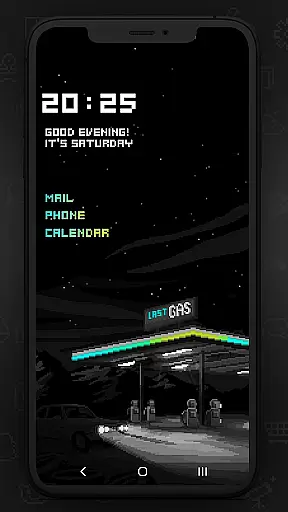
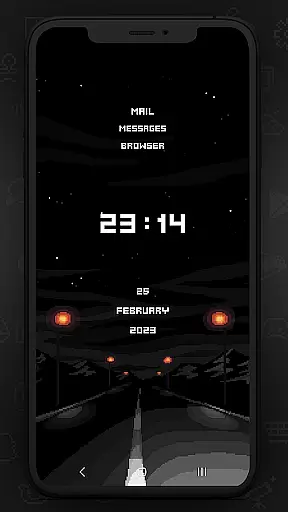
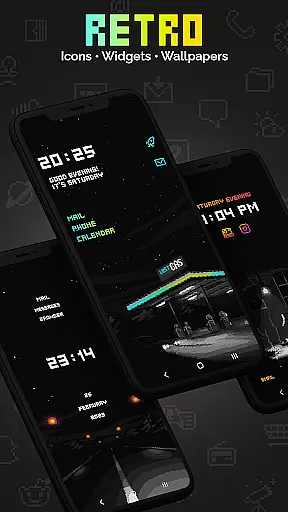
Retro Mode - Icon Pack (Neon) is a premium pixel art icon pack meticulously crafted by pixel artist Moertel. This app offers over 4050 unique icons, 12 vibrant wallpapers, and 6 customizable widgets, all designed in retro neon colors that evoke the charm of the 90s. Compatible with more than 20 launchers, it provides users with an immersive way to personalize their devices while maintaining a cohesive aesthetic.
With monthly updates introducing new icons and features, Retro Mode ensures your device stays fresh and stylish. The inclusion of digital and analog clock widgets, date displays, and personalized text options allows for extensive customization. Whether you're looking to relive nostalgic memories or simply refresh your phone's appearance, this icon pack delivers both functionality and artistic flair.
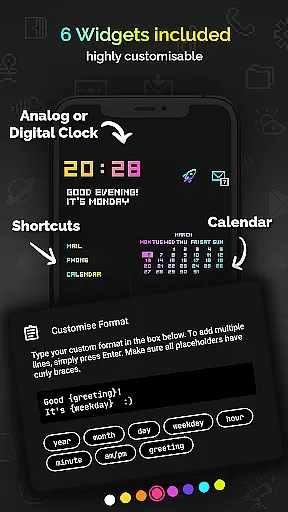
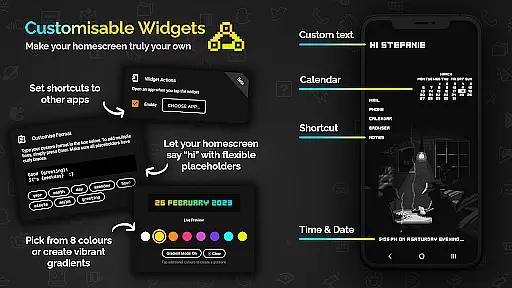
This icon pack stands out due to its comprehensive feature set tailored for personalization enthusiasts. It includes over 4050 handcrafted pixel art icons, each drawn on a 20x20 pixel canvas and upscaled for crisp display. Users can choose from 12 distinct wallpapers and enjoy 6 versatile widgets, including digital clocks, analog clocks, date displays, greetings, calendars, and customizable text shortcuts.
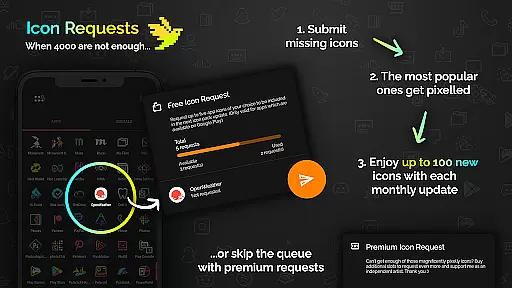
The app supports integration with over 20 popular launchers such as Nova, Action, ADW, and more, ensuring broad compatibility across devices. Additionally, users benefit from regular monthly updates that introduce new icons and innovative features. The ability to request specific icons further enhances user engagement, allowing for a truly personalized experience that reflects individual preferences and needs.
Customization is at the heart of Retro Mode - Icon Pack (Neon), offering users a diverse range of options to personalize their smartphone experience. With over 4050 pixel-perfect icons, this pack ensures that almost every app on your phone can be transformed to fit a vibrant neon aesthetic reminiscent of the 90s digital era.
In addition to the extensive icon library, the pack includes 12 unique wallpapers and 6 versatile widgets. These widgets are not just limited to telling time or showing the date; they also offer customizable greetings and even calendar views, all in keeping with the pixel art design language.
The level of personalization extends to widget colors, where users can choose from eight different hues or even create gradient combinations for a truly individual look. This flexibility allows for an unprecedented level of personal expression, ensuring that no two home screens need look alike.
By supporting over 20 launchers, Retro Mode caters to a wide audience, making sure that regardless of device preference, users have the tools necessary to craft a cohesive and personalized interface. The monthly updates further enhance this customization journey by continually expanding the available options.
Retro Mode - Icon Pack (Neon) excels in theme compatibility, ensuring that its vivid pixel art style can be consistently applied across various elements of a user's device. Whether itu2019s through compatible launchers or supplementary apps like Theme Park for Samsung devices, this icon pack integrates seamlessly into different system environments.
For users with specific launcher requirements, Retro Mode supports popular choices such as Nova, Action, ADW, and more. This broad compatibility means that whether youu2019re using a Google Pixel or a Xiaomi device, thereu2019s likely support for your setup. Even advanced launchers like Lawnchair and Hyperion are covered, providing a consistent visual experience.
Moreover, the inclusion of widgets designed specifically for Android 10+ guarantees that modern devices donu2019t miss out on the retro charm. From digital clocks to text shortcuts, these widgets maintain the neon-colored pixel art theme throughout the user interface, reinforcing the nostalgic yet functional design ethos.
With clear instructions and support channels available, users uncertain about compatibility can easily reach out for guidance. This commitment to accessibility ensures that everyone has the opportunity to enjoy a unified thematic experience on their devices, regardless of brand or model limitations.
Extensive icon library
Vibrant neon design
Monthly updates
Customizable widgets
Broad launcher support
Limited stock launcher support
Additional requests cost extra
Design may not appeal to all
Widgets require newer Android
Some features need third-party apps

Customizable Glass widgets. Over 360+ stunning widgets and more!
 4.70
4.70
Ninja Turtles Cowabunga SE watch face for Wear OS
4.50
Try creating your own keyboard with "Keyboard theme for android" app now!
4.50
Run multiple accounts of the same app on a single device
4.10
Zip lock screen with magic wallpaper to decorate your phone with fun zipper lock
4.60
Customize glowing edges, wallpapers, and caller screen with EdgeAura.
3.50 4.10
4.10
⭐ OneUI inspired Fluffy Icon Pack – Soft. Stylish. Standout. ⭐
4.2
Your go to Weather App & Home Screen. Get your weather at a swipe of a finger!
3.80
Gun Chase - Let the chase begin.
4.80
Glass style colourful icons with a One UI look and feel
4.60
Bring adorable pets to life on your screen. Playful, interactive and full of fun
4.60
Add cute Shimeji pets to screen, interact with them and relax with cute motions
4.60
Icons made of colorful linear lines
4.60
Ultra realistic gold analog watch face with lots of customization options.
4.50
3D, live, and moving wallpapers & themes in 4K and HD for your device.
4.50
Color phone with cool effects for call screen, flash alert & ringtones music
4.50
Themes - Widget & Wallpaper: Customize home screen, icon changer w unique themes
4.30
Crystal-clear, square icon provides a sleek and sophisticated visual upgrade
4.00


User Reviews