



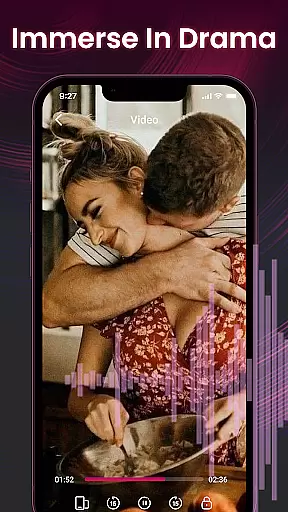

Video&Drama Player All Format is a versatile media player designed for both video and music enthusiasts. The application supports multiple formats, allowing users to enjoy their favorite content without compatibility issues. With features like adjustable playback speed for videos and a favorites function for music, it offers enhanced control over media consumption. Additionally, the built-in private browser enables discreet searching of online content, while the high-definition wallpapers provide a visually pleasing experience. This app is ideal for users seeking an all-in-one entertainment solution on their mobile devices.
The app's comprehensive functionality extends beyond basic playback. Users can manage their media history, ensuring they can easily pick up where they left off. The privacy-focused browser adds an extra layer of security, making it suitable for users who prioritize confidentiality. Whether you're commuting or relaxing at home, Video&Drama Player All Format provides a seamless and enriched multimedia experience.
Video&Drama Player All Format stands out with its robust feature set tailored for diverse media needs. The video player supports adjustable playback speeds, catering to users who prefer flexible viewing options. Meanwhile, the music player allows users to add tracks to their favorites, simplifying the process of creating personalized playlists. These features collectively enhance user engagement and satisfaction.
In addition to media playback, the app includes a privacy browser that lets users search for online content securely. Coupled with the provision of high-definition wallpapers, this app transforms a simple media player into a multifunctional tool. By recording playback history for both videos and music, it ensures users can effortlessly revisit their most cherished media. This combination of features positions Video&Drama Player All Format as a top choice for those seeking a comprehensive media experience.
Video&Drama Player All Format stands out with its extensive video format compatibility, ensuring users can enjoy a seamless playback experience across various file types. This feature is crucial for a video player as it eliminates the need for additional codec installations or format conversions.
The application supports an impressive range of video formats including MP4, AVI, MKV, and MOV, among others. This versatility allows users to play videos from different sources without worrying about format restrictions. The inclusion of advanced decoding technologies ensures smooth playback even for high-resolution files.
Users benefit significantly from this comprehensive format support. Whether they're watching downloaded movies, streaming content, or viewing personal recordings, the player maintains consistent quality and performance. The ability to adjust playback speed further enhances this feature, catering to diverse viewing preferences.
This robust compatibility establishes Video&Drama Player All Format as a reliable solution for all video playback needs, making it an essential tool for users who work with multiple video formats regularly.
While primarily a video player, Video&Drama Player All Format incorporates basic AI-powered editing features that enhance the overall user experience. These intelligent tools help streamline common video processing tasks, making content management more efficient for users.
The application's AI capabilities include smart tagging of video content, automatic generation of thumbnails, and basic color correction suggestions. These features utilize machine learning algorithms to analyze video content and provide relevant suggestions or automatic adjustments. The system learns from user preferences over time, improving its recommendations and processing efficiency.
Users gain significant advantages from these AI-powered features. The smart tagging system helps organize video libraries more effectively, while automatic thumbnail generation saves time when creating previews or sharing content. Basic enhancement suggestions ensure optimal viewing quality without requiring professional editing skills.
These intelligent editing features complement the player's core functionality, providing users with a more comprehensive video management solution that combines playback capabilities with basic content optimization tools.
User-friendly interface
Supports multiple formats
Adjustable playback speed
Private browsing option
High-definition wallpapers
Limited advanced video editing
No cloud syncing feature
Occasional playback glitches
Ads in free version
Large app size

You can play SWF format file!
 2.50
2.50
HD video & music player - All format support with floating & PIP mode!
3.80
Watch a large amount of high-definition short drama content
4.60
This app was created to edit the metadata of music files.
4.20
Support 1000+ Video Format, Subtitle Download, mp3 & Background Play, Cast On TV
4.60
Play and download HD videos from all sources — fast, simple, and all-in-one.
4.2
Download videos and play them offline
4.70
Find, download, and play torrents with the official BitTorrent® Pro app
4.70
Browser for Fire TV to stream webvideos, online movies, livestreams in HD
4.40
Play ALL formats in 4K & HD. Video downloader, MP3 player, Chromecast & more.
4.80
Screen recorder with audio to take live videos & Screenshot in high quality!
4.70
VLC Remote lets you control your VLC Media Player on Mac, PC or Linux.
4.60
Fast & easy HD video downloader for all formats, support 4K playback & download.
4.60
KineMaster, Your Ultimate Video Editor!
4.40
Full HD Video mp3 Player, MP4 player play 1080p, File manager, Video Downloader
4.40
Turn your phone into a wireless camera!
4.20
Your media, on your terms.
4.10
Livestream, news, & gaming content. Watch, chat, and upload. Join Rumble today!
3.80
Video player with powerful streaming playback and various convenient features.
2.10


User Reviews