
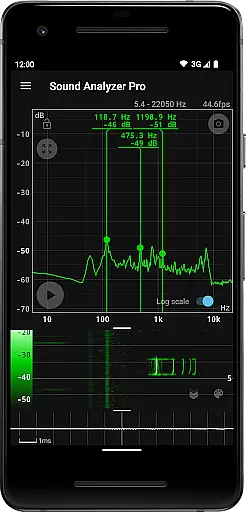
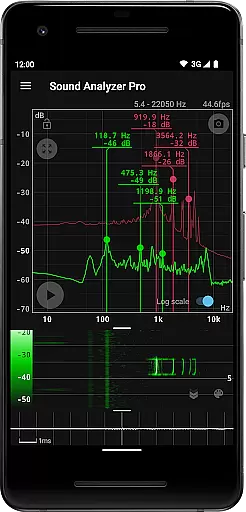
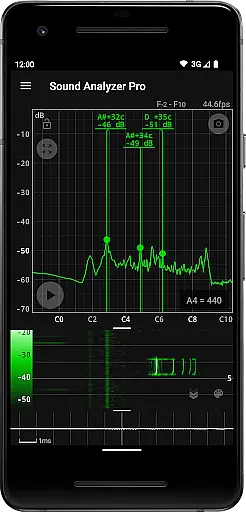
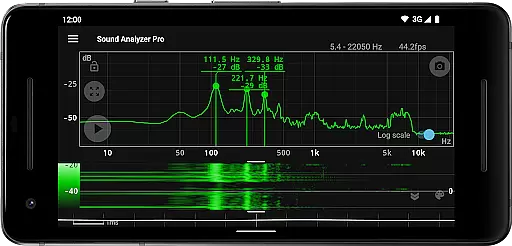
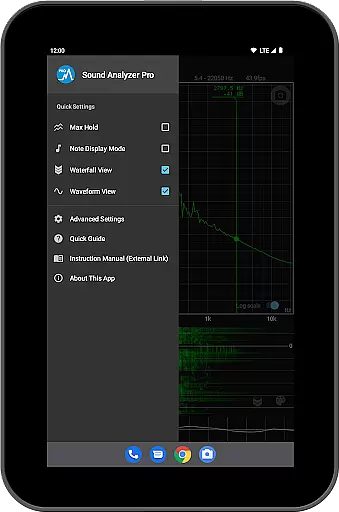
Sound Analyzer is a professional-grade audio analysis tool designed exclusively for mobile platforms. This innovative application allows users to conduct detailed audio signal examination directly on their devices without requiring any additional hardware. The app's core functionality lies in its ability to display real-time frequency (Hz) and amplitude (dB) spectra, providing audio engineers, musicians, and sound enthusiasts with immediate insights into audio characteristics.
Beyond basic spectrum analysis, Sound Analyzer offers advanced features including waterfall view for temporal spectral changes and simultaneous waveform visualization. These capabilities make it particularly valuable for field recordings, live sound checks, and acoustic measurements. The application's measurement accuracy is exceptional, with errors typically within 0.1 Hz under optimal conditions, ensuring reliable analysis results.
The app finds particular utility in musical instrument tuning and room acoustics assessment. Its note display mode translates technical frequency data into musician-friendly pitch information, while the comprehensive set of analysis tools enables users to identify problematic frequencies and optimize sound quality in various environments.
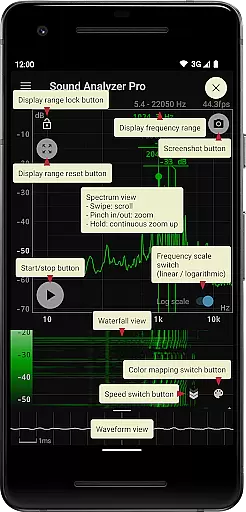
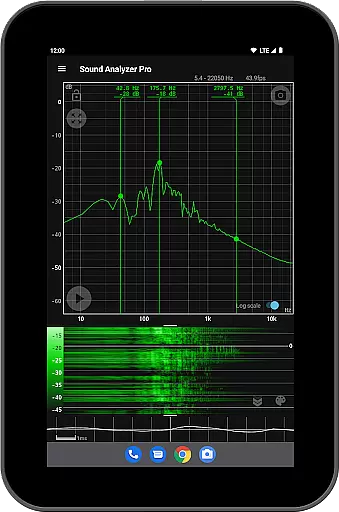
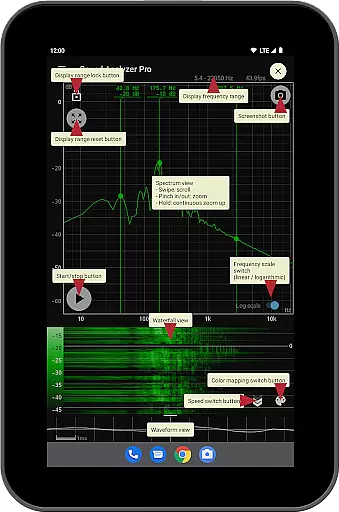
Sound Analyzer distinguishes itself through a comprehensive suite of professional-grade audio analysis tools. The application's most notable feature is its multiple simultaneous visualization modes, allowing users to monitor real-time spectrum data while observing both waterfall and waveform representations. This multi-view capability provides a complete picture of audio characteristics across time and frequency domains.
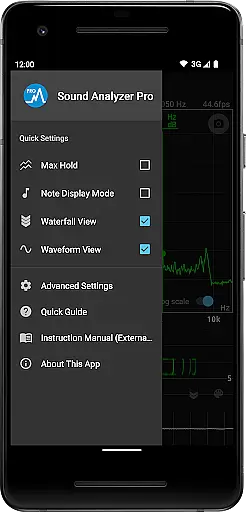
The app implements several advanced technical features that enhance its analytical power. Its frequency axis can be switched between logarithmic and linear scales, catering to different analysis requirements. The max hold function preserves peak values for detailed examination, while the touch-based display range adjustment enables precise focusing on specific frequency bands. Additionally, the application supports extended frequency settings up to 96 kHz, though this capability is primarily intended for high-end devices.
Practical usability is enhanced through several thoughtful features. The peak frequency display provides instant numerical feedback on prominent spectral components, while the note display mode translates technical measurements into musical terms. The integrated screenshot function with timer allows users to document their findings systematically, and the absence of advertisements ensures an uninterrupted analysis experience.
Sound Analyzer does not focus on providing a vast music library but rather emphasizes real-time audio signal analysis. The app allows users to analyze audio signals with high accuracy, offering detailed frequency and amplitude readings.
While it doesn't boast a large collection of tracks, the integrity of its analytical functions ensures that any audio content analyzed retains its original quality and authenticity. This makes it an invaluable tool for those interested in the genuine representation of sound data.
The application's strength lies in its ability to provide precise measurements without the need for additional hardware, making it highly reliable for professional audio analysis tasks where accurate data is crucial.
One of Sound Analyzer's key features is its exceptional audio quality analysis capabilities. It provides real-time display of frequency and amplitude spectra, ensuring users receive high-definition feedback on their audio inputs.
The app supports advanced functionalities such as a waterfall view for spectral changes over time and a waveform view for visualizing sound waveforms. These features contribute to a comprehensive understanding of audio quality across different dimensions.
Additionally, the peak frequency display function and switchable frequency axis scale enhance the precision of audio quality assessments, catering to audiophiles and professionals who demand the highest standards in audio fidelity.
High-precision frequency measurement
Multiple simultaneous analysis views
Professional-grade features
No advertisements
Comprehensive visualization options
Complex for beginners
Resource-intensive operation
Limited high-frequency support
Steep learning curve
Device compatibility issues

Your HD audio recorder on the go for music, meetings, ambience, animal sounds…
 4.30
4.30
Formerly known as Spotistats! View your top tracks, artists, albums and more!
4.40
Permanently backup Now Playing. Maps, filters & listening stats.
4.00
Advanced 10-Band Audio Graphic Equalizer Sound Booster Pro
4.30
Bass Booster Pro takes auto-equalizing to the next level!
4.30
Unleash your creativity! Turn simple prompts into full fledged songs.
4.70
Smart piano keyboard, Classical to Pop, Real-time multiplayer connection!
4.20
Offline Music Player & MP3 Player.Powerful equalizer, Lyrics, Themes, Tag Editor
4.80
The Minimalistic Premium Music Player. Handmade with passion for music
2.20
Music, News & Sports Radio Tuner App. Tune in Live FM & AM Radio Stations.
4.80
Responsive piano with great sounds, graphics, and songs
4.80
Simple & Intuitive Metronome
4.70
Recording studio w/ 10k beats, pro vocal FX and a network of 20M rappers & fans!
4.60
The alternative folder based music player.
4.20
VB-AUDIO Software / VBAN-Receptor allows listening to any VBAN Streams
4.10
Versatile MP3 recorder with auto-backup to Dropbox and Google Drive
4.10
Turn your phone into a musical instrument from the future!
3.90
The only true audiophile music player with Hi-Fi audio rendering and DSP engine
3.90
Slow music down without changing pitch.
3.70


User Reviews