
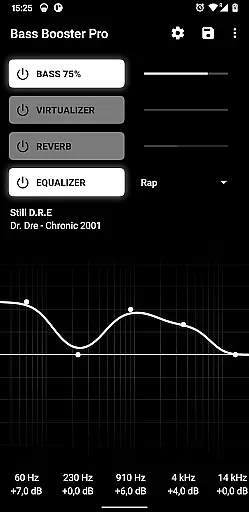
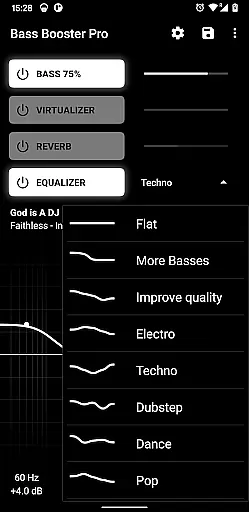
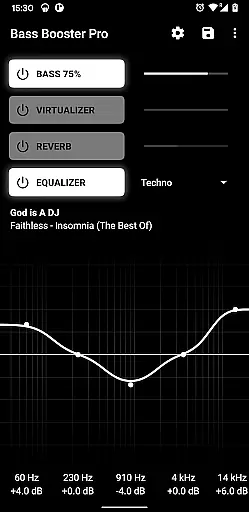
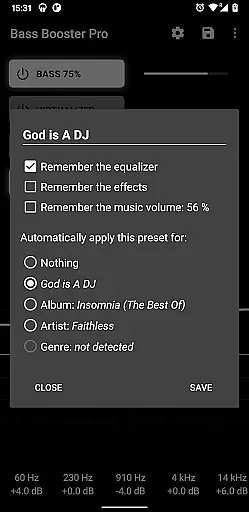
Bass Booster Pro is a powerful audio enhancement application designed for music enthusiasts who seek to elevate their listening experience. This app offers advanced features such as unlimited custom presets, a homescreen widget, and automatic preset detection based on the genre of music being played. With compatibility across various media players, it ensures an optimized audio profile for different types of music.
One of the standout functionalities is its ability to create 1x1 homescreen shortcuts that allow users to change audio settings instantly without opening the app. Additionally, the preset auto-detection feature intelligently adjusts settings according to the song, album, or artist information. Whether you're enjoying Alternative Rock or Classical music, Bass Booster Pro provides tailored audio experiences that enhance sound quality and bass levels.
This app is particularly useful for audiophiles who frequently switch between different music genres and desire customized audio profiles. By offering specialized presets like Punk Rock, Hard Rock, and more, it caters to diverse musical tastes. The app's innovative features not only improve sound quality but also provide convenience and personalization, making it an essential tool for enhancing your music listening sessions.
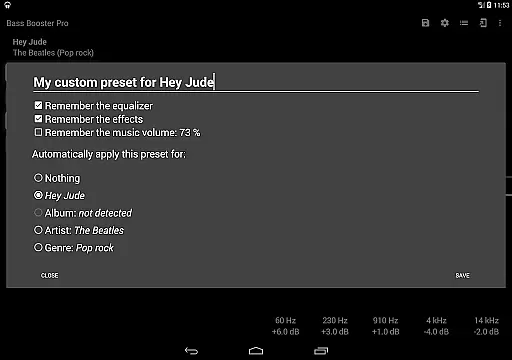
Bass Booster Pro stands out with its comprehensive suite of features designed to optimize audio performance. The app includes unlimited custom presets, allowing users to create personalized audio profiles for any music genre. These presets can be automatically detected and applied based on the music being played, ensuring optimal sound quality at all times. Furthermore, the inclusion of a 2x1 widget enables quick access to frequently used settings directly from the homescreen.
Another notable feature is the ability to create homescreen shortcuts that modify Bass Booster settings with a single tap. This functionality streamlines the user experience by eliminating the need to navigate through the app interface. Additionally, the preset auto-detection system supports a wide range of media players, including Google Play Music, Poweramp, and others. By analyzing locally stored and tagged audio files, the app intelligently selects the appropriate preset for the current track.
The app also offers advanced tools such as a music visualizer, virtualizer, and reverb effects (in beta). These features provide users with professional-grade audio enhancements typically found in high-end sound systems. Moreover, the Tasker plugin integration allows for automated audio adjustments based on specific triggers or events. With its robust feature set and seamless integration across multiple platforms, Bass Booster Pro delivers a superior audio experience tailored to individual preferences.
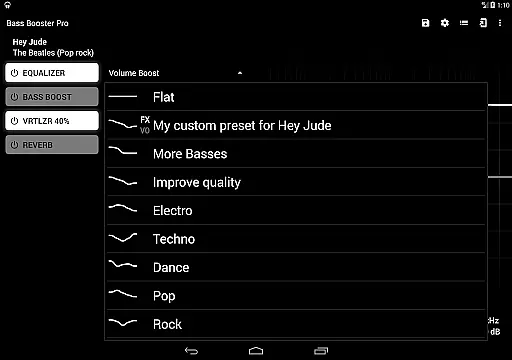
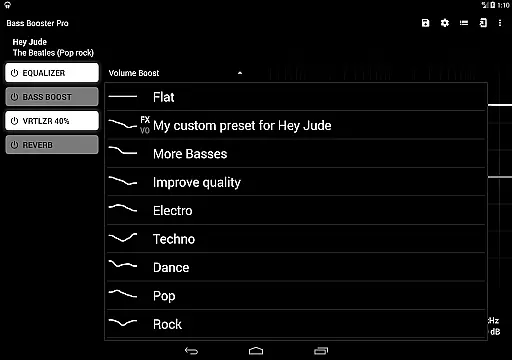
Bass Booster Pro offers an extensive music enhancement experience with its 20 built-in presets, catering to a wide range of music genres. These include popular styles such as Techno, Dubstep, Rock, and Classical, ensuring that users can find the perfect sound setting for their preferred music type.
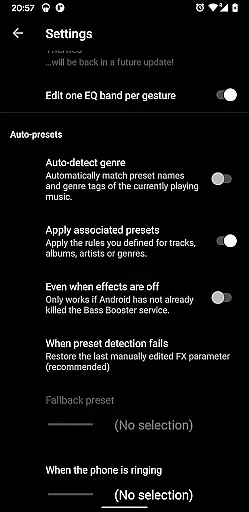
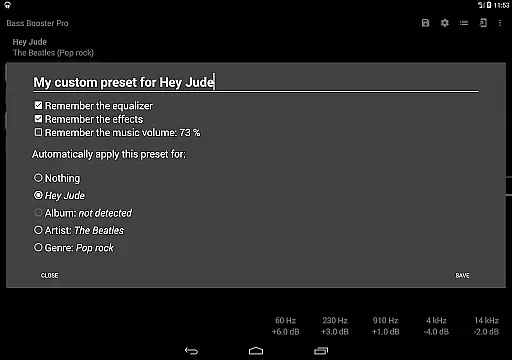
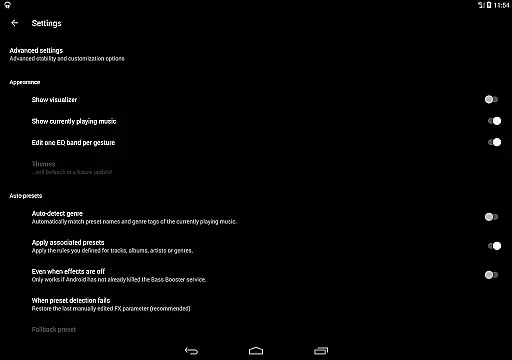
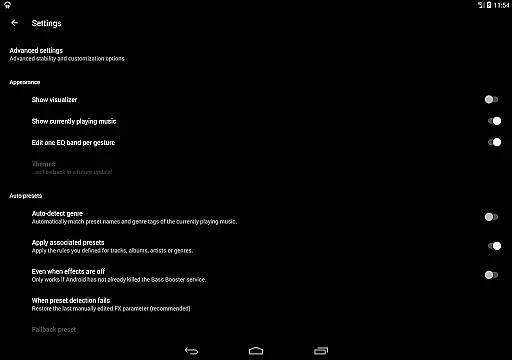
The app's preset auto-detection feature is particularly noteworthy. It intelligently adjusts settings based on the music being played, whether it's Alternative Rock or Punk Rock. This functionality extends to specific songs, albums, or artists, provided they are properly tagged and stored locally.
While Bass Booster Pro doesn't directly manage a music library, its compatibility with various media players enhances the listening experience across different audio files. The app supports popular players like Google Play Music, Poweramp, and JetAudio Player, making it versatile for users with diverse music collections.
All included presets are original creations, ensuring copyright authenticity. Users can enjoy peace of mind knowing that the sound profiles they're using are legitimate and specifically designed for optimal audio performance.
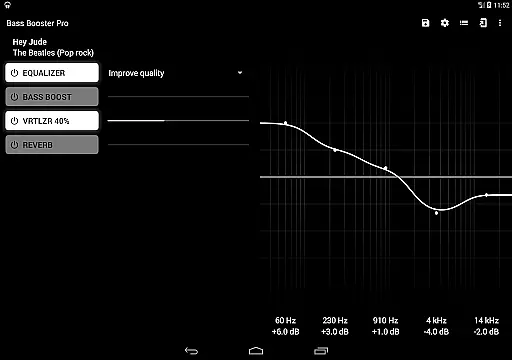
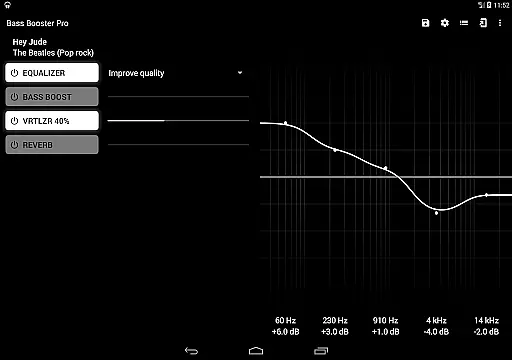
Bass Booster Pro excels in providing advanced audio quality options through its comprehensive set of professional-grade features. The app includes a Virtualizer for enhanced spatial effects, a Music Visualizer for real-time audio representation, and a Reverb function (in beta) for added depth to sound reproduction.
Users can create unlimited custom presets, allowing for precise control over their audio experience. These presets can be fine-tuned to personal preferences and saved for different music genres or specific listening scenarios, ensuring optimal sound quality for every situation.
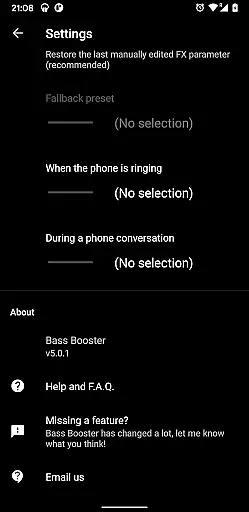
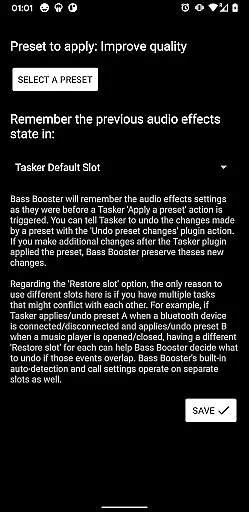
The app's Tasker Plugin integration enables automated audio profile switching based on various triggers, while the Automatic Preset on incoming call feature demonstrates attention to detail in maintaining audio quality during interruptions. Additionally, the Start on phone boot option ensures consistent audio enhancement without manual activation.
For those seeking maximum audio fidelity, Bass Booster Pro offers specialized presets like Improve Quality and Voice Boost. These options, combined with the app's robust feature set, provide users with professional-level tools to significantly enhance their device's audio capabilities.
Unlimited custom presets
Automatic preset detection
Wide player compatibility
Enhanced audio quality
User-friendly interface
No iOS version available
Reverb feature in beta
Requires compatible players
May drain battery faster
Paid version only

Make music anywhere. Turn your device into an instrument.
 4.4
4.4
Ultimate Sonos Controller
4.70
Learn to play the piano using falling notes!
3.80
Smart piano keyboard, Classical to Pop, Real-time multiplayer connection!
4.20
Offline Music Player&MP3 Player with themes, equalizer, lyrics, music play mode
4.60
Simple mp3 and mp4 player with advanced features.
3.40
Slow music down without changing pitch.
3.70
Manage your Sonos system directly from your home-screen!
4.40
One-tap booster for max volume - enjoy powerful sound with this audio booster
4.50
Most Advanced AI Song Generator and Music Creator. Rap, Pop, Rock, Gospel & more
4.70
A synth that really lets you shape your sounds!
4.50
Enhance the sound quality of your devices, listen to what you want
4.50
Formerly known as Spotistats! View your top tracks, artists, albums and more!
4.40
Your HD audio recorder on the go for music, meetings, ambience, animal sounds…
4.30
Equalizer, Bass Booster and Volume Booster (Eq & Bass) improve sound quality
4.30
Network/Cloud Streaming, Visualization, Graphic Equalizer and Sound Effects.
4.20
VB-AUDIO Software / VBAN-Receptor allows listening to any VBAN Streams
4.10
Turn your phone into a musical instrument from the future!
3.90
Simply convert wav to mp3. Clear. Reliable. Safe.
4.0


User Reviews