
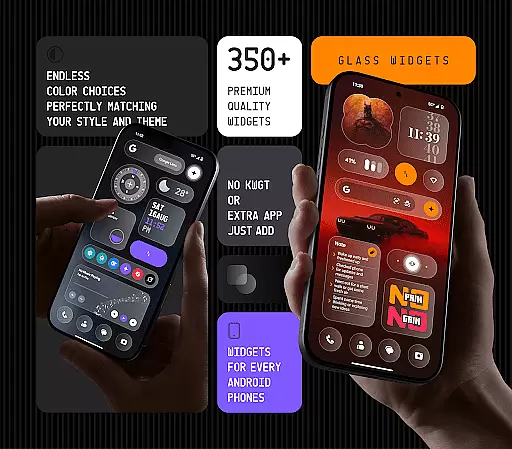
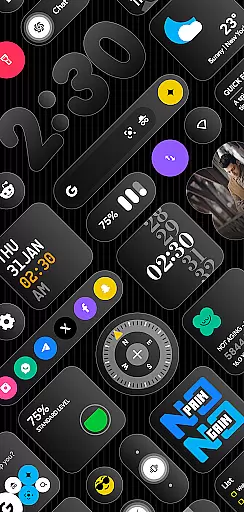
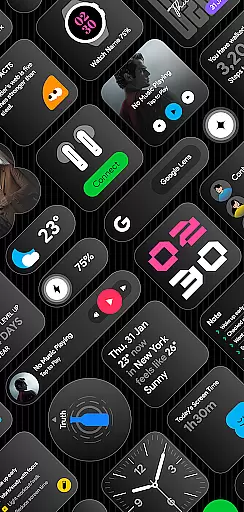
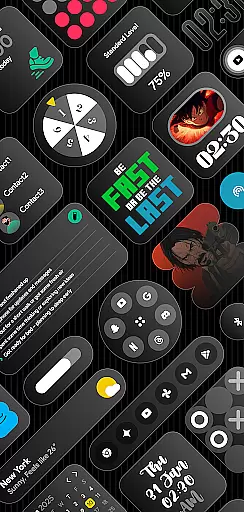
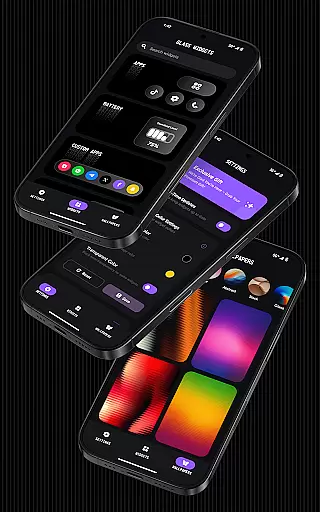
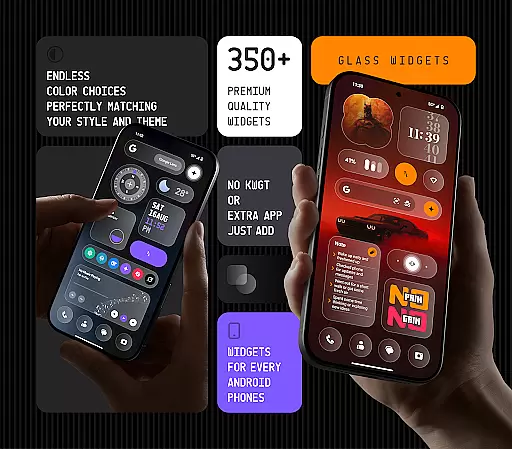
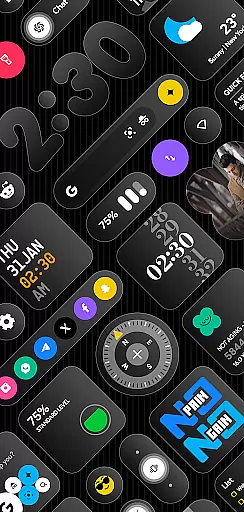
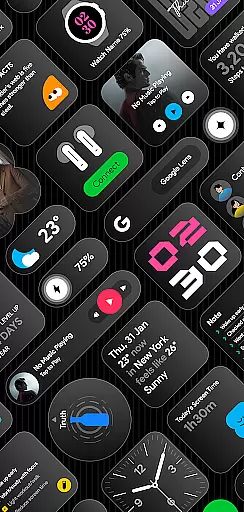
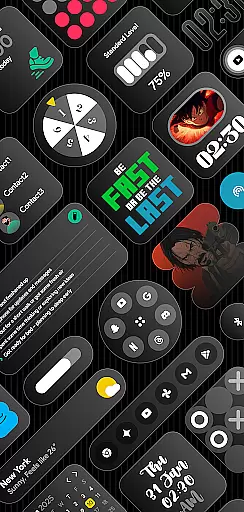
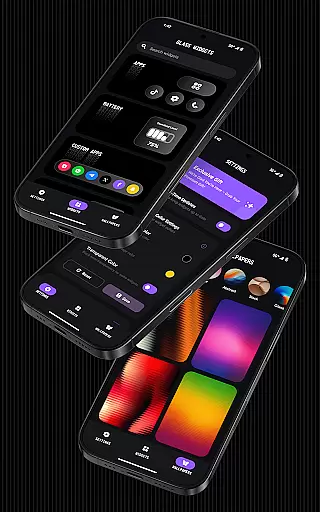
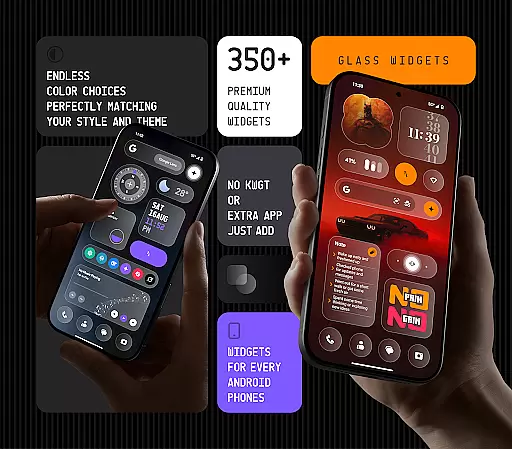
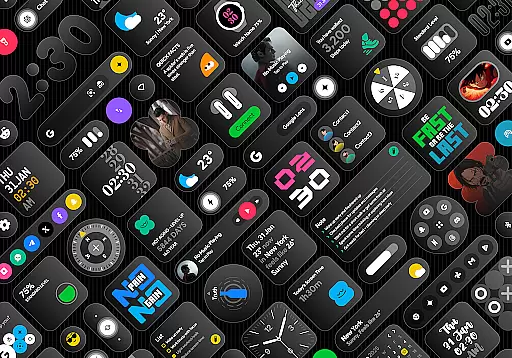
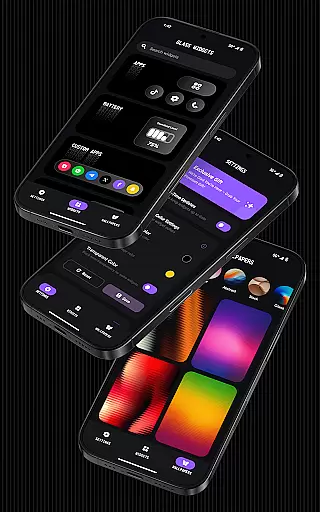
Glass Widgets offers a stunning collection of 350+ beautifully designed, glass-style widgets that are compatible with any Android device. These sleek, transparent widgets provide users with an elegant way to upgrade their home screens and lock screens. The app includes a wide variety of functional widgets such as clocks, weather updates, calendars, battery indicators, step counters, quotes, compasses, and quick settings.
What sets Glass Widgets apart is its user-friendly nature; it works without requiring KWGT or any other third-party app. Users can instantly install and start customizing their widgets with personalized colors. Whether you're looking for minimalistic designs or more elaborate styles, Glass Widgets has options that will match any theme effortlessly. Additionally, the app provides battery-friendly performance and regular updates that keep the content fresh and engaging.
Glass Widgets stands out due to its extensive range of customization options and design variety. With over 350 glass-style widgets available, users can choose from clocks, weather displays, calendars, battery monitors, step trackers, quotes, compasses, and more. Each widget is crafted with a sleek transparent glass finish that enhances the aesthetic appeal of any Android device.
The app supports both home screen and lock screen layouts, ensuring that your device looks stylish no matter where you place the widgets. Customization is key, allowing users to set their widget's color exactly how they prefer. Moreover, Glass Widgets offers unique features like glass-effect wallpapers that perfectly blend with the widgets, creating a cohesive look. The app also ensures real-time updates through a foreground service, keeping your widgets accurate and responsive throughout the day.
Functionality extends beyond just appearance; practicality is prioritized too. For instance, exact alarms ensure timely updates for weather forecasts, photo changes, screen time stats, calendar events, and upcoming notifications. This attention to detail guarantees a reliable experience across various widget types. Furthermore, the app is optimized for speed and performance, making it battery-friendly while maintaining smooth operation.
Customization is at the heart of personalizing your digital experience, and Glass Widgets excels in providing a vast array of options to tailor your Android device exactly how you like it. With over 350 beautifully crafted glass-style widgets, this app allows users to modify their home and lock screens with ease.
The app supports fully customizable colors, enabling users to set their widgetu2019s color according to their preference. Whether you're looking for minimalistic designs or something more vibrant and personalized, Glass Widgets offers a solution that matches any theme effortlessly.
Beyond just aesthetics, the functionality spans across various types including clocks, weather, calendar, and even step counters. This ensures not only a personalized look but also an enhanced user experience tailored to individual needs.
By integrating seamlessly without the need for additional apps like KWGT, Glass Widgets simplifies the customization process while delivering on both style and substance, making it an essential tool for those who value a sleek, modern interface.
Theme compatibility is crucial for ensuring that widgets not only look good but also feel cohesive within any chosen aesthetic. Glass Widgets addresses this by offering designs that are minimal, stylish, transparent, and personalizedu2014perfectly matching a wide range of themes.
This app stands out with its ability to blend into any setup, thanks to its glass-effect wallpapers that complement the transparent finish of its widgets. Users can enjoy a unified appearance whether they prefer a dark mode or a light theme environment.
Moreover, regular updates introduce fresh widgets that maintain high standards of design consistency. These updates ensure long-term satisfaction as new trends emerge or personal tastes evolve over time.
With support for both home and lock screens, Glass Widgets guarantees a seamless visual flow throughout the entire device interface. This comprehensive approach makes certain every element works harmoniously together, enhancing overall usability while maintaining aesthetic appeal.
User-friendly interface
Wide variety of designs
Customizable colors
Battery-friendly performance
Regular updates
Limited iOS compatibility
Foreground service required
Exact alarm permissions needed
Premium features may cost extra
Some widgets might feel redundant

Customizable flower power digital watch face for Wear OS watches.
 4.00
4.00
Ninja Turtles Cowabunga SE watch face for Wear OS
4.50
Gun Chase - Let the chase begin.
4.80
Run multiple accounts of the same app on a single device
4.10
Want to make your phone more special than ever?
4.60
Unique Fonts, typefaces and stylish text. Fonts for Instagram, Whatsapp & others
4.20
Zip lock screen with magic wallpaper to decorate your phone with fun zipper lock
4.60
Vibrant Adaptive Icons with Material You and Enhanced Monet Colors.
4.50
Launcher OS™ Pro without ads help make your phone simple and pretty
4.30
Transform your phone with Launcher iOS 26 - Smooth & elegant iOS experience
4.50
Try creating your own keyboard with "Keyboard theme for android" app now!
4.50
Turn text & photos into stunning AI videos, art, and creative visual stories.
4.50
Romantic Kiss Stickers App. Start romantic messaging now!
4.30
More than 3000+ themes and 9000+ wallpapers for everybody!
4.10
Create unique, fun emojis with Funny Emoji Maker! Unlimited creativity!
4.00
Transform your phone with stunning video wallpapers and a unique, personal touch
3.80
Capture moments that pass like a storm, second by second.
4.5
Prank your friends with realistic broken screen and cracked HD effects!
4.1
Modern Glass Icon Pack with glossy icons, clean minimal theme & aesthetic style
4.1


User Reviews