
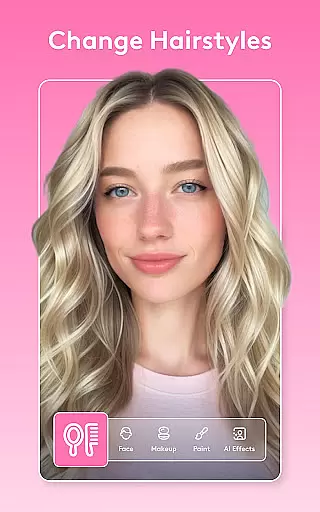
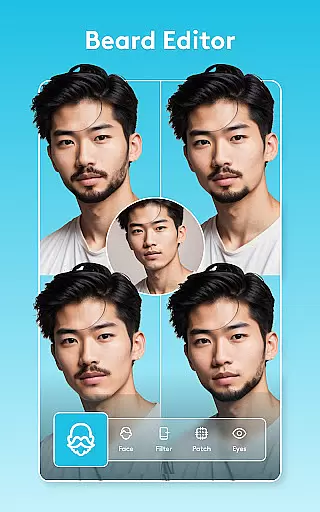
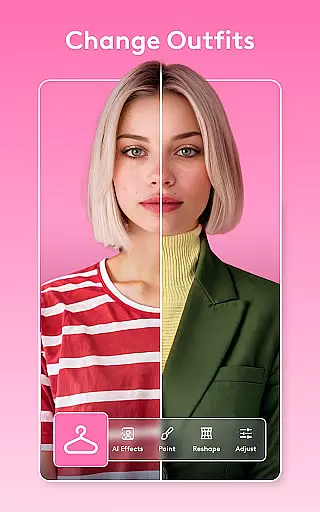
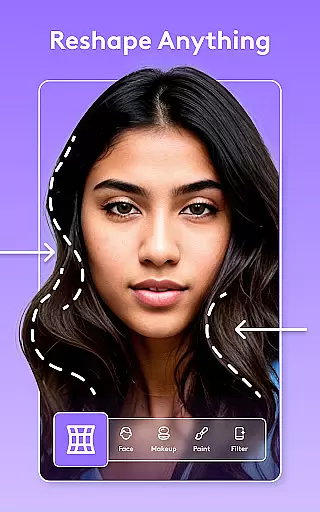
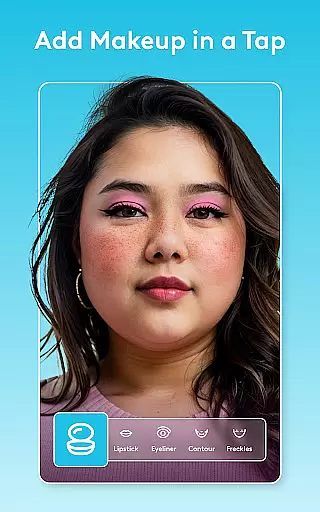
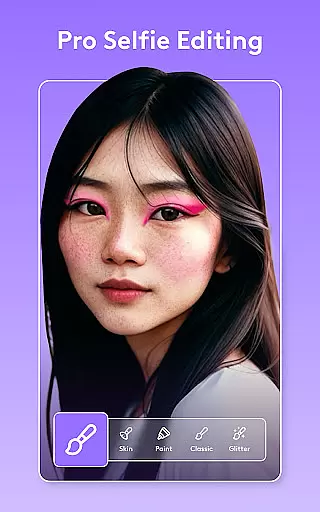
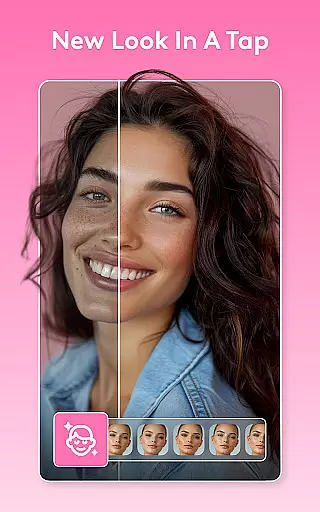
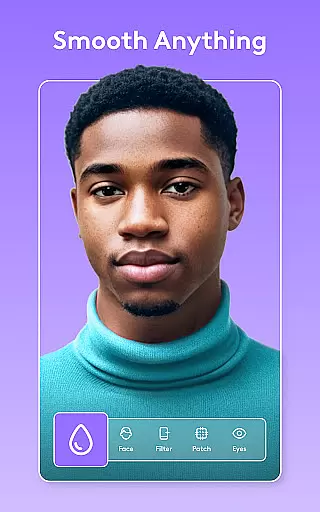
Facetune is a powerful AI-driven photo and video editing application designed to transform your digital content with ease. Whether you're editing a quick selfie, creating polished headshots, or producing scroll-stopping videos, Facetune offers professional-grade tools without requiring advanced skills. The app provides one-tap fixes for instant enhancements, alongside advanced retouching options for users seeking more control.
One of the standout features of Facetune is its versatility. It allows users to smooth skin, reshape facial features, whiten teeth, apply makeup, and even experiment with new hairstyles or hair colors. For video content, the app ensures that edits are applied consistently across entire clips, making it ideal for social media creators. With intelligent AI tools like background swapping, body reshaping, and eye-light adjustments, Facetune empowers users to achieve studio-quality results on their mobile devices.
This app is perfect for anyone looking to enhance their personal or professional image effortlessly. From generating resume-ready headshots to crafting Instagram-worthy videos, Facetune combines precision editing with intuitive design, ensuring both amateur and experienced editors can achieve stunning results.
Facetune stands out due to its comprehensive suite of AI-powered editing tools. At its core, the app provides one-tap solutions for quick fixes, such as skin smoothing, teeth whitening, and eye brightening. These automated features make it accessible for beginners while offering manual fine-tuning options for more experienced users who want greater creative control.
Beyond basic photo editing, Facetune excels in video enhancement capabilities. Users can apply consistent filters and retouches across entire video clips, ensuring high-quality output for platforms like Instagram and TikTok. Advanced functionalities include background blurring or replacement, body reshaping, and tan adjustments, all powered by intelligent algorithms that evolve over time.
Another key feature is the app's ability to simulate cosmetic changes, such as trying on new hairstyles or altering hair color virtually. This makes it an excellent tool for experimentation before committing to real-life changes. Additionally, Facetune’s AI Headshot tool generates professional-grade portraits instantly, catering to freelancers, entrepreneurs, and job seekers who need polished visuals for their profiles.
Real-time capture and preview functionality is essential for ensuring that users can see the results of their edits as they apply them. Facetune offers a seamless experience where every adjustment, from skin smoothing to applying makeup filters, is instantly visible. This immediate feedback allows users to make precise modifications without any lag, enhancing the overall editing process.
The app's real-time capabilities extend to its video editing features as well. Users can retouch faces, brighten clips, and apply filters across entire videos with instant visual updates. This ensures that creators can produce high-quality content that meets their expectations without the need for time-consuming rendering processes.
Facetune's real-time capture and preview feature empowers users by providing them with creative control. Whether adjusting body skin tone or experimenting with new hairstyles, individuals can see their changes in real time, making it easier to achieve their desired look. This immediacy not only saves time but also makes professional-level editing accessible to everyone.
AI beauty and enhancement naturalness refers to the ability of an application to improve images while maintaining a realistic appearance. Facetune excels in this area by using advanced AI algorithms to smooth skin, whiten teeth, and reshape features without creating an artificial look. The result is a polished yet authentic image that enhances the user's natural beauty.
One of the standout features of Facetune is its one-tap AI tools that handle complex tasks like blemish removal and reshaping. These tools are designed to preserve the unique characteristics of each face, ensuring that enhancements look genuine. Users can fine-tune details manually if they prefer more control over the final outcome, further customizing their edits to suit their preferences.
Facetuneu2019s commitment to natural-looking enhancements extends to its video editing capabilities. By allowing users to apply consistent improvements across entire videos, the app ensures that all content maintains a cohesive and lifelike quality. This dedication to authenticity helps creators produce stunning visuals that resonate with audiences, whether for social media or professional use.
User-friendly interface
Advanced AI tools
Versatile editing options
Professional results
Regular updates
Premium features locked
Subscription cost
Learning curve
Heavy file sizes
Limited free version

Effortlessly organize, view and share your photos & videos with Gallery app!
 4.40
4.40
All-in-One Editor & AI Photo Enhancer, Beautify & Retouch, Collage, Cartoonify
4.20
Be your best in every shot! Fix, edit and retouch your face in selfies & photos.
3.70
Gallery Slideshow is slideshow maker app for slideshow from your gallery photos.
3.90
Professional quality photo edits with the new Snapseed.
4.00
Enhance, retouch & create your story - Share the moment with Photoshop Express.
4.60
Catch sunlight, sunrise sunset times and sun phases with the AR sun tracker.
4.10
Solocator stamps photos you take with GPS location, Compass Direction, Date/Time
3.80
Photo & Video Gallery app to manage albums and save WA Status easily.
4.70
Find time and duration of different sunlight phases at any location
4.90
Android Native system HD camera app. Never been so simple and faster.
4.70
Add Watermark - Sign your pictures with a text or logo. Effective, quick, easy!
4.50
Use AI Video Generator to turn your words to ai generated videos.
4.50
Search, tag and rate your way to an organized image gallery
4.40
What celebrity do you look like? Celebs will find your celebrity match!
4.10
live datamoshing
4.00
Remote control of the phone camera from your Wear OS smartwatch
3.70
GCamera allows all GCam features on all phone models! Better photos with GCamera
3.30
Add a dreamy vibe to your selfies and videos with soft style filters
4.1


User Reviews