
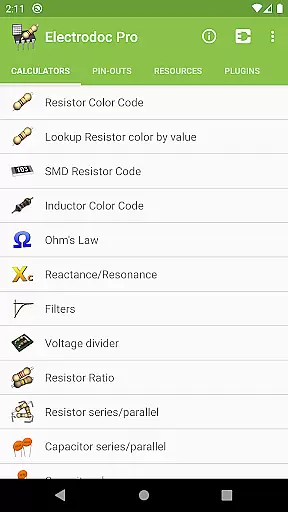
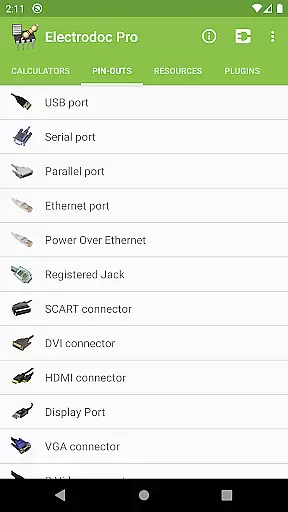
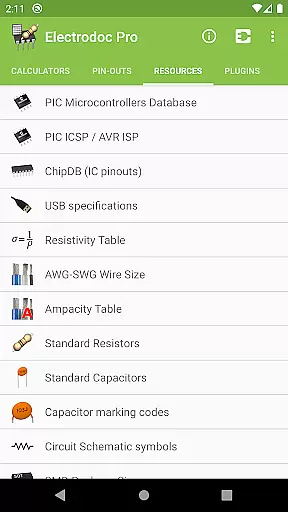
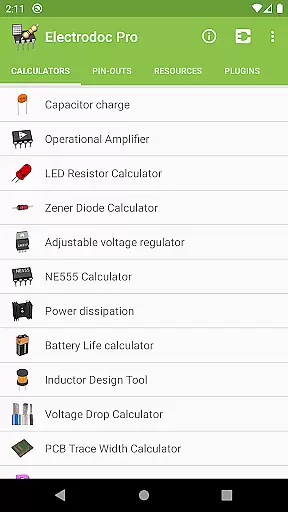
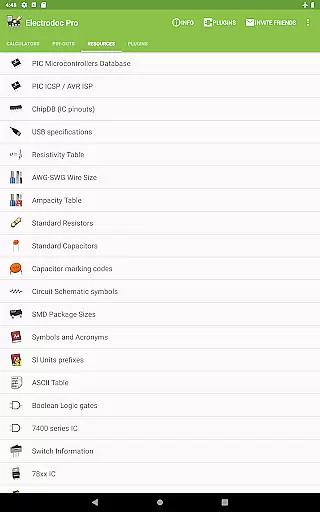
Electrodoc Pro is a comprehensive electronics toolkit designed for professionals, hobbyists, and students alike. This app serves as an essential resource by providing a wide array of tools and references crucial for electronics projects. With functionalities ranging from resistor color code decoding to complex circuit calculations, Electrodoc Pro ensures precision and efficiency in your work.
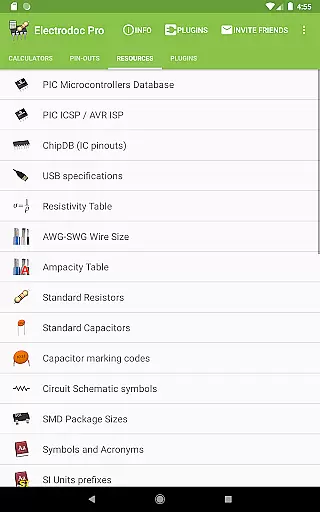
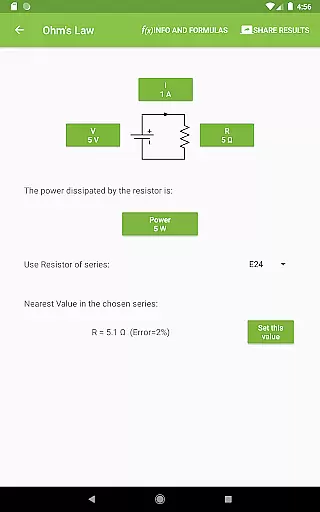
The app stands out with its extensive features such as Ohm's Law calculations, voltage dividers, and various converter tools that cater to both basic and advanced electronic needs. Additionally, it offers port pin-outs and resources like the PIC ICSP/AVR ISP and chip databases, making it indispensable for microcontroller programming and hardware design.
Whether you're designing circuits, troubleshooting devices, or learning electronics, Electrodoc Pro proves invaluable. Its intuitive interface and reliable data support users in executing their tasks accurately and swiftly, enhancing productivity and understanding in the field of electronics.
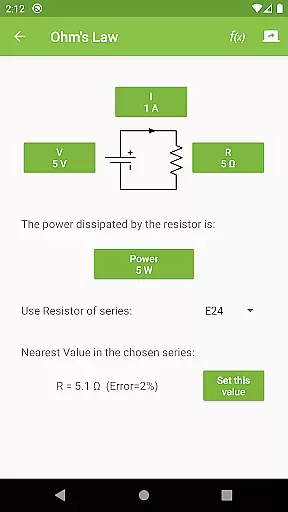
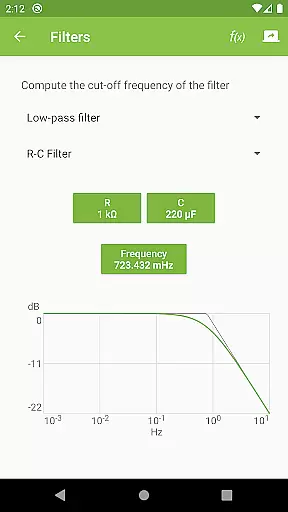
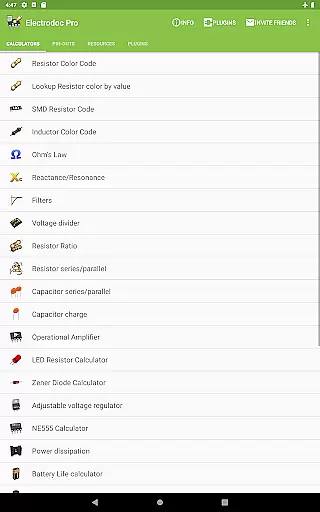
Electrodoc Pro boasts a rich set of features tailored to meet diverse electronics-related requirements. One of its primary offerings includes detailed calculators for resistors, capacitors, and inductors, alongside tools for calculating reactance, resonance, and power dissipation. These instruments are vital for ensuring components operate within desired parameters.
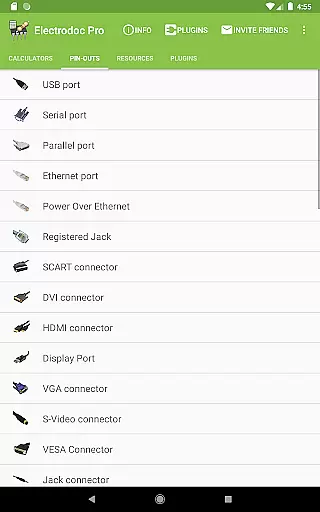
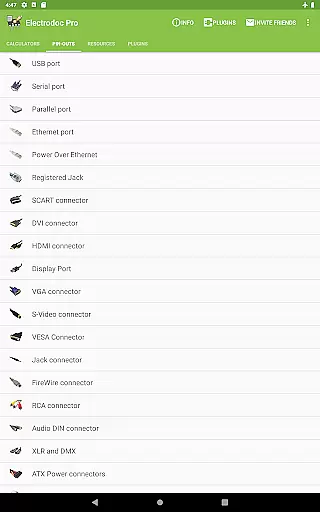
Beyond calculations, Electrodoc Pro provides expansive reference materials. It lists pin configurations for numerous connectors, details specifications for various standards, and includes valuable charts and tables. The app supports EIA resistor series across all relevant calculators, thus broadening its utility for precision-based projects.
Furthermore, Electrodoc Pro embraces extensibility through plugin support. Users can enhance the app’s capabilities with additional modules focused on microcontroller databases and simulators, among others. This adaptability ensures Electrodoc Pro remains a versatile and future-proof tool in the ever-evolving landscape of electronics.
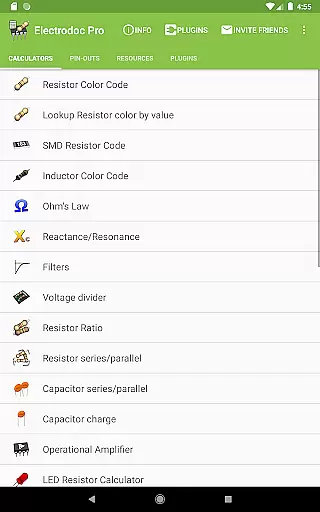
Electrodoc Pro stands out in the Tools category by offering precise and effective core functionalities that are essential for electronics enthusiasts and professionals. The app includes a comprehensive suite of calculators and references such as Resistor Color Code, Ohm's Law, Reactance/Resonance, and many more which cater to various electronic calculation needs.
The accuracy of these tools is backed by full support for EIA resistor series across all relevant calculators ensuring industry-standard computations. Whether it's calculating voltage drop, PCB trace width, or performing Y-u0394 transformations, users can trust the results provided by Electrodoc Pro due to its meticulous design and adherence to electronics standards.
Moreover, the application extends its effectiveness through specialized features like LED Resistor Calculator, Zener Diode Calculator, and NE555 Calculator among others. These targeted tools allow users to quickly solve specific problems they encounter in their projects with reliable outcomes.
By providing an ad-free experience with even more features than the free version, Electrodoc Pro ensures that users can focus on their work without interruptions while enjoying a wide array of powerful electronics tools at their fingertips.
A key aspect of Electrodoc Pro's success in the Tools category is its commitment to interface simplicity and intuitiveness. The app is designed to ensure that users can easily navigate through its extensive collection of electronics tools and references without any learning curve or confusion.
Each tool within Electrodoc Pro presents a clear and straightforward interface where inputs are minimal and outputs are displayed in an understandable format. This approach allows both seasoned engineers and hobbyists alike to obtain necessary information swiftly without being overwhelmed by complex interfaces.
In addition to ease-of-use, Electrodoc Pro offers customization options for user convenience. With intuitive controls, users can switch between different calculators or access resources like PIC ICSP / AVR ISP, ChipDB (IC pinouts), USB specifications with just a few taps, making their workflow seamless and efficient.
Overall, Electrodoc Pro combines powerful functionality with an accessible interface ensuring that every user regardless of expertise level can harness the full potential of this versatile electronics toolkit.
User-friendly interface
Extensive electronics tools
Comprehensive reference library
Supports plugins for added functionality
Regular updates with new features
Premium version required for full access
Some advanced tools may overwhelm beginners
Occasional compatibility issues reported
Limited offline functionality
Heavy reliance on third-party plugins

 4.50
4.50
FV File Manager Pro, Fast and powerful file manager for Android
4.60
Quickly & easily calculate the spacing of handrail balusters
4.20
Create your own live wallpaper or check out thousands already made presets
3.90
A non-root local ADB shell client. READ BELOW!
3.40
Play your X-Box games remotely in 1080p with any controller and zero latency
4.60
Pro Emulator is an easy to use game console emulator for a range of consoles.
4.40
Mobile Security with Scam Protection | Malware & Virus Cleaner | Safe Browser
4.70
fast and easy mp3 music downloader
4.80
The ultimate tool for network analysis, wifi scanning and problem detection.
4.90
Best leveling tool for your Android device. Hang paintings like a pro.
4.90
Unit and currency converter with easy and simple UI.
4.80
Bedrock Together: Join any bedrock server on Xbox/PS
4.80
Keep track of your Palia friendships, tasks, and inventory with Palia Notebook
4.60
Clean up large files and similar photos, fast and easy to use
4.40
MS-DOS in your pocket. Play old DOS games anywhere you are ;)
4.10
A simple app to back up and restore SMS & MMS messages and call logs.
4.10
Unlock your Essential Key. Create custom shortcuts to your favorite apps!
4.2
Download any file easily and quickly with Downloader
4.4


User Reviews