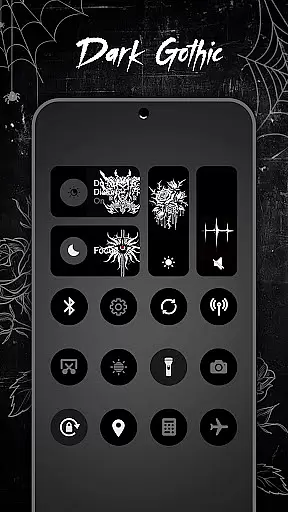
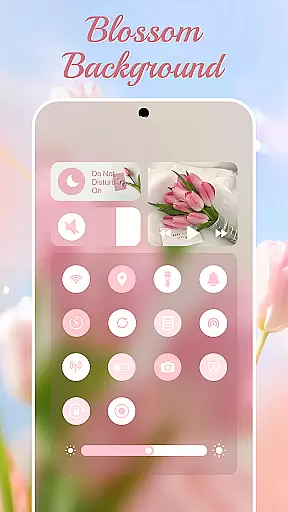
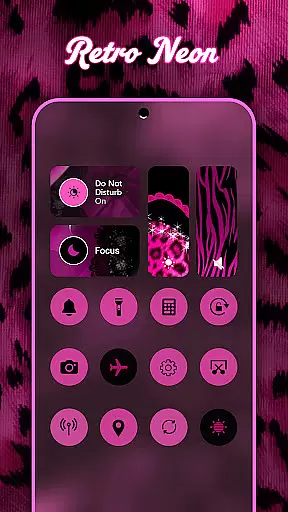
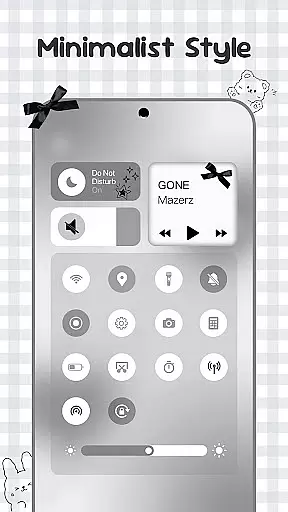
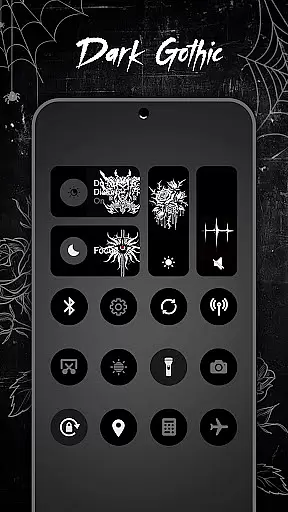
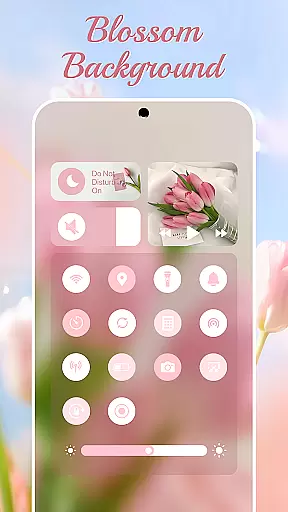
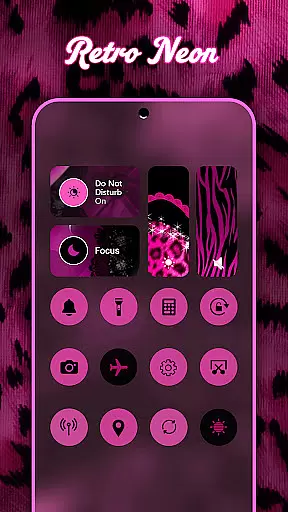
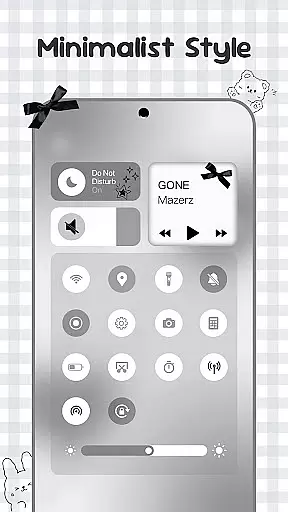
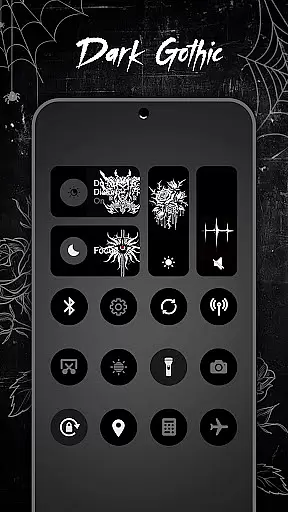
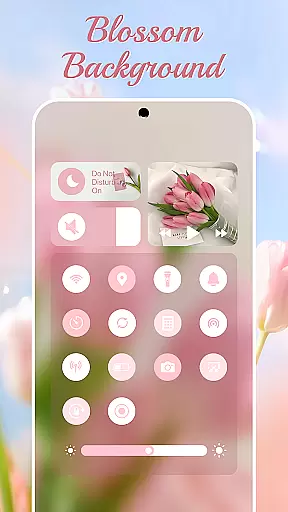
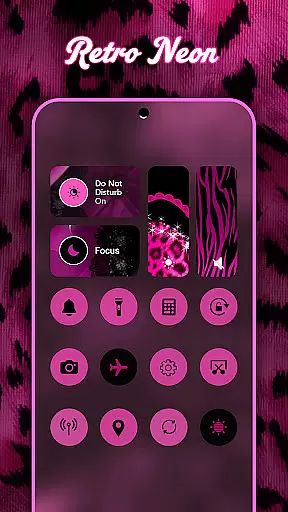
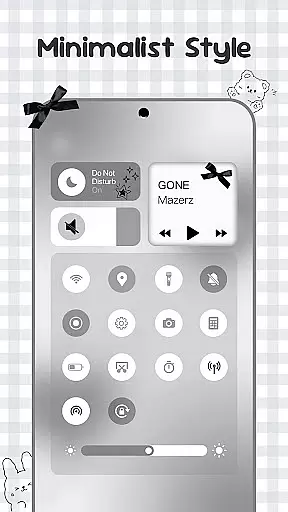
Control Widget is a highly customizable quick settings panel for Android devices, offering users both aesthetic appeal and functional control. Designed with modern mobile aesthetics in mind, this app allows users to personalize their device's interface through thousands of themed options including anime, K-pop, neon gradients, minimalism, and more.
The app provides essential tools such as brightness and volume adjustment, Wi-Fi, Bluetooth, and Airplane Mode toggles, Do Not Disturb mode, screenshot and screen recording capabilities, and a flashlight feature. With one-tap access, users can instantly transform their control panel to match their mood or home screen theme. Control Widget is the ultimate customization companion for Android users looking to elevate their device's quick-settings panel.
Control Widget stands out with its extensive personalization options and user-friendly design. The app offers thousands of aesthetic themes, allowing users to curate their device's appearance with collections inspired by popular culture, art styles, and seasonal themes.
Beyond its visual appeal, Control Widget integrates smart tools that enhance usability. Users can adjust brightness and volume with smooth sliders, toggle connectivity features like Wi-Fi and Bluetooth, activate Do Not Disturb mode, and access screen management tools such as screenshot capture, screen recording, and rotation lock. The inclusion of a one-tap flashlight feature adds practical utility. This combination of stylish design and functional tools makes Control Widget an indispensable tool for Android users seeking both beauty and efficiency in their device's interface.
Customization is at the heart of Control Widget, offering users an extensive array of options to tailor their Android experience. With thousands of aesthetic themes ranging from Anime to K-pop, neon gradients to minimalism, users can curate a style that resonates with their personal taste.
This application goes beyond static theming by providing live style updates, allowing users to switch panels effortlessly to match their evolving moods or home screen aesthetics. The one-tap magic feature ensures that changes are applied instantly across the entire control panel, delivering a seamless and visually pleasing experience.
By integrating functional tools such as brightness and volume sliders, connectivity toggles for Wi-Fi and Bluetooth, and quick access to screen utilities, Control Widget merges stylish design with practical usability. This harmonious blend empowers users to not only personalize the appearance but also enhance the functionality of their device's interface.
Theme compatibility in Control Widget ensures that every chosen design integrates flawlessly with various elements of an Android deviceu2019s ecosystem. Whether itu2019s wallpapers, icon packs, or other widgets, this app guarantees visual consistency and operational harmony across all components.
The sleek designs offered by Control Widget complement any setup without compromising performance or aesthetics. Users have the freedom to request custom themes, actively participating in how their interface looks and feels while maintaining synchronization with existing system settings.
With its devotion to accessibility services, Control Widget allows for features like music control and screen adjustments while ensuring privacy and data security. This commitment makes certain that each theme doesnu2019t just look good but works efficiently within the broader context of the useru2019s digital environment.
Highly customizable
User-friendly interface
Stylish design options
Comprehensive control features
Regular updates
Requires accessibility permissions
May drain battery faster
Some features need premium
Occasional bugs reported
Learning curve for new users

Winter's Journey: digital watch face for Galaxy Watch & Wear OS
 4.80
4.80
Make your phone look simple & luxury, like iDevice
4.60
Adult video chat, dating, making friends, random matching
4.20
Try creating your own keyboard with "Keyboard theme for android" app now!
4.50
Adaptive Dot Style IconPack with Light & Dark Theme.
3.70
Color phone with cool effects for call screen, flash alert & ringtones music
4.50
Custom edge gestures for volume control, brightness, apps, and shortcuts.
4.4
One 8 icons glass color version
4.80
Enjoy a variety of amazing live wallpapers and colorful EDGE lighting borders!
4.80
Wallpaper HD 4K Live - Thousands of high-quality Anime backgrounds for you.
4.80
Stunningly Different look with Line Icons and Neon Colors
4.60
Unique Android Launcher
4.60
Choose your keyboard with RGB colors effect, themes, fonts, emojis.
4.60
Your home screen, just the way you like it.
4.30
Ultimate widget creator. Design custom widgets for a truly unique home screen!
3.90
Your go to Weather App & Home Screen. Get your weather at a swipe of a finger!
3.80
Interactive Miniature Painting Catalogue
3.30
Prank your friends with realistic broken screen and cracked HD effects!
4.2
Modern Glass Icon Pack with glossy icons, clean minimal theme & aesthetic style
4.4


User Reviews