
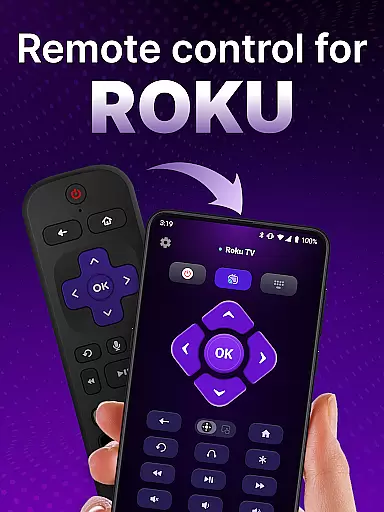
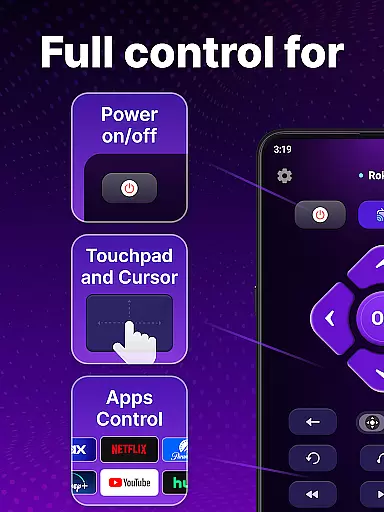
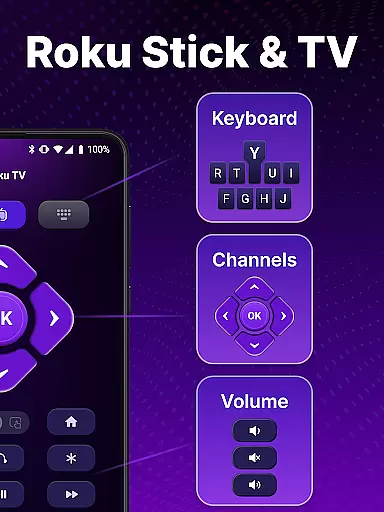
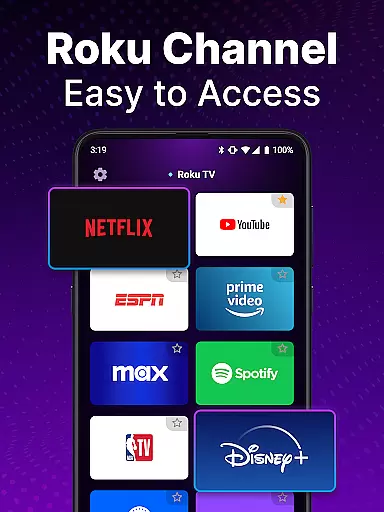
TV Remote control for Roku TV is a universal remote app designed to simplify your Roku TV experience. This powerful tool allows users to seamlessly control their Roku TVs directly from their smartphones, eliminating the need for a physical remote. The app supports essential functions such as power on/off, volume control, channel navigation, and content streaming.
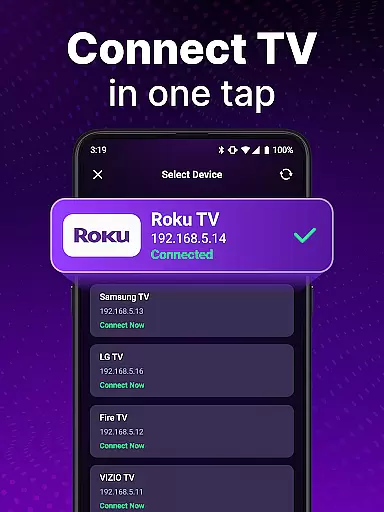
One of the standout features is its automatic device detection system, which identifies Roku TV devices connected to the same Wi-Fi network. Users can also enjoy advanced functionalities like voice control for hands-free operation and keyboard input for quick searches. Whether you're looking to launch your favorite channels or adjust settings with ease, this app provides a comprehensive solution that enhances convenience and accessibility.
This application is particularly useful in modern smart home environments where centralized control is key. By turning your smartphone into a versatile Roku remote, it offers both practicality and innovation, making TV management more efficient and enjoyable for all users.
The TV Remote control for Roku TV app boasts an impressive array of features that cater to diverse user needs. First and foremost, its automatic detection capability ensures hassle-free setup by identifying Roku TV devices on the same Wi-Fi network. This feature significantly reduces configuration time and enhances user experience right from installation.
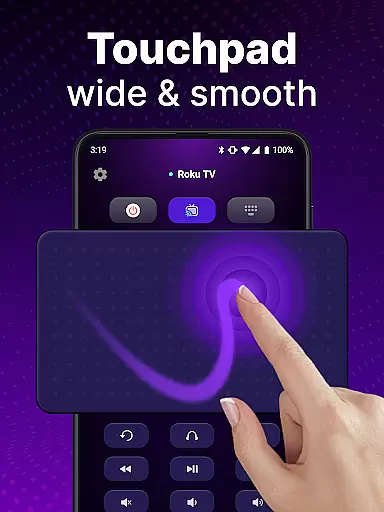
In addition to basic controls like power and volume management, the app offers advanced navigation through a responsive touchpad interface. This allows for smooth scrolling and swiping, mimicking the natural feel of a physical remote. The inclusion of voice control adds another layer of convenience, enabling users to perform tasks hands-free. Moreover, the keyboard input function facilitates swift text entry, making it easier to search for specific shows or movies without the tedious process associated with traditional remotes.
Another notable aspect is the app's ability to streamline operations by consolidating multiple functions into one intuitive platform. From launching channels to adjusting settings, each feature is designed to maximize efficiency while maintaining ease of use. These comprehensive capabilities make the TV Remote control for Roku TV app a standout choice among similar tools in its category.
In the realm of remote control applications, ensuring core function accuracy and effectiveness is paramount for a seamless user experience. The TV Remote control for Roku TV app excels in this area by providing precise control over your Roku TV through an intuitive interface.
This universal remote app offers automatic detection of Roku TV devices on the same Wi-Fi network, enabling effortless setup and connection. Once connected, users can easily manage their TV operations such as turning it on or off, adjusting the volume, and launching channels with responsive feedback that mirrors physical remote performance.
Moreover, advanced features like voice control and keyboard input enhance the app's functionality. Users can swiftly search for their favorite shows using voice commands or text input, making navigation smooth and efficient. These capabilities ensure that every interaction with the Roku TV via the app is both accurate and effective.
The reliability of these functions significantly improves convenience, allowing users to enjoy a clutter-free entertainment experience without constantly searching for the traditional Roku remote. By delivering consistent responsiveness and essential TV management features, the app proves its worth as an indispensable tool for Roku TV owners.
A straightforward and instinctive interface is crucial for any tool app, including remote controls for smart TVs. The TV Remote control for Roku TV app embraces this principle by offering an uncluttered layout that makes controlling your television easy and stress-free.
Upon opening the app, users are greeted with a simple touchpad interface designed for smooth scrolling and swiping actions. This touch-based navigation eliminates the need for multiple buttons found on conventional remotes, streamlining the process of browsing through channels and streaming content.
Additionally, the inclusion of practical features such as voice input and rapid channel selection enhances user engagement while maintaining simplicity. With just a few taps, users can perform complex tasks like searching for shows or adjusting settings without any learning curve.
By focusing on minimalistic design elements combined with powerful functionalities, the app ensures that even first-time users can effortlessly operate their Roku TVs. This commitment to interface simplicity not only elevates user satisfaction but also solidifies the app's position as a top choice among universal remote solutions.
User-friendly interface
Voice control functionality
Automatic device detection
Swift keyboard input
Comprehensive remote features
Requires stable Wi-Fi
Limited to Roku devices
No official Roku support
Potential connection issues
Dependent on smartphone

A powerful, easy-to-use flight computer on your phone or tablet!
 3.80
3.80
Canon PRINT is a companion app for your Canon printer.
4.60
Optimize your WiFi network, turn your phone into Wifi Analyzer
4.70
ADB support Android 4.X-Android 13(Support wireless pair mode).No root required!
4.70
Making emulation easy for everyone!
4.30
Quickly check the frequency of the Earth
4.30
A simple app to back up and restore SMS & MMS messages and call logs.
4.10
NFC Tools can read and write NFC tags.
4.70
Introducing Smart Printer, your ultimate destination for printing solutions!
4.00
Enjoy smooth gameplay with Game Booster
4.90
Powerful collection of electronics tools and reference.A must for any enthusiast
4.90
eXtended Permission Manager - a small app to manage permissions and AppOps
4.50
Universal TV remote control all TVs, Roku, LG, Samsung, Fire, Vizio, Sony, TCL.
4.40
Remote for Roku, Fire TV, Samsung TV, LG TV, Android TV, Chromecast and VIZIO TV
4.20
Signal Strength, Mobile, Wifi, Speed Test, Bad Signals, Cellular, 5G, LTE, 4G
4.20
A convenient photo, video, and file recovery tool.
4.00
1-Click close all background apps on Android TV
3.90
Amateur Radio app for APRS: Track friends, exchange messages, get tactical info.
3.90
Unleash gamepad precision for ultimate mobile gaming dominance.
3.90


User Reviews