
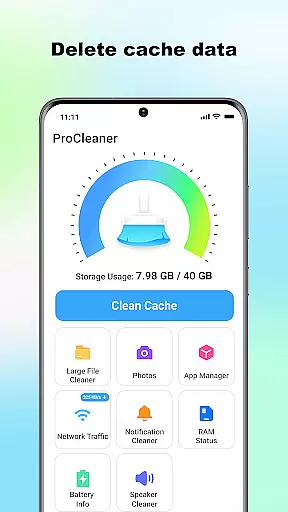
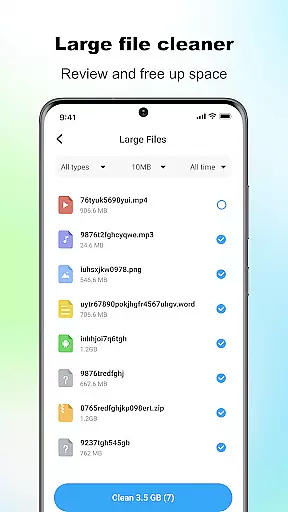
ProCleaner is a comprehensive device optimization tool designed to help users efficiently manage their smartphone storage. The app's core functionality revolves around scanning and cleaning various types of unnecessary files, including cache, residual, and junk files that accumulate over time.
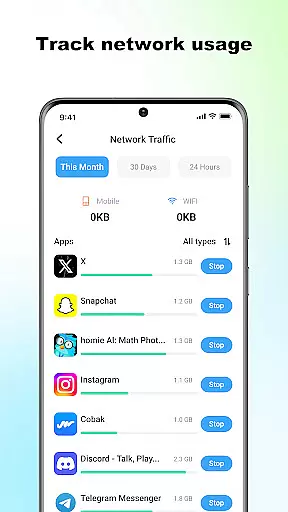
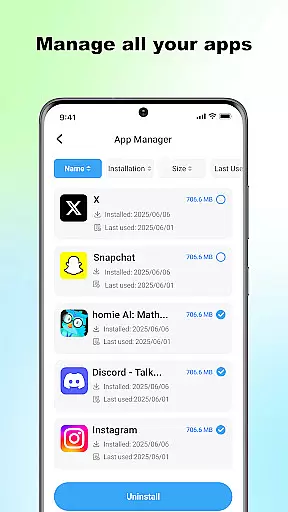
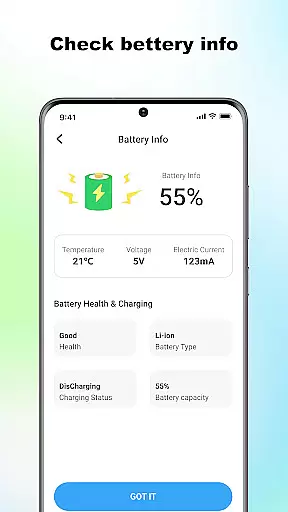
Beyond basic cleaning capabilities, ProCleaner offers advanced features for managing large files and uninstalling multiple applications simultaneously. Users can also monitor their network speed and check battery status, providing a complete solution for device maintenance and performance optimization.
This application is particularly useful for individuals who frequently encounter storage issues or wish to maintain optimal device performance. By providing both basic and advanced tools for file management and system monitoring, ProCleaner delivers significant value to users looking to maximize their device's efficiency and lifespan.
ProCleaner distinguishes itself through its comprehensive suite of device management tools. The app's primary feature is its powerful scanning engine, which can detect and clean various types of unnecessary files, including cache, residual, and junk files across the entire device storage.
The application goes beyond simple cleaning functions by offering advanced capabilities such as large file management, allowing users to identify and remove space-consuming files. Its multi-app uninstallation feature streamlines the process of removing unwanted applications, while the network speed monitor provides real-time insights into internet connectivity performance.
Additional notable features include detailed battery status monitoring and the ability to perform all operations locally without uploading any personal data. These characteristics make ProCleaner a valuable tool for users seeking to maintain optimal device performance while ensuring their privacy remains protected.
ProCleaner excels in delivering accurate and effective core functions that are essential for device optimization. The app scans and cleans cache files, removes residual and junk files, and finds large files with precision.
Each feature is designed to ensure maximum efficiency. For instance, the cache cleaning function identifies unnecessary temporary files without affecting critical system data. Similarly, the junk file removal tool ensures no important personal files are deleted during the cleanup process.
Users benefit from a noticeable improvement in device performance. By managing storage space effectively, ProCleaner helps devices run faster and more smoothly. This reliability makes it a trusted tool for maintaining optimal device health.
The app also includes advanced features like network speed monitoring and battery status checking, which add to its overall effectiveness as a comprehensive device management solution.
A simple and intuitive interface is crucial for ensuring users can easily navigate and utilize an app's features. ProCleaner achieves this by providing a clean, organized layout that makes device management straightforward.
The main dashboard displays all core functions in a clear, accessible manner. Users can quickly initiate scans, view results, and perform cleanup tasks with just a few taps. This streamlined approach eliminates unnecessary complexity.
Additionally, the app offers intuitive controls for managing installed applications and large files. These features are presented in a way that requires minimal learning curve, allowing both novice and experienced users to optimize their devices effortlessly.
By focusing on user-friendly design, ProCleaner ensures that even those unfamiliar with technical aspects of device maintenance can use the app effectively, enhancing overall accessibility and satisfaction.
Comprehensive cleaning tools
Advanced file management
Local data processing
Multi-app uninstallation
Network speed monitoring
Requires storage access
App usage permission
No cloud backup
Limited automation
Basic UI design

1-Click close all background apps on Android TV
 3.90
3.90
FV File Manager Pro, Fast and powerful file manager for Android
4.60
HD Video player and downloader for all formats, fast & smooth 4K video playback.
4.60
ADB support Android 4.X-Android 13(Support wireless pair mode).No root required!
4.70
MS-DOS in your pocket. Play old DOS games anywhere you are ;)
4.10
Mirror your screen to Fire TV - Super fast and simple
4.40
NFC Tools can read and write NFC tags.
4.70
Protect your device with antivirus, storage cleanup, and system monitoring
4.70
Mobile Security with Scam Protection | Malware & Virus Cleaner | Safe Browser
4.70
Creation, Learning, Entertainment & More — The All-in-One AI Search Engine
4.70
Canon PRINT is a companion app for your Canon printer.
4.60 4.50
4.50
Clean up large files and similar photos, fast and easy to use
4.40
Making emulation easy for everyone!
4.30
Carry a FTP server in your pocket and avoid USB cables for file transfer
4.20
VESC Tool can monitor and configure VESC-compatible devices over BLE and Wifi
4.20
Smart and comfortable browsing experience.
3.80
Clean the junk files on your device
3.40
Transfer Files, APK from Phone to Watch & Install.
4.1


User Reviews