
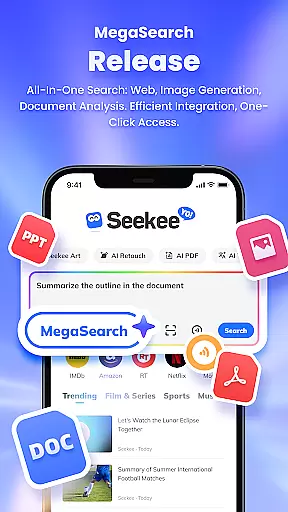
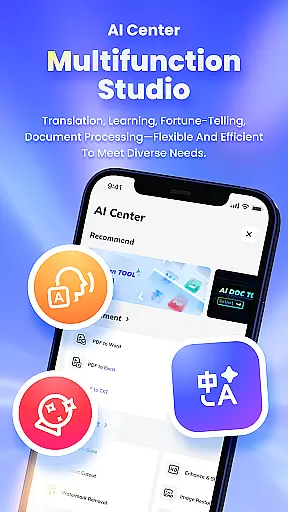
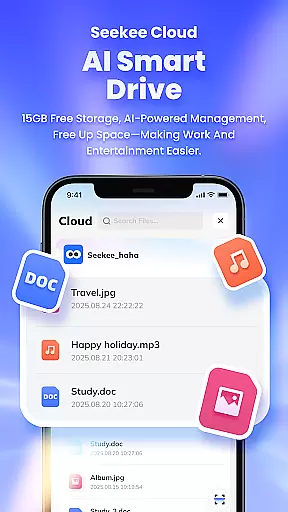
Seekee is an innovative AI-powered tool designed to revolutionize the way users interact with information and content. At its core, Seekee features the MegaSearch Bar, a unified interface that transforms the app into a versatile AI assistant. This powerful tool allows users to instantly extract key points from the web, ask follow-up questions for deeper insights, generate and edit images, and manage files effortlessly. Whether you're looking to enhance productivity at work, simplify learning, or supercharge your entertainment experience, Seekee's all-in-one solution has got you covered.
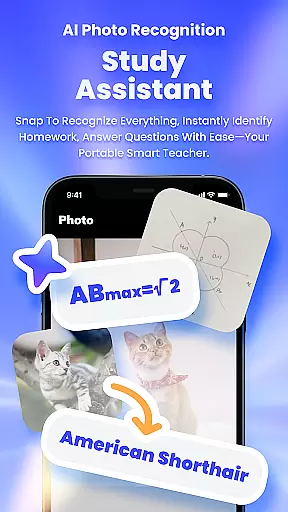
The app's standout capabilities include AI Creation for drafting emails and generating work summaries, AI Image Editing for one-click enhancements and restorations, and AI Learning for intelligent homework assistance. Additionally, Seekee offers PDF Editing, real-time hot topic tracking, and intelligent translation services, making it an indispensable companion for both personal and professional use. With its ability to identify objects through photos and create concise summaries or mind maps from lengthy documents, Seekee empowers users to work smarter and learn faster.
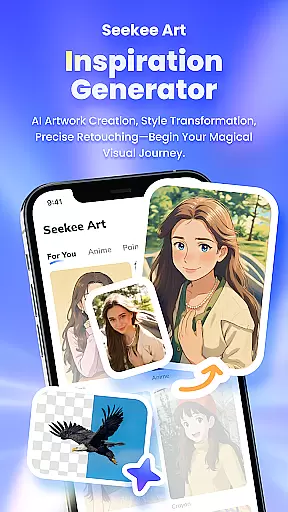
Seekee stands out with its diverse range of advanced features tailored to boost efficiency and creativity. The MegaSearch Bar serves as the central hub for all operations, enabling users to perform complex tasks with remarkable ease. Through AI Creation, users can automate routine writing tasks such as drafting emails and creating work summaries, freeing up time for more strategic activities. The AI Image Editing suite provides professional-grade tools like one-click image expansion, intelligent cutouts, and old photo restoration, alongside practical functions such as ID photo generation.
For students and lifelong learners, Seekee's AI Learning feature delivers intelligent answers and homework corrections, transforming the educational experience. The app's PDF Editing capabilities allow seamless conversion between formats and efficient document management. Its object recognition technology lets users identify unknown items simply by taking a picture. Furthermore, Seekee's real-time hot topic tracking and multilingual translation services ensure users stay informed and connected across language barriers. These comprehensive features make Seekee an essential tool for navigating today's digital landscape.
Seekee's MegaSearch Bar represents a breakthrough in functional accuracy and effectiveness for productivity tools. At its core, the AI-powered search bar consolidates multiple advanced capabilities into one streamlined interface.
The application demonstrates exceptional precision in executing complex tasks. Whether generating concise document summaries, editing images with professional-grade tools, or providing intelligent answers to academic questions, Seekee maintains consistent quality across all functions. Its ability to process PDF files while preserving formatting integrity showcases this reliability.
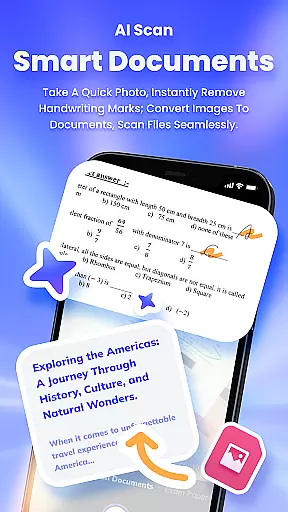
Users benefit from Seekee's optimized performance in real-world scenarios. The tool's capacity to handle multilingual translations, identify objects through images, and even erase handwriting from scanned documents demonstrates practical utility. These features work together seamlessly, eliminating the need for multiple specialized applications.
The integration of these capabilities into a single platform significantly enhances workflow efficiency. Professionals, students, and casual users alike can complete diverse tasks without switching between different software solutions, making Seekee an indispensable tool for modern digital workspaces.
Seekee sets a new standard for interface design in multifunctional tools through its intuitive MegaSearch Bar concept. The single-bar interface eliminates cluttered menus and complex navigation paths, offering immediate access to all features.
The application's design philosophy centers around one-tap functionality. Users can quickly activate various tools without navigating through multiple screens or settings. This approach particularly benefits those who need rapid access to different functions like image editing, document processing, or language translation during their workflow.
Despite housing numerous advanced features, Seekee maintains remarkable operational simplicity. The consistent presentation of tools within the unified search bar creates a predictable user experience. New users can intuitively grasp the application's functionality without extensive learning curves or tutorials.
This thoughtful design extends to specific use cases as well. Whether generating ID photos, creating mind maps from lengthy documents, or accessing real-time information updates, users can accomplish tasks with minimal steps. The interface effectively balances comprehensive functionality with user-friendly accessibility, making sophisticated tools available to users of all technical backgrounds.
Comprehensive AI tools
Efficient document processing
Versatile image editing
Intelligent learning assistance
Real-time trend updates
Steep learning curve
Occasional slow responses
Limited free features
High system requirements
Subscription costs

Transfer Files, APK from Phone to Watch & Install.
 4.3
4.3
A recovery soft,it features photo recovery, video recovery, file recovery.
3.40
Carry a FTP server in your pocket and avoid USB cables for file transfer
4.20
An easy-to-use calculator designed to save time calculating and bending conduit
4.30
MS-DOS in your pocket. Play old DOS games anywhere you are ;)
4.10
Fast Video Downloader, Movie Downloader, Torrent Downloader & Adblock Browser
4.70
Screen Mirroring for Roku Sticks, Roku TCL TV and Roku Hisense TV
4.50
Game Booster, GFX Tool is now compatible with newer game update
4.50
Clean up your phone, find files, play media, and share files offline
4.50
Remote Play with FSR upscaling, low latency & full controller support
4.80
Excellent scientific calculator with symbolic algebra, integrals, derivatives
4.80
NFC Tools can read and write NFC tags.
4.70
PC precision for mobile gaming: dominate with keyboard and mouse!
4.30
Quickly check the frequency of the Earth
4.30
Remote for Roku, Fire TV, Samsung TV, LG TV, Android TV, Chromecast and VIZIO TV
4.20
View detailed information about your Nissan Leaf the dealer never shows you.
4.10
Introducing Smart Printer, your ultimate destination for printing solutions!
4.00
Safely recover deleted photos, videos, and files with a single easy tap.
3.70
card-reader app
2.20


User Reviews