
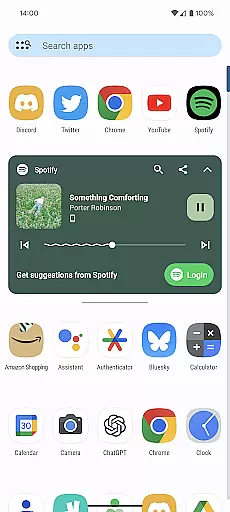
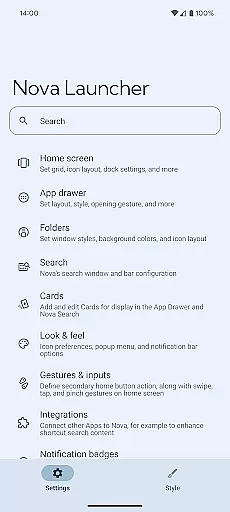
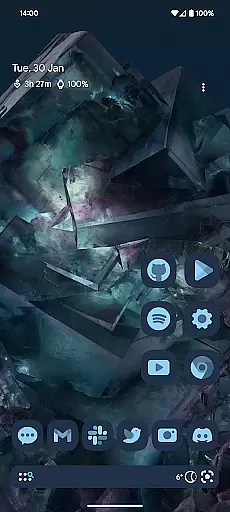
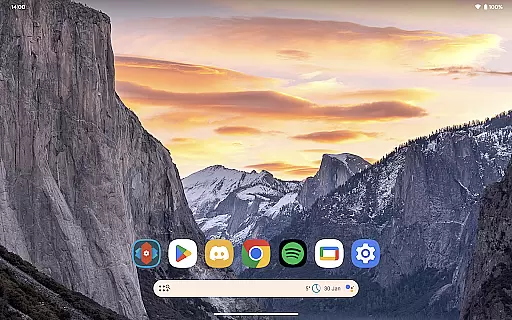
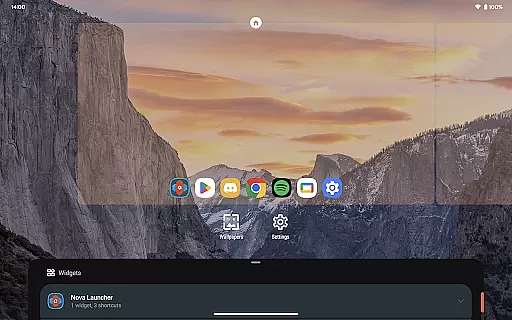
Nova Launcher represents the pinnacle of home screen customization for Android users seeking both aesthetic appeal and functional depth. As a comprehensive launcher solution, it offers an unprecedented level of control over your device's interface. Users can personalize every aspect of their home screens, from icon shapes and color schemes to widget placement and folder organization.
The application stands out with its robust feature set that includes custom light and dark themes, subgrid positioning for pixel-perfect layouts, and an advanced search system that extends beyond simple app finding. These capabilities ensure that whether you're a minimalist or a power user, Nova Launcher can adapt to your specific needs while maintaining optimal performance.
Ideal for those transitioning between devices or experimenting with different configurations, Nova's backup and restore functionality simplifies the process of migrating settings and preferences. This makes Nova Launcher not only a tool for personalization but also a reliable companion for maintaining consistency across multiple devices.
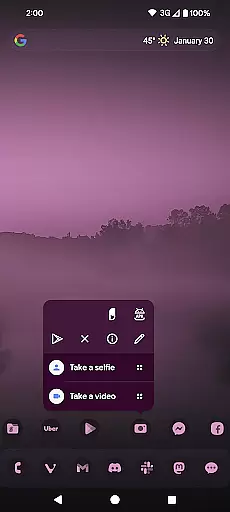
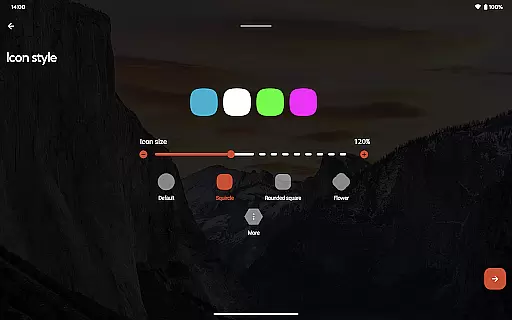
Nova Launcher distinguishes itself through a combination of innovative features and practical enhancements. One of its standout capabilities is the support for thousands of icon themes available on the Play Store, allowing users to completely transform the visual identity of their home screens. The ability to reshape all icons to a uniform style ensures a cohesive appearance that reflects personal taste.
Beyond visual customization, Nova provides an extensive color management system that integrates seamlessly with Material You design principles. Users can either adopt system-wide color schemes or define their own palette, creating a truly personalized environment. The inclusion of customizable light and dark modes further enhances usability by adapting to various lighting conditions and personal preferences.
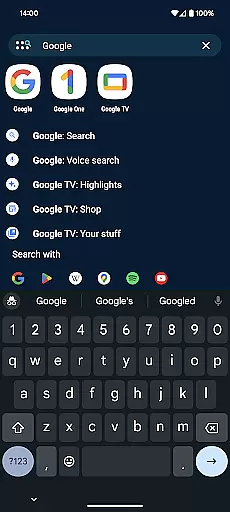
Productivity-focused features include a sophisticated search mechanism that goes beyond basic app indexing. Nova's implementation enables users to perform calculations, convert units, track packages, and access contact information directly from the home screen. Additionally, the introduction of customizable gesture controls in the premium version empowers users to execute complex commands through intuitive swipes and taps, streamlining daily interactions with their devices.
Nova Launcher stands out in the Personalisation category by offering an extensive range of customization options that cater to both casual users and power users. The app allows for detailed adjustments, including icon size, label colors, and the positioning of the search bar, enabling a personalized home screen setup that reflects individual preferences.
One of the key features is its support for thousands of icon themes available in the Play Store. Users can reshape all icons to a shape of their choice, ensuring a uniform and consistent look across their device. This level of personalization extends to the app drawer, which includes innovative customizable cards that display relevant information when needed.
The ability to customize light and dark themes adds another layer of personal touch. Users can sync dark mode with their system settings, align it with sunrise and sunset times, or keep it on permanently. This flexibility ensures that Nova Launcher adapts to various user lifestyles and preferences.
Overall, Nova Launcher's vast array of customization options empowers users to create a home screen environment that is not only visually appealing but also functionally efficient, enhancing both aesthetics and usability.
Theme compatibility is a crucial aspect of any personalization app, and Nova Launcher excels in this area by providing seamless integration with a wide variety of themes. Whether you prefer a minimalist design or a vibrant, colorful interface, Nova supports numerous themes that cater to diverse tastes and styles.
In addition to supporting third-party icon packs, Nova allows users to apply Material You colors from their system or choose custom colors for a unique, personalized feel. This ensures that the visual elements of the launcher are cohesive and harmonious, enhancing the overall user experience.
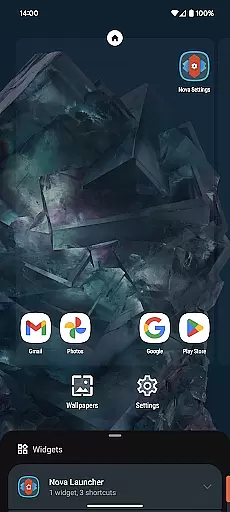
Furthermore, Nova's subgrid positioning feature enables precise placement of icons and widgets, allowing for a meticulously organized home screen layout. This attention to detail in theme compatibility ensures that users can achieve a professional-looking setup without compromising on functionality.
By prioritizing theme compatibility, Nova Launcher not only enhances the visual appeal of devices but also provides a consistent and intuitive user interface that aligns with individual preferences and enhances daily interactions with the device.
Highly customizable interface
Extensive icon theme support
Advanced search functionality
Regular feature updates
Active user community
Premium features locked behind paywall
Steeper learning curve for beginners
Occasional stability issues on older devices
Some features require technical knowledge
Limited iOS-like features

Ninja Turtles Cowabunga SE watch face for Wear OS
 4.50
4.50
Run multiple accounts of the same app on a single device
4.10
Want to make your phone more special than ever?
4.60
Zip lock screen with magic wallpaper to decorate your phone with fun zipper lock
4.60 4.50
4.50 3.50
3.50
Icons made of colorful linear lines
4.60
400+ Beautifully crafted widgets inspired by NOTHING.
4.70
Create unique, fun emojis with Funny Emoji Maker! Unlimited creativity!
4.00
Gun Chase - Let the chase begin.
4.80
Unique Android Launcher
4.60
Bring adorable pets to life on your screen. Playful, interactive and full of fun
4.60
Handcrafted pixel art icons, widgets & wallpapers
4.60 4.50
4.50
200+ Material Inspired Widgets
4.50
Art & Emoji Keyboard with Cool Fonts, Cute Themes and Custom Designs.
4.40
Magic fluids wallpaper 4D: Relax with stunning fluid simulation wallpaper app
4.20
Crystal-clear, square icon provides a sleek and sophisticated visual upgrade
4.00
Design your screen with unique, vibrant clocks
3.80


User Reviews