
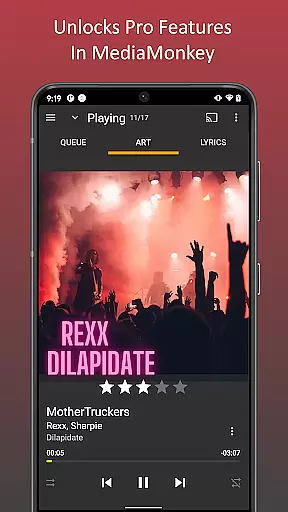
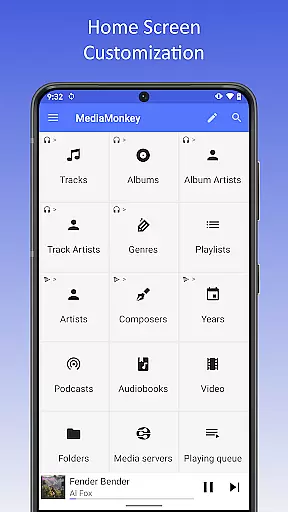
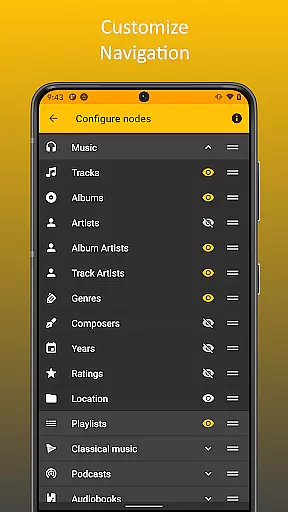
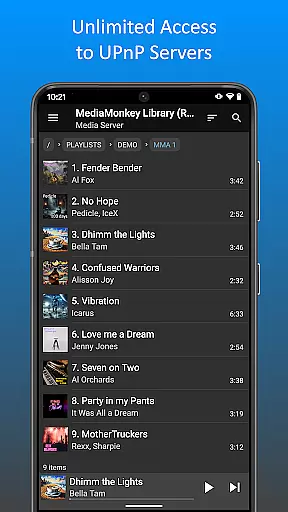
MediaMonkey Pro is a premium music management application designed for serious music collectors who require advanced features and seamless synchronization. The app serves as an unlock key for the free version of MediaMonkey, providing access to exclusive functionalities such as Wi-Fi Sync, UPnP/DLNA support, folder browsing, and a customizable home screen.
This app is ideal for users who need to manage extensive music libraries across multiple devices. By enabling wireless synchronization with a Windows PC, it ensures that ratings, play history, and volume levels are consistently updated. Additionally, its support for UPnP/DLNA makes it versatile for streaming or downloading content from compatible servers, enhancing the overall user experience.
MediaMonkey Pro offers a comprehensive suite of advanced features tailored for music enthusiasts. One standout capability is Wi-Fi Sync, which allows users to wirelessly synchronize their device's library with a Windows PC. This includes metadata such as ratings, play counts, and volume adjustments, ensuring a unified experience across devices.
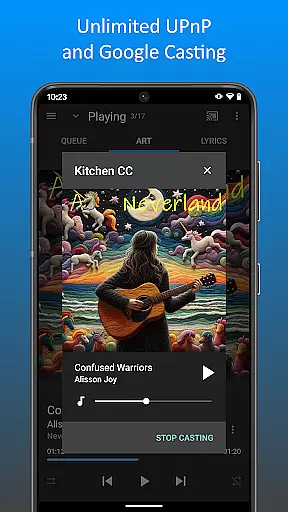
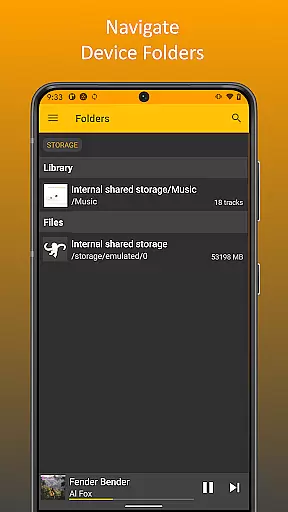
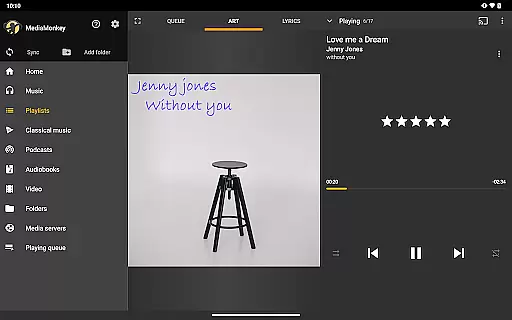
The app also supports UPnP/DLNA, enabling users to stream or download content from compatible media servers. Folder browsing provides another layer of control, allowing users to navigate their library using the physical file structure on their device. Furthermore, the configurable home screen empowers users to personalize their interface by choosing which content is displayed prominently, making navigation more intuitive and efficient.
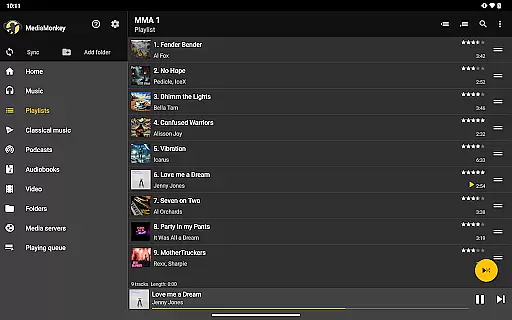
MediaMonkey Pro offers an extensive music library that caters to serious music collectors who value both quantity and quality. The application allows users to manage large collections, ensuring that all content is properly organized and easily accessible.
The app supports Wi-Fi Sync with a Windows PC, enabling users to maintain an up-to-date library across devices. This feature ensures that ratings, play history, and volume levels are consistently mirrored, providing a seamless experience.
With the added capability of UPnP/DLNA server integration, MediaMonkey Pro enhances access to a potentially vast array of audio content. Users can play or download tracks from networked servers, further expanding their music library's reach.
Copyright authenticity is addressed through proper library management tools, which help ensure that all media files are legitimate copies. By supporting meticulous organization and tagging features, users can trust the integrity of their collection.
For audiophiles and casual listeners alike, MediaMonkey Pro provides various audio quality options that enhance the listening experience. The app supports high-quality audio formats, allowing users to enjoy their music in the best fidelity possible.
One of the standout features is the ability to adjust volume levels across tracks, ensuring a consistent auditory experience without disruptive fluctuations. This normalization process is vital for maintaining listener comfort during extended playback sessions.
Additionally, MediaMonkey Pro includes advanced playback settings that enable users to customize their sound output according to personal preferences or equipment capabilities. These options cater to those who demand precise control over their audio environment.
By unlocking these premium features within the free version of MediaMonkey, users gain access to superior audio handling that respects the nuances of their carefully curated music libraries.
Advanced synchronization
UPnP/DLNA support
Customizable interface
Enhanced organization
Seamless integration
Requires free version
Windows-only sync
Premium cost
Complex for beginners
Limited mobile features

10-Band Audio Equalizer, Sound / Bass Booster for Spotify Users & Music Players
 4.40
4.40
Most Advanced AI Song Generator and Music Creator. Rap, Pop, Rock, Gospel & more
4.70
The only true audiophile music player with Hi-Fi audio rendering and DSP engine
3.90
Record, Mix & Master with all n-Track effects, 64-bit audio and Stem Separation.
4.70
Offline Music Player&MP3 Player with themes, equalizer, lyrics, music play mode
4.60
Ringtone Maker is free app create ringtone from music files or your recording.
4.40
Travel To The Music Universe
3.40
Uninterrupted Tunes, Unmatched Vibes
3.90
Get alarms that fit your lifestyle and wake up to the sounds you love.
4.80
Your song collections with lyrics and chords on Android smartphones and tablets.
4.80
Gorgeous UI, Powerful music Search and Equalizer, the great choice for you!
4.70
The best music and audio player, with beautiful UI, music search and equalizer.
4.60
Let your Android device with the sound effects you want
4.50
DJ Music Mixer - DJ Remix: remix songs, make beat music & record mix of DJ.
4.40
Help you quickly get started with Shokz headphones
4.40
The Music Journey in Your Hands
4.30
A High-Precision Audio Spectrum Analysis App
4.20
Turn your phone into a musical instrument from the future!
3.90
Simple mp3 and mp4 player with advanced features.
3.40


User Reviews