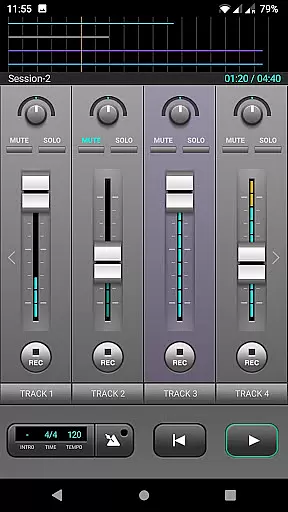
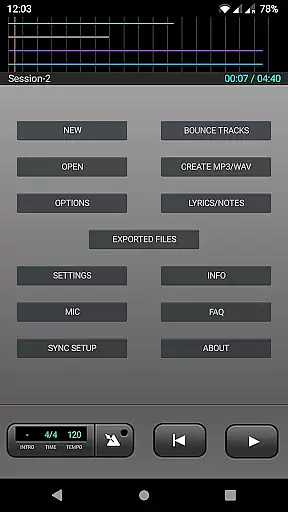
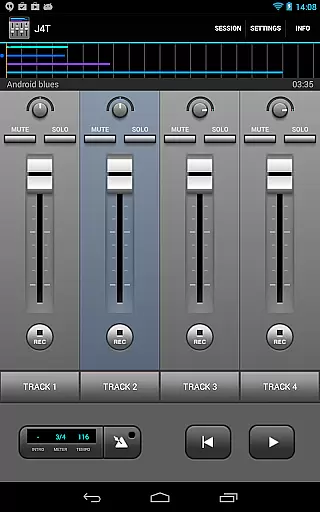
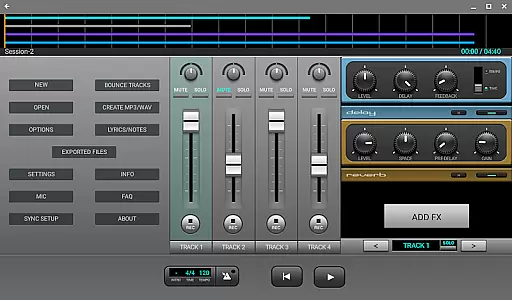
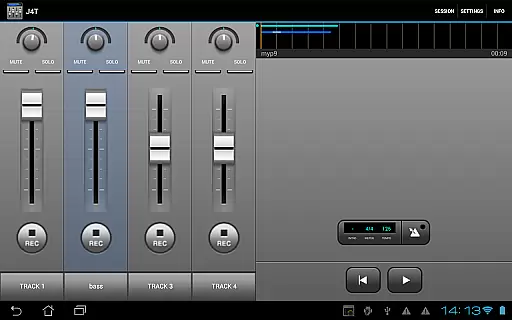
J4T Multitrack Recorder is a versatile 4-track recording app tailored for musicians and songwriters. Designed to capture song ideas, demos, and sound sketches effortlessly, it ensures portability and ease of use. The app supports live monitoring on Android 10 or higher, making it ideal for both casual recordings and professional demos.
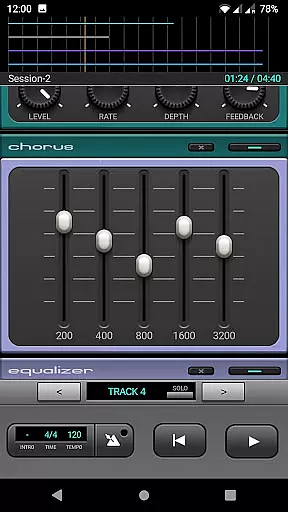
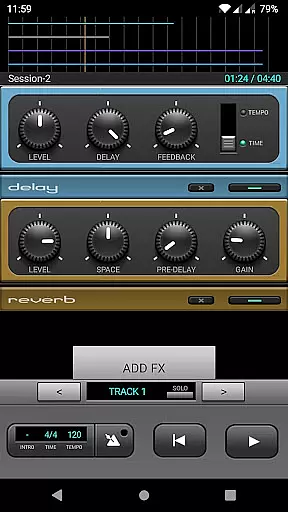
With its comprehensive suite of audio effects including Fuzz, Chorus, Delay, Equalizer, Reverb, Phaser, and Compressor, J4T offers users the ability to enhance their recordings significantly. Whether you're sketching out a new melody or finalizing a full demo track, this app provides all the tools necessary to bring your musical vision to life.
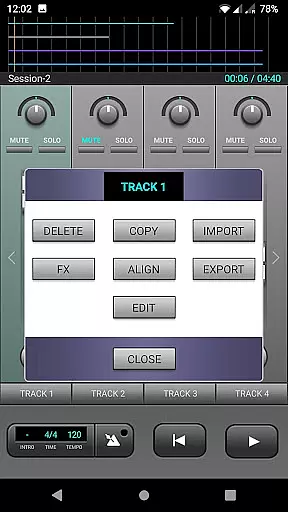
The J4T Multitrack Recorder stands out with its robust feature set tailored for creative musicians. It includes four tracks for multi-layered recording, allowing artists to build complex compositions seamlessly. The app also boasts an extensive range of audio effects such as Fuzz, Chorus, Delay, Equalizer, Reverb, Phaser, and Compressor, enabling detailed sound customization.
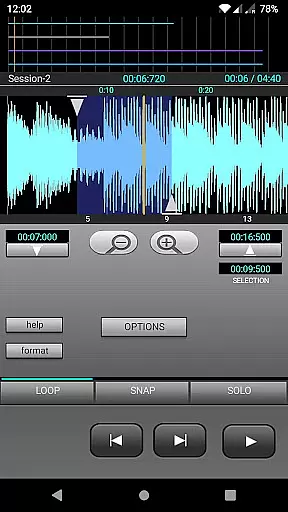
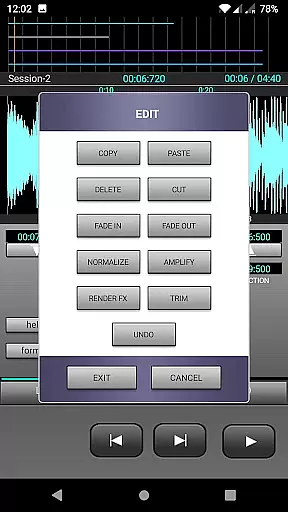
Additional functionalities include importing and exporting music files in MP3/WAV formats, a loop function for repetitive sections, and track editing capabilities. These features collectively ensure that users can refine their work efficiently while maintaining high-quality audio output throughout the process.
The J4T Multitrack Recorder offers a versatile platform for musicians to record and edit their music with complete creative freedom. While the app itself does not come preloaded with an extensive music library, it allows users to import and export their own audio files in both MP3 and WAV formats.
This feature ensures that artists can work with their original compositions or licensed tracks without concerns about copyright infringement. The ability to use personal audio files enhances the flexibility of the recording process, making it suitable for songwriters and musicians who want to experiment with different sounds and arrangements.
By focusing on user-generated content, the app emphasizes authenticity and originality. Musicians can confidently build their projects knowing they have full control over the source material, which is crucial when creating demos or final productions intended for sharing or professional use.
Audio quality is paramount when recording music, and the J4T Multitrack Recorder excels in delivering professional-grade sound. The app supports high-quality audio effects such as Fuzz, Chorus, Delay, Equalizer, Reverb, Phaser, and Compressor, allowing users to enhance their recordings with studio-level precision.
For devices running Android 10 or higher, live monitoring is available, ensuring real-time feedback during the recording process. This feature is particularly beneficial for musicians who need to make instant adjustments to achieve the desired sound quality.
In addition to its robust effects suite, the app provides track editing capabilities and a loop function, enabling seamless refinement of each audio layer. These tools collectively contribute to producing polished, high-fidelity recordings that meet industry standards.
User-friendly interface
Wide range of audio effects
Supports live monitoring
Flexible track editing
Import/export functionality
Limited to four tracks
No MIDI support
Interface may feel dated
Occasional bugs reported
Advanced features require learning

Turn your phone into a musical instrument from the future!
 3.90
3.90
The Skullcandy App Experience
3.20
VB-AUDIO Software / VBAN-Receptor allows listening to any VBAN Streams
4.10
Enhance the sound quality of your devices, listen to what you want
4.50
Enjoy singing any song, no matter how high or low it is
4.30
Learn and play 2M+ music tabs & chords on guitar, ukulele, bass, and more
4.30
Responsive piano with great sounds, graphics, and songs
4.80
Offline Tunes, Unlimited Vibes
3.90
Listen to offline music and sounds from all categories
4.70
JBL PartyBox APP works with 110/310/710/120/320/520/Encore/Encore 2/Encore Ess 2
4.80
Your song collections with lyrics and chords on Android smartphones and tablets.
4.80
Walkout Song DJ is the most intuitive app to manage your sports music.
4.70
Visualize the guitar fretboard, master scales & play through changes like a pro!
4.50
A sleek, no-frills player designed for true music lovers.
4.20
PowerAudio is a powerful offline music player.
4.20
The only true audiophile music player with Hi-Fi audio rendering and DSP engine
3.90
USB audio recording and playback finally possible on Android 3.1 or higher!
3.90
Sheet music reader, piano & music note player. Play music score & learn to read.
3.90
Learn to play the piano using falling notes!
3.80


User Reviews