
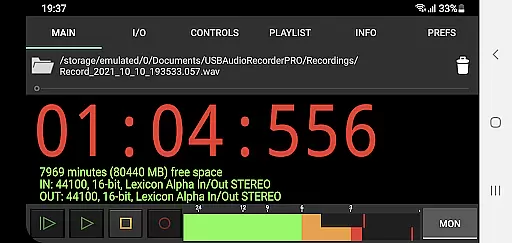
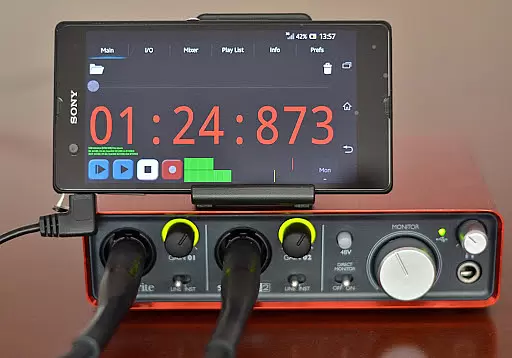
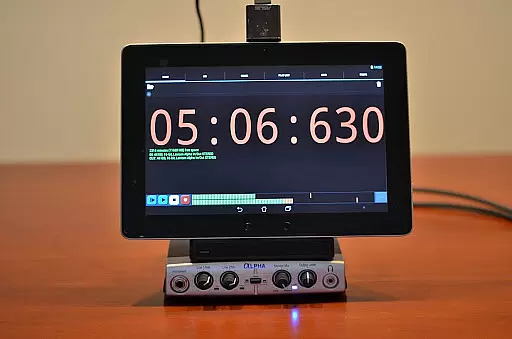
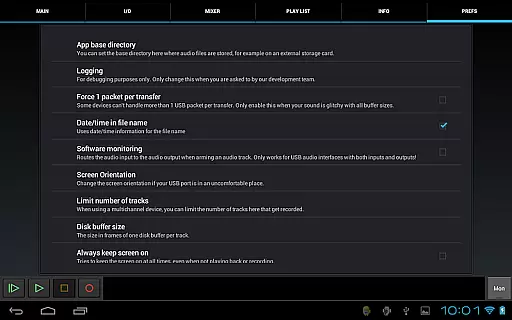
USB Audio Recorder PRO is a specialized audio recording and playback application designed for users who require high-quality audio processing directly through a USB audio interface. The app offers professional-grade features that cater specifically to audiophiles and audio professionals who need precise control over their recordings. With support for various bit depths up to 384 kHz sample rate, it ensures that audio is captured and played back with exceptional clarity and detail.
The software stands out by offering mono, stereo, and multichannel recording options, alongside comprehensive format selections such as WAV, FLAC, OGG, and AIFF. This makes it versatile for different types of audio projects. Additionally, the app provides real-time level meters and monitoring capabilities, which are crucial for setting correct audio levels before recording. These features collectively make USB Audio Recorder PRO an indispensable tool for anyone serious about audio quality in their mobile productions.
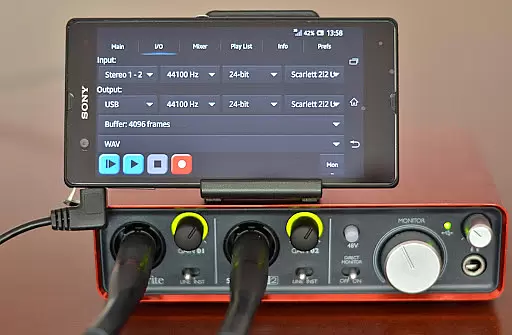
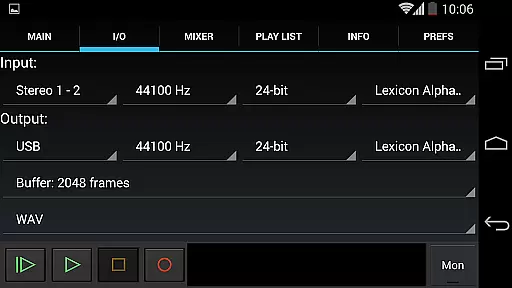
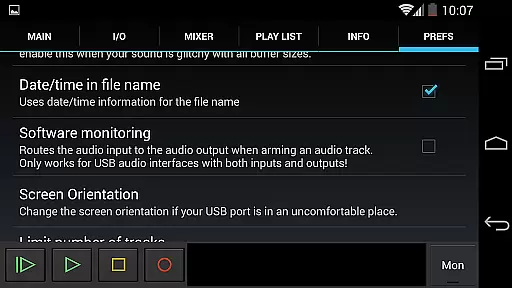
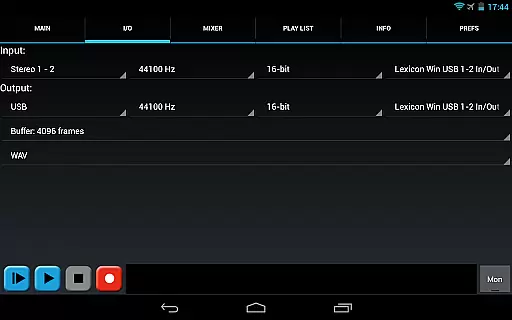
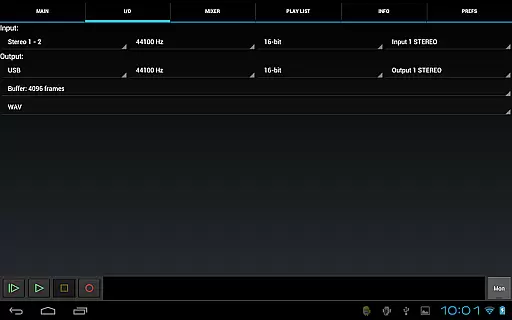
One of the standout features of USB Audio Recorder PRO is its ability to work seamlessly with class-compliant USB audio devices without requiring root access on your Android device. It supports both USB 1.1 and USB 2.0 standards, ensuring broad compatibility with a range of audio interfaces. The app allows users to select input and output channels, adjust buffer sizes from 1024 to 16384 frames, and choose between multiple recording formats including WAV, FLAC, OGG, and AIFF.
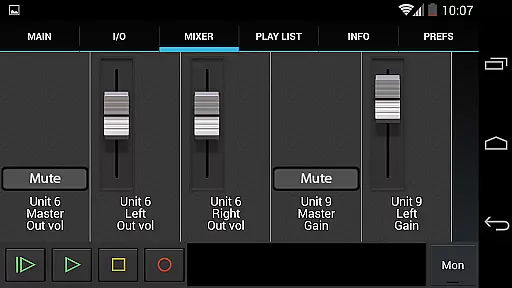
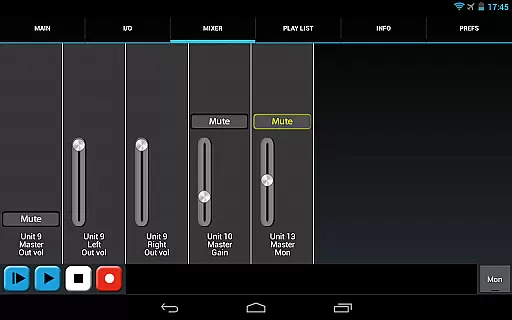
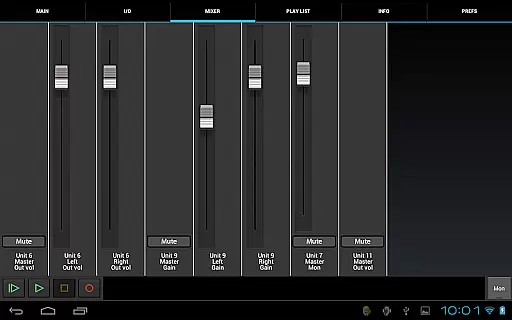
Another significant advantage is the internal mixer screen, which presents controls like gain, volume, and mute if these are available on the connected device. This gives users unprecedented control over their audio setup directly from their mobile device. Furthermore, the app includes basic playlist functionality and the ability to share recordings via email or platforms like SoundCloud, making it not only powerful but also convenient for immediate sharing and collaboration needs.
USB Audio Recorder PRO offers a comprehensive suite of features for high-quality audio recording and playback directly from a USB audio interface. While the app itself does not provide an extensive music library, it excels in ensuring that your personal audio files maintain their original quality during both recording and playback.
The application supports various file formats including WAV, FLAC, OGG, and AIFF, which ensures that users can work with high-quality, lossless audio files. This is crucial for maintaining copyright authenticity as the audio content remains unaltered and true to its source.
By supporting bit depths of 16-, 24-, and 32-bit, along with sample rates up to 384 kHz, the app provides professional-grade tools that cater to audiophiles and audio professionals who require precise control over their recordings. These capabilities ensure that any copyrighted material or original compositions are captured with the highest fidelity.
Moreover, the app's ability to load WAV, AIFF, FLAC, and OGG files for playback means that users can manage their personal music libraries with confidence, knowing that the integrity of their audio files is preserved. This makes USB Audio Recorder PRO a reliable choice for those who prioritize authentic and high-fidelity audio experiences.
USB Audio Recorder PRO stands out in the realm of audio applications by offering unparalleled audio quality options that cater to both amateur enthusiasts and professional audio engineers. The app supports recording and playback at various bit depths including 16-, 24-, and 32-bit, allowing users to capture every nuance of their audio with remarkable clarity.
In addition to flexible bit depth options, the app also supports sample rates up to 384 kHz, depending on the connected audio device. This high sample rate capability ensures that even the most subtle audio details are accurately recorded, providing an exceptional level of audio precision that is typically only found in professional studio equipment.
The app further enhances audio quality through its robust feature set, which includes input/output selection, buffer size adjustment ranging from 1024 to 16384 frames, and format selection for recordings such as WAV, FLAC, OGG, and AIFF. These options give users the flexibility to fine-tune their recording setup according to their specific needs and preferences.
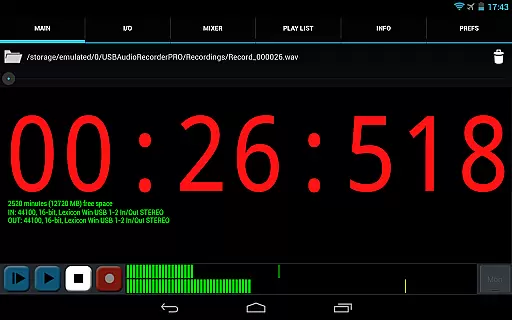
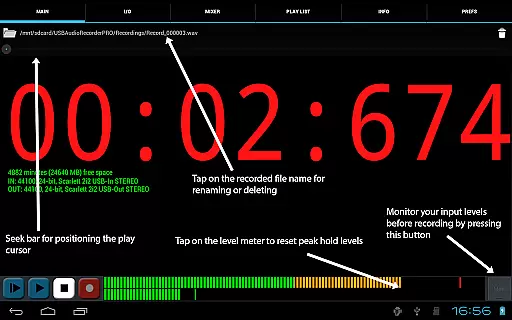
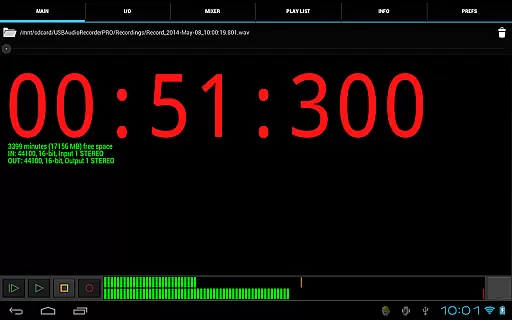
Furthermore, the inclusion of level meters with peak hold functionality and a monitor button for setting levels before recording empowers users to achieve optimal audio quality consistently. With these advanced features, USB Audio Recorder PRO delivers a sophisticated toolset that guarantees pristine audio quality across various recording scenarios.
High-quality audio recording
Wide format compatibility
Real-time level monitoring
Extensive device support
User-friendly interface
Limited to specific devices
No MP3 support
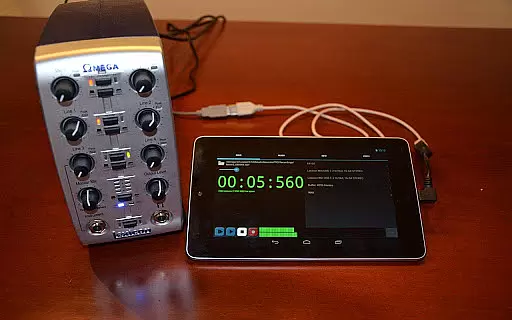
Requires OTG cable
Complex for beginners
Higher system requirements

Over 100 million tracks available for high quality streaming and download
 4.60
4.60
Taal player that lets you sing any Indian & Western song with Tabla & Tanpura
4.60
Next generation modular control surface
4.10
A sleek, no-frills player designed for true music lovers.
4.20
The official Sonos app
4.10
Simple mp3 and mp4 player with advanced features.
3.40
Sheet music reader, piano & music note player. Play music score & learn to read.
3.90
Reverse your voice & songs instantly! Fun singing challenge with cool effects.
4.60
Melody Beat: Great for travel, workouts, offline vibes, play your tunes anytime.
4.10
Performance-Synthesizer & Multi-Track-Sequencer, polyphonic + multi timbral!
4.70
Listen radio AM / FM Stations. Live AM / FM Radio App Station. Radio Com.
4.70
Super Sound Editor, Song Maker & Mixer, Vocal Remover, Voice Recorder & Changer!
4.60
A complete sound package for the sound engineer or enthusiast
4.60
Enhance the sound quality of your devices, listen to what you want
4.50
Manage your Sonos system directly from your home-screen!
4.40
Equalizer, Bass Booster and Volume Booster (Eq & Bass) improve sound quality
4.30
PowerAudio is a powerful offline music player.
4.20
MilkDrop for Android TV
3.00
Make music anywhere. Turn your device into an instrument.
4.1


User Reviews