
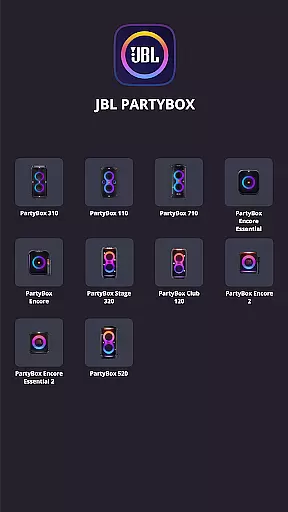
JBL PartyBox is a powerful music and audio application designed to enhance your party experience. This app allows users to wirelessly connect compatible JBL PartyBox speakers, including models like PartyBox 310, PartyBox 110, PartyBox 710, PartyBox Encore Essential, and more. With the ability to personalize and control speaker settings directly from your mobile device, it offers both convenience and customization options for an immersive audio experience.
One of the standout features of the JBL PartyBox app is its seamless integration with the latest JBL PartyBox series, ensuring that users can access software updates and receive product support directly through the app. Whether you're hosting a backyard barbecue or setting up for a large event, this app ensures your sound system is optimized and ready to deliver high-quality audio performance.
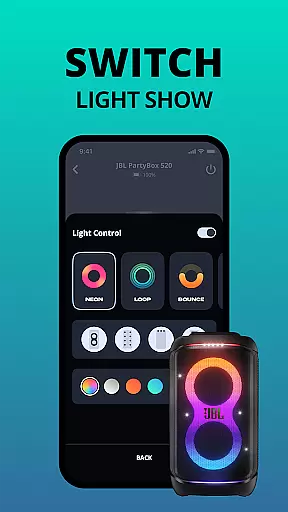
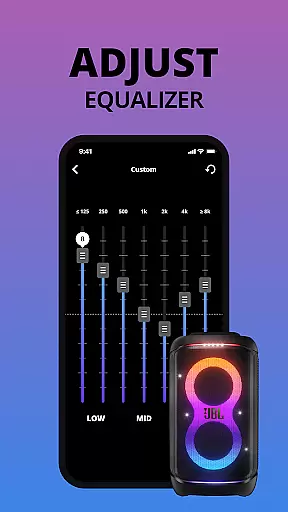
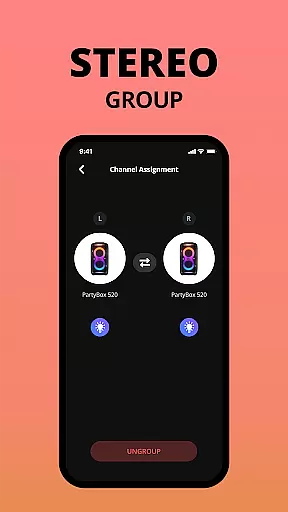
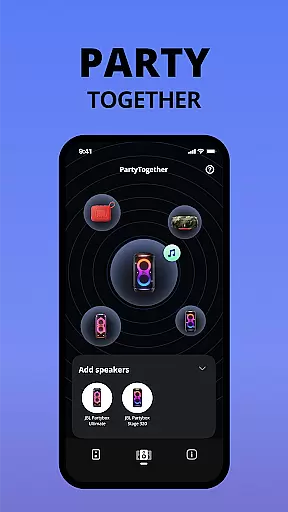
The JBL PartyBox app boasts several key features that make it an essential tool for managing your audio setup. First, it provides wireless connectivity to compatible JBL PartyBox speakers, eliminating the need for cumbersome cables and allowing for greater flexibility in speaker placement. Users can easily adjust settings such as equalizer presets, lighting effects, and volume levels directly from their smartphones.
Another notable feature is the ability to personalize your speaker experience. The app lets you customize audio settings to match your preferences, ensuring optimal sound quality tailored to different environments and music genres. Additionally, the app serves as a hub for firmware updates, ensuring that your speaker always operates with the latest enhancements and improvements. These features collectively ensure that users have complete control over their audio experience while maintaining peak performance.
When it comes to music applications, the size and authenticity of the music library are crucial factors. The JBL PartyBox app offers a comprehensive selection of tracks that cater to various musical tastes while ensuring all content is properly licensed. This means users can enjoy a vast array of songs without worrying about copyright infringement issues.
The application's compatibility with multiple PartyBox models allows for seamless wireless connectivity, enhancing the overall experience. Users can access their favorite tunes across different devices, making it an ideal choice for parties and gatherings where music plays a central role.
Moreover, the app provides regular software updates which not only improve functionality but also expand the music library. These updates ensure that users have access to the latest hits and classic tracks alike, maintaining the freshness and relevance of the music collection over time.
Audio quality is paramount in delivering an immersive listening experience. The JBL PartyBox app excels in this area by offering superior audio quality options tailored to audiophiles and casual listeners alike. With its ability to connect wirelessly to compatible speakers, the app ensures high-fidelity sound reproduction that captures every detail of your favorite tracks.
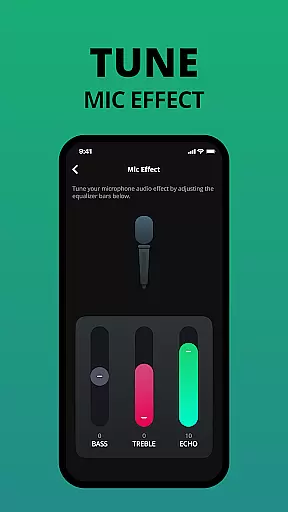
Users can personalize their speaker settings directly from the app, adjusting bass, treble, and other audio parameters to suit their preferences. This level of customization empowers users to create an optimal listening environment whether they're hosting a lively event or enjoying a quiet evening at home.
In addition to personalization features, the app supports various audio formats, providing flexibility in how music is played back. This versatility guarantees that regardless of the source material, listeners will enjoy clear, dynamic sound that brings their music to life.
User-friendly interface
Wireless connectivity
Customizable audio settings
Direct software updates
Comprehensive product support
Limited speaker compatibility
No support for older models
Occasional connectivity issues
Requires stable internet
Advanced features locked behind updates

Offline and always ad-free - stream in the highest quality available.
 4.10
4.10
Performance-Synthesizer & Multi-Track-Sequencer, polyphonic + multi timbral!
4.70
The best music and audio player, with beautiful UI, music search and equalizer.
4.60
Learn and play 2M+ music tabs & chords on guitar, ukulele, bass, and more
4.30
Help you quickly get started with Shokz headphones
4.40
The original SP-1200 experience on your iPad
4.20
The Minimalistic Premium Music Player. Handmade with passion for music
2.20
Listen to offline music and sounds from all categories
4.70
Be a true music maker: create beats, mix and make music like a real DJ!
4.30
Ultimate Sonos Controller
4.70
Listen to live FM radio stations, sports, music and news on global radios online
4.70
Listen radio AM / FM Stations. Live AM / FM Radio App Station. Radio Com.
4.70
Time Trainer: accurate metronome w tools to help you develop your internal time!
4.20
A High-Precision Audio Spectrum Analysis App
4.20
VB-AUDIO Software / VBAN-Receptor allows listening to any VBAN Streams
4.10
The official Sonos app
4.10
Turn your Android phone into a professional audio analyser with up to 120 bands.
4.00
The Cubase remote control app
3.60
The Skullcandy App Experience
3.20


User Reviews