



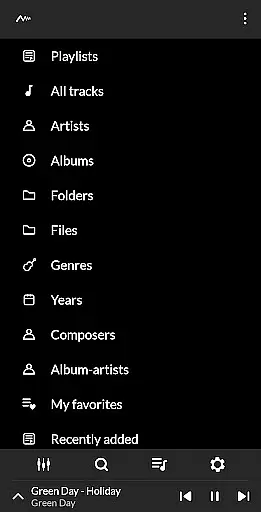
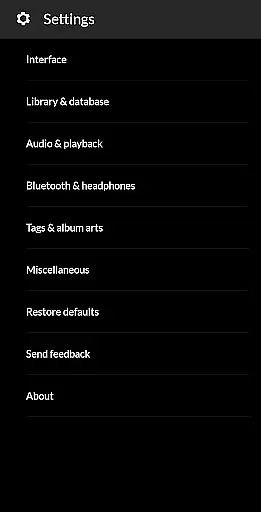
PowerAudio Plus Music Player is a feature-rich audio player designed to elevate your music listening experience. With its intuitive interface and support for all major audio formats, this app makes managing and enjoying your music library effortless. The app allows users to browse songs by albums, artists, playlists, or favorites, ensuring quick access to preferred tracks.
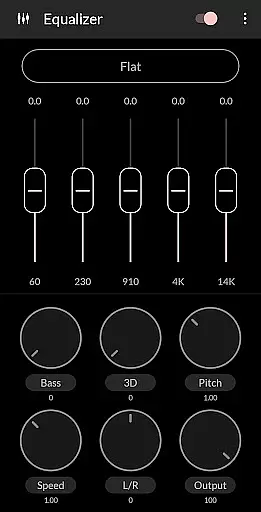
One standout feature is the powerful equalizer with BassBoost and Virtualizer, offering various presets and custom settings to tailor sound output. Additionally, PowerAudio supports advanced functionalities like multi-select, custom queues, and playlist creation. Whether you're commuting or relaxing at home, the app's sleep timer, headphone detection, and background play ensure uninterrupted playback.
This app is perfect for audiophiles who demand high-quality sound and versatile music management tools. Its ability to set ringtones, share media files, and display codec details adds extra utility, making it an indispensable tool for any music lover.
PowerAudio Plus Music Player boasts an array of features that cater to diverse user needs. The app supports all major audio formats including MP3, M4A, WAV, AAC, AMR, and OGG, ensuring compatibility with any music file. Its powerful equalizer comes with BassBoost and Virtualizer, allowing users to choose from preset options or create custom sound profiles.
Beyond basic playback, PowerAudio offers advanced organizational tools. Users can browse songs by albums, artists, playlists, or favorites, and even sort tracks by name, date, or date added. The app also includes practical features like a sleep timer, repeat/shuffle options, and the ability to detect headphones, which automatically pauses playback when headphones are disconnected.
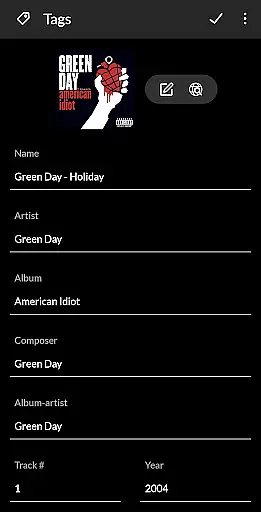
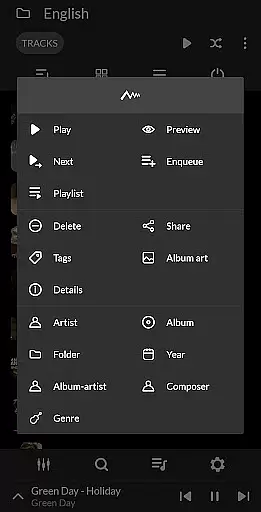
Additional functionalities include setting phone ringtones, sharing media files, and viewing detailed codec information such as bitrate and sample frequency. With support for background play, customizable queues, and the ability to delete songs or playlists directly from the app, PowerAudio provides a comprehensive music management solution.
PowerAudio Plus Music Player offers an extensive music library that supports all major audio formats including mp3, m4a, wav, aac, amr, and ogg. This ensures that users can enjoy a wide variety of music without worrying about compatibility issues.
The application allows users to browse songs not only by albums and artists but also through playlists and favorites, enhancing the accessibility and organization of their music collection. With the feature to create your own playlists, users have the freedom to curate personalized music experiences.
Moreover, PowerAudio Plus includes a powerful equalizer with BassBoost and Virtualizer, providing various music presets and the option to create custom presets. This functionality significantly improves the audio quality, making each listening session a delightful experience.
While the app does not explicitly mention copyright authenticity, its ability to set phone ringtones and share media files indicates a respect for user customization and content sharing within legal boundaries.
One of the standout features of PowerAudio Plus Music Player is its superior audio quality, which is evident through the support of high-quality audio formats and an advanced equalizer. The equalizer comes with BassBoost and Virtualizer, allowing users to choose from a variety of presets or craft their custom sound profile.
This music player also provides detailed codec information such as bitrate, sample frequency, and channels, giving audiophiles the transparency they need to make informed decisions about their listening preferences. Such features ensure that the audio output is not only rich but also tailored to individual tastes.
In addition to these, the player's ability to manage and play music smoothly in the background highlights its dedication to maintaining audio quality even when multitasking. The inclusion of a sleep timer further exemplifies the app's focus on user convenience without compromising sound performance.
Overall, PowerAudio Plus Music Player delivers an exceptional auditory experience by combining versatile format support, customizable equalizer settings, and comprehensive playback controls, establishing itself as a top choice for discerning listeners.
User-friendly interface
High-quality audio playback
Customizable equalizer
Advanced playlist options
Background music support
Requires multiple permissions
No built-in lyrics support
Limited visual themes
Occasional ads in free version
Large app size

Make music anywhere. Turn your device into an instrument.
 4.3
4.3
Walkout Song DJ is the most intuitive app to manage your sports music.
4.70
Permanently backup Now Playing. Maps, filters & listening stats.
4.00
Visualize the guitar fretboard, master scales & play through changes like a pro!
4.50
The best music and audio player, with beautiful UI, music search and equalizer.
4.60
24,000 free audio books and no ads!
4.90
AI Music Maker: Generate And Compose AI Tunes & AI Songs & AI Music & AI Melody!
4.60
Learn and play 2M+ music tabs & chords on guitar, ukulele, bass, and more
4.30
Sheet music reader, piano & music note player. Play music score & learn to read.
3.90
Responsive piano with great sounds, graphics, and songs
4.80
Over 100 million tracks available for high quality streaming and download
4.60
Guzheng Master supports many playing techniques as an acoustic Guzheng
4.50
10-Band Audio Equalizer, Sound / Bass Booster for Spotify Users & Music Players
4.40
Ringtone Maker is free app create ringtone from music files or your recording.
4.40
Equalizer, Bass Booster and Volume Booster (Eq & Bass) improve sound quality
4.30
The original SP-1200 experience on your iPad
4.20
The official Sonos app
4.10
Learn to play the piano using falling notes!
3.80
Music Streaming suite for Ampache, Nextcloud Music and compatible backends.
4.0


User Reviews