
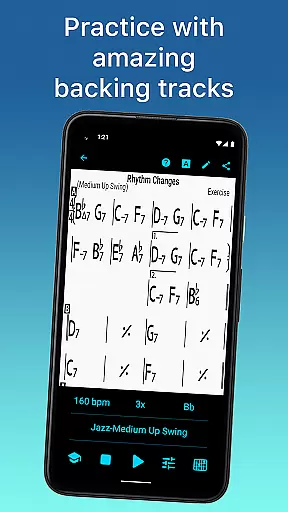
iReal Pro is a comprehensive music practice tool designed for musicians of all levels. This app simulates a realistic band accompaniment, allowing users to practice with high-quality piano, guitar, bass, and drum sounds. It also features an extensive library of chord charts that can be edited, printed, and shared, making it an essential resource for both practice and performance.
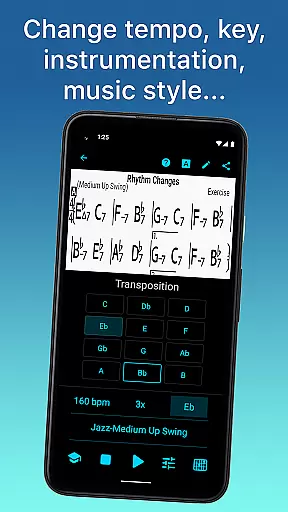
One of the standout features is its versatility - users can choose from 51 included accompaniment styles, ranging from Swing to Latin, and further personalize each style with various instrument sounds. The app supports transposition to any key, includes helpful exercises for common chord progressions, and offers advanced practice settings such as automatic tempo increase. iReal Pro is used by top music schools worldwide, including Berklee College of Music.
Whether you're a beginner or a professional musician, iReal Pro provides the tools necessary to improve your skills. Its ability to export charts as PDFs and audio files in multiple formats ensures your music is always accessible. With its combination of practical features and educational value, this app is an indispensable companion for modern musicians.
iReal Pro stands out with its robust feature set tailored specifically for musicians. The app's virtual band accompaniment is powered by 51 distinct styles, including Swing, Bossa Nova, and Reggae, with additional styles available via in-app purchases. Each style can be customized with a variety of instrument sounds, such as Fender Rhodes, acoustic bass, and vibraphone, providing a rich and authentic practice experience.
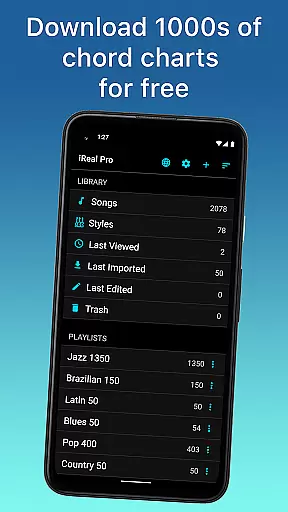
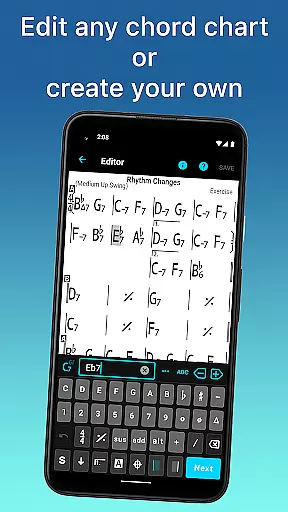
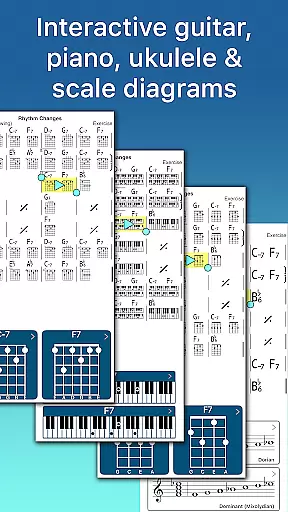
The app excels in its song management capabilities. Users can download thousands of songs from the forums, edit existing charts, or create new ones using the built-in editor. Advanced practice features include the ability to loop specific measures, transpose charts to number notation, and even display scale recommendations for improvisation. The included chord diagrams and fingering charts for guitar, piano, and ukulele further enhance the learning experience.
iReal Pro also emphasizes sharing and accessibility. Songs and playlists can be shared with other users via email or exported as PDFs and MusicXML files. Audio exports are available in WAV, AAC, and MIDI formats. These features, combined with the app's global Eb, Bb, F, and G transposition options for horn players, make it an exceptionally versatile tool for musicians across different instruments and skill levels.
Having a comprehensive music library is essential for any musician looking to practice and improve their skills. iReal Pro boasts an extensive collection of songs that can be easily downloaded from the forums, providing users with thousands of options to choose from. This vast library ensures that musicians of all genres and preferences can find relevant material to work with.
In addition to its size, the app places a strong emphasis on copyright authenticity. All the content available through iReal Pro is properly licensed, giving users peace of mind that they are working with legitimate materials. This commitment to copyright compliance not only supports the original artists but also enhances the overall user experience by offering high-quality, legal content.
The app's dedication to maintaining an authentic and diverse music library means that users can focus on their practice without worrying about legal issues or content restrictions. Whether you're a beginner or a seasoned professional, having access to such a well-stocked and legally sound library is invaluable for musical growth and exploration.
Audio quality is paramount when it comes to practicing with accompaniment, and iReal Pro excels in this area. The app offers a variety of sounds including piano, Fender Rhodes, acoustic and electric guitars, acoustic and electric basses, drums, vibraphone, organ, and more. This allows musicians to personalize each style with the most suitable audio settings, ensuring a realistic and immersive practice experience.
Moreover, iReal Pro provides advanced features for recording yourself playing or singing along with the accompaniment. Users can take advantage of these options to critically assess their performance and make necessary adjustments. The ability to record in high-quality audio formats further enhances the learning process, as it captures nuances that might be missed with lower quality options.
With support for exporting audio as WAV, AAC, and MIDI, musicians have the flexibility to use their recordings in various contexts. These formats cater to different needs, whether it's for sharing, further editing, or professional production. Such versatility in audio quality options makes iReal Pro a top choice for musicians who demand the best in their practice sessions.
User-friendly interface
Extensive style options
Advanced practice features
Export functionality
Trusted by professionals
Some styles cost extra
Occasional bugs reported
Learning curve for beginners
Limited free content
Subscription required

Simply convert wav to mp3. Clear. Reliable. Safe.
 4.1
4.1
Tune in to the greatest hits on UK Radio | The home of Capital, Smooth & Heart.
4.90
Control your MIDI USB or Bluetooth devices in app and avoid some trampling
3.30
Performance-Synthesizer & Multi-Track-Sequencer, polyphonic + multi timbral!
4.70
Taal player that lets you sing any Indian & Western song with Tabla & Tanpura
4.60
A synth that really lets you shape your sounds!
4.50
DJ Music Mixer - DJ Remix: remix songs, make beat music & record mix of DJ.
4.40
Unleash your creativity! Turn simple prompts into full fledged songs.
4.70
Versatile MP3 recorder with auto-backup to Dropbox and Google Drive
4.10
More downloads than any other metronome. Includes drum machine & tempo trainer.
4.80
Super Sound Editor, Song Maker & Mixer, Vocal Remover, Voice Recorder & Changer!
4.60
Save hundreds of dollars for a physical strobe tuner and instead use this app.
4.50
Advanced 10-Band Audio Graphic Equalizer Sound Booster Pro
4.30
Bass Booster Pro takes auto-equalizing to the next level!
4.30
Learn and play 2M+ music tabs & chords on guitar, ukulele, bass, and more
4.30
Powerful 10-Band equalizer pro with sound booster improves Android audio quality
4.30
Next generation modular control surface
4.10
Turn your phone into a musical instrument from the future!
3.90
Remove ads permanently from Music Visualizer
4.2


User Reviews