
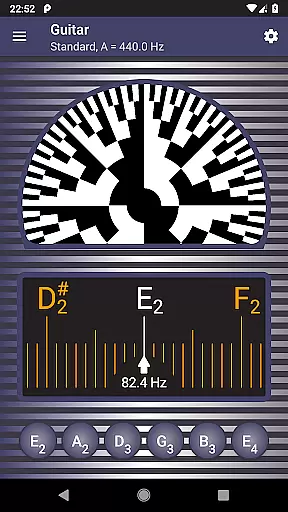
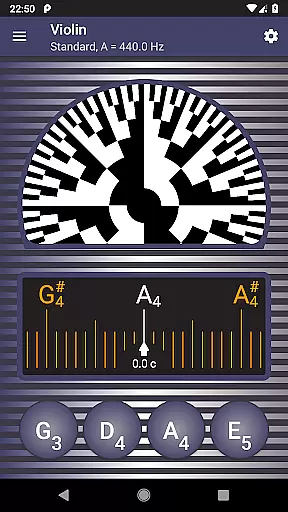
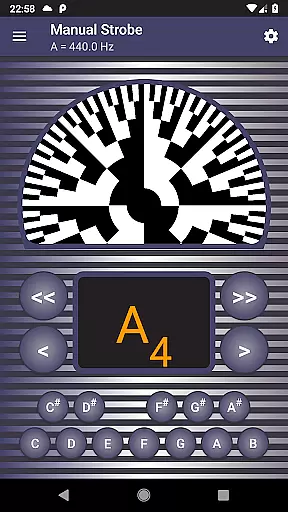
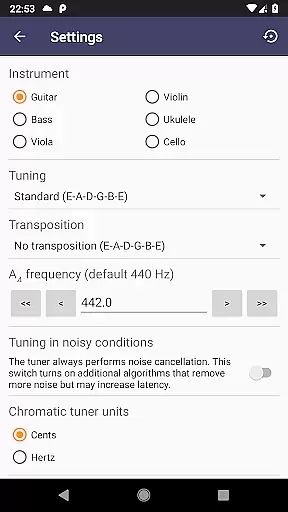
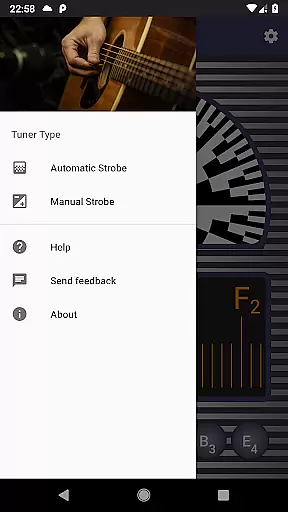
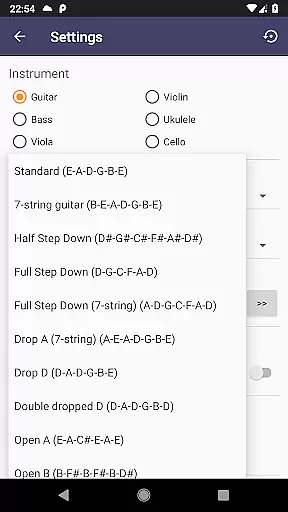
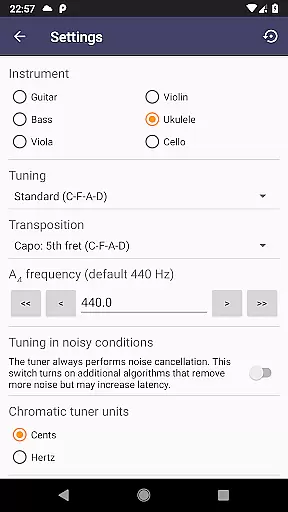
Strobe Tuner Pro is a highly accurate tuning application designed for musicians of all levels, from beginners to professionals. This app replicates the stroboscopic effect on your mobile device, traditionally seen in expensive physical tuners, offering an affordable alternative that doesn't compromise on precision. It supports a wide range of instruments including guitar, violin, bass, ukulele, viola, cello, banjo, and shamisen.
The app features both chromatic and strobe tuners that operate independently but share input from your device's built-in microphone. The chromatic tuner helps get your instrument roughly in tune by detecting the frequency of the played note, while the strobe tuner allows for fine-tuning with its visually intuitive interface. Additionally, Strobe Tuner Pro includes a metronome and the ability to play reference tones, making it an all-in-one tool for practice and performance preparation.
Whether you're tuning a guitar before a concert or ensuring your violin is pitch-perfect for a recital, Strobe Tuner Pro provides the accuracy and reliability needed to make your instrument sound its best. Its advanced algorithms and noise cancellation features ensure that even in less-than-ideal environments, you can achieve professional-level tuning.
Strobe Tuner Pro stands out with its dual-tuner system, combining a chromatic tuner and a strobe tuner. The chromatic tuner uses Fast Fourier Transformation to detect frequencies across the chromatic scale, highlighting target strings and indicating how far off-tune a note is. Once close to the correct pitch, users can switch to the strobe tuner for fine adjustments, which emulates the stroboscopic effect using advanced algorithms processed on the device's GPU.
Beyond its core tuning capabilities, the app offers several additional features that enhance the user experience. A built-in metronome allows musicians to keep time while checking their intonation, and the ability to play synthesized reference tones aids in tuning by ear. The app also supports various instruments and alternate tunings, catering to a broad audience of musicians. With settings for concert pitch frequency and note naming conventions, users can customize their experience to suit their specific needs.
Usability is further enhanced through features like a first-start tutorial, built-in help, and quick access to settings for switching between instruments. Advanced noise cancellation ensures reliable performance even in noisy environments, and the app's testing with numerous instruments guarantees compatibility and accuracy. Whether you're a seasoned professional or a novice musician, Strobe Tuner Pro provides the tools necessary to maintain your instrument's optimal sound quality.
Strobe Tuner Pro offers an extensive music library that caters to a wide range of instruments including guitar, violin, bass, ukulele, viola, cello, banjo, and shamisen. This vast selection ensures that musicians of all kinds can find their instrument's tuning within the app.
The app guarantees copyright authenticity by using advanced algorithms for its tuners, which are independent yet complement each other. The chromatic tuner utilizes Fast Fourier Transformation while the strobe tuner employs a method akin to oscilloscopes, both ensuring accurate and legal sound reproduction.
Users benefit from the app's professional-grade accuracy and ease of use, making it suitable for both beginners and experienced musicians. With features like manual mode and concert pitch frequency setting, Strobe Tuner Pro provides tools that were once only available in expensive physical tuners.
Furthermore, the application includes a metronome combined with a chromatic tuner, allowing users to practice with precision timing and intonation simultaneously. This dual functionality enhances the overall value proposition of Strobe Tuner Pro as an essential tool for musicians.
Strobe Tuner Pro stands out with its superior audio quality options, providing musicians with extreme accuracy when tuning their instruments. Its unique stroboscopic effect algorithm, computed directly on the deviceu2019s GPU, delivers unparalleled precision that rivals physical strobe tuners costing hundreds more.
In addition to high-quality audio processing, the app supports various note naming conventions such as English, European, and Solmization, catering to international musicians' preferences. Equal temperament tuning ensures compatibility across different musical genres and styles.
Musicians can also take advantage of advanced noise cancellation features that allow tuning even in noisy environments or alongside a metronome. This robustness against ambient sounds makes Strobe Tuner Pro versatile for live performances or practice sessions anywhere.
Lastly, the ability to play reference tones at customizable concert pitch frequencies adds another layer of customization for users seeking perfect harmony with their instruments. These comprehensive audio settings empower musicians to achieve studio-quality tuning on-the-go.
Highly accurate tuning
Supports multiple instruments
Advanced noise cancellation
User-friendly interface
Affordable compared to physical tuners
Requires a quiet environment for best results
May drain battery quickly
Interface could be overwhelming for beginners
Limited offline functionality
Occasional bugs reported

Control your MIDI USB or Bluetooth devices in app and avoid some trampling
 3.30
3.30
10-Band Audio Equalizer, Sound / Bass Booster for Spotify Users & Music Players
4.40
Most Advanced AI Song Generator and Music Creator. Rap, Pop, Rock, Gospel & more
4.70
Simple & Intuitive Metronome
4.70
Brian Eno and Peter Chilvers’ acclaimed music app Bloom, radically reinvented.
4.80
The official Sonos app
4.10
PowerAudio is a powerful offline music player.
4.20
Sheet music reader, piano & music note player. Play music score & learn to read.
3.90
Sing, record, and create music together — enhanced by smart voice tools.
4.00
JBL PartyBox APP works with 110/310/710/120/320/520/Encore/Encore 2/Encore Ess 2
4.80
Bass Booster & Volume Equalizer Pro improves your music and video sound quality
4.60
Offline Music Player&MP3 Player with themes, equalizer, lyrics, music play mode
4.60
Learn the notes on the guitar fretboard fast with this easy and fun app
4.60
Let your Android device with the sound effects you want
4.50
Formerly known as Spotistats! View your top tracks, artists, albums and more!
4.40
Full featured mp3 and audio player with Chromecast and Android Auto support.
4.40
The alternative folder based music player.
4.20
Smart piano keyboard, Classical to Pop, Real-time multiplayer connection!
4.20
Permanently backup Now Playing. Maps, filters & listening stats.
4.00


User Reviews