
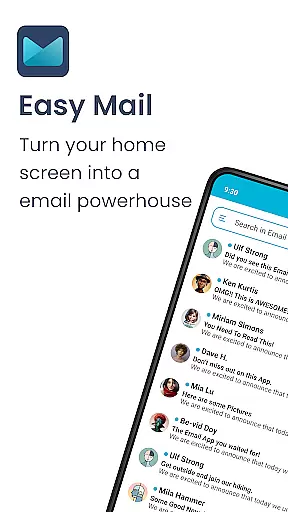
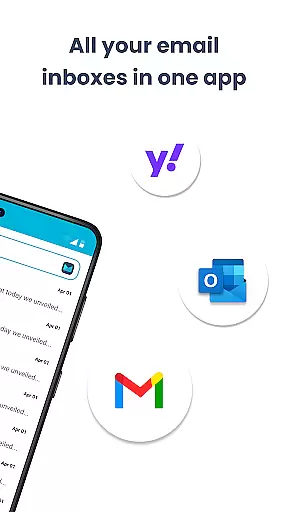
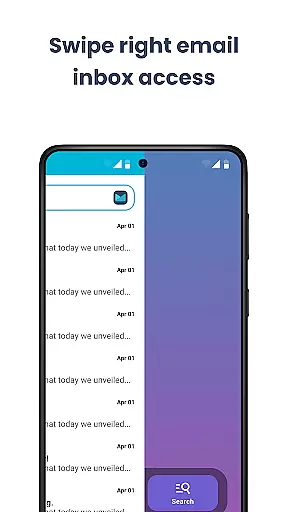
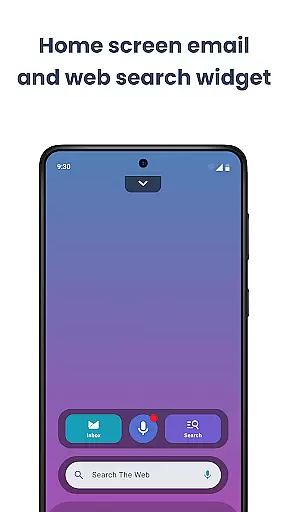
Easy Mail is a productivity-focused email launcher that simplifies your daily communication by bringing emails directly to your homescreen. This app eliminates the clutter of traditional email management, allowing users to access all their accounts in one unified inbox or switch between them effortlessly. With support for unlimited email providers including Gmail, Outlook, and Yahoo, it ensures comprehensive coverage for both personal and professional correspondence.
The app goes beyond basic email functionality by incorporating AI-powered writing assistance, which helps users craft better emails faster. Its privacy-first approach guarantees that all email data remains local, providing peace of mind for security-conscious users. Easy Mail also integrates essential launcher features like an organized homescreen, quick access app drawer, and widget support, making it a complete solution for streamlining your digital life while reducing unnecessary screen time.
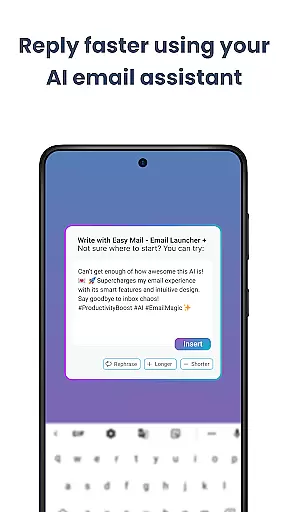
Easy Mail distinguishes itself through a combination of innovative features designed to enhance email management. The app's homescreen is meticulously crafted to prioritize mail and productivity, offering a clean interface free from distractions. Users can benefit from AI Email Assistance, which provides real-time suggestions for rephrasing, shortening, or polishing emails while maintaining the sender's natural tone.
Another standout feature is the seamless integration of web search capabilities directly into the email interface. Powered by Yahoo Search, this functionality allows users to find information quickly without leaving their inbox. The app supports unlimited email accounts across various providers, giving users the flexibility to manage multiple inboxes efficiently. Privacy is paramount, with all email processing done locally on the device. Additionally, launcher essentials such as an organized app drawer and widget support make navigation intuitive and efficient, creating a truly integrated user experience.
Customization is at the heart of Easy Mail, offering users a versatile way to tailor their email experience. The app provides an easy-to-navigate homescreen that focuses on what matters most - your emails. With the ability to add unlimited email accounts from various providers like Gmail, Outlook, and Yahoo, you can organize your inboxes just the way you want.
Easy Mail stands out with its AI Email Assistance feature, which allows for effortless editing of emails. Whether you need to rephrase, shorten, or polish your message, this tool adapts to your natural tone, making personalization both simple and effective. This level of customization ensures that every interaction feels personal and unique to the user's style.
The app also includes Launcher Essentials, providing an organized homescreen and quick access to an email inbox, app drawer, widget support, and trending content. These elements are fully customizable, allowing users to create a space that reflects their personal workflow and aesthetic preferences. Such comprehensive customization empowers users to craft an environment where productivity meets individuality.
Theme compatibility in Easy Mail ensures that users can enjoy a visually cohesive experience across their devices. The application supports a range of themes, allowing individuals to choose one that best suits their visual preference or mood. This flexibility not only enhances the aesthetic appeal but also contributes to a more comfortable reading and writing environment.
With privacy being a top priority, Easy Mail guarantees that all custom themes adhere to strict security standards. Users can switch between themes without worrying about data safety, as everything remains local and secure. This seamless integration of theme options with privacy protection demonstrates the app's commitment to both style and security.
Moreover, Easy Mailu2019s theme settings extend beyond mere color schemes; they encompass layout adjustments that align with how users prefer to manage their emails. From a clean homescreen built around productivity to an easy web search feature powered by Yahoo Search, each aspect is designed for intuitive use while maintaining consistent theming throughout the application. This holistic approach ensures that personalization does not come at the expense of functionality.
User-friendly interface
AI-powered email assistance
Unlimited account support
Privacy-focused design
Integrated web search
Limited customization options
Occasional sync issues
No advanced filtering
Basic widget functionality
Learning curve for new users

Ultra realistic gold analog watch face with lots of customization options.
 4.50
4.50
Beautiful realistic hybrid watch face with numerous customization options.
4.50
Winter's Journey: digital watch face for Galaxy Watch & Wear OS
4.80
Transform your phone with Launcher iOS 26 - Smooth & elegant iOS experience
4.50
Sparkle your screen with Glitter Wallpapers For Girls and Cute Backgrounds!
4.80
AI-powered Copilot. Personalized keyboard with gifs, stickers & themes
4.40
Personalize your phone with stunning HD and 4K wallpapers!
4.70
Zip lock screen with magic wallpaper to decorate your phone with fun zipper lock
4.60
Organize and manage your photos and videos effortlessly with Photo Gallery
4.20
A Colorful and Minimal icon pack in an Outline Style - Over 13,600 icons!
4.70
Embrace the Night. Unleash the power of darkness with Raven Dark Icon Pack
4.60
Icons made of colorful linear lines
4.60
300+ Beautifully crafted widgets inspired by OneUI.
4.60
Color phone with cool effects for call screen, flash alert & ringtones music
4.50
App Icon Changer & Shortcut Creator. Customize your icons without any watermarks
4.30
Launcher OS™ Pro without ads help make your phone simple and pretty
4.30
More than 3000+ themes and 9000+ wallpapers for everybody!
4.10
Ultimate widget creator. Design custom widgets for a truly unique home screen!
3.90
Transform your phone with stunning video wallpapers and a unique, personal touch
3.80


User Reviews