

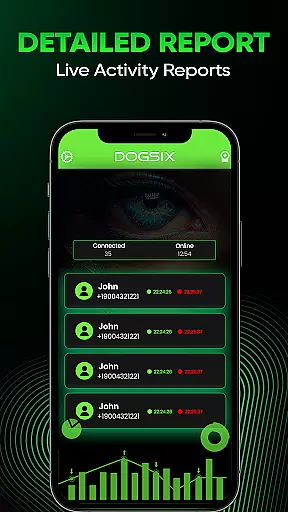
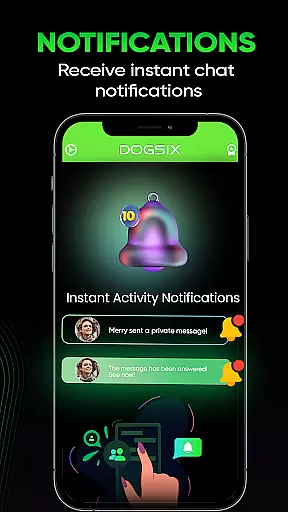
Dogsix Family Assistant is a comprehensive parental control tool designed to help parents monitor and manage their children's online activities. The app provides real-time insights into children's digital behavior, including last seen activity on social media platforms and detailed usage reports. Parents can set daily time limits or specific intervals for monitoring, ensuring a balanced routine especially during school hours or bedtime. With its focus on privacy and security, Dogsix allows users to delete all data with a single tap, giving families full control over their information.
The app's intuitive interface makes it easy for parents to understand their children's online habits. Through instant notifications and comprehensive analytics, Dogsix helps identify potential risks and promotes healthier device usage. Whether you want to ensure your child isn't spending too much time online or need to verify their safety during certain hours, Dogsix Family Assistant offers the tools necessary to maintain a secure and balanced digital environment for your family.
Dogsix Family Assistant stands out with its robust feature set tailored for modern parenting needs. One of its key features is real-time activity tracking, which provides instant notifications about a child's online presence, including their last seen status on various platforms. This ensures parents are always aware of when and where their children are active online. Additionally, the app generates detailed usage reports that break down time spent on different apps and websites, helping parents make informed decisions about screen time management.
Another notable feature is the ability to set customizable time restrictions. Parents can define daily limits or block access during specific periods, such as school hours or bedtime, promoting a healthier balance between online and offline activities. Privacy controls are also a priority, allowing users to delete all stored data with a single tap. These features collectively empower parents to create a safer digital space while respecting their child's privacy and independence.
Dogsix Family Assistant is designed to provide parents with accurate insights into their children's online activities. The app meticulously tracks usage patterns, last seen activity, and overall digital behavior, ensuring that the information provided is both precise and actionable.
The effectiveness of Dogsix lies in its comprehensive analysis tools. Parents can access detailed reports that break down their child's online habits, including time spent on various platforms and frequency of use. This allows for a deeper understanding of their digital footprint and helps in making informed decisions regarding their online safety.
One of the standout features is the ability to set specific time limits or intervals for monitoring. Whether it's during school hours or bedtime, parents can ensure a balanced routine without constant manual checks. This automated functionality enhances the app's effectiveness by providing timely updates and alerts.
With privacy as a top priority, Dogsix ensures that all data collected is secure and can be deleted instantly with a single tap. This commitment to data security not only builds trust but also reinforces the accuracy and reliability of the insights provided, making it an indispensable tool for modern parenting.
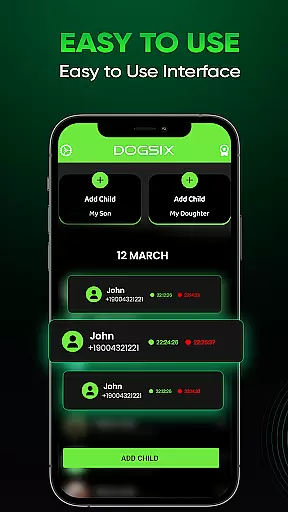
The interface of Dogsix Family Assistant is crafted to offer a seamless user experience. Its design emphasizes simplicity, ensuring that even those who are not tech-savvy can navigate through the app effortlessly. Clear icons and straightforward menus make it easy to access the app's core functionalities without any learning curve.
Intuitiveness is at the heart of Dogsix's design philosophy. The app provides instant notifications and detailed reports in an easily digestible format. Parents can quickly grasp their child's online habits through visual aids and concise summaries, which significantly enhances the decision-making process regarding their digital well-being.
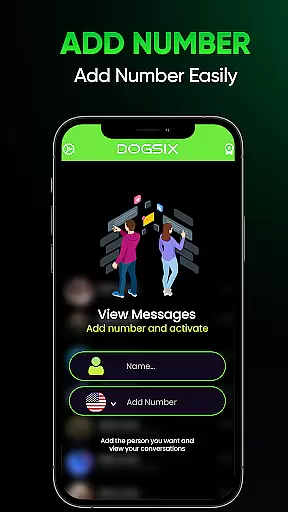
Another aspect of its intuitive design is the ease of setting up monitoring parameters. With just a few taps, parents can configure daily time limits or specific intervals for checking online activities. This simplicity ensures that users can focus more on understanding their child's online presence rather than getting bogged down by complex settings.
Furthermore, Dogsix offers 24/7 customer support to assist with any queries or issues. This added layer of support underscores the app's commitment to user-friendly design, ensuring that help is always available to maintain a smooth and stress-free experience. By prioritizing interface simplicity and intuitiveness, Dogsix makes digital parenting accessible and efficient.
User-friendly interface
Real-time activity tracking
Detailed usage reports
Customizable time limits
Strong privacy controls
Subscription-based pricing
Limited free features
Requires constant monitoring
Potential pushback from children
No cross-platform support

 4.10
4.10
Easily install aab(Android App Bundle) files on your Android device with our app
4.80
A convenient photo, video, and file recovery tool.
4.00
1-Click close all background apps on Android TV
3.90
Head tracking for PC sim games such as MSFS 2024 or Elite:Dangerous. No headset!
4.50
Quickly & easily calculate the spacing of handrail balusters
4.20
The one-and-only remote control for PC, Mac, and Linux
4.70
Quickly check the frequency of the Earth
4.30
Enjoy a smooth mobile reading experience!
3.60
Enjoy smooth gameplay with Game Booster
4.90
Extremely fast, secure, and protects your privacy
4.80
Excellent scientific calculator with symbolic algebra, integrals, derivatives
4.80
Small and simple app to Verify Root Access and BusyBox Install!
4.70
Just swipe the edge to do something!
4.40
Complete kernel toolbox with features to manage and tweak your rooted device
4.30
An easy-to-use calculator designed to save time calculating and bending conduit
4.30
Introducing Smart Printer, your ultimate destination for printing solutions!
4.00
Create your own live wallpaper or check out thousands already made presets
3.90
Clean the junk files on your device
3.40


User Reviews