
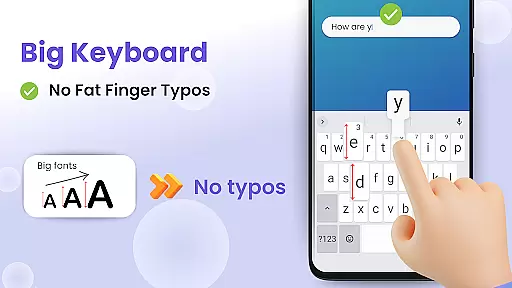
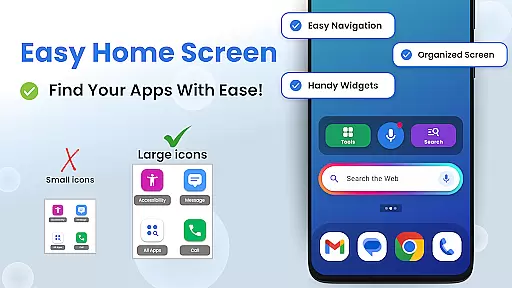
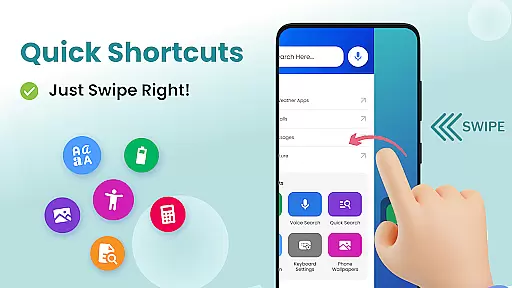

Big Keyboard: Easy Homescreen is a personalization app that transforms your smartphone experience with an intuitive home screen layout and essential accessibility tools. The app features a new home screen design with quick-swipe shortcuts, providing easy access to frequently used functions. Its standout feature is the enlarged keyboard, which can be increased up to 70% larger than the standard keyboard, significantly reducing typos and improving typing efficiency.
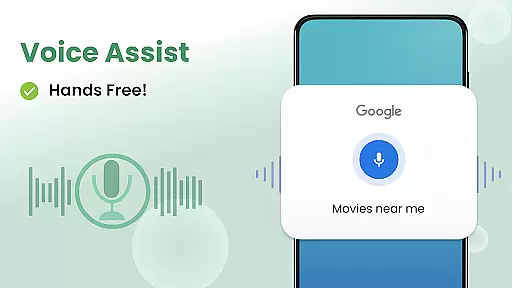
In addition to its core functionality, the app includes practical utilities such as a magnifier tool for reading small text, a built-in flashlight for low-light situations, and voice assistant capabilities for hands-free operation. Users can personalize their devices with free wallpaper options while enjoying seamless access to display settings and other helpful tools like calculator and Yahoo-powered search. These features make the app particularly beneficial for users seeking enhanced visibility and simplified navigation on their mobile devices.
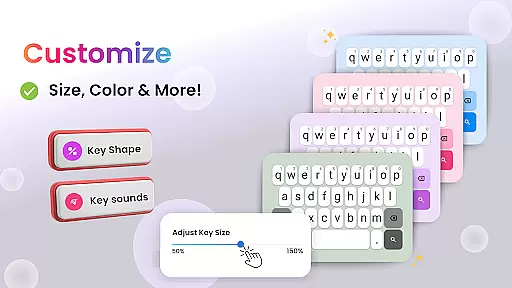
The Big Keyboard app distinguishes itself through several innovative features designed to optimize user interaction. Its customizable keyboard allows users to adjust the size during setup or afterward, ensuring maximum comfort and accuracy while typing. This flexibility caters to individual preferences and helps prevent common typing errors associated with smaller keyboards.
Beyond its primary function, the app provides valuable accessibility tools. The integrated magnifier and flashlight combination proves especially useful in dim environments, allowing users to read menus or small print effortlessly. Additionally, the hands-free voice assistant enables convenient web searches without manual input. These features collectively enhance usability, making daily tasks more manageable while offering personalized options for device customization.
Another notable aspect is the app's dedication to user-centric design. By incorporating fun wallpapers and straightforward access to essential settings, it strikes a balance between functionality and personal expression. The clean home screen layout with swipe shortcuts streamlines navigation, while regular updates demonstrate the developers' commitment to continuous improvement based on user feedback.
Customization is at the heart of personalizing your smartphone experience, and Big Keyboard offers a range of options to tailor your device to your needs. With features like an intuitive home screen layout and quick-swipe shortcuts, this app transforms your phone into a personalized assistant. The ability to adjust keyboard size up to 70% larger than the default ensures that typing becomes not only easier but also faster, catering to users who struggle with smaller keys.
In addition to the big keyboard, the app provides easy access to display settings and accessibility options, allowing users to modify their phone's appearance and functionality according to their preferences. Whether it's through selecting from built-in free wallpaper options or utilizing helpful tools such as a magnifier for reading small text, Big Keyboard empowers users to create an environment that feels comfortable and suits their individual style.
The inclusion of fun wallpapers and the option to personalize phone backgrounds add another layer of customization. This means you can express yourself while enjoying practical benefits like improved visibility and ease of use. By integrating these varied customization features, Big Keyboard makes sure that every aspect of your home screen is adapted just for you, enhancing both aesthetics and usability.
Theme compatibility is crucial for ensuring a seamless visual experience across all aspects of a mobile interface. Big Keyboard excels in this area by offering themes that are visually consistent with various Android devices. Users will find that the appu2019s design integrates smoothly with their deviceu2019s existing look and feel, maintaining coherence throughout the user interface elements.
With its customizable keyboard sizes and adaptive layout options, Big Keyboard supports different themes without compromising on functionality or aesthetics. This flexibility allows users to switch between themes while retaining full access to essential features like hands-free voice assistance and easy shortcuts, which remain readily available regardless of theme changes.
Moreover, the app enhances theme compatibility by providing additional tools such as a magnifier and flashlight, which blend well into any chosen theme. These utilities ensure that no matter what theme you select, your interaction with the phone remains intuitive and efficient. By focusing on both form and function, Big Keyboard guarantees that each user enjoys a cohesive yet personalized smartphone experience.
User-friendly interface
Customizable keyboard size
Integrated accessibility tools
Voice assistant functionality
Free personalization options
Limited advanced features
Potential performance issues
Occasional ads display
Basic design elements
Restricted customization

Customizable Glass widgets. Over 360+ stunning widgets and more!
 4.70
4.70
Prank your friends with realistic broken screen and cracked HD effects!
4.1
Art & Emoji Keyboard with Cool Fonts, Cute Themes and Custom Designs.
4.40
Zip lock screen with magic wallpaper to decorate your phone with fun zipper lock
4.60
⭐ OneUI inspired Fluffy Icon Pack – Soft. Stylish. Standout. ⭐
4.0
300+ Stunning and well-designed widgets inspired by NOTHING.
4.70
Amazing letter fonts in your messages and social statuses
4.70
Create stunning widgets with Widget 2026: Aesthetic Widgets for Android!
4.60
Transform your phone with stylish zipper lock themes and 4D live wallpaper
4.10
Only for Wear OS devices!
4.90
300+ Beautifully crafted widgets inspired by OneUI.
4.60
Beautiful realistic hybrid watch face with numerous customization options.
4.50
Ninja Turtles Cowabunga SE watch face for Wear OS
4.50
Transform your phone with Launcher iOS 26 - Smooth & elegant iOS experience
4.50
Aesthetic Widgets, HD Wallpapers, Themes in Mico Widget for Home and Lock Screen
4.50 4.50
4.50
A light in the dark, a unique style and an andless cutomization!
4.30
Romantic Kiss Stickers App. Start romantic messaging now!
4.30
Organize and manage your photos and videos effortlessly with Photo Gallery
4.20


User Reviews