
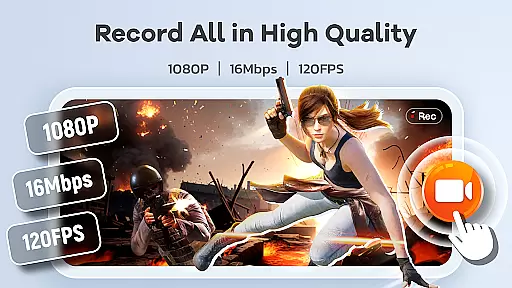
Screen Recorder Video Recorder is a versatile screen recording and video editing tool designed for users who want to create high-quality content directly from their mobile devices. This app allows you to capture your screen in stunning HD quality, up to 1080P resolution, with smooth frame rates of up to 120FPS. Whether you're creating tutorials, recording gameplay, or capturing video calls, the app ensures crystal-clear audio and video output.
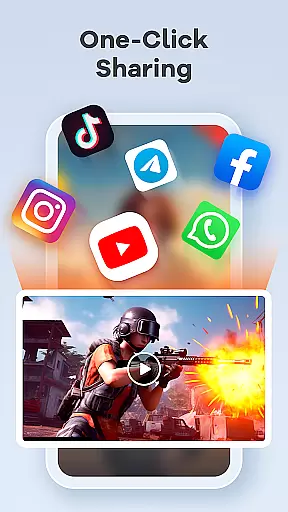
In addition to its powerful recording capabilities, Screen Recorder Video Recorder also offers an intuitive built-in video editor. You can trim, crop, and rotate videos, as well as convert them into GIFs for easy sharing. The app's unique features like live drawing, facecam integration, and gesture controls make it a comprehensive solution for both casual users and professional content creators. With seamless sharing options to platforms like YouTube and social media, this app empowers users to produce and distribute engaging content effortlessly.
One of the standout features of Screen Recorder Video Recorder is its ability to record in high definition without any time limits or watermarks, ensuring that your recordings are both professional and unrestricted. The app supports both internal and external audio sources, allowing you to capture sound from your device or through a microphone, which is perfect for voiceovers or reaction videos.
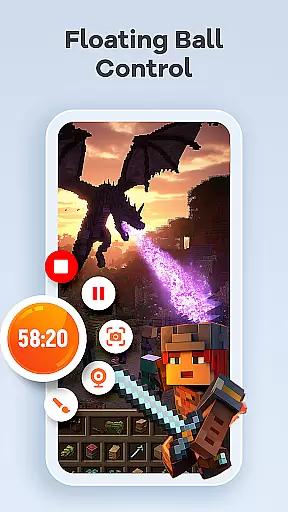
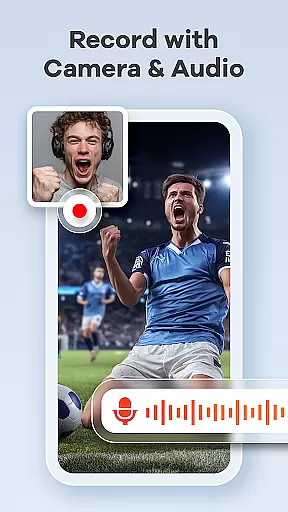
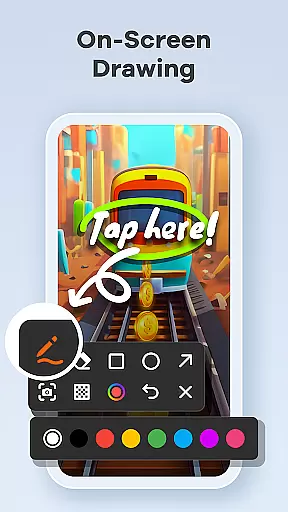
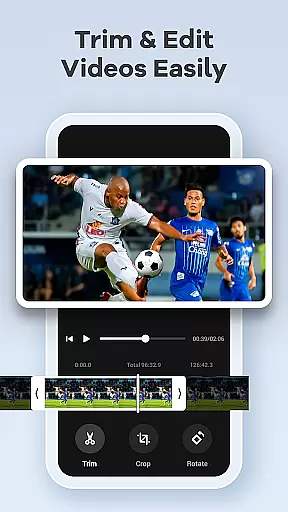
The built-in video editor provides essential tools such as trimming, cropping, and rotating, enabling you to polish your recordings before sharing. Additionally, the app includes innovative features like live drawing and annotation, which allow you to highlight important elements on your screen in real-time. Facecam functionality adds a personal touch to your videos, making it ideal for tutorials or interactive content. Gesture controls and a one-tap floating ball enhance the user experience by providing quick access to key functions without interrupting the recording process.
Screen Recorder Video Recorder excels in delivering precise and effective core functionalities that cater to a wide range of video recording needs. The app supports HD recording at 1080P, with bitrates up to 16Mbps and frame rates as high as 120FPS, ensuring every detail is captured in stunning clarity.
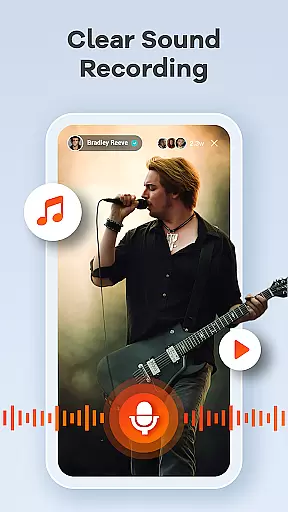
In addition to video quality, the app offers robust audio recording options, allowing users to capture crisp internal sounds or external audio through a microphone. This dual capability ensures that all auditory elements are recorded with exceptional clarity, making it ideal for creating tutorials, gameplay videos, and video calls.
The built-in video editor enhances the app's effectiveness by providing essential editing tools such as trimming, cropping, and rotating features. These tools enable users to refine their recordings into polished, share-worthy content without needing to switch to another application.
Furthermore, innovative features like live drawing and annotation allow users to visually explain complex concepts in real-time, adding an extra layer of engagement and professionalism to their videos. With these comprehensive capabilities, Screen Recorder Video Recorder empowers users to produce high-quality content effortlessly.
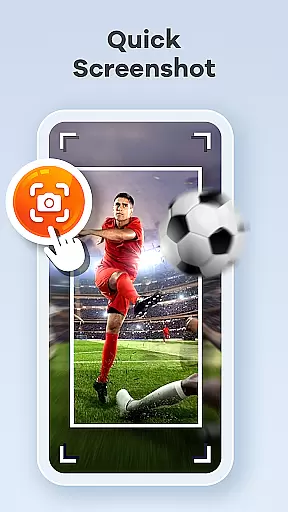
Screen Recorder Video Recorder stands out for its simple and intuitive interface, designed to streamline the video creation process. The one-tap floating ball feature allows users to start, pause, resume, and take screenshots with minimal disruption, making it incredibly easy to control recordings on the go.
Gestures can be customized for quick actions, further enhancing the seamless workflow. This customization option enables users to tailor the app's operation methods to suit their preferences, thus improving overall efficiency during video production.
Moreover, the absence of time limits and watermarks ensures that users have complete creative freedom. They can record as long as needed and share their creations without any distracting overlays, maintaining professional standards across all outputs.
With customizable settings available, users can adjust various parameters to fit specific project requirements. This flexibility not only simplifies but also personalizes the user experience, making Screen Recorder Video Recorder a versatile tool for both novice and experienced content creators alike.
User-friendly interface
High-quality recording
Built-in video editor
No watermark
Live drawing tools
Advanced features may require learning
Some features need permissions
Limited in certain apps
May consume significant storage
Privacy concerns with recording

 4.10
4.10
Head tracking for PC sim games such as MSFS 2024 or Elite:Dangerous. No headset!
4.50
Safely recover deleted photos, videos, and files with a single easy tap.
3.70
ADB support Android 4.X-Android 13(Support wireless pair mode).No root required!
4.70
Excellent scientific calculator with symbolic algebra, integrals, derivatives
4.80
Signal Strength, Mobile, Wifi, Speed Test, Bad Signals, Cellular, 5G, LTE, 4G
4.20
The Ultimate Flex Drivers Utility App - Convenient Tapping & Block Filters
4.70
NFC Tools can read and write NFC tags.
4.70
Your personal health butler
3.60
Best leveling tool for your Android device. Hang paintings like a pro.
4.90
Connect instantly to a fast, encrypted VPN with one tap
4.60
HD Video player and downloader for all formats, fast & smooth 4K video playback.
4.60
With videos, electrical calculators, and built-in ebook, Ugly’s has your answer.
4.50
Game Booster, GFX Tool is now compatible with newer game update
4.50
Just swipe the edge to do something!
4.40
Amateur Radio app for APRS: Track friends, exchange messages, get tactical info.
3.90
A recovery soft,it features photo recovery, video recovery, file recovery.
3.40
PDF Reader - Document Viewer: Read, Manage & Organize Your Documents
3.10
Save any video in HD - paste the link, download fast and watch offline.
4.1


User Reviews