
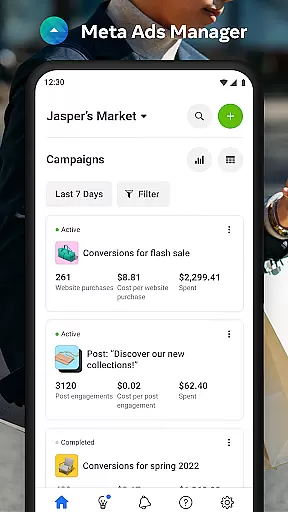

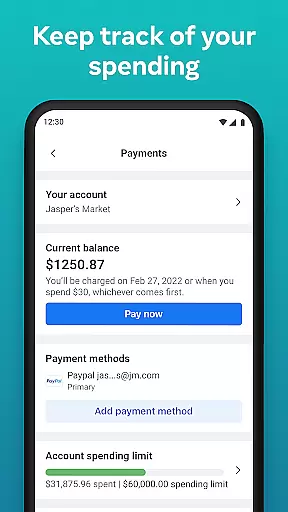
Meta Ads Manager is a comprehensive business tool designed for advertisers managing campaigns across Meta's platforms, including Facebook, Instagram, Messenger, and WhatsApp. The app enables users to create and edit ad campaigns while providing real-time insights into performance metrics. With its robust functionality, advertisers can monitor their campaigns' effectiveness, switch between different pages and ad accounts, and receive instant alerts about their ads' status. This ensures that businesses can optimize their advertising strategies on the go, making it an essential tool for digital marketers who need immediate access to campaign data.
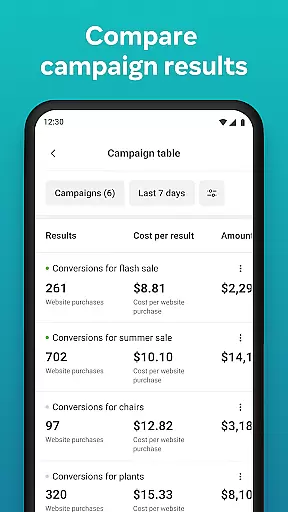
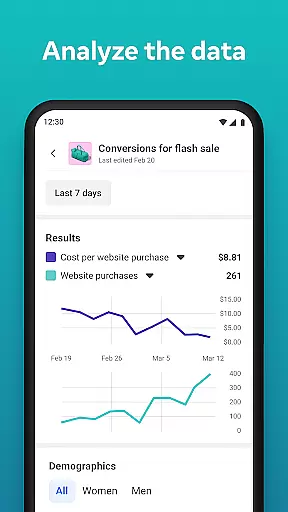
In addition to basic campaign management, the app offers advanced features such as the ability to turn campaigns on or off, compare different campaigns using side-by-side views, and gain detailed analytics. These capabilities allow advertisers to make informed decisions quickly, ensuring maximum ROI from their ad spend. Whether you're running a small business or managing large-scale marketing efforts, Meta Ads Manager provides the tools necessary to stay connected with your campaigns no matter where you are.
Meta Ads Manager stands out due to its extensive feature set tailored for modern advertisers. One of its key features is the ability to view detailed real-time insights from all your campaigns in one place. This includes metrics like impressions, clicks, and conversions, which are crucial for assessing ad performance. Additionally, users can easily toggle campaigns on and off, allowing for quick adjustments based on current needs or budget constraints.
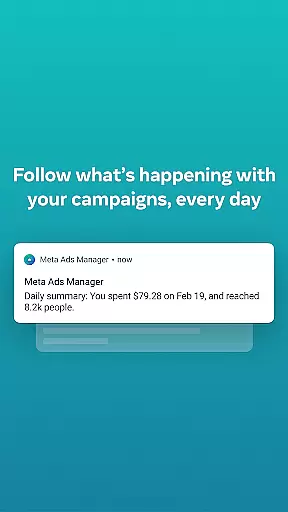
The app also provides quick alerts that notify users about significant changes or issues with their ads. This proactive approach helps advertisers address potential problems before they impact campaign success. Furthermore, the side-by-side comparison feature allows users to analyze multiple campaigns or ad sets simultaneously, facilitating better decision-making. With seamless integration across Meta technologies, this app ensures that advertisers have a unified and efficient experience when managing their digital marketing efforts.
Collaborative work features are essential for modern business applications, enabling teams to work together efficiently regardless of location. Meta Ads Manager excels in this area by providing a centralized platform where marketing teams can manage campaigns across multiple Meta technologies.
The application allows users to create and edit ad campaigns for platforms like Facebook, Instagram, Messenger, and WhatsApp from a single interface. This unified approach ensures that team members can coordinate their efforts seamlessly, maintaining consistency across different channels while implementing marketing strategies.
One of the key benefits is the real-time access to campaign data and insights. Team members can view detailed analytics, make immediate adjustments, and track the performance of their ads across all platforms simultaneously. This feature significantly enhances team productivity and decision-making capabilities.
Additionally, the app's alert system keeps all team members informed about important changes or issues with their campaigns. The ability to compare campaigns using side-by-side views further strengthens collaboration by providing clear visual references for team discussions and strategy sessions.
Effective task management is crucial for successful advertising campaigns, and Meta Ads Manager provides robust tools to handle this aspect. The application enables users to organize and control their advertising tasks with precision and efficiency.
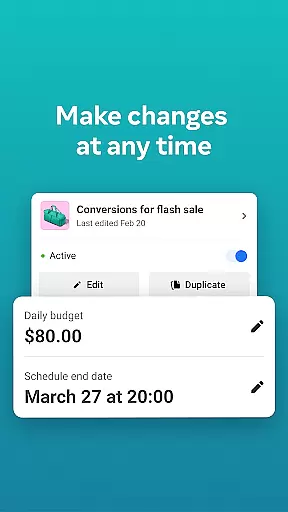
Users can easily turn campaigns on and off, making it simple to manage active promotions and allocate resources effectively. The app's interface allows for quick switching between different Pages and ad accounts, streamlining the management process for large-scale operations.
The platform offers comprehensive tools for tracking campaign progress through detailed real-time insights. Marketers can monitor key performance indicators, set up custom alerts for specific metrics, and receive notifications about significant changes in their ad performance.
Furthermore, the ability to compare campaigns and ad sets using side-by-side views enhances task management capabilities. This feature helps users identify top-performing ads, optimize underperforming campaigns, and maintain an organized approach to managing multiple advertising initiatives simultaneously.
User-friendly interface
Real-time analytics
Cross-platform support
Quick campaign adjustments
Detailed performance reports
Limited third-party integrations
Occasional sync delays
Advanced features require learning
High complexity for beginners
Dependent on Meta platforms

Ask Accio anything about business. Alibaba-backed, built by experts, not just AI
 4.60
4.60
The MyWalmart App is available for all associates in stores.
4.70
Earn free swag, G-Cards & food • Enter sweepstakes • Find stores • So much more.
4.70
Get instant construction estimates: accurate home repair & material calculator.
4.70
A secure, all-in-one team collaboration app
4.30
Find jobs near you and temp work in minutes, from your phone.
4.50
Make invoices, bills, receipts & estimates on the go with Invoice Generator.
4.70
No more passwords, easier sign-in, and greater protection for your accounts.
4.60
Make money as a delivery driver with DoorDash and work when you want as a Dasher
4.30
FaxCover - Create fax cover pages. Works with any app or fax machine.
4.90
Recover what matters — quickly and easily.
4.70
USPS Mobile®Access USPS.com’s most popular tools on-the-go.
4.70
Manage work life on the go
4.50
Build a store in minutes with our full suite of AI tools. Start for free!
4.20
The Penny Puss app with DG penny finder
4.10
VSD Viewer - Visio Drawings Viewer for Android Preview VSD, VDX, VSDX drawings
4.10
The All-in-One File Manager for Phone, TV, Watch, Cars, XR / VR, Chromebook
4.10
Work happy with AI Companion
4.10
Get your benefits on-the-go.
3.80


User Reviews