
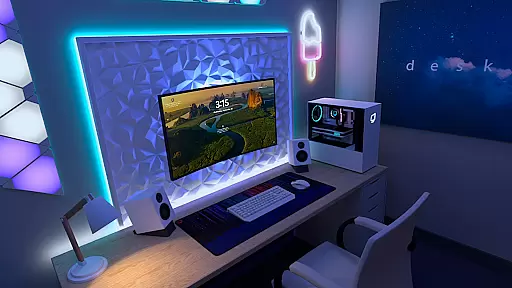
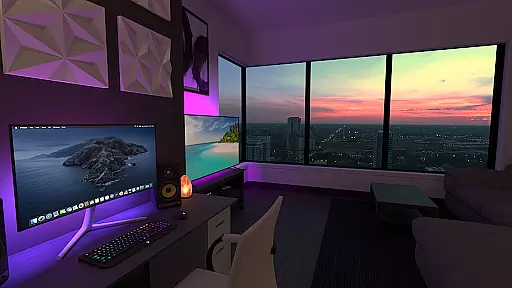
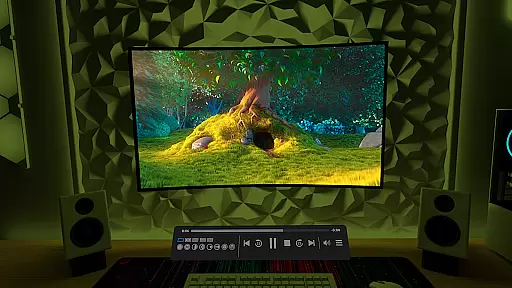
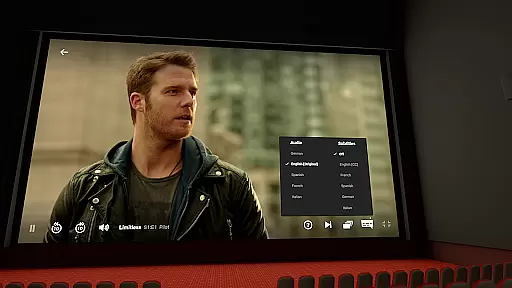
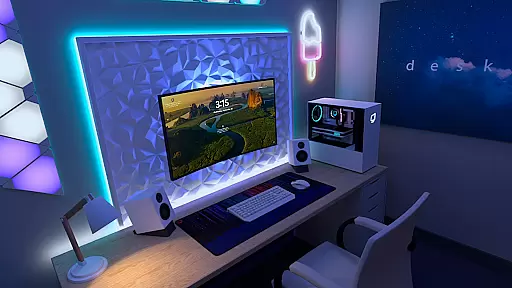

Virtual Desktop is a powerful tool that allows users to connect wirelessly to their computers for an immersive experience. With the ability to watch movies, browse the web, and even play games on a giant virtual screen, this app transforms how you interact with your computer remotely. Designed for low latency and high-quality streaming, it's perfect for both entertainment and productivity.
The app supports a wide range of devices running Windows 10 or 11, as well as macOS Catalina or later. Whether you're looking to stream PCVR games or simply want to extend your desktop environment, Virtual Desktop offers a versatile solution. Its optimization ensures smooth performance, making it ideal for users who demand efficiency and quality in their computing activities.
Virtual Desktop boasts several key features that enhance its usability and functionality. Firstly, it requires a wired Gigabit Ethernet connection to ensure stable and fast data transfer, which is crucial for high-quality streaming. This makes it suitable for users who prioritize speed and reliability in their network connections.
In addition to supporting various operating systems, the app also facilitates the streaming of PCVR games, provided your PC meets the necessary requirements. The inclusion of a Videos tab allows for seamless downloading or streaming of different video formats directly from your computer. Furthermore, support for Bluetooth peripherals like mice, keyboards, and gamepads enhances user interaction and convenience.
Other notable features include support for 3D content, multi-monitor setups, and a Microphone passthrough option. These capabilities make Virtual Desktop a comprehensive tool for users seeking an extended and enriched digital workspace.
Virtual Desktop excels in delivering a seamless and high-quality streaming experience. The application is meticulously optimized for low latency, ensuring that users can enjoy their content without frustrating delays. This native app supports both local and remote connections, allowing you to wirelessly connect to your computer(s) and engage in activities such as watching movies, browsing the web, or even playing games on a giant virtual screen.
The app's functionality extends to supporting multi-monitors, 3D content, and includes options like Microphone passthrough. These features collectively enhance the user experience by providing flexibility and customization according to individual preferences. Whether you are using a Windows or macOS system, Virtual Desktop ensures broad compatibility with most PCs and laptops.
For gamers, the ability to stream PCVR games is a standout feature. To achieve optimal performance, especially for gaming, it is recommended to have a VR Ready PC connected via a Gigabit Ethernet cable to a 5 or 6 GHz router. This setup guarantees not only high-quality streaming but also maintains the responsiveness needed for an immersive gaming experience.
Despite its advanced capabilities, Virtual Desktop maintains an intuitive and user-friendly interface. The design philosophy centers around making complex functionalities accessible without overwhelming the user. Navigation through different tabs, such as Videos, is straightforward, enabling users to download or stream various video formats directly from their computers.
Support for Bluetooth devices like mice, keyboards, and gamepads further simplifies interaction with the virtual environment. Users can seamlessly integrate these peripherals, enhancing both productivity and entertainment experiences. The inclusion of remote connection options over the internet adds another layer of convenience, provided UPnP is enabled on the router.
Overall, Virtual Desktop strikes a balance between powerful features and ease of use. Its interface removes barriers to entry for new users while offering depth and customization for power users. This dual approach ensures that whether you're managing tasks or indulging in leisure activities, the transition between real and virtual desktops remains smooth and intuitive.
High-quality streaming
Wide device compatibility
Supports PCVR gaming
User-friendly interface
Comprehensive feature set
Requires wired Ethernet
Limited mobile OS support
Internet connection needed
Premium pricing model
Complex setup process

Learn the vast amount of system information about device and monitor it's state
 4.70
4.70
Unlock your Essential Key. Create custom shortcuts to your favorite apps!
4.5
Save any video in HD - paste the link, download fast and watch offline.
4.4
Optimize your WiFi network, turn your phone into Wifi Analyzer
4.70
MS-DOS in your pocket. Play old DOS games anywhere you are ;)
4.10
Navigate with Ease and Style
4.90
Planner and Tracker for Stardew Valley
4.60
Download any file easily and quickly with Downloader
4.5
Enhance your Beats
3.70
Best leveling tool for your Android device. Hang paintings like a pro.
4.90
Excellent scientific calculator with symbolic algebra, integrals, derivatives
4.80
FV File Manager Pro, Fast and powerful file manager for Android
4.60
Button mapper, mouse toggle, sleep timer and a lot of another features
4.50
An easy-to-use calculator designed to save time calculating and bending conduit
4.30
Screen Mirroring with sound for Samsung TV, LG TV, Sony TV, Smart TV and Browser
4.20
A convenient photo, video, and file recovery tool.
4.00
Amateur Radio app for APRS: Track friends, exchange messages, get tactical info.
3.90
Create your own live wallpaper or check out thousands already made presets
3.90
A powerful, easy-to-use flight computer on your phone or tablet!
3.80


User Reviews