
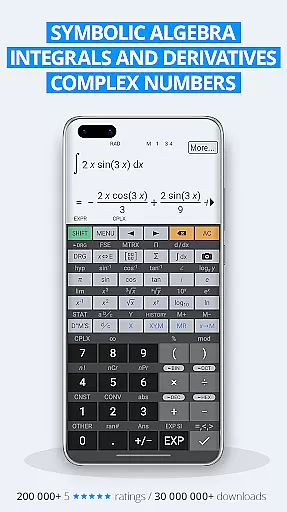
HiPER Calc Pro is an advanced scientific calculator that stands out with its powerful symbolic algebra capabilities, graphing functions, and comprehensive mathematical operations. Designed for students, engineers, and professionals who require precision and versatility in their calculations, this app supports equations, integrals, derivatives, and more.
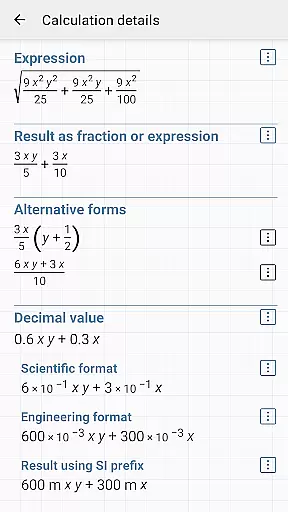
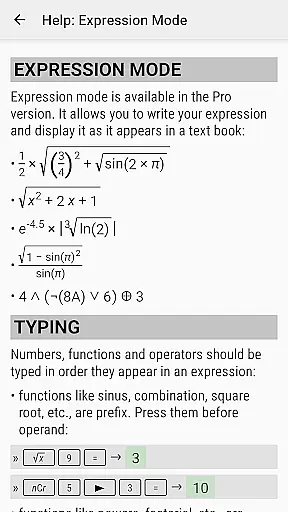
The app offers multiple layouts tailored to different device sizes, ensuring optimal usability whether on smartphones or tablets. With a natural expression input method, users can write calculations as they would on paper and receive results in various formats, including simplified expressions and numerical outputs. Its high-quality themes and customizable settings make it both visually appealing and adaptable to individual preferences.
One of the standout features of HiPER Calc Pro is its ability to handle complex mathematical tasks such as matrix operations, regression analysis, and 3D graphing. This makes it an invaluable tool for anyone dealing with advanced mathematics, science, or engineering problems. The app's global success, with over 40 million downloads and 200,000 five-star ratings, underscores its reliability and user satisfaction.
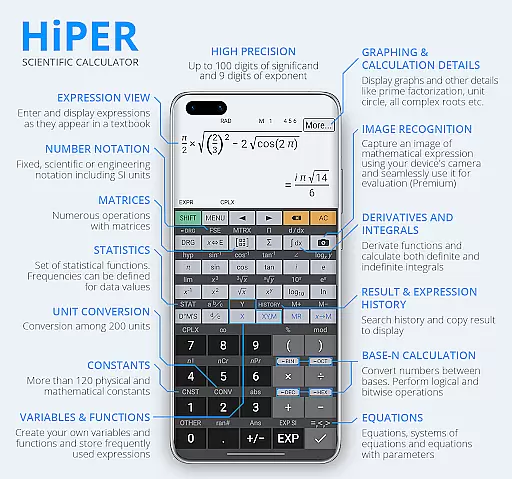
HiPER Calc Pro boasts an extensive range of features designed to cater to both basic and advanced computational needs. At its core, the calculator supports up to 100 digits of significand and 9 digits of exponent, making it suitable for highly precise calculations. It includes essential arithmetic operations, fractions, mixed numbers, periodic number conversion, and unlimited braces, ensuring flexibility in solving diverse mathematical problems.
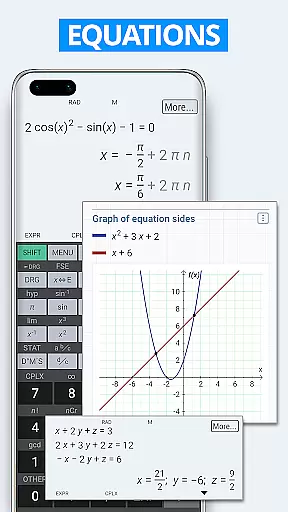
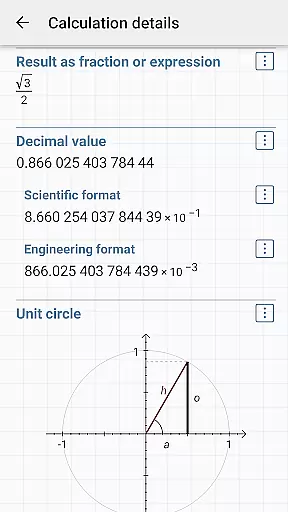
For advanced users, the app provides tools for symbolic computation, equation solving, derivatives, integrals, and graphing. These features are complemented by specialized functions like matrix and vector operations, statistical analysis, and regression models. Additionally, the app supports trigonometric and hyperbolic functions, logarithms, powers, roots, and conversions between numeral systems (binary, octal, hexadecimal).
Usability is further enhanced through its multiline display option for tablets, which allows users to review their calculation history and access previous results effortlessly. With over 90 physical constants, 250 unit conversions, and Reverse Polish Notation support, HiPER Calc Pro delivers unparalleled functionality for technical and scientific applications.
HiPER Calc Pro stands out as a highly accurate and effective scientific calculator, offering advanced mathematical capabilities. The app supports symbolic algebra, graphing, equations, integrals, and derivatives, making it an indispensable tool for students, scientists, and engineers.
The calculator handles up to 100 digits of significand and 9 digits of exponent, ensuring precision in calculations. It performs basic arithmetic operations, including percentage, modulo, and negation, while also supporting fractions, mixed numbers, and periodic numbers. Its ability to convert periodic numbers into fractions is particularly useful for simplifying complex expressions.
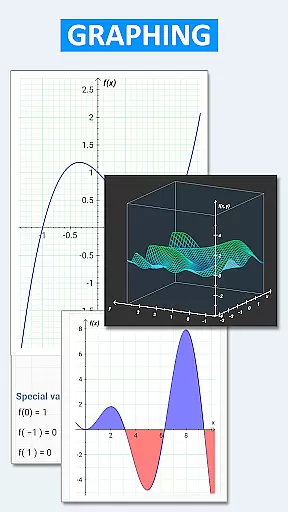
One of the key strengths of HiPER Calc Pro is its comprehensive support for advanced mathematical functions. Users can solve equations with one or more variables, perform matrix and vector operations, and conduct regression analysis. The app's capability to compute derivatives and integrals, along with graphing functions, equations, and integral areas, provides a visual understanding of mathematical concepts.
Overall, HiPER Calc Pro delivers exceptional value by combining powerful computational features with an intuitive interface. Its extensive functionality, which includes over 90 physical constants and conversion among 250 units, ensures that users can tackle a wide range of scientific and engineering problems with confidence.
HiPER Calc Pro excels in providing a simple and intuitive user interface that caters to various screen sizes and user preferences. The calculator offers multiple layouts optimized for different devices, including a pocket layout for small devices, a compact layout for smartphones, and an expanded layout for tablets.
For tablet users, HiPER Calc Pro provides a multiline display option that shows the complete history of calculations, allowing easy access to previous results. This feature enhances usability by enabling users to review their work and make adjustments as needed without losing track of their progress.
The app includes several high-quality themes, giving users the flexibility to customize the appearance according to their personal style. Additionally, HiPER Calc Pro supports both fixed point, scientific, and engineering display formats, adapting to the specific needs of various calculations.
With haptic feedback and clipboard operations supporting various formats, HiPER Calc Pro ensures a seamless and efficient user experience. These thoughtful design elements contribute to the overall simplicity and intuitiveness of the interface, making complex calculations more accessible and less daunting for all users.
Highly versatile
Accurate calculations
User-friendly interface
Advanced graphing
Customizable themes
Steep learning curve
Premium price tag
Complex for beginners
Limited offline help
Heavy on resources

Easily install aab(Android App Bundle) files on your Android device with our app
 4.80
4.80
Connect instantly to a fast, encrypted VPN with one tap
4.60
HD Camera captures every special moment.
4.60
Extremely fast, secure, and protects your privacy
4.80
HD Video player and downloader for all formats, fast & smooth 4K video playback.
4.60
Safely recover deleted photos, videos, and files with a single easy tap.
3.70
Unleash gamepad precision for ultimate mobile gaming dominance.
3.90
View detailed information about your Nissan Leaf the dealer never shows you.
4.10
The ideal app to be the digital eye of your family
3.40
Connect wirelessly to your computer to watch movies, browse the web, play games
5.00
Enjoy smooth gameplay with Game Booster
4.90
Unit and currency converter with easy and simple UI.
4.80 4.50
4.50
The Ultimate Bluetooth Keyboard & Mouse. Securely control your PC, Mac, and more
4.50
Fluid navigation gestures for all of us!
4.30
PC precision for mobile gaming: dominate with keyboard and mouse!
4.30
Just one-tap to easy translate in any language after calls within seconds.
4.20
App that Recover your pictures, videos or files after you delete them.
4.20
Automate everything from settings to photos, SMS to speech. ADC2 prize winner.
4.10


User Reviews