
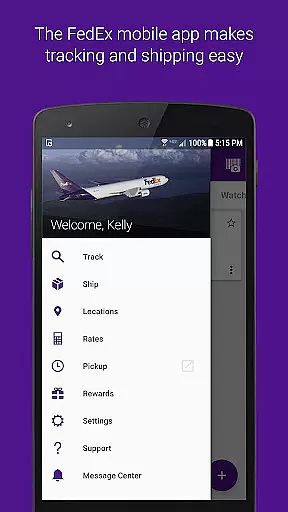
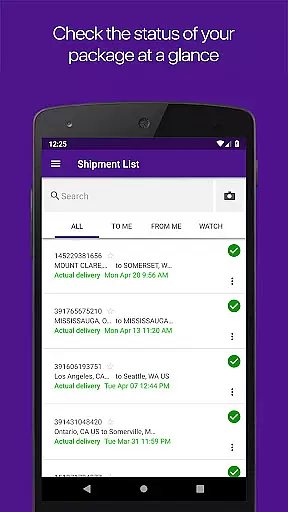
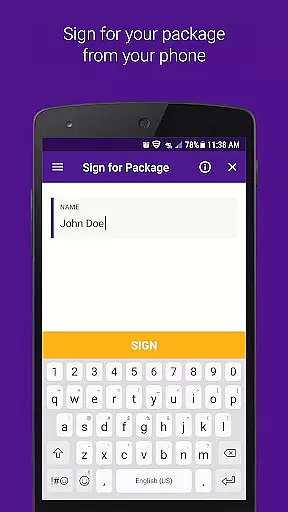
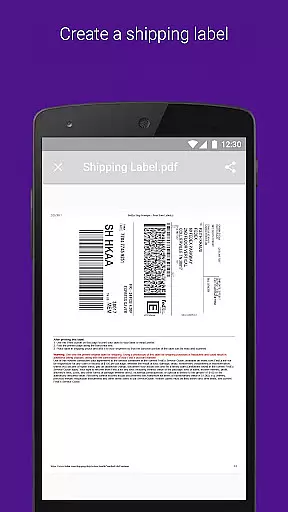
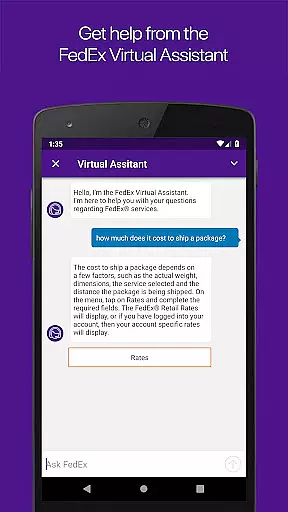
FedEx Mobile is a comprehensive business application designed to streamline shipping and package management for users across the globe. With this app, you can effortlessly create domestic and international shipping labels, track the status of your shipments in real-time, and manage your packages from any location. The app also provides quick rate estimates, helps you locate nearby FedEx pickup or drop-off locations, and allows you to scan barcodes for easy tracking.
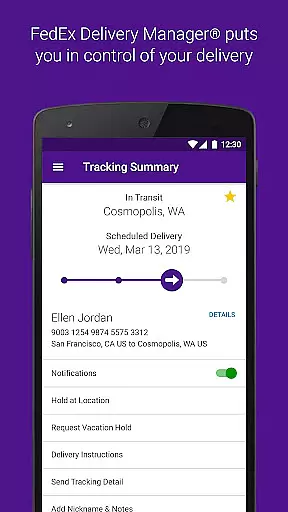
One of the standout features of FedEx Mobile is its ability to integrate with FedEx Delivery Manager, allowing users to customize delivery preferences. Whether you need to reschedule deliveries, hold packages at a preferred location, or leave specific instructions for couriers, this app has you covered. Its availability across all regions and support for advanced features like push notifications and biometric login make it an indispensable tool for businesses that rely on efficient logistics management.
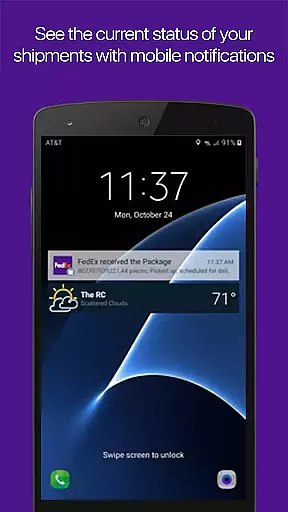
The FedEx Mobile app boasts an impressive array of features tailored to enhance your shipping experience. First and foremost, it offers robust shipment tracking capabilities, enabling users to monitor incoming and outgoing packages with ease. You can create mobile shipment labels directly from your device and request pickups with just a few taps. Push notifications keep you updated on your shipment's progress, while sound notifications alert you when a package has been delivered.
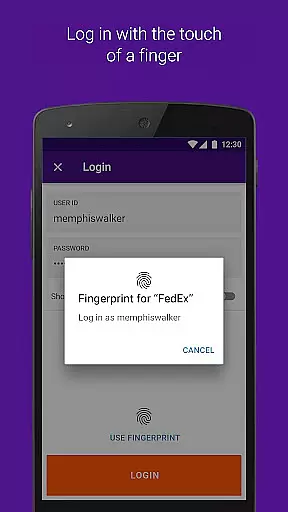
For users seeking convenience, the app includes practical tools such as barcode scanning for quick tracking, access to your shipper address book, and the ability to search shipments by various criteria like tracking numbers or vendor details. Additionally, the app supports biometric authentication through fingerprint or facial recognition, ensuring secure access to your account. Advanced functionalities like rerouting packages to nearby FedEx locations and managing vacation holds further demonstrate the app's commitment to providing flexible shipping solutions tailored to modern business needs.
In the realm of business logistics, the FedEx Mobile app introduces robust collaborative work features that streamline operations for teams and individuals alike. This application allows users to manage shipments collectively, ensuring that all team members are on the same page with shared access to shipment statuses and delivery schedules.
With functionalities such as creating mobile shipment labels and requesting pickups, the app fosters a cohesive working environment where tasks can be easily assigned and tracked. The ability to search the list of shipments by tracking number or vendor enhances transparency and accountability within teams.
Push notifications serve as an integral part of collaboration, providing real-time updates on shipments and alerting users upon delivery. These notifications ensure that every stakeholder is promptly informed about the progress of their shipments without needing to constantly check the app.
Furthermore, features like scanning barcodes for easy tracking and finding nearby FedEx locations support seamless teamwork in managing logistical operations. By integrating these comprehensive tools, FedEx Mobile significantly boosts productivity and efficiency in collaborative business settings.
The FedEx Mobile app excels in task management by offering an array of features designed to keep your shipping and receiving processes organized and efficient. With this app, you can effortlessly track the status of all incoming or outgoing packages, which is crucial for maintaining an orderly workflow.
Creating mobile shipment labels and scheduling pickups are streamlined tasks within the app, simplifying the shipping process. Users can also view or cancel scheduled pickups, making it easier to adjust plans according to dynamic business needs.
Enrollment in services like FedEx Delivery Manager adds another layer of task management sophistication, allowing customization of delivery preferences and vacation holds. This ensures that package deliveries align perfectly with your availability and convenience.
Additionally, accessing your shipper address book and logging in with biometric verification methods such as fingerprint or facial recognition further enhance task management capabilities. These features not only save time but also add a layer of security, ensuring that only authorized personnel can manage critical shipping tasks.
User-friendly interface
Comprehensive tracking options
Secure biometric login
Convenient pickup scheduling
Global availability
Limited advanced features in some regions
Requires multiple permissions
Occasional notification delays
Premium services come at extra cost
Some functions need active internet

Measure distances, surfaces and draw plans in seconds with CamToPlan!
 4.40
4.40
The Penny Puss app with DG penny finder
4.10
Find the right fit, faster.
4.70
Take the stress out of storage with the all-in-one app to manage your space.
3.70
Get instant construction estimates: accurate home repair & material calculator.
4.70
Paychex Flex - Save Time and Stay Connected
4.60
Master crypto trading with real-time simulations and exciting challenges!
4.50
USPS Mobile®Access USPS.com’s most popular tools on-the-go.
4.70
All-in-one Mobile solutions for employees & managers to succeed at work
4.30
Ship, Track, Find a Location or Get a Quote with UPS. Anytime. Anywhere.
4.60
Finance, Investing, Stocks, Trading and Stock news
4.60
Earn money with the driver & delivery partner app for Uber, UberEats & Postmates
4.60
Collaborate seamlessly with Google Chat, part of Google Workspace
4.50
Deliver and earn money
4.30
Formerly Facebook Ads Manager. Manage and create ads on the go.
4.20
FX Plus adds media, networking, and cloud capabilities to FX File Explorer.
4.10
viewing and sharing of PDFs
3.60
Access All PDF Files
3.40
viewing and sharing PDFs and other files—anytime, anywhere!
4.1


User Reviews