
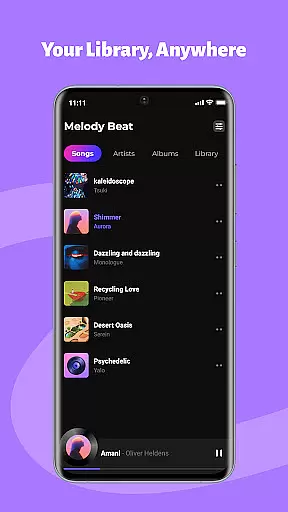
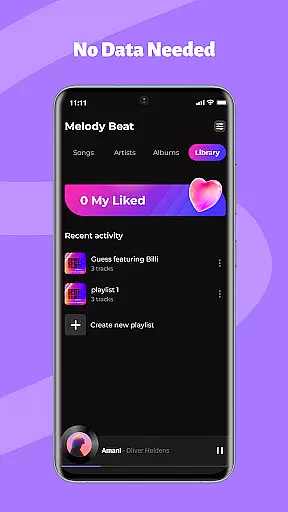
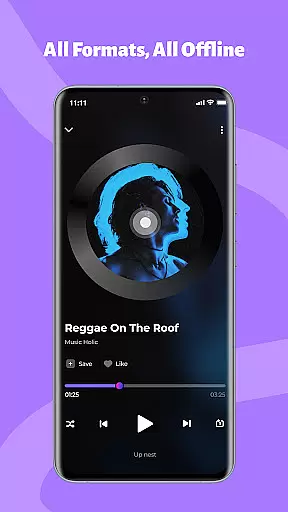
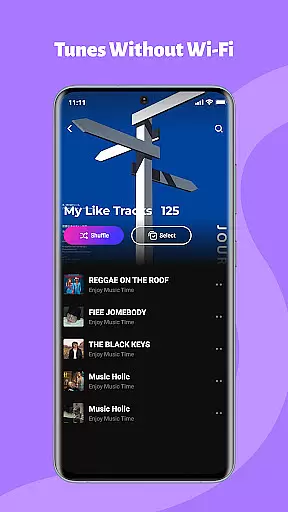
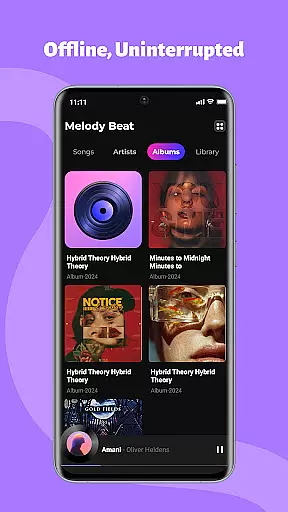
Melody Beat is a premium offline music player tailored for audiophiles who value quality and control. This app supports over 30 audio formats including MP3, FLAC, and WAV without requiring file conversion. Its smart library management system organizes tracks by artist, album, genre, or folder, while offering seamless offline lyric support.
Users can customize their listening experience with advanced equalizer settings, bass boost, and virtualizer options. The app ensures uninterrupted playback through background and lockscreen controls, making it ideal for travelers, gym-goers, and commuters. With its privacy-first approach, Melody Beat guarantees that all music files remain local, providing a secure and personalized experience.
Melody Beat stands out with its universal format compatibility, supporting more than 30 audio formats without any need for conversion. The smart library management feature automatically categorizes music, enabling users to search and filter their collection effortlessly. Lyrics are displayed directly within the app, even without an internet connection.
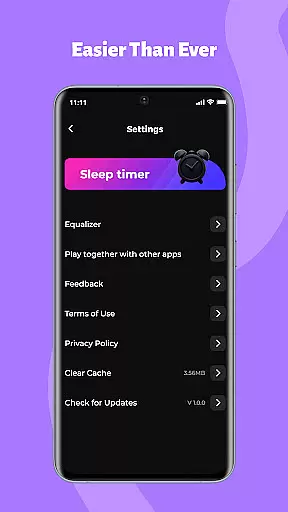
The app's equalizer offers professional-grade sound customization with presets for various genres like Pop, Rock, Jazz, and Classical. Users can further enhance their experience with bass boost and virtualizer options. Background and lockscreen playback allow for convenient music control, whether during workouts or commutes. Privacy is prioritized with local-only storage and no hidden subscription costs.
One of the standout features of Melody Beat is its extensive music library support, which allows users to enjoy a vast collection of audio files directly from their local storage. The app supports over 30 formats, including MP3, FLAC, WAV, and AAC, ensuring that users can play their music without the need for any format conversion.
The importance of copyright authenticity cannot be overstated in today's digital age. Melody Beat respects user privacy and ensures all files remain locally stored, meaning there's no cloud storage or data tracking involved. This approach not only safeguards users' personal information but also guarantees that all music content is authentic and legally owned by the user.
Melody Beat automatically organizes your music library by artist, album, genre, or folder, making it easy to find exactly what you're looking for. With quick filters and genre search capabilities, users can effortlessly navigate through their collection. Additionally, the inclusion of lyrics support enhances the listening experience, even when offline.
Audio quality is paramount for an immersive music experience, and Melody Beat excels in this area by offering a professional equalizer, bass boost, virtualizer, and pre-set modes tailored for different music genres such as Pop, Rock, Jazz, and Classical. These features allow users to customize their sound according to their preferences, ensuring the highest possible audio fidelity.
The app's dedication to providing lossless quality playback means that users can enjoy their music exactly as the artists intended. Whether you're a casual listener or a dedicated audiophile, Melody Beat caters to all with its versatile sound customization options.
Another advantage of Melody Beat is its ability to deliver uninterrupted playback, thanks to its offline functionality. Users can pre-download albums and playlists, perfect for scenarios where internet access might be limited, such as during flights or commutes. This feature ensures that listeners can enjoy high-quality audio without any buffering or interruptions, elevating the overall music experience.
Wide format support
Smart library organization
Advanced equalizer settings
Offline lyric display
Privacy-focused design
No cloud integration
Limited social features
Manual library updates
No streaming service
Basic UI design

Performance-Synthesizer & Multi-Track-Sequencer, polyphonic + multi timbral!
 4.70
4.70
Enhance the sound quality of your devices, listen to what you want
4.50
Simple & Intuitive Metronome
4.70
More downloads than any other metronome. Includes drum machine & tempo trainer.
4.80
Brian Eno and Peter Chilvers’ acclaimed music app Bloom, radically reinvented.
4.80
Ultimate Sonos Controller
4.70
USB audio recording and playback finally possible on Android 3.1 or higher!
3.90
Voice recorder - Audio recorder. Best recorder for recording
4.90
Master Salsa Rhythm quickly and with a lot of fun!
4.30
Full-featured, High-Quality Groovebox Workstation, perfect for Live Performance!
4.80
JBL PartyBox APP works with 110/310/710/120/320/520/Encore/Encore 2/Encore Ess 2
4.80
Record, Mix & Master with all n-Track effects, 64-bit audio and Stem Separation.
4.70
AI Music Maker: Generate And Compose AI Tunes & AI Songs & AI Music & AI Melody!
4.60
Enjoy singing any song, no matter how high or low it is
4.30
The alternative folder based music player.
4.20
PowerAudio is a powerful offline music player.
4.20
Sheet music reader, piano & music note player. Play music score & learn to read.
3.90
Offline Tunes, Unlimited Vibes
3.90
Make music anywhere. Turn your device into an instrument.
4.4


User Reviews