
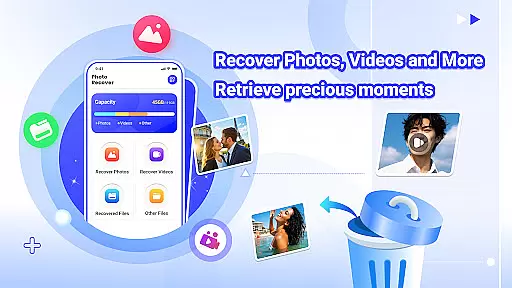

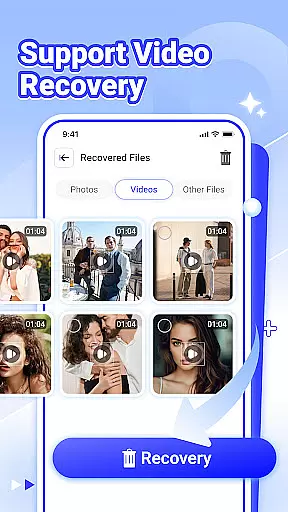
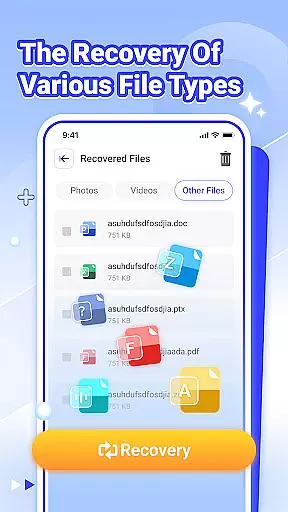

Photo Recover is a powerful file recovery tool designed to help users retrieve lost photos, videos, and various other file types. The app's core functionality lies in its ability to recover accidentally deleted media files through a simple and intuitive interface.
In addition to photo recovery, the app supports video restoration and retrieval of different document formats. Its unique capability to identify and restore cached files deleted by other applications makes it especially valuable for users who frequently handle multimedia content. The app performs all scanning and recovery operations locally, ensuring user privacy and data security.
This application is particularly useful for individuals who have lost important files due to accidental deletion or system errors. It provides a practical solution for recovering precious memories and important documents without requiring technical expertise.
Photo Recover distinguishes itself through several notable features. The application employs advanced scanning algorithms that search for deleted files matching specific path patterns in the device's storage. This technology enables the recovery of various file types including images, videos, and documents.
The app's interface is designed for ease of use, allowing users to complete the recovery process in just a few simple steps. It includes a preview function that lets users review recovered files before final restoration. Additionally, the app operates entirely offline, ensuring that all scanned and recovered data remains on the user's device without being uploaded to external servers.
While the app cannot guarantee 100% recovery success due to factors like device model and storage medium conditions, it provides one of the most comprehensive recovery solutions available. The app's ability to work with different file systems and storage types makes it a versatile tool for both casual users and professionals needing to recover important data.
Photo Recover provides a reliable solution for recovering deleted files, focusing on accuracy and effectiveness in its core functions. The app supports the recovery of various file types, including photos, videos, and documents, ensuring that users can retrieve a wide range of lost data.
The app's photo recovery feature allows users to restore accidentally deleted images with just a few taps, retrieving precious moments that might otherwise be lost forever. Similarly, the video recovery option ensures that important footage is not permanently erased, providing an additional layer of security for multimedia content.
File recovery extends beyond just photos and videos, encompassing various document types as well. This comprehensive approach ensures that users can recover critical files such as work documents or personal records. The ability to view recovered files within the app adds an extra level of assurance, allowing users to verify that nothing important has been overlooked during the recovery process.
The interface of Photo Recover is designed to be simple and intuitive, making file recovery accessible even for those who may not be tech-savvy. With a straightforward layout and clear instructions, users can navigate through the app's features with ease, ensuring a smooth recovery experience.
Each function, from photo recovery to viewing recovered files, is presented in a manner that requires minimal learning curve. Users can initiate the recovery process with just a few taps, streamlining what could otherwise be a complex task into a series of simple steps.
This emphasis on simplicity does not come at the expense of functionality. Despite its user-friendly design, Photo Recover maintains powerful capabilities under the hood, striking a balance between ease-of-use and robust performance. The result is an application that empowers users to recover their valuable data without frustration or confusion.
User-friendly interface
Fast scanning speed
Multiple file support
Local data processing
Preview functionality
No guaranteed recovery
Limited post-reset options
Device compatibility issues
Basic technical knowledge required
Premium features locked

 4.10
4.10
Quickly switch to an encrypted DNS server on Android TV
4.50
Carry a FTP server in your pocket and avoid USB cables for file transfer
4.20
Keep track of your Palia friendships, tasks, and inventory with Palia Notebook
4.60
Effortlessly run ADB commands directly on your device without a PC.
4.20
Planner and Tracker for Stardew Valley
4.60
Fast Video Downloader, Movie Downloader, Torrent Downloader & Adblock Browser
4.70
A simple app to back up and restore SMS & MMS messages and call logs.
4.10
A clean app.
4.50
The ultimate tool for network analysis, wifi scanning and problem detection.
4.90
Play your X-Box games remotely in 1080p with any controller and zero latency
4.60
FV File Manager Pro, Fast and powerful file manager for Android
4.60 4.50
4.50
Quickly check the frequency of the Earth
4.30
Remote for Roku, Fire TV, Samsung TV, LG TV, Android TV, Chromecast and VIZIO TV
4.20
Signal Strength, Mobile, Wifi, Speed Test, Bad Signals, Cellular, 5G, LTE, 4G
4.20
MS-DOS in your pocket. Play old DOS games anywhere you are ;)
4.10
Amateur Radio app for APRS: Track friends, exchange messages, get tactical info.
3.90
Smart and comfortable browsing experience.
3.80


User Reviews