
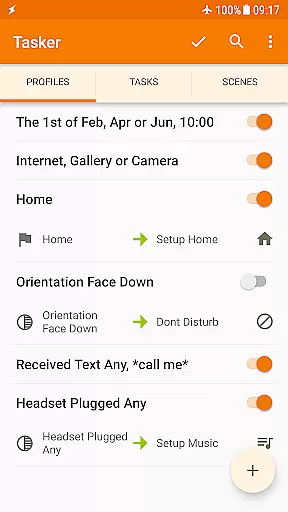
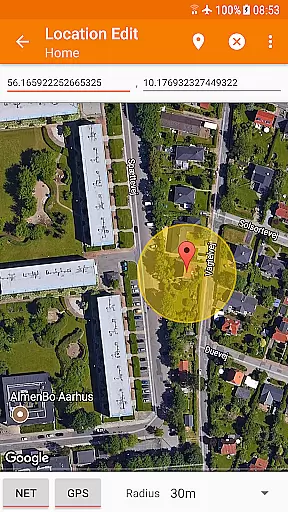
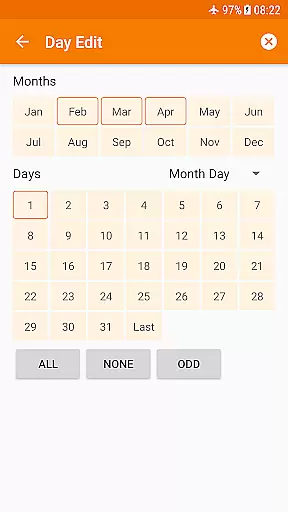
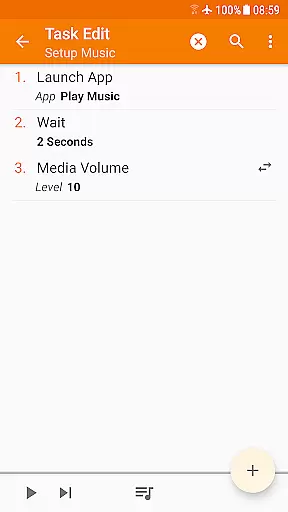
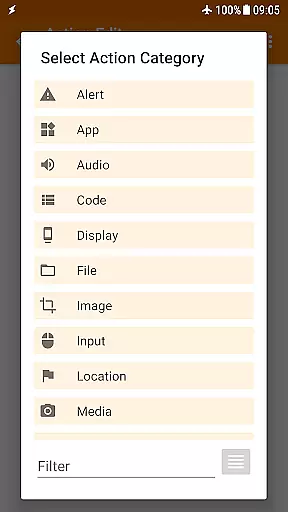
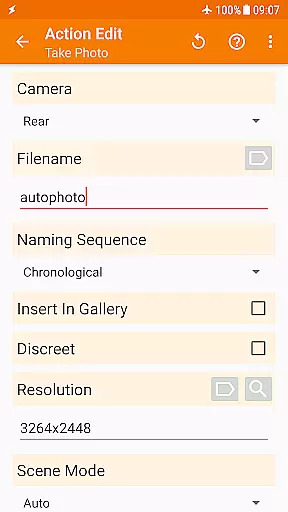
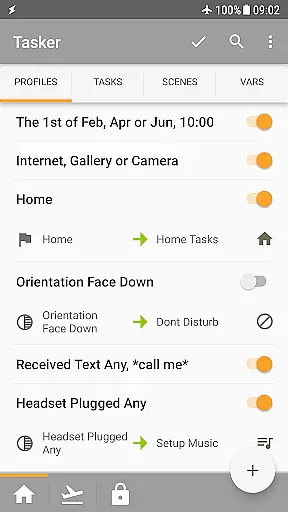
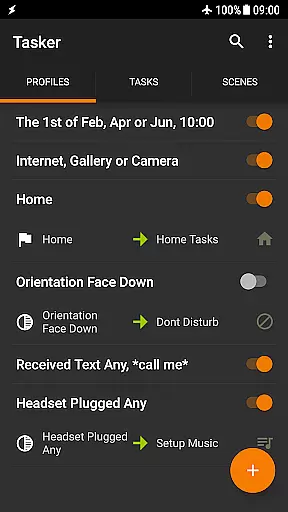
Tasker is a powerful automation tool designed specifically for Android devices, enabling users to automate a wide range of tasks based on various triggers such as time, location, or specific events. With over 350 actions available, this app allows for deep customization of your smartphone experience.
The application's true strength lies in its ability to seamlessly integrate different contexts and tasks, providing unparalleled flexibility. Whether you want to change settings automatically when you leave home, backup files to Google Drive, or even trigger tasks remotely from another device, Tasker can handle it all without requiring root access for most functions.
Ideal for tech-savvy users and developers, Tasker also supports creating custom UIs, standalone apps, and integrates with third-party applications. This makes it an indispensable tool for anyone looking to maximize their productivity and streamline daily routines on their Android device.
Tasker offers an extensive array of features that cater to both casual users and advanced developers. The app supports over 130 contexts and events, allowing automation based on factors like location, time of day, Wi-Fi network, received SMS or calls, and more. This versatility ensures that your device can truly become a 'smart' phone tailored to your lifestyle.
In addition to its robust automation capabilities, Tasker includes a rich set of actions for customizing system settings, controlling music playback, sending SMS, and managing files. Users can create complex tasks using Scenes to design personalized UIs and leverage the Tasker App Factory to build standalone apps for sharing or selling.
For developers, Tasker provides seamless integration with third-party apps and web APIs through HTTP Auth and Request actions. This developer-friendly environment fosters innovation and expands Tasker's functionality beyond standard use cases, making it a comprehensive solution for automating virtually any task imaginable on an Android device.
Tasker exemplifies core function accuracy and effectiveness by offering over 350 actions that allow users to customize their Android experience extensively. These actions range from sending SMS, controlling music playback, altering system settings like Wi-Fi Tether and Dark Mode, to manipulating files.
The app's strength lies in its ability to automate based on a multitude of contextsu2014such as location, time of day, or even the song playing. With more than 130 states and events, Tasker ensures that the triggers are both precise and relevant to user needs.
While most functionalities do not require root access, reflecting Androidu2019s security-conscious design, certain advanced features maintain compatibility with rooted devices. This balance between powerful automation and system security underlines Tasker's commitment to functional integrity.
Users benefit from reliable automations that save time and streamline their digital life, making once-tedious tasks effortless and ensuring their device operates exactly as they need, when they need it.
Despite its vast capabilities, Tasker maintains an interface that aims for simplicity and intuitiveness. The app provides various ways to trigger actions, including launcher shortcuts, widgets, and even hardware buttons like volume controls or media buttons on Bluetooth devices.
Tasker's design allows users to create automations easily, as evidenced by tutorial videos demonstrating straightforward setup processes. Its open support for third-party developer plugins enhances its intuitive use, enabling actions in other apps and integration with web APIs through HTTP requests.
Scenes further contribute to interface control, letting users design custom UIs for specific information display or task initiation. This level of personalization empowers users to interact with their device in a way that feels natural and unobtrusive.
By combining versatile interaction methods with customizable scenes, Tasker delivers an engaging yet intuitive user experience that makes sophisticated automation accessible to all user levels.
Highly customizable
Extensive automation options
User-friendly interface
Strong developer support
Versatile integration capabilities
Steep learning curve
Requires technical knowledge
Limited iOS compatibility
Premium pricing model
Occasional performance issues

 4.50
4.50
1-Click close all background apps on Android TV
3.90
Unlock your Essential Key. Create custom shortcuts to your favorite apps!
4.0
HD Video player and downloader for all formats, fast & smooth 4K video playback.
4.60
Canon PRINT is a companion app for your Canon printer.
4.60
Small and simple app to Verify Root Access and BusyBox Install!
4.70
Screen Mirroring with sound for Samsung TV, LG TV, Sony TV, Smart TV and Browser
4.20
Screen recorder with audio to record high-quality videos and take screenshots.
4.40
Enhance your Beats
3.70
Support Fossify apps with a warm thank you!
5.00
Unit and currency converter with easy and simple UI.
4.80
Optimize your WiFi network, turn your phone into Wifi Analyzer
4.70
Protect your device with antivirus, storage cleanup, and system monitoring
4.70
Connect instantly to a fast, encrypted VPN with one tap
4.60
App to pay for FUTO Keyboard
4.60
Play your X-Box games remotely in 1080p with any controller and zero latency
4.60
Mirror your screen to Fire TV - Super fast and simple
4.40
Quickly check the frequency of the Earth
4.30
A non-root local ADB shell client. READ BELOW!
3.40


User Reviews