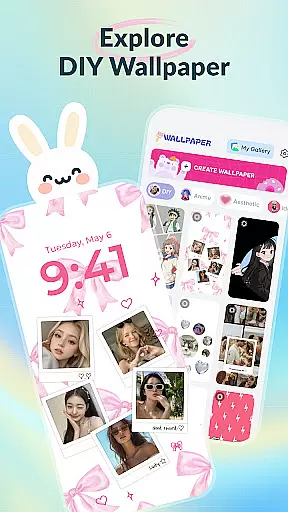
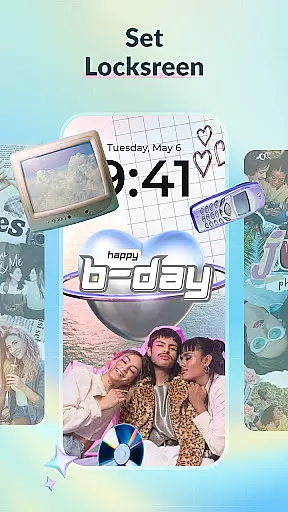
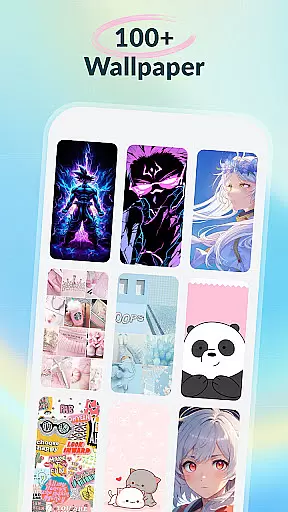
DIY Wallpaper & Collage Craft is a creative app designed for personalizing phone wallpapers. It offers three main features: DIY Frame Wallpaper, Collage Wallpaper Craft, and a Curated Wallpaper Gallery.
The DIY Frame Wallpaper allows users to transform their photos into captivating wallpapers using stylish frames and templates. The Collage Wallpaper Craft provides complete creative freedom to design unique photo collages with tools like stickers, text, and artistic filters. Lastly, the Curated Wallpaper Gallery offers a diverse selection of trendy, ready-to-use wallpapers.
This app is perfect for those looking to express their individuality through personalized phone aesthetics.
DIY Wallpaper & Collage Craft stands out with its powerful customization tools. The DIY Frame Wallpaper section includes dynamic and static frames, easy photo import, custom backgrounds, and fun stickers.
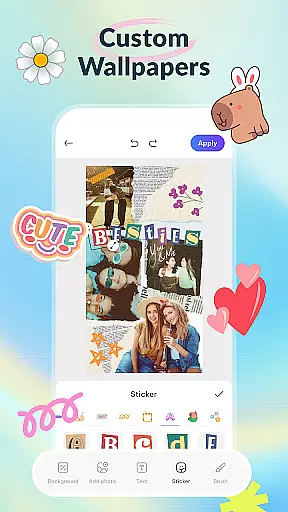
In the Collage Wallpaper Craft, users enjoy complete creative control with features like free photo import, trendy stickers, custom text options, a creative brush tool, and artistic filters. This ensures every collage is a unique masterpiece.
Additionally, the Curated Wallpaper Gallery is regularly updated with fresh and diverse designs ranging from aesthetic vibes to anime themes, ensuring there's something for everyone.
DIY Wallpaper & Collage Craft offers an extensive range of customization options that cater to every user's creative needs. With features like DIY Frame Wallpaper, users can transform their personal photos into stunning wallpapers using a vast collection of stylish frames and templates.
The app provides both dynamic and static frames, allowing for animated or timeless designs. Users can seamlessly import any gallery image, ensuring a perfect fit within their chosen design. Additionally, the option to experiment with different backgroundsu2014be it colors, patterns, or texturesu2014enables users to set the perfect mood for their device's screen.
Beyond frames, the app includes a diverse library of stickers that add fun and trendy elements to each creation. This level of variety in customization empowers users to express their unique style and keep their screens fresh and personalized.
Theme compatibility is at the heart of DIY Wallpaper & Collage Craft, ensuring that all designs maintain visual consistency across various devices. The app supports a wide array of themes, from cute aesthetics to dark vibes, catering to different user preferences and trends.
Users can explore the Curated Wallpaper Gallery, which is packed with ready-to-use wallpapers hand-picked and constantly updated with the hottest trends. Whether you're looking for dreamy pastels, iconic anime scenes, adorable animals, sleek dark mode themes, or whimsical characters, this gallery has something for everyone.
By regularly updating its content to align with current mobile cultureu2014from TikTok aesthetics to meme crazesu2014the app ensures that your device remains trendy and visually appealing. This commitment to theme compatibility allows users to enjoy a cohesive look on their devices without compromising on creativity or style.
User-friendly interface
Vast customization options
Frequent updates with new content
Completely free to use
High-quality graphics and designs
May overwhelm new users
Designs can be hit or miss
Limited advanced editing tools
Some features may require learning
Ads might disrupt experience

A retro cartoon style watch face and a punch right in the face of the copyright
 4.60
4.60
Fingerprint Lock Screen & Live Animations with 4K Wallpapers as Live Wallpaper
4.40
AI-powered Copilot. Personalized keyboard with gifs, stickers & themes
4.40
Shimeji adds cute animated characters to your screen, lively and fun.
4.70
Transfer your live wallpapers from Windows to Android using Wallpaper Engine!
4.00
Aesthetic Widgets, HD Wallpapers, Themes in Mico Widget for Home and Lock Screen
4.50
⭐ OneUI inspired Fluffy Icon Pack – Soft. Stylish. Standout. ⭐
4.0
Custom edge gestures for volume control, brightness, apps, and shortcuts.
4.3
Enjoy a variety of amazing live wallpapers and colorful EDGE lighting borders!
4.80
Only for Wear OS devices!
4.90
Wallpaper HD 4K Live - Thousands of high-quality Anime backgrounds for you.
4.80
A Colorful and Minimal icon pack in an Outline Style - Over 13,600 icons!
4.70
Nothing Icon pack with more than 3750+ highly crafted icons.
4.70
400+ Beautifully crafted widgets inspired by NOTHING.
4.70
A minimalist productivity launcher. One-hand-friendly. Zero ads.
4.70
Customize your home screen with stunning themes, blur, widgets & icons.
4.60
Run multiple accounts of the same app on a single device
4.10
Realistic animated snow on your wrist, with 10 images landscapes to choose from
4.00
HappyLighting is a Bluetooth lamp control software.
3.40


User Reviews