
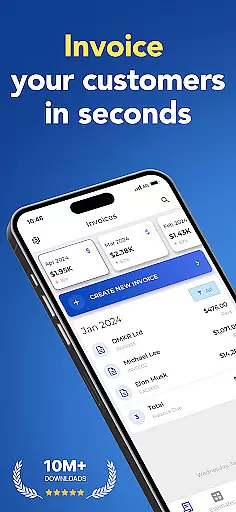
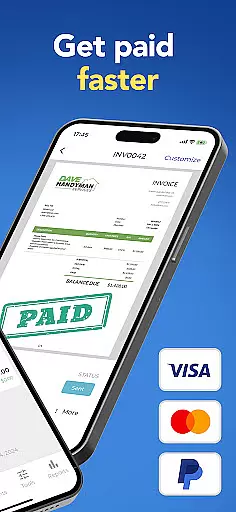
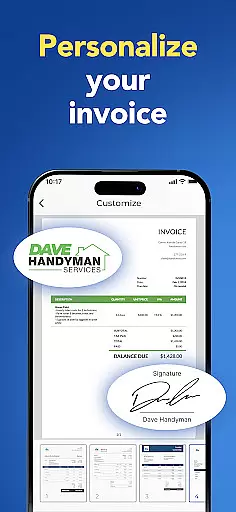
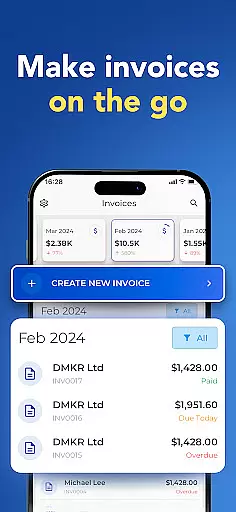

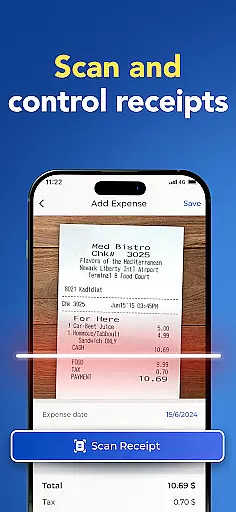
Invoice Maker is a powerful business tool designed to streamline invoicing processes for freelancers, small businesses, and contractors. This app allows users to create professional invoices quickly and efficiently directly from their mobile devices.
The application offers comprehensive customization options, enabling users to add payment details, taxes, discounts, due dates, and even signatures. Its intuitive interface ensures that creating an invoice takes less than a minute, while smart features like client notifications and invoice tracking provide added convenience.
Whether you're managing multiple clients or handling on-the-go billing, Invoice Maker helps maintain organized financial records and improves cash flow management. The ability to sync across devices and generate detailed income reports makes it an indispensable solution for modern professionals.
Invoice Maker stands out with its robust feature set tailored for business efficiency. Users can choose from various customizable invoice templates, attach images and notes, and apply discounts and taxes at both item and total levels.
A key advantage is the seamless integration with phone contacts for quick client setup. The app supports real-time synchronization across all devices using the same account, ensuring data consistency. Advanced functionalities include income tracking through easy-to-use reports and instant notifications when clients view invoices.
Additional notable features are 24/7 customer support, the ability to generate estimates, and sharing/printing invoices on the go. These capabilities collectively enhance productivity and provide a complete invoicing solution in a mobile format.
Collaborative work features are essential for modern business applications, enabling teams to work together efficiently regardless of location. Invoice Maker excels in this area by providing seamless integration with contact lists and allowing users to quickly set up client information directly from their phone contacts.
The app's synchronization capabilities ensure that all devices linked to the same account receive real-time updates. This means freelancers and small business owners can manage invoices across multiple devices without missing a beat, creating a cohesive workflow environment.
Additionally, the app offers 24/7 support, ensuring that any collaborative issues or questions can be addressed promptly. This level of support enhances team productivity by minimizing downtime and providing reliable assistance whenever needed.
By combining these features, Invoice Maker creates an ecosystem where collaboration is not just possible but optimized, empowering users to focus on growing their businesses rather than managing administrative tasks.
Effective task management is crucial for maintaining productivity and meeting deadlines. Invoice Maker addresses this need by offering tools that streamline the entire invoicing process, from creation to tracking payments. Users can create professional invoices in under a minute, significantly reducing the time spent on administrative tasks.
The app allows for detailed customization of invoices, including adding payment terms, taxes, discounts, and even signatures. These features help users organize their financial transactions systematically, making it easier to track income and expenses through intuitive reports.
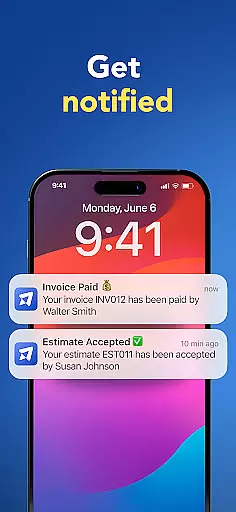
Moreover, Invoice Maker notifies users when clients receive and open invoices, adding another layer of task management efficiency. This feature ensures that follow-ups can be timely and appropriate, improving cash flow management.
With its comprehensive suite of task management tools, Invoice Maker empowers freelancers and small business owners to maintain control over their financial operations, ultimately leading to better business outcomes.
User-friendly interface
Comprehensive customization
Real-time notifications
Cross-device synchronization
Quick invoice creation
Limited free features
Occasional syncing issues
Premium subscription required
No offline mode
Complex settings for beginners

Completed Course Lectures on how to use IBM Maximo in Maintenance issues
 4.1
4.1
Find flexible, hourly jobs hiring near you in restaurant, retail & hospitality!
4.00
Measure distances, surfaces and draw plans in seconds with CamToPlan!
4.40
BuildCalc - the easiest AND the most advanced construction calculator app.
4.80
Finance, Investing, Stocks, Trading and Stock news
4.60
Delivery Track App - Tracking with Fedex, USPS, UPS, DHL. Monitor your Orders.
3.20
From Gone to Back Again — In Just a Few Taps
4.50
ADP Mobile Solutions is an employee self service app
4.50
On the go? Take FedEx with you.
4.00
Job search app that finds jobs for you! Takes the work out of looking for a job!
4.90
Start earning fast. Apply Today.
4.80
Create curriculum vitae, a professional cover letter creator and resume designer
4.80
Get instant construction estimates: accurate home repair & material calculator.
4.70
All your team communication in one place
4.70
Amazon A to Z is the place to manage your work-life at Amazon.
4.50
Find jobs near you and temp work in minutes, from your phone.
4.50
The app that lets you deliver with Amazon.
4.50
A secure, all-in-one team collaboration app
4.30
VSD Viewer - Visio Drawings Viewer for Android Preview VSD, VDX, VSDX drawings
4.10


User Reviews